
1. Introducció
The FREEWOLF A2 Transparent Wireless Gaming Mouse offers a versatile and responsive experience for PC users. Featuring dual-mode connectivity (2.4G wireless and Bluetooth 5.0), adjustable DPI settings, a rechargeable battery with a digital display, and customizable RGB backlighting, this mouse is designed for various computing tasks, including gaming and office work.

Image: The FREEWOLF A2 mouse in purple, showcasing its transparent design and the included USB receiver.
2. Característiques clau
- Dual Mode Connection: Supports 2.4G wireless (via USB receiver) and Bluetooth 5.0 for flexible connectivity.
- DPI ajustable: 5 levels of DPI (up to 4000) for precise cursor control, powered by a PixArt 3212 optical sensor.
- Bateria recarregable: Built-in 400 mAh battery with USB-C charging, offering extended use on a single charge.
- Pantalla digital de la bateria: An integrated screen shows the current battery percentage.
- Retroil·luminació RGB: Customizable RGB lighting effects enhance the aesthetic appeal.
- Disseny ergonòmic: Shaped for comfort during prolonged use, accommodating various grip styles.
- Interruptors duradors: Rated for over 5 million clicks.
- Transparent Shell: Unique design allows visibility of internal components and lighting.

Image: Visual representation of the mouse's core features, including dual mode, PixArt 3212 sensor, RGB lighting, digital screen, adjustable DPI, and transparent design.
3. Contingut del paquet
Si us plau, comproveu el paquet per veure si hi ha els elements següents:
- FREEWOLF A2 Wireless Gaming Mouse
- Receptor USB (emmagatzemat dins del ratolí)
- Cable de càrrega USB-C
- Manual d'usuari (aquest document)
4. Instruccions de configuració
4.1. Càrrega del ratolí
- Localitzeu el port de càrrega USB-C a la part frontal del ratolí.
- Connecteu el cable USB-C proporcionat al ratolí i l'altre extrem a una font d'alimentació USB (per exemple, un port USB de l'ordinador o un adaptador de paret).
- The digital screen on the mouse will display the charging status. A full charge can last up to 30 days, depending on usage and RGB lighting settings.
Note: The USB-C cable is for charging only and does not support wired data connection for mouse operation.

Image: The mouse's digital screen indicating battery charge level.
4.2. Connecting via 2.4G Wireless
- Remove the USB receiver from its storage slot on the underside of the mouse.
- Connecteu el receptor USB a un port USB disponible de l'ordinador.
- Locate the power switch on the underside of the mouse. Slide the switch to the '2.4G' position.
- El ratolí s'hauria de connectar automàticament a l'ordinador.
4.3. Connexió mitjançant Bluetooth 5.0
- Locate the power switch on the underside of the mouse. Slide the switch to the 'BT' position.
- A l'ordinador o dispositiu, activeu el Bluetooth i cerqueu dispositius nous.
- Select 'FREEWOLF A2' (or similar) from the list of available devices to pair.
- The mouse supports connection to up to two Bluetooth devices (BT1/BT2). To switch between them, press the DPI button on the underside of the mouse while in Bluetooth mode.

Image: Illustration of the dual-mode connection, showing 2.4G (plug and play) and Bluetooth 5.0 connectivity.
5. Instruccions de funcionament
5.1. Ajust de DPI (sensibilitat)
- The mouse has 5 adjustable DPI levels (e.g., 1200, 1600, 2000, 2400, 4000).
- Press the DPI button located on the underside of the mouse to cycle through the DPI settings.
- The digital screen may briefly display the current DPI level.
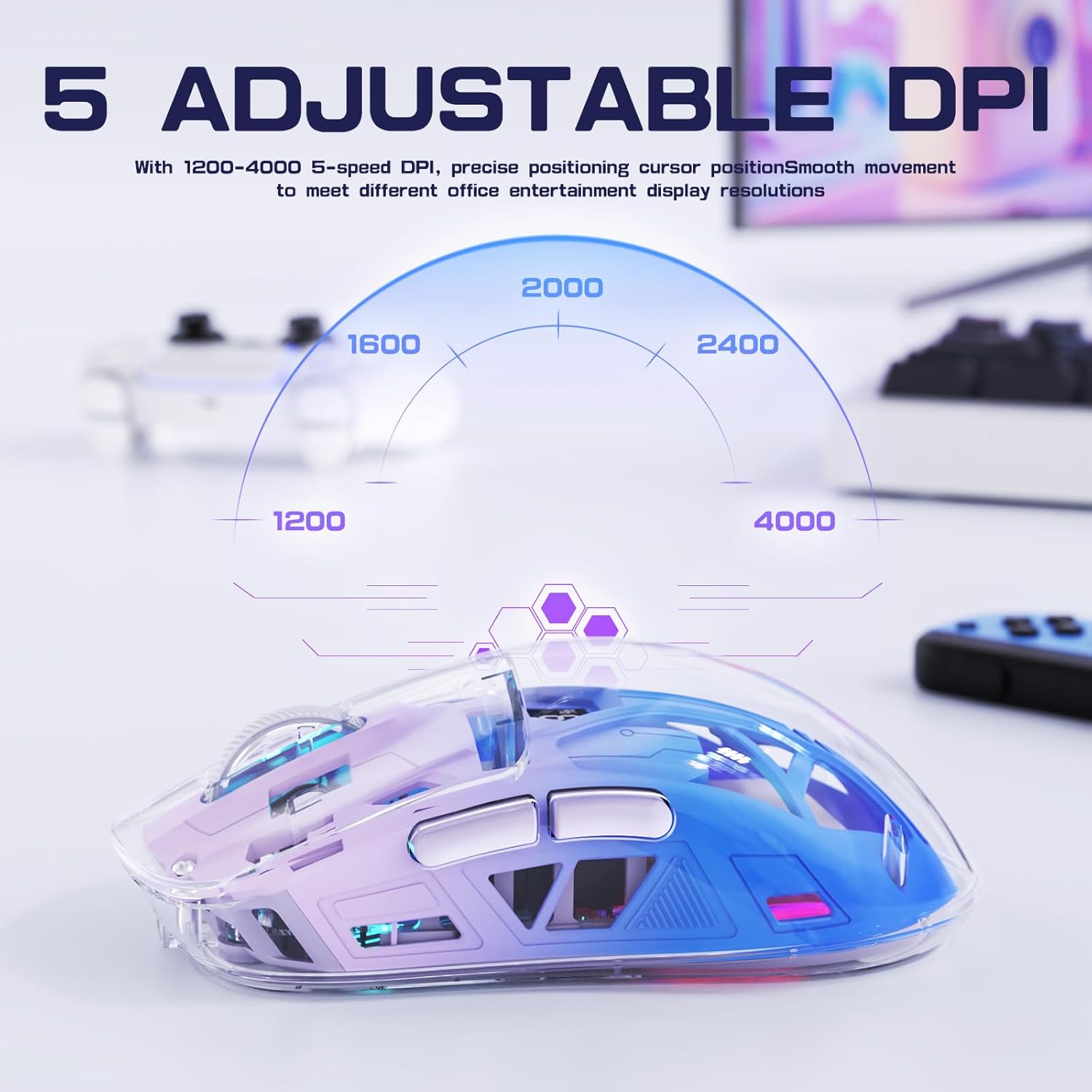
Image: Visual guide to the 5 adjustable DPI settings.
5.2. Control de retroiluminació RGB
- The mouse features dynamic RGB lighting effects.
- To cycle through different RGB lighting modes or turn off the lighting, press and hold the scroll wheel button for approximately 3 seconds.
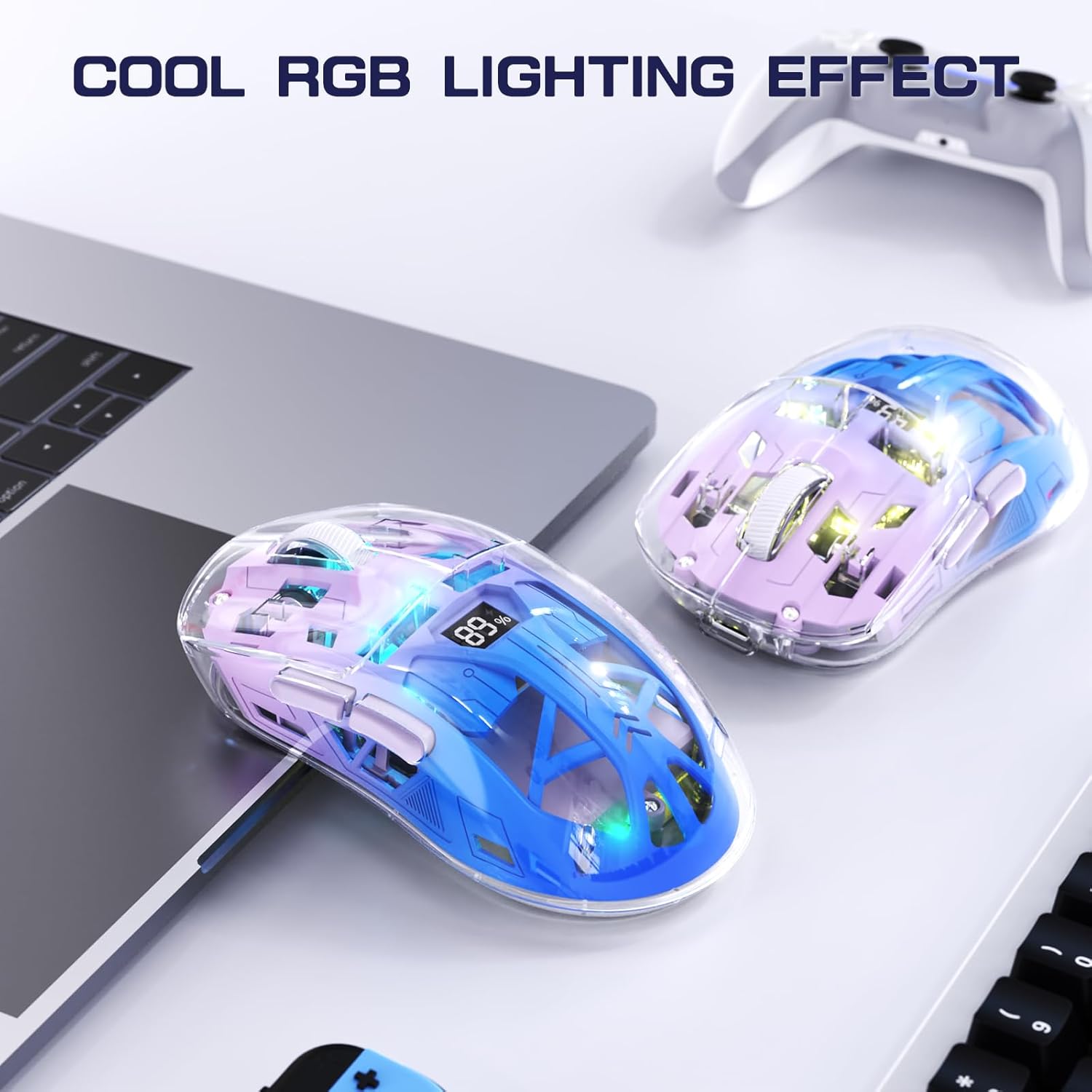
Image: The mouse displaying its RGB lighting effects.
5.3. Encendre/apagar
Use the switch on the underside of the mouse to turn it ON (2.4G or BT mode) or OFF.
5.4. Botons laterals
The mouse includes two side buttons, typically functioning as 'Forward' and 'Backward' in web navegadors i file explorers. Their functionality may vary in certain applications or games.
6. Manteniment
- Neteja: Feu servir un drap suau i sec per netejar el ratolí. Eviteu utilitzar productes químics agressius o materials abrasius.
- Emmagatzematge: When not in use, store the USB receiver inside the mouse to prevent loss. Store the mouse in a cool, dry place.
- Cura de la bateria: Avoid fully discharging the battery frequently. Charge the mouse regularly to maintain battery health.
7. Solució De Problemes
| Problema | Possible solució |
|---|---|
| El ratolí no respon |
|
| Connexió amb retard o intermitent |
|
| La il·luminació RGB no funciona |
|
| L'ajust de DPI no funciona |
|
8. Especificacions
| Característica | Detall |
|---|---|
| Número de model | A2 |
| Connectivitat | Sense fil 2.4G, Bluetooth 5.0 |
| Sensor | PixArt 3212 Optical |
| Nivells de DPI | 5 adjustable levels (up to 4000 DPI) |
| Capacitat de la bateria | 400 mAh (Rechargeable Lithium) |
| Port de càrrega | USB-C |
| Vida útil del canvi | 5 milions de clics |
| Dimensions del producte | 6.89 x 4.53 x 0.04 polzades |
| Pes de l'article | 5.3 unces |
| Compatibilitat | Windows, Mac, Linux |
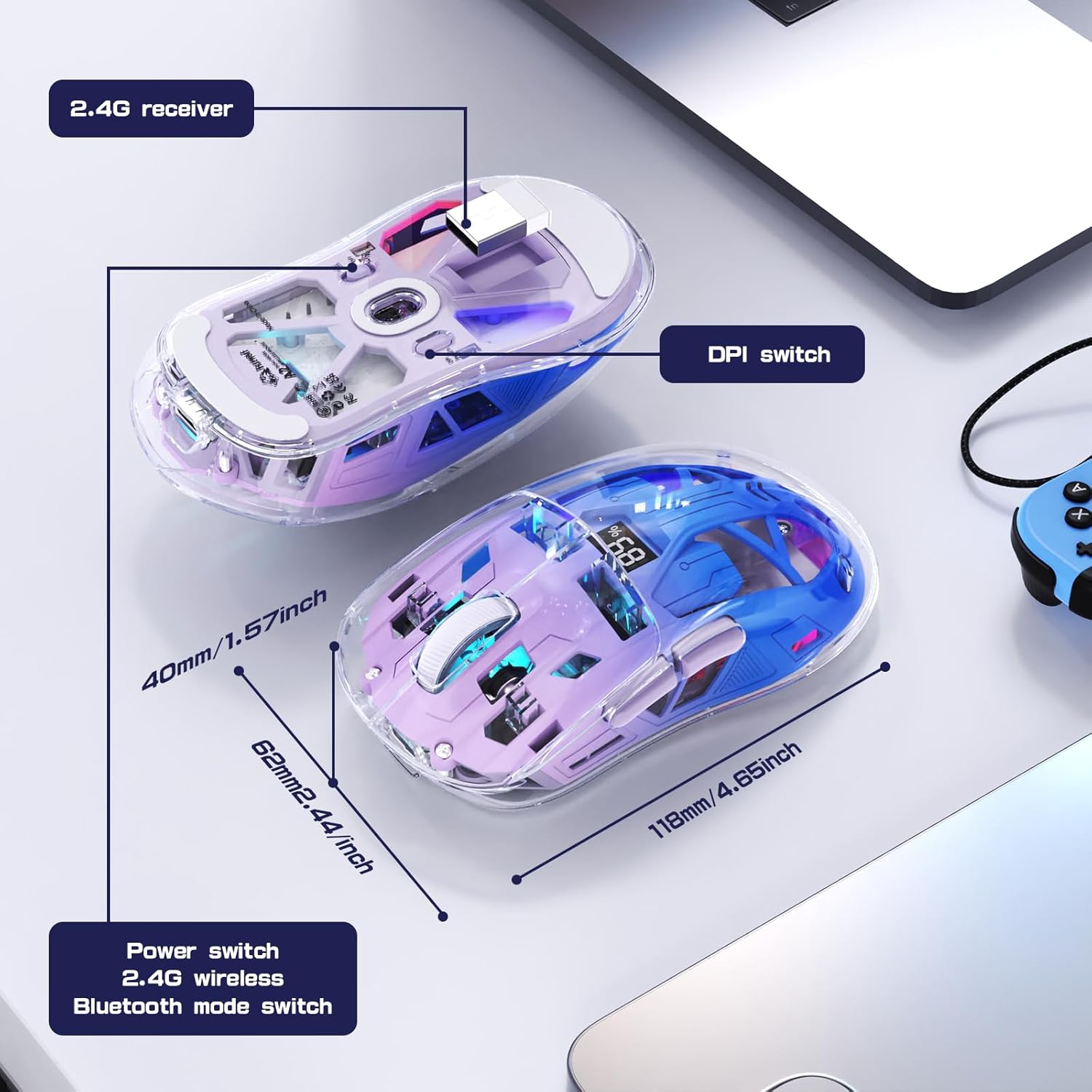
Image: Exploded diagram showing internal components and key external features with dimensions.
9. Producte acabatview Vídeo
Video: An official product video from Ajazz US showcasing the FREEWOLF A2 Wireless Gaming Mouse, its features, and usage scenarios.
10. Garantia i Suport
This product comes with a standard manufacturer's warranty. For detailed warranty information, please refer to the warranty card included in your product packaging or contact FREEWOLF customer support.
For technical support, troubleshooting assistance, or any inquiries regarding your FREEWOLF A2 mouse, please visit the official FREEWOLF weblloc web o poseu-vos en contacte amb el seu departament d'atenció al client. La informació de contacte normalment es pot trobar a l'embalatge del producte o a la presència oficial en línia de la marca.