
Introducció
This manual provides detailed instructions for the installation, operation, and maintenance of your Loocam 2MP 1080p HD 4-in-1 Bullet Wired Security Camera. This versatile camera is designed for both indoor and outdoor surveillance, featuring 80ft IR night vision and IP66 weatherproof construction. It is compatible with various DVR systems including TVI, AHD, CVI, and CVBS formats.
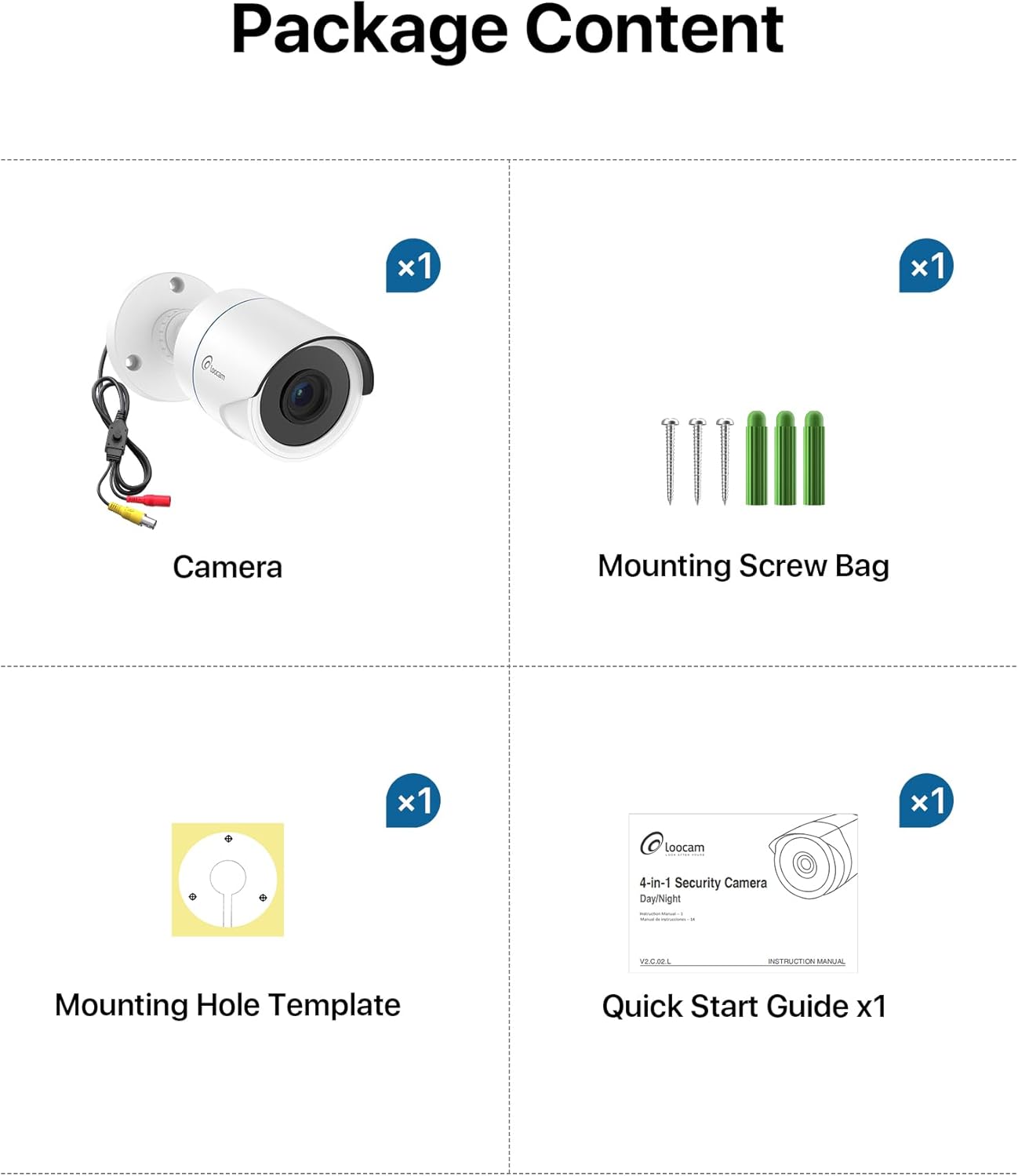
Contingut del paquet
Si us plau, verifiqueu que tots els elements que s'enumeren a continuació estiguin inclosos al vostre paquet:
- 1x Loocam 1080p Camera
- 1x bossa de cargol de muntatge
- 1x Mounting Hole Template
- 1x Guia d’inici ràpid
Especificacions
| Característica | Detall |
|---|---|
| Marca | Loocam |
| Nom del model | L1C-124C4-WNS |
| Usos recomanats | Seguretat interior, Seguretat exterior |
| Tecnologia de connectivitat | Amb cable |
| Característiques especials | HD Resolution, Night Vision, Weather Proof |
| Ús interior/exterior | Interior, Exterior |
| Dispositius compatibles | Gravadora de vídeo digital |
| Tipus de muntatge | Muntatge al sostre |
| Color | Blanc |
| Forma | Bala |
| Classificació impermeable | IP66 |
| Font d'alimentació | Elèctric amb cable |
| Resolució de captura de vídeo | 1080p |
| Gamma de visió nocturna | 80 peus |
| Nombre de LED IR | 24 |
| Viewangle ing | 90 graus |
| Dimensions de l'article | 5.78 x 2.74 x 2.5 polzades |
Configuració
Follow these steps to set up your Loocam security camera.
Camera Output Mode Conversion
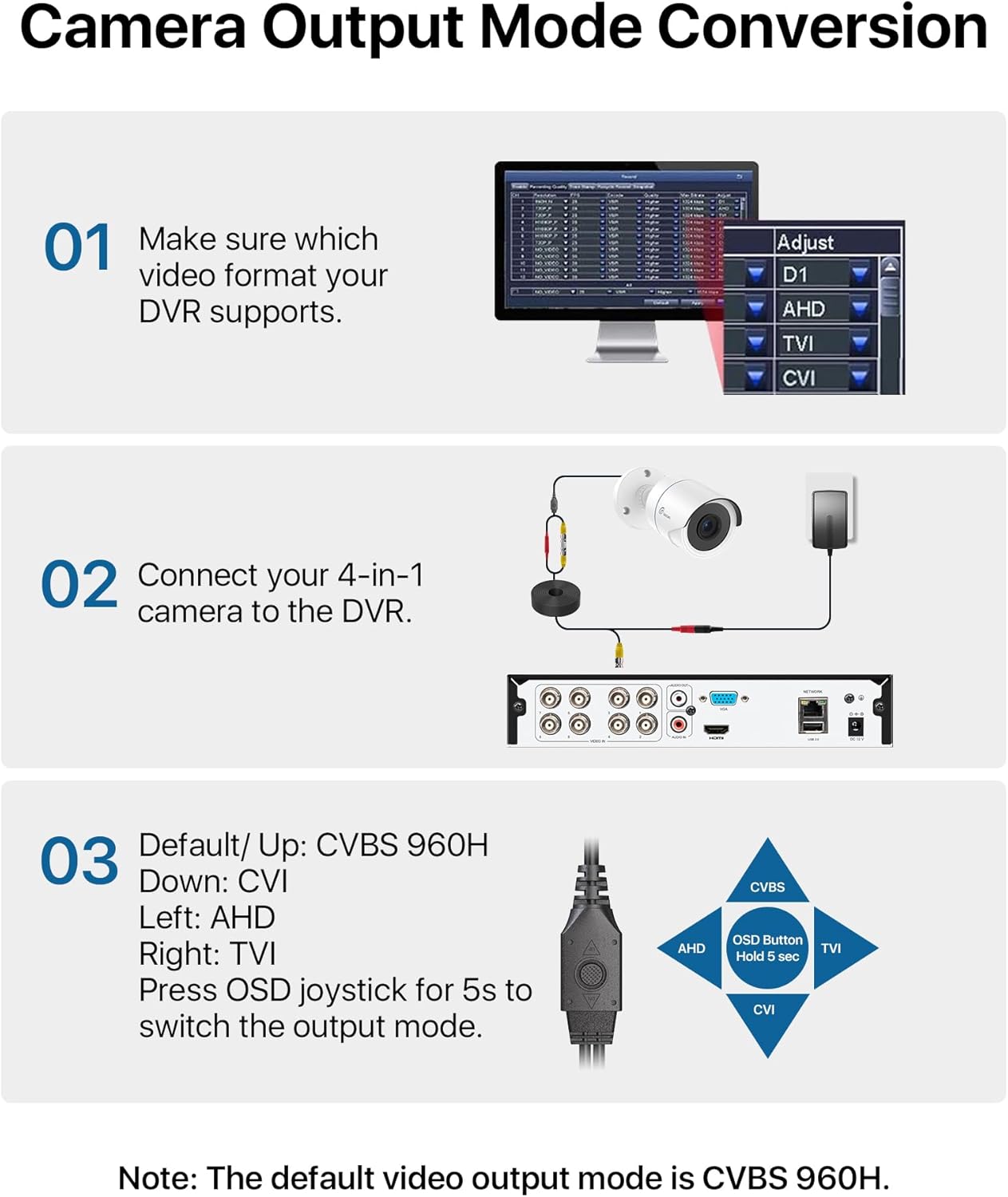
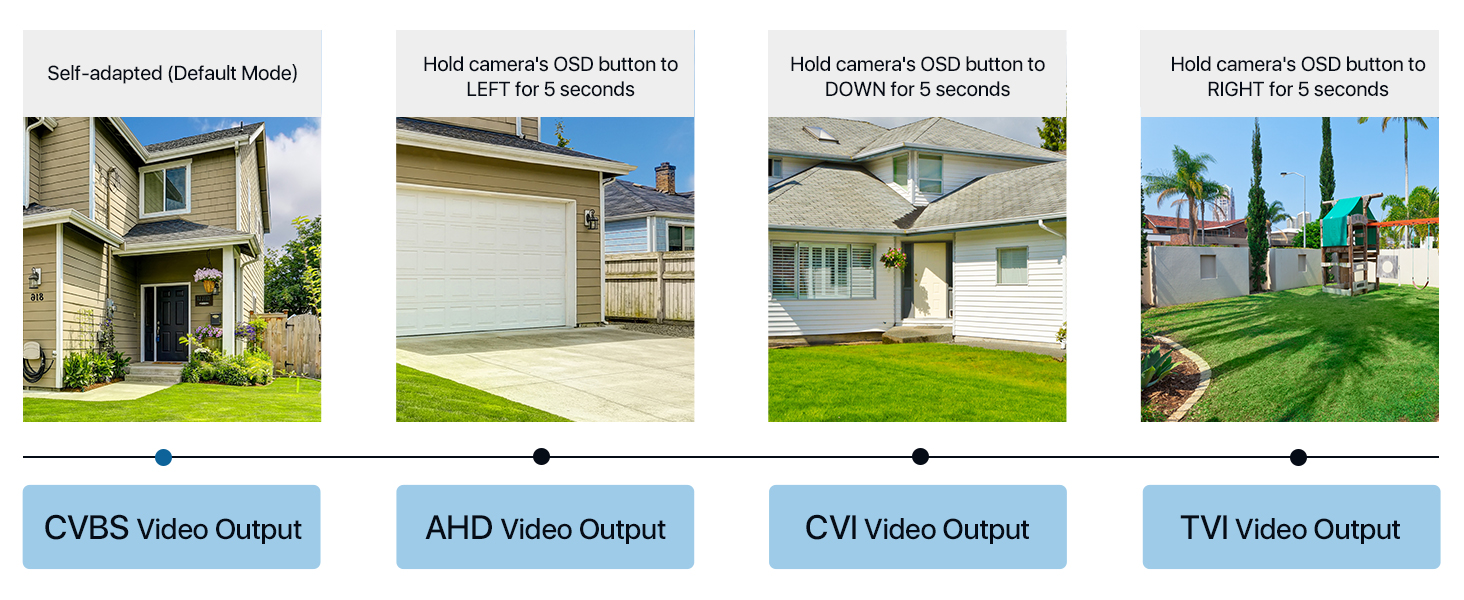
Your Loocam 4-in-1 camera supports TVI, AHD, CVI, and CVBS video output modes. The default mode is CVBS 960H. It is crucial to match the camera's output mode to your DVR's supported mode for proper functionality. Use the OSD joystick on the camera's connection cable to switch modes.


Video Tutorial: Connecting to DVR
Video: This tutorial demonstrates how to connect your Loocam 1080p 4-in-1 camera to a DVR system and switch between video modes using the OSD button.
Video Tutorial: Installation Guide
Video: This video provides a comprehensive guide on how to connect and install your Loocam 1080p 4-in-1 camera, including physical mounting and cable connections.
Connecting to the DVR
Connect the camera's video output to the DVR's video input using a BNC cable. Ensure the power supply is connected to the camera. If using multiple cameras, a 1-to-4 power splitter may be required (not included).

Instal·lació física
The camera features an adjustable 3-axis bracket for flexible positioning. Use the provided mounting hole template and screws to securely fix the camera to your desired indoor or outdoor location. The IP66 weatherproof rating ensures durability in various environmental conditions.

Funcionament de la càmera
HD Resolution and Night Vision
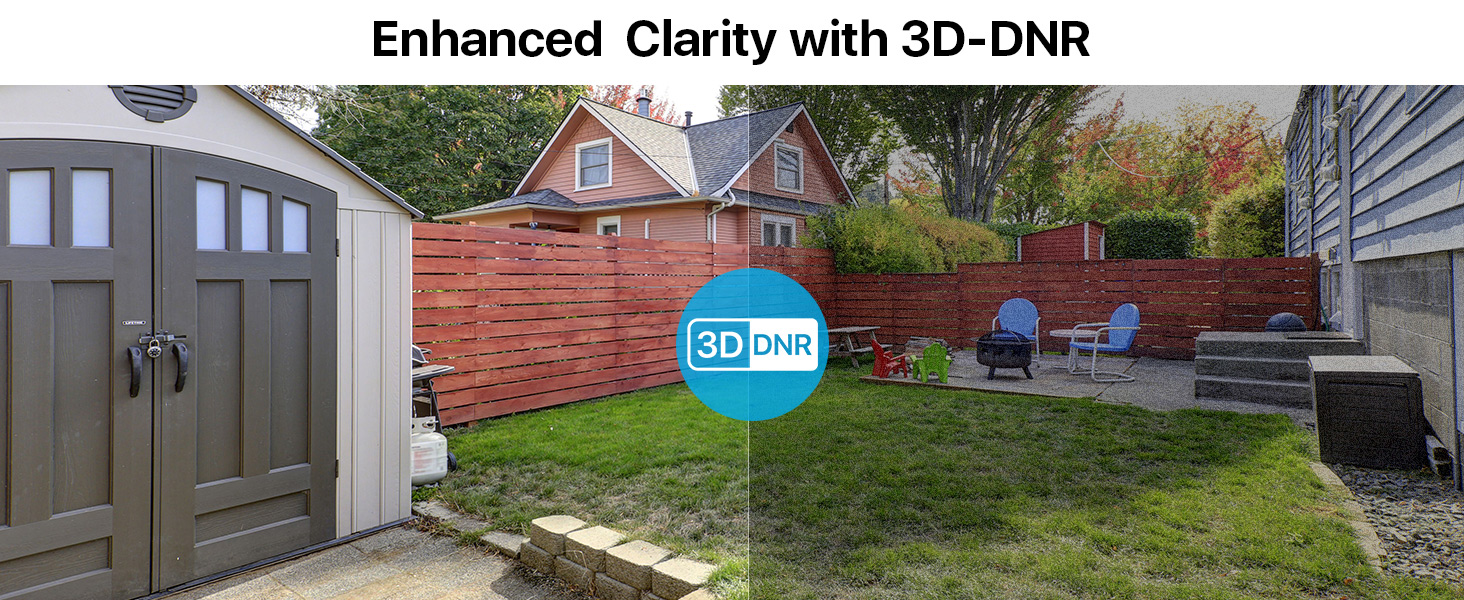
The Loocam camera delivers 1080p HD video with a 2.0MP sensor, capturing clear and detailed images. Equipped with 24 built-in IR LEDs, it provides up to 80 feet of night vision, ensuring continuous surveillance in low-light conditions.


Manteniment
To ensure optimal performance and longevity of your Loocam security camera, follow these maintenance guidelines:
- Neteja: Netegeu regularment la lent i la carcassa de la càmera amb un drap suau i sec.amp cloth to remove dust and dirt. Avoid using harsh chemicals or abrasive materials that could damage the finish or lens.
- Protecció meteorològica: The camera has an IP66 weatherproof rating, making it resistant to dust and water jets. However, for extreme weather conditions, consider additional protective measures to extend its lifespan.
- Inspecció del cable: Periodically check all cables and connections for any signs of wear, damage, or loose connections. Secure any loose cables to prevent accidental disconnections or damage.
- Actualitzacions de firmware: Check the Loocam official website or your DVR manufacturer's website for any available firmware updates for your camera or DVR system. Keeping software updated can improve performance and security.
Resolució de problemes
If you encounter issues with your Loocam security camera, refer to the following common troubleshooting tips:
- No Image on DVR:
- Ensure the camera's output mode (TVI, AHD, CVI, CVBS) matches your DVR's input mode. Use the OSD joystick on the camera cable to switch modes (refer to the "Camera Output Mode Conversion" section).
- Verify all cable connections (video and power) are secure and properly seated.
- Check if the power adapter is functioning correctly and providing power to the camera.
- Test the camera with a different DVR input port or a known working camera to isolate the issue.
- Mala qualitat d'imatge:
- Clean the camera lens to remove any smudges, dust, or debris.
- Assegureu-vos que la càmera estigui enfocada correctament (si és ajustable).
- Comproveu si hi ha obstruccions al camp de la càmera view.
- Verify that the camera's output resolution is supported by your DVR and display.
- Problemes de visió nocturna:
- Ensure there are no strong light sources directly pointing at the camera, which can interfere with IR illumination.
- Check if the IR LEDs are visibly glowing red in the dark (they should).
- Verify that the IR-Cut filter is switching correctly between day and night modes.
Garantia i Suport
Loocam is committed to providing high-quality products and excellent customer service. Your Loocam 2MP 1080p HD 4-in-1 Bullet Wired Security Camera comes with the following:
- Garantia de devolució de 30 dies i devolució gratuïta: Si no esteu satisfets amb la vostra compra, podeu retornar-la en un termini de 30 dies per obtenir un reemborsament complet.
- Garantia limitada de 2 anys: This product is covered by a 2-year limited warranty against manufacturing defects.
- Suport tècnic de tota la vida: Loocam offers lifetime technical support to assist you with any questions or issues you may encounter.
- Prompt Online Assistance: Access prompt online assistance for quick resolutions to your queries.
Per obtenir més ajuda, visiteu el Loocam Store on Amazon o poseu-vos en contacte amb el nostre equip d'atenció al client.