
1. Introducció
The VIRAN V10 5K Action Camera is a high-performance device designed to capture your adventures in stunning detail. Featuring 5K30FPS video recording, 20MP photo resolution, and a 170° adjustable wide-angle lens, it is built for various environments. This camera is waterproof up to 5 meters without an additional case, making it suitable for aquatic activities. It also includes features like Electronic Image Stabilization (EIS), Wi-Fi connectivity, and wireless remote control for versatile usage.
This manual provides comprehensive instructions for setting up, operating, and maintaining your VIRAN V10 Action Camera to ensure optimal performance and longevity.

Image: The VIRAN V10 5K Action Camera shown with its included accessories, including a carrying case, remote control, battery, and charger.
2. Configuració
2.1 Què hi ha a la caixa
Abans de començar, assegureu-vos que hi hagi tots els components:
- VIRAN V10 Action Camera
- Bateria
- Cable USB
- Manual d'usuari
- Remote Control (if included in package)
2.2 Instal·lació i càrrega de la bateria
- Localitzeu el compartiment de la bateria a la càmera.
- Inseriu la bateria de ions de liti inclosa, assegurant-vos de la polaritat correcta.
- Connect the camera to a power source using the provided USB cable for charging. The charging indicator will illuminate.
- A full charge typically takes approximately 1.5 hours. The camera supports fast charging, reaching 80% in about 18 minutes.

Image: The VIRAN V10 Action Camera connected via USB for charging, illustrating its fast-charging capability.
2.3 Instal·lació de la targeta Micro SD
The VIRAN V10 uses a Micro SD card for storage (not included). Ensure the card is Class 10 or higher for optimal performance.
- Localitza la ranura per a targetes Micro SD al lateral de la càmera.
- Introduïu la targeta Micro SD amb els contactes daurats mirant cap a la part posterior de la càmera fins que encaixi al seu lloc.
- Per treure-la, premeu suaument la targeta fins que surti.
2.4 Encès inicial
- Press and hold the Power/Mode button (usually on the front or top) for a few seconds until the screen illuminates.
- Follow any on-screen prompts for initial setup, such as language and date/time settings.
3. Instruccions de funcionament
3.1 Controls bàsics
- Botó d'alimentació / mode: Press and hold to power on/off. Press briefly to switch between video, photo, and playback modes.
- Botó de l'obturador/enregistrament: Premeu per iniciar/aturar la gravació de vídeo o fer una foto.
- Botons de navegació: S'utilitza per navegar pels menús i ajustar la configuració.
3.2 Funcionament de la pantalla tàctil
The VIRAN V10 features a responsive touch screen for intuitive control and mode switching.

Image: A hand demonstrating interaction with the VIRAN V10's touch screen for navigation and settings adjustment.
3.3 Enregistrament de vídeo
The camera supports various video resolutions and frame rates:
- 5K: 30fps
- 4K: 30fps/60fps
- 2.7K: 30fps/60fps
- 1080P: 30fps/60fps/120fps
- 720P: 60fps/120fps/240fps
Per gravar el vídeo:
- Switch to video mode using the Power/Mode button or touch screen.
- Press the Shutter/Record button to begin recording. A red indicator light will typically flash.
- Premeu el botó Obturador/Enregistrament de nou per aturar l'enregistrament.
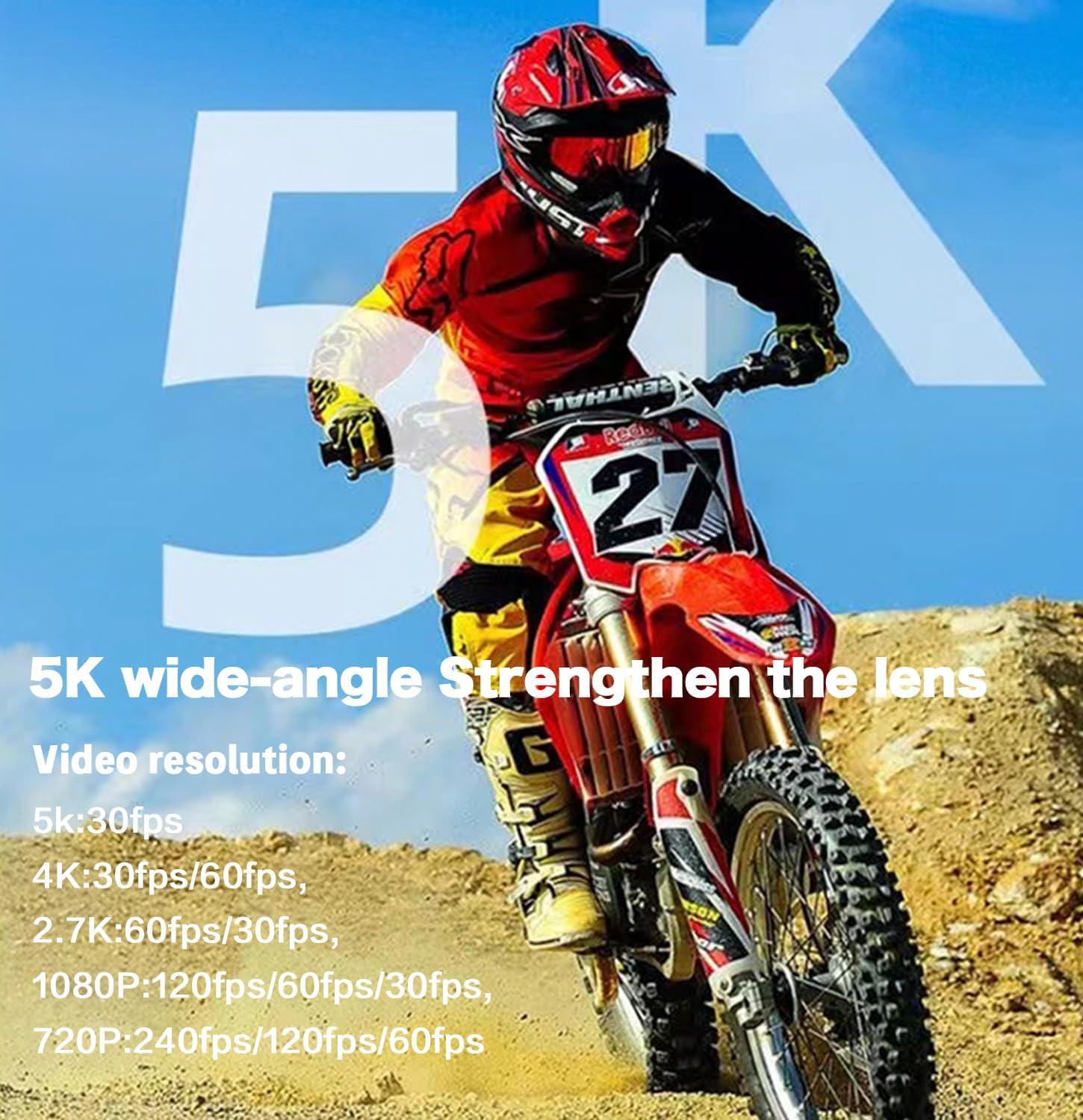
Image: A motocross rider in action, highlighting the camera's 5K video recording capabilities and wide-angle lens.
3.4 Captura de fotos
The camera captures photos up to 20MP resolution.
- Switch to photo mode.
- Premeu el botó de l'obturador/gravació per fer una foto.
3.5 Advanced Features and Settings
- Gran angle ajustable a 170°: Ajustar el camp de view through the camera settings. The camera features a 6-glass lens with a Sony IMX386 sensor for optimal image quality.
- Estabilització electrònica d'imatge (EIS): The 6-axis gyroscope anti-shake system ensures smooth footage even during intense activities. Enable this feature in the settings for stable video.

Image: A visual comparison demonstrating the effectiveness of the camera's smooth video stabilization feature while cycling.

Image: A cyclist on a forest trail, demonstrating the camera's 6-axis gyroscope anti-shake capability for stable recording.
- Enregistrament en bucle: Records video continuously, overwriting the oldest filequan la targeta de memòria està plena. Ideal per a l'ús de la càmera del salpicader.
- Vídeo de lapse de temps: Captures a series of photos at set intervals and stitches them into a video.
- Slow/Fast Motion: Adjust playback speed for dramatic effects.
- Tret continu: Fa diverses fotos en una successió ràpida.
- Funció de preenregistrament: Captura menjartage before the record button is pressed, ensuring you don't miss critical moments.

Image: A visual representation of the pre-recording function, showing how the camera can capture moments just before the main action, such as a fish being caught.
3.6 Waterproofing and Environmental Use
The VIRAN V10 is waterproof up to 5 meters (16 feet) without a separate waterproof case. This allows for direct use in swimming, surfing, and shallow diving activities.
- Mode de busseig: This mode corrects underwater colors for more natural and realistic video and photo capture.
- Low Temperature Resistance: The camera is designed to operate in temperatures as low as -20°C, capable of recording for approximately 80 minutes in such conditions.

Image: Icons illustrating the camera's IP68 waterproofing for swimming, surfing, and scuba diving, indicating it is waterproof up to 5 meters without a case.

Image: A skier on a snowy mountain, showcasing the camera's ability to function in low temperatures down to -20°C.
3.7 Wi-Fi and Wireless Remote Control
The camera can be controlled via Wi-Fi using a dedicated app on your mobile phone or tablet, or with the included wireless remote control.
- Connexió a l'aplicació: Download the VIRAN app from your device's app store. Enable Wi-Fi on the camera and connect your phone/tablet to the camera's Wi-Fi network. This allows for live preview, control i file transferència.
- Comandament a distància: The wireless remote control allows you to start/stop recording or take photos without directly touching the camera. Refer to the remote control's specific instructions for pairing.

Image: A person cycling with the wireless remote control strapped to their wrist, demonstrating convenient operation.
3.8 Dashcam and WebFuncionalitat de la càmera
The VIRAN V10 can function as a car recorder (dashcam) or a weblleva.
- Mode de conducció: Activates specific settings suitable for in-car recording.
- Inversion Mode: Allows the camera to record upside down and automatically correct the orientation, useful for various mounting options.

Image: The VIRAN V10 camera positioned inside a car, illustrating its use as a drive recorder or dashcam.
4. Manteniment
4.1 Neteja
- Lent: Use a soft, lint-free microfiber cloth to gently wipe the lens. Avoid abrasive materials or harsh chemicals.
- Cos: Netegeu el cos de la càmera amb anuncisamp drap. Assegureu-vos que tots els ports estiguin tancats abans de netejar-los.
4.2 Waterproofing Care
After using the camera in saltwater, rinse it thoroughly with fresh water to prevent salt buildup and corrosion. Ensure all seals are clean and free of debris before and after each use in water.
4.3 Cura de la bateria
- Carregueu la bateria regularment, evitant que es descarregui completament.
- Store the camera and batteries in a cool, dry place when not in use.
4.4 actualitzacions de microprogramari
Periodically check the VIRAN official website for any available firmware updates. Keeping your camera's firmware updated ensures optimal performance and access to new features.
5. Solució De Problemes
5.1 La càmera no s'encén
- Assegureu-vos que la bateria estigui completament carregada.
- Comproveu que la bateria estigui inserida correctament.
- Prova una bateria diferent si està disponible.
5.2 Video/Photo Quality Issues
- Clean the camera lens with a microfiber cloth.
- Assegureu-vos de tenir unes condicions d'il·luminació adequades.
- Check if Electronic Image Stabilization (EIS) is enabled for smoother video.
- Verify that the Micro SD card is Class 10 or higher.
5.3 Problemes de connectivitat Wi-Fi
- Ensure Wi-Fi is enabled on both the camera and your mobile device.
- Reinicieu tant la càmera com el dispositiu mòbil.
- Ensure you are within the effective range of the camera's Wi-Fi signal.
5.4 El comandament a distància no respon
- Check the remote control's battery.
- Ensure the remote control is properly paired with the camera.
- Reduce the distance between the remote control and the camera.
6. Especificacions
| Característica | Especificació |
|---|---|
| Marca | VIRAN |
| Model | V10 |
| Resolució de captura de vídeo | Up to 5K (5K30FPS, 4K60FPS) |
| Resolució fotogràfica | 20MP |
| Gran Angular | Ajustable 170° |
| Impermeabilització | 5 meters (without case) |
| Estabilització d'imatge | Electronic Image Stabilization (EIS) / 6-axis Gyroscope |
| Tipus de bateria | Ió de liti (inclòs) |
| Tipus de memòria flash | Micro SD (no inclòs) |
| Mida de la pantalla | 2 Inches (Touch Screen) |
| Connectivitat | Wi-Fi |
| Pes de l'article | 1.21 lliures |
| Temperatura de funcionament | Fins a -20 °C |
7. Garantia i Suport
7.1 Informació de la garantia
For detailed warranty information, please refer to the warranty card included with your product or visit the official VIRAN weblloc web. Conserveu el comprovant de compra per a qualsevol reclamació de garantia.
7.2 Atenció al client
If you encounter any issues not covered in this manual or require further assistance, please contact VIRAN customer support through their official weblloc web o la informació de contacte que s'inclou amb l'embalatge del producte.


