
Introducció
This manual provides detailed instructions for the assembly, operation, and maintenance of your ErGear Height Adjustable Electric Standing Desk. Please read this manual thoroughly before use to ensure proper setup and safe operation. Keep this manual for future reference.
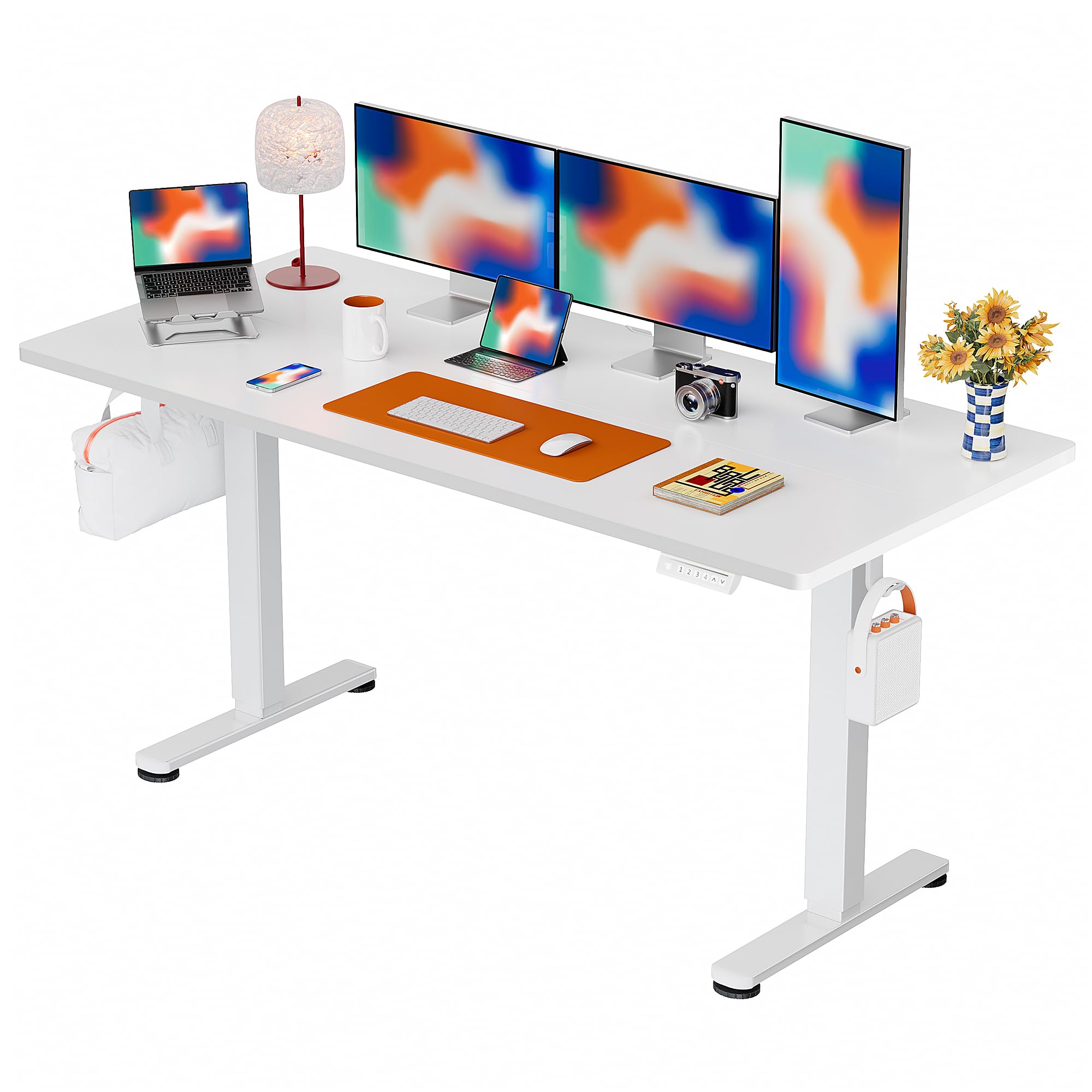
The ErGear Electric Standing Desk, designed for comfortable and productive workspaces.
Informació important de seguretat
ADVERTIMENT: Do not exceed the weight limit of 176 lbs (79.8 kg). Overloading the desk can cause damage to the product and potential injury.
- Assegureu-vos que totes les connexions estiguin ben connectades abans de fer funcionar l'escriptori.
- Mantingueu els nens i les mascotes allunyats de l'escriptori durant el funcionament.
- Eviteu col·locar líquids directament sobre el tauler de control o a prop de components elèctrics.
- No intenteu modificar l'estructura ni el sistema elèctric de l'escriptori.
- If any unusual noise or movement occurs, discontinue use immediately and contact customer support.
Contingut del paquet
Your ErGear Electric Standing Desk package includes all necessary components and tools for assembly. Please verify all parts are present and undamaged upon unboxing.
Instruccions de muntatge
The ErGear Electric Standing Desk is designed for simplified assembly. A screwdriver is recommended for installation. Follow the step-by-step instructions provided in the included manual or refer to the official assembly video below for visual guidance.

The desk features a simplified assembly process, typically taking around 30 minutes.
Guia de vídeo de muntatge
Official ErGear Electric Standing Desk Assembly Video (Model EGESD123B/W). This video provides a visual walkthrough of the assembly process.
Instruccions de funcionament
Ajust d'alçada
The desk features an electric height adjustment system, allowing you to smoothly transition between sitting and standing positions. The height can be adjusted from 28.35 inches to 46.46 inches. Use the up (^) i cap avall (v) arrow buttons on the control panel to raise or lower the desk to your desired height.
The intuitive control panel allows for easy height adjustments and memory preset selection.
Presets de memòria
The control panel allows you to save up to 4 preferred height settings for quick and convenient adjustments. To set a memory preset:
- Ajusteu l'escriptori a l'alçada desitjada utilitzant les fletxes amunt/avall.
- Premeu la tecla 'S' button. The display will show 'S-'.
- Premeu immediatament un dels botons numèrics (1, 2, 3, o 4) per desar l'alçada actual a aquesta configuració predefinida. La pantalla mostrarà 'S-1', 'S-2', etc., per confirmar.
To recall a saved height, simply press the corresponding number button (1, 2, 3, o 4). L'escriptori es mourà automàticament a la posició desada.

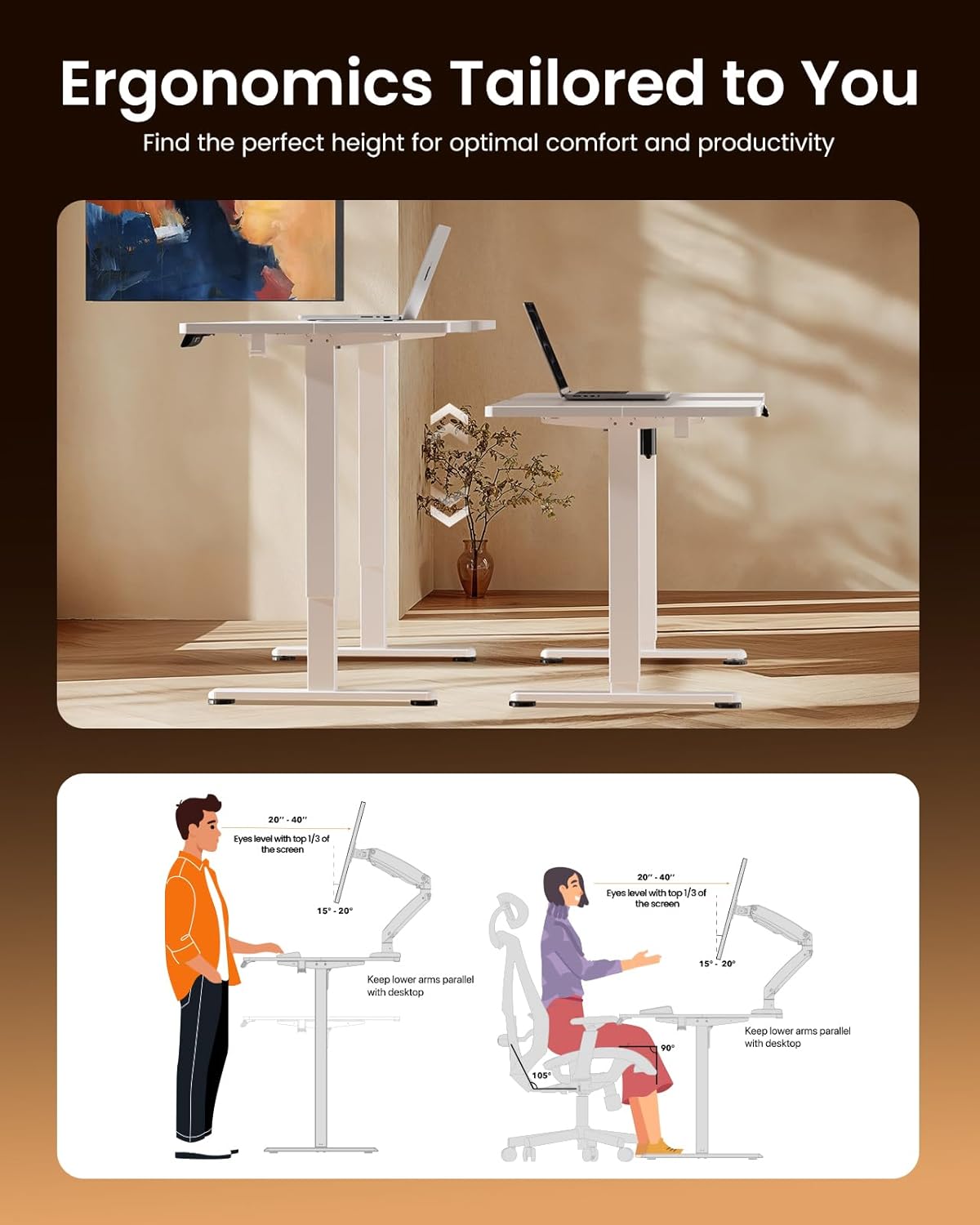
Adjust the desk to achieve optimal ergonomic posture for both sitting and standing.
Manteniment
To maintain the quality and longevity of your ErGear Electric Standing Desk, wipe it with a dry cloth regularly. Avoid using harsh chemicals or abrasive cleaners, which can damage the laminated finish. Periodically check all screws and connections to ensure they remain tight.
Utilize the integrated cable slots and storage hooks for a tidy workspace.
Resolució de problemes
If you encounter any issues with your ErGear Electric Standing Desk, please refer to the following general troubleshooting steps:
- L'escriptori no es mou: Check if the power cord is securely plugged into both the desk and a working power outlet. Ensure no obstructions are blocking the desk's movement.
- Moviment desigual: Verify that the desk is placed on a level surface and that all leg components are properly assembled and tightened.
- El tauler de control no respon: Try unplugging the desk from the power source for 10-15 seconds, then plug it back in to reset the system.
For persistent issues or specific error codes, please contact ErGear customer support for assistance.
Especificacions del producte
| Marca | ErGear |
| Número de model | 810174344066 |
| Dimensions del producte (P x A x A) | 29.5" x 70.9" x 28.35" |
| Mida | 71 x 30 polzades |
| Color | Blanc |
| Altura mínima | 28.35 polzades |
| Altura màxima | 46 polzades |
| Recomanació de pes màxim | 176 lliures (79.8 kg) |
| Tipus de material | Acer d'aliatge, fusta dissenyada |
| Mecanisme d'elevació | Elèctric |
| Nombre de posicions d'alçada | 4 (Preajustos de memòria) |
| Assembly Time (Average) | 30 minuts |

Detailed dimensions of the ErGear Electric Standing Desk.
Garantia i Suport
ErGear provides comprehensive warranty coverage for your electric standing desk:
- Protecció de 5 anys: Covers the desktop and desk frame.
- Protecció de 2 anys: Covers motors and electrical components.
For any questions, technical assistance, or warranty claims, please contact Bestqi Ergonomic customer support. They are available to provide US-based support and address your needs.