
ANCHEER TR5972-9-12
ANCHEER Walking Pad Treadmill with Desk Workstation - User Manual
Model: TR5972-9-12
1. Introducció
Thank you for choosing the ANCHEER Walking Pad Treadmill with Desk Workstation. This manual provides essential information for the safe and effective operation, maintenance, and troubleshooting of your new fitness equipment. Please read this manual thoroughly before initial use and retain it for future reference.
This versatile treadmill is designed for home and office use, featuring an adjustable height desk workstation, dual shock absorption, and a powerful motor, making it suitable for walking, jogging, and light running.
2. Informació de seguretat
La vostra seguretat és primordial. Si us plau, observeu les següents precaucions:
- Consulteu sempre amb un metge abans de començar qualsevol nou programa d'exercicis.
- Ensure the treadmill is placed on a flat, stable surface with adequate clearance around it (at least 2 feet from walls or furniture).
- Mantingueu els nens i les mascotes lluny de la cinta de córrer durant el funcionament.
- Wear appropriate athletic footwear. Do not operate the treadmill barefoot.
- Use the emergency stop strap at all times. Attach the clip to your clothing before beginning your workout.
- No supereu la capacitat màxima de pes de 300 lliures (136 kg).
- Desendolleu la cinta de córrer de la presa de corrent quan no l'utilitzeu o abans de netejar-la o fer-ne el manteniment.
- Do not attempt to service the treadmill yourself. Contact customer support for assistance.
3. Contingut del paquet
Desembaleu la caixa amb cura i assegureu-vos que hi hagi tots els elements:
- 1 x ANCHEER Walking Pad Treadmill
- 1 x Removable Tabletop
- 2 x Tabletop Bracket Accessories
- 1 clau de seguretat
- 1 x Lubricant
- 1 x Manual d'usuari (aquest document)
- 1 x Kit d'eines
4. Muntatge i muntatge
The ANCHEER Walking Pad Treadmill is designed for quick and easy assembly, typically within 30 seconds.
4.1 Desplegament de la cinta de córrer
Gently lift the running deck with one hand until it locks into the unfolded position. No screws need to be loosened for this process.
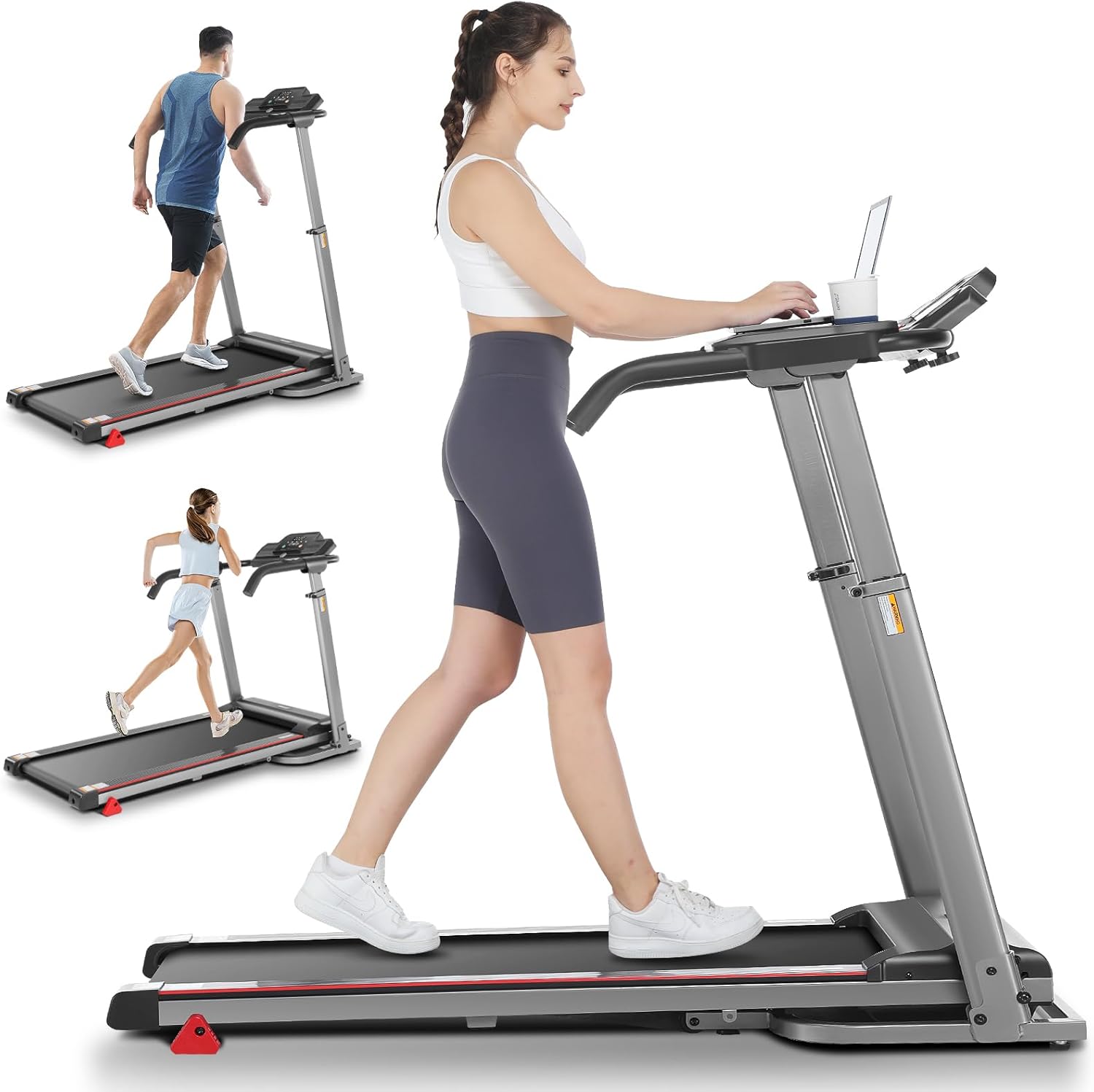
Figure 4.1: Treadmill in its operational, unfolded state, demonstrating its use for walking and running.
4.2 Attaching the Removable Desk Workstation
Attach the two tabletop bracket accessories to the designated slots on the treadmill's handlebars. Then, place the removable tabletop onto these brackets. The desk measures 26.2" x 13" and includes a cup trough.

Figure 4.2: The removable desktop workstation, showing its ventilated design and cup holder.
4.3 Ajust de l'alçada del manillar
The handlebar height can be adjusted from 33.5 to 49.9 inches to accommodate various user heights. Locate the adjustment mechanism on the side of the handlebars and secure it at your desired height.

Figure 4.3: Illustration of the adjustable handlebar height, accommodating users from approximately 33 inches to 50 inches.
4.4 Connexió d'alimentació
Connect the power cord (1.5m long) to a suitable electrical outlet. Ensure the power switch on the treadmill is in the OFF position before plugging it in.
5. Instruccions de funcionament
5.1 Tauler de control i pantalla
The LED display panel shows key workout metrics:
- Hora: Durada del teu entrenament.
- Velocitat: Current speed in KM/H or MPH (0.6-7.5 MPH / 1-12 KM/H).
- Distància: Distància total recorreguda.
- Calories: Calories cremades estimades.
- Pols: Your heart rate, measured by integrated pulse sensors on the handlebars.
Figure 5.1: The LED display and control buttons for starting, stopping, and adjusting speed.
5.2 Inici i aturada
- Ensure the safety key is properly inserted into its slot on the console and the clip is attached to your clothing.
- Press the "START" button to begin the workout. The belt will start moving at a low speed.
- Use the speed adjustment buttons (+/-) to increase or decrease the belt speed.
- To stop, press the "STOP" button. For immediate cessation, pull the safety key.
5.3 Adjusting Incline
The treadmill features 3 manual incline positions. To adjust the incline, you must manually lift or lower the rear of the treadmill and secure it at the desired level. Always ensure the treadmill is stable before use after adjusting incline.

Figure 5.3: Visual representation of the 3-level adjustable incline feature, suitable for walking, jogging, and running.
5.4 Pulse Sensor Usage
To measure your heart rate, place both hands firmly on the pulse sensors located on the handlebars. Your heart rate will be displayed on the LED panel after a few seconds. For optimal intensity, consider the formula: 170 - age = appropriate heart rate.
6. Manteniment
Un manteniment regular garanteix la longevitat i el rendiment òptim de la cinta de córrer.
6.1 Neteja
Netegeu les superfícies de la cinta de córrer amb anuncisamp drap després de cada ús per eliminar la suor i la pols. No utilitzeu productes de neteja abrasius ni dissolvents.
6.2 Lubricació
The running belt requires periodic lubrication to reduce friction and extend its lifespan. Use the provided lubricant or a silicone-based treadmill lubricant. Refer to the specific instructions in the included lubricant package for frequency and application method.
6.3 Ajust del cinturó
If the running belt becomes misaligned or slips, it may need adjustment. Consult the full user manual (if provided separately) or contact customer support for detailed instructions on belt tension and alignment.
7. Emmagatzematge
The ANCHEER Walking Pad Treadmill features a 3-second fast folding design for easy storage. Simply lift the running deck gently with one hand. It also has convenient transportation wheels for easy movement.

Figure 7.1: The treadmill in its folded position, highlighting the hydraulic lever soft-drop system and transport wheels.
When folded, the dimensions are 25.8" x 25.9" x 48.4", allowing it to be stored compactly in a living room, study, or small corner.
8. Solució De Problemes
If you encounter issues with your treadmill, try the following solutions:
| Problema | Causa possible | Solució |
|---|---|---|
| La cinta de córrer no s'encén. | Cable d'alimentació no connectat; interruptor automàtic saltat; clau de seguretat no inserida. | Ensure power cord is securely plugged into a live outlet. Check household circuit breaker. Insert safety key fully. |
| La cinta de córrer s'atura de sobte. | Safety key dislodged; motor overload. | Re-insert safety key. Reduce load on treadmill. If problem persists, contact support. |
| Soroll inusual durant el funcionament. | Falta de lubricació; components solts. | Lubricate the running belt. Check for any loose screws or parts and tighten them. |
| El cinturó rellisca o dubta. | Belt tension too loose; belt worn. | Adjust belt tension (refer to full manual or support). If worn, belt replacement may be needed. |
If these solutions do not resolve the issue, please contact ANCHEER customer support.
9. Especificacions
| Característica | Detall |
|---|---|
| Nom del model | TR5972-9-12 |
| Marca | ANCHEER |
| Potència del motor | 2.5 CV |
| Interval de velocitat | 0.6 - 7.5 MPH (1 - 12 KM/H) |
| Capacitat màxima de pes | 300 lliures (136 kg) |
| Nivells d'inclinació | 3 Manual Incline Positions |
| Running Area (L*W) | 38.58 * 19.09 inches (approx.) |
| Dimensions desplegades (L x A x A) | 53.5" x 25.9" x 39" |
| Mides plegades (L x A x A) | 25.8" x 25.9" x 48.4" |
| Pes de l'article | 92.59 lliures (42 kg) |
| Dimensions de l'escriptori | 26.2 cm x 13 cm |
| Ajust de l'alçada del manillar | 33.5 - 49.9 polzades |
| Tipus de visualització | LED (Time, Speed, Distance, Calories, Pulse) |
| Absorció de xoc | 7-layer anti-slip belt, 6 silicone shock absorbers |
| Portabilitat | Folding design, transport wheels |
10. Garantia i Suport
ANCHEER provides a 12 mesos de garantia for this treadmill. This warranty covers manufacturing defects and issues arising from normal use.
For any questions, concerns, or warranty claims, please contact ANCHEER customer service. You can expect a response within 24-48 hours.
Please have your model number (TR5972-9-12) and purchase information ready when contacting support.
Ask a question about this manual
Ask about setup, troubleshooting, compatibility, parts, safety, or missing instructions. Manuals+ will review the question and use this page’s manual context to help answer it.