
AMOVAN ZL54
AMOVAN Smart Watch Instruction Manual
Model: ZL54
Brand: AMOVAN
1. Introducció
This manual provides detailed instructions for the AMOVAN ZL54 Smart Watch, a health and fitness tracker designed for both men and women. It offers comprehensive health monitoring, various exercise modes, and smart communication features, compatible with Android and iOS devices. Please read this manual thoroughly to ensure proper use and maintenance of your device.
2. Configuració
2.1. Càrrega del dispositiu
Before first use, fully charge your smartwatch. Connect the magnetic charging cable to the charging contacts on the back of the watch and plug the USB end into a power adapter (not included) or a computer's USB port. A full charge typically takes approximately 2 hours.
2.2. Instal·lació i emparellament de l'aplicació
To unlock the full potential of your AMOVAN Smart Watch, download the companion app on your smartphone. Cerca the app in your device's app store (compatible with iOS 9.0 and above, Android 5.0 and above). Once installed, open the app and follow the on-screen instructions to pair your smartwatch via Bluetooth. Ensure Bluetooth is enabled on your phone.
3. Instruccions de funcionament
3.1. Pantalla i navegació
The AMOVAN ZL54 features a 1.83-inch HD touch screen for clear visuals and intuitive navigation. Swipe across the screen to access different functions and tap to select. You can also customize watch faces to match your personal style.

The AMOVAN ZL54 Smart Watch features a vibrant 1.83-inch HD display for easy readability and interaction.

Personalize your smartwatch with over 10 customizable watch faces to suit your preference.
3.2. Monitorització de la salut
Your smartwatch is equipped with advanced sensors to help you monitor your health around the clock.
- Monitorització de la freqüència cardíaca les 24 hores del dia: Accurately tracks your heart rate throughout the day.
- Monitorització de la pressió arterial: Allows you to monitor your blood pressure trends.
- Monitorització d'oxigen en sang: Real-time monitoring of blood oxygen levels.
- Seguiment del son: Analyzes your sleep patterns, including light, deep, and REM sleep stages.

Detailed heart rate and sleep tracking data are available directly on your wrist and in the app.

The watch provides real-time monitoring for heart rate and blood oxygen levels.
3.3. Seguiment de l'activitat física
The ZL54 Smart Watch supports 128 exercise modes, a calorie counter, and a pedometer to help you achieve your fitness goals.
- 128 Exercise Modes: Track various activities like walking, running, cycling, and more.
- Comptador de calories: Monitors calories burned during your activities.
- Podòmetre: Counts your daily steps to encourage an active lifestyle.
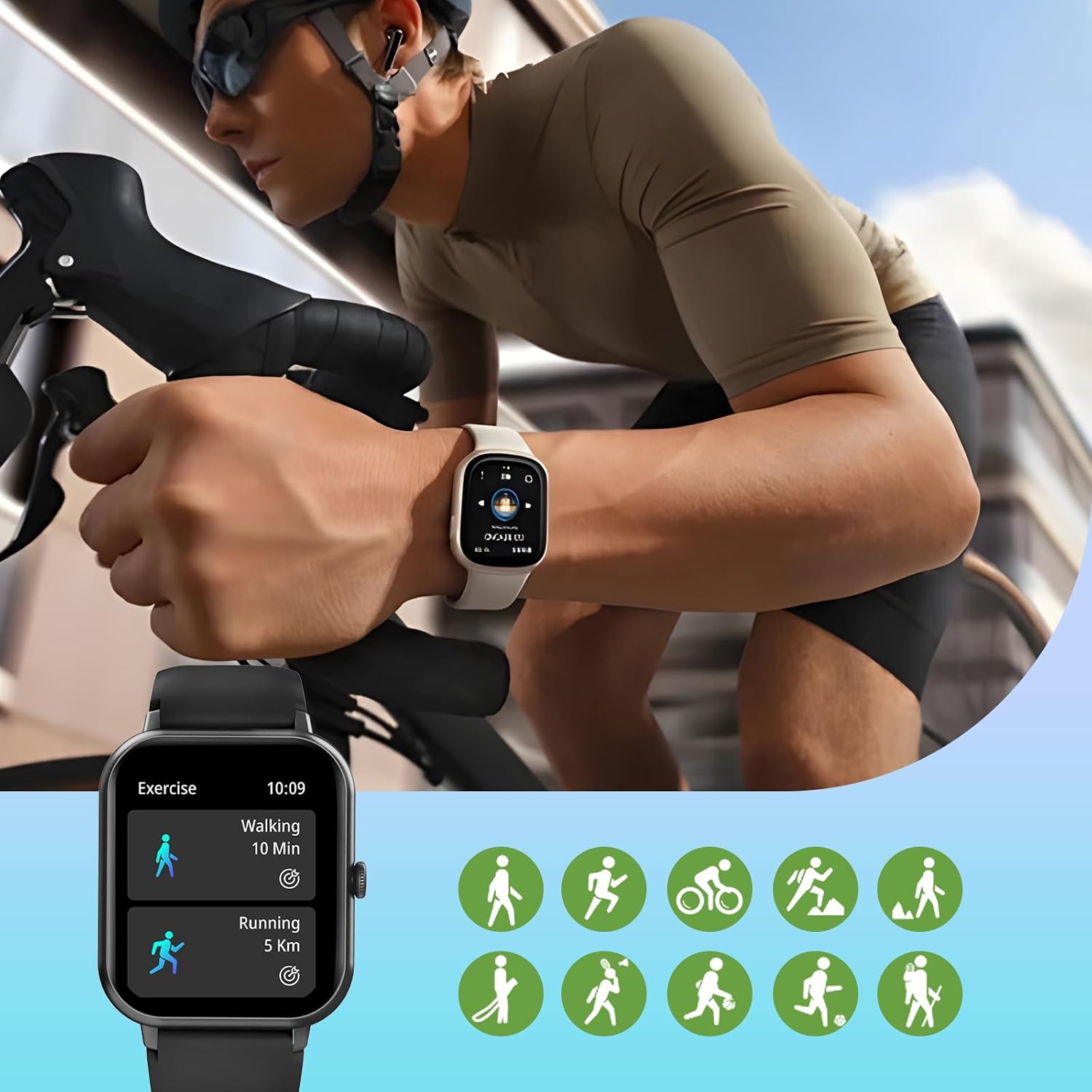
Track your workouts with a wide range of exercise modes, including walking, running, and cycling.
3.4. Phone Features
Stay connected directly from your wrist.
- Trucades per Bluetooth: Make, answer, and reject calls directly from the watch, with call logs.
- Notificacions de missatges: Receive alerts for SMS, emails, and social media apps (e.g., Facebook, WhatsApp).
- Contact Access: Access your phone's contacts for quick dialing.

Receive smart reminders and notifications from your phone directly on the watch.
3.5. Altres funcions
The smartwatch includes several practical tools for daily management:
- Timer and Stopwatch: For timing activities or daily tasks.
- Despertador: Set alarms to wake up or for reminders.
- Recordatori sedentari: Et demana que et moguis després de períodes d'inactivitat.
- Control de música: Controla la reproducció de música al teu telèfon intel·ligent connectat.
- Pronòstic del temps: Rep actualitzacions meteorològiques en temps real.
- Calculadora: Perform basic calculations conveniently.
Mireu aquest vídeo per a una ullada ràpidaview of the AMOVAN Smart Watch's features, including its display, battery life, health tracking, phone features, and design.
4. Manteniment
4.1. Resistència a l'aigua i a la pols
The AMOVAN ZL54 Smart Watch is IP67 water and dust resistant, meaning it can withstand splashes, rain, and brief immersion in water (up to 1 meter for 30 minutes). It is suitable for daily use and activities like washing hands or light swimming. However, it is not recommended for hot showers, saunas, or diving.

The IP67 rating ensures the watch is resistant to water and dust, making it suitable for various activities.
4.2. Durada de la bateria
The 230 mAh Lithium Polymer battery provides extended usage. Expect 5-7 days of regular use and up to 15 days in standby mode. Charging time is approximately 2 hours.

Enjoy up to 7 days of battery life with just 2 hours of charging.
4.3. Atenció general
Clean the watch regularly with a soft, dry cloth. Avoid using harsh chemicals or abrasive materials. Keep the charging contacts clean and dry.
5. Solució De Problemes
5.1. El dispositiu no s'encén
Assegureu-vos que el dispositiu estigui completament carregat. Connecteu-lo al carregador durant almenys 30 minuts abans d'intentar tornar-lo a encendre.
5.2. Problemes de connectivitat
If the watch fails to connect to your smartphone, ensure Bluetooth is enabled on both devices. Try restarting both the watch and your phone. If issues persist, unpair the device from your phone's Bluetooth settings and re-pair through the app.
5.3. Lectures inexactes
For accurate health and fitness readings, ensure the watch is worn snugly on your wrist, about one finger's width above your wrist bone. Keep the sensor area clean. Environmental factors and individual physiology can affect accuracy.
6. Especificacions
| Característica | Especificació |
|---|---|
| Número de model | ZL54 |
| Tipus de visualització | Digital, 1.83-inch HD Touch Screen |
| Resolució | 320 x 240 |
| Diagonal de pantalla visible | 2 polzades / 5 cm |
| Bateria | 1 polímer de liti (230 mAh) |
| Durada de la bateria (ús regular) | 5-7 dies |
| Durada de la bateria (mode d'espera) | Fins a 15 dies |
| Temps de càrrega | Aprox. 2 hores |
| Resistència a l'aigua | IP67 |
| Comunicació sense fils | Bluetooth BT5.2 |
| Dispositius compatibles | Smartphones (iOS 9.0+ / Android 5.0+) |
| Tipus de material de la banda | Silicona |
| Pes | 48 g |
| Material de la caixa | Aliatge de zinc + plàstic ABS + carcassa de PC |

Detailed product parameters for the AMOVAN ZL54 Smart Watch.
7. Garantia i Suport
AMOVAN offers a limited warranty for this product. For any issues or support needs, please refer to the following:
- Substitució gratuïta: Disponible en un termini de 12 mesos des de la compra.
- Reemborsament complet: Disponible en un termini de 6 mesos des de la compra.
- Resposta ràpida: Customer service aims to reply within 12 hours.
For further assistance, please contact AMOVAN customer support through the details provided on the product packaging or the official AMOVAN weblloc.

AMOVAN is committed to providing excellent customer service and support.
Ask a question about this manual
Ask about setup, troubleshooting, compatibility, parts, safety, or missing instructions. Manuals+ will review the question and use this page’s manual context to help answer it.