
1. Introducció
Welcome to the user manual for your new AcclaFit Smart Watch D2. This guide provides essential information on how to set up, operate, maintain, and troubleshoot your device. Please read this manual thoroughly to ensure optimal performance and longevity of your smart watch.
2. Producte acabatview
The AcclaFit Smart Watch D2 is designed to be a comprehensive health and fitness companion, offering advanced monitoring capabilities and smart connectivity. Familiarize yourself with the watch components:

Imatge: Frontal view of the AcclaFit Smart Watch D2, showcasing its round gold-colored casing, black silicone strap, and a vibrant display with a floral watch face.
- Visualització: 1.38-inch full-touch color screen.
- Botons: Side button for power and navigation.
- Sensors: Heart rate, blood oxygen, blood pressure sensors on the back.
- Corretja: Flexible and comfortable silicone strap.
- Port de càrrega: Magnetic charging pins on the back.
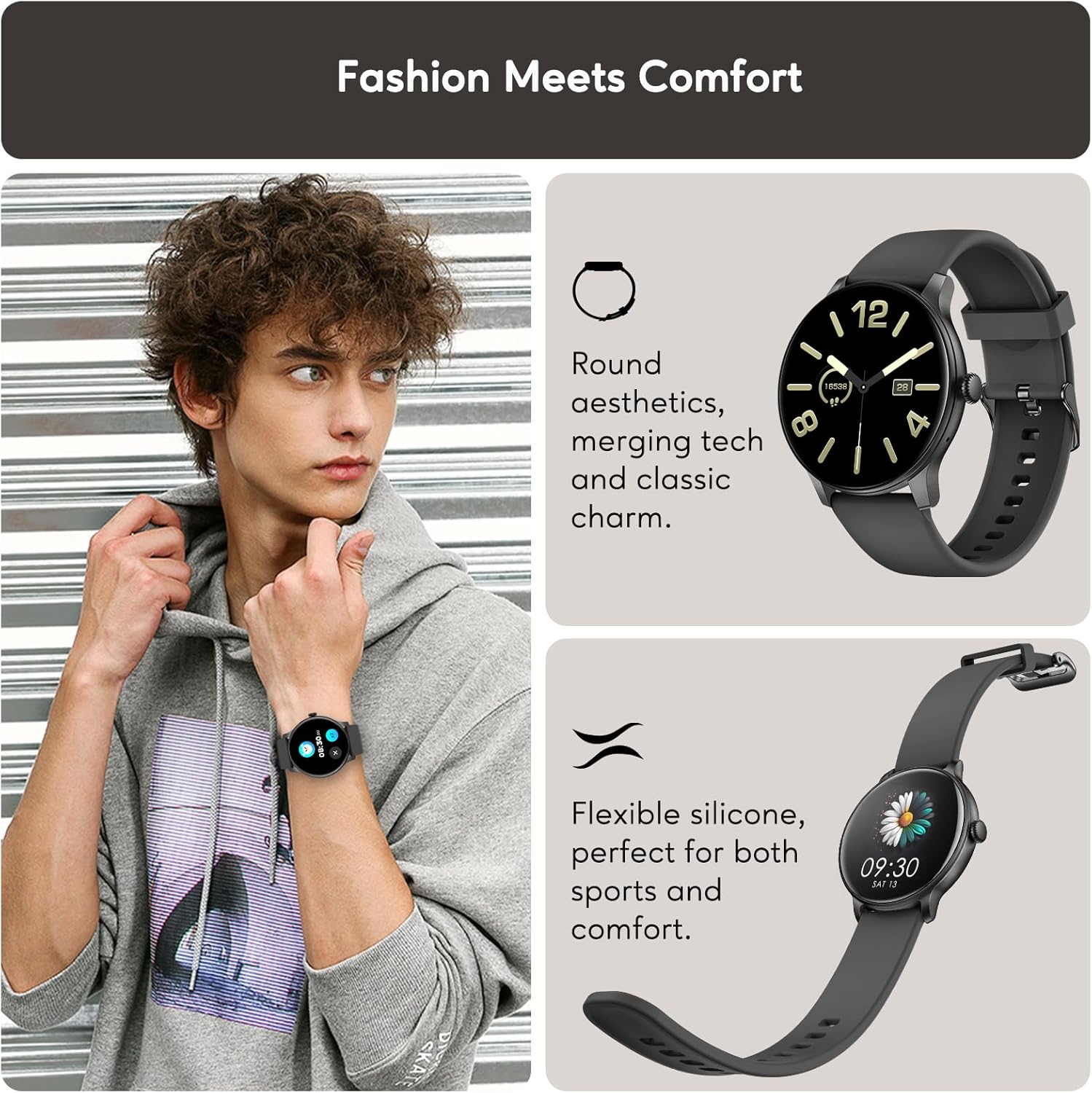
Image: A collage showing the AcclaFit Smart Watch D2 on a person's wrist and close-ups of its round aesthetic and flexible silicone strap, highlighting its blend of technology and classic design for comfort and sports.
3. Configuració
3.1 Carregant el rellotge
Before first use, fully charge your AcclaFit Smart Watch D2. A charging cable is included in the box.
- Connect the magnetic end of the charging cable to the charging pins on the back of the watch.
- Connect the USB end of the cable to a standard USB power adapter (5V/1A recommended) or a computer USB port.
- The watch display will show a charging indicator. A full charge typically takes approximately 2 hours.
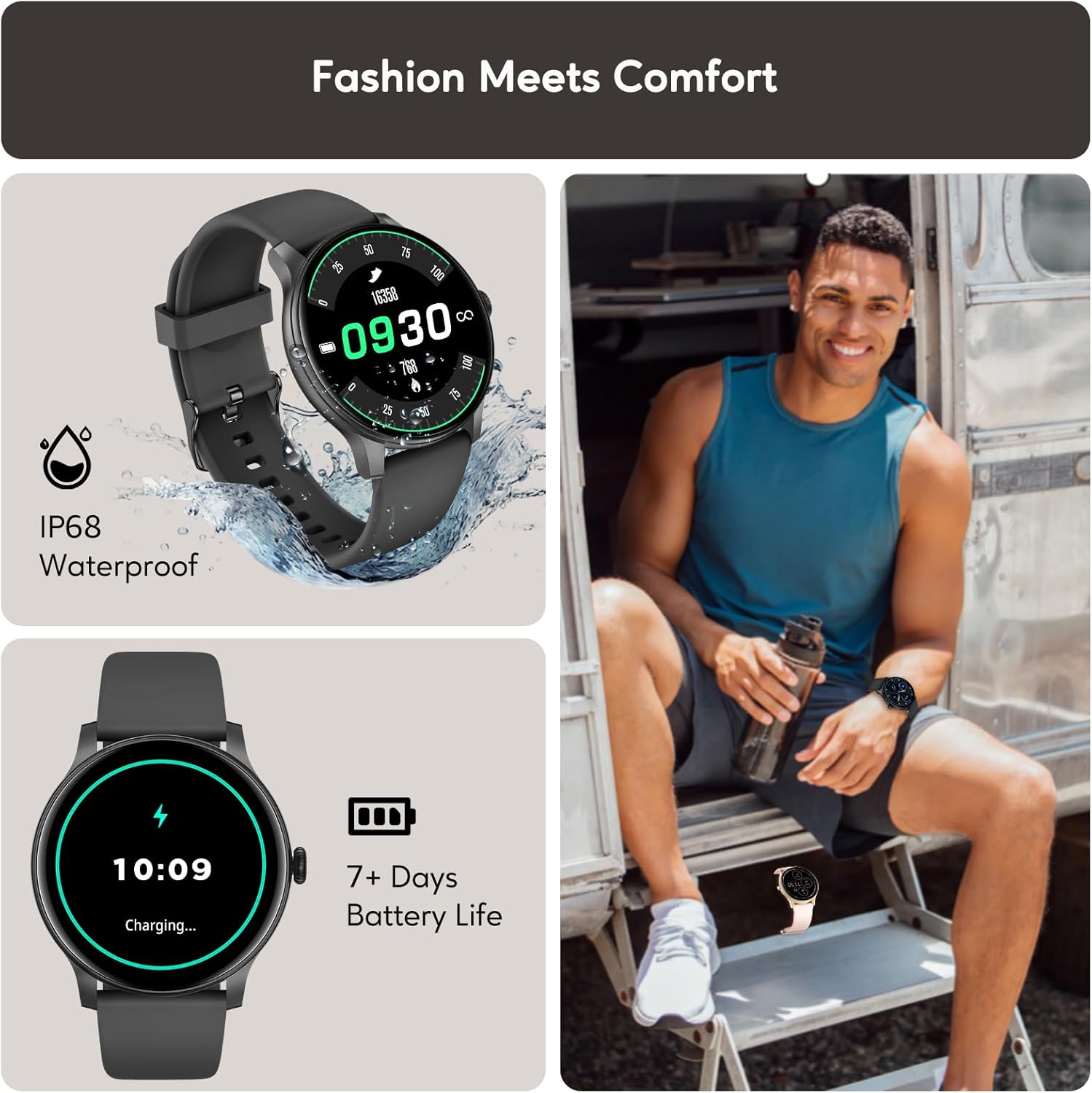
Image: A collage illustrating the AcclaFit Smart Watch D2's IP68 waterproof rating and its charging process, indicating a battery life of 7+ days.
3.2 Pairing with the Da Fit App
The AcclaFit Smart Watch D2 integrates with the Da Fit app for full functionality and data tracking. The watch is compatible with both Android and iOS devices.
- Descarrega't el Da Fit aplicació des de Google Play Store (per a Android) o des de l'App Store d'Apple (per a iOS).
- Assegureu-vos que el Bluetooth estigui habilitat al vostre telèfon intel·ligent.
- Open the Da Fit app and follow the on-screen instructions to create an account or log in.
- In the app, navigate to the 'Device' section and tap 'Add Device'.
- Select 'D2' from the list of available devices.
- Confirma la sol·licitud d'emparellament tant al teu telèfon intel·ligent com al rellotge.

Image: A collage highlighting additional features of the AcclaFit Smart Watch D2, including music playback and weather forecast, and confirming its compatibility with both iOS and Android operating systems.
4. Funcionament del rellotge
4.1 Navegació bàsica
- Pantalla tàctil: Swipe left/right to navigate through main functions (e.g., activity, heart rate, weather). Swipe up to view notificacions. Llisca cap avall per accedir a la configuració ràpida.
- Botó lateral: Premeu per activar la pantalla, tornar a la pantalla d'inici o accedir al menú de l'aplicació.
4.2 Call and Message Notifications
Once paired with your smartphone, the D2 Smart Watch allows you to make and receive calls directly from your wrist and receive instant notifications for messages.

Image: A person wearing the AcclaFit Smart Watch D2, demonstrating its Bluetooth dial and answer call capabilities with text bubbles showing a conversation.
4.3 característiques addicionals
- Reproducció de música: Control music playing on your smartphone directly from the watch.
- Pronòstic del temps: View real-time weather updates for your location.
- Despertador: Set alarms directly on the watch or through the app.
5. Monitorització de la salut
The AcclaFit Smart Watch D2 provides comprehensive health monitoring features to help you stay informed about your well-being.
5.1 Heart Rate, Blood Oxygen, and Blood Pressure
The watch offers 24/7 real-time monitoring of your heart rate, blood oxygen (SpO2), and blood pressure. Data can be viewed on the watch and in detail within the Da Fit app.

Image: A collage illustrating the AcclaFit Smart Watch D2's fitness and health monitoring capabilities, including heart rate, blood oxygen, and blood pressure tracking, alongside calorie, step, and distance tracking.
5.2 Monitorització del son
Track your sleep patterns, including light sleep, deep sleep, and REM sleep. The watch provides insights to help improve your sleep quality.

Image: A collage demonstrating the AcclaFit Smart Watch D2's sleep tracking features, including sleep duration, sleep score, smart wake alarms, and a detailed sleep profile viewcapaç a l'aplicació.
5.3 Stress Monitoring
The watch helps you manage stress levels by providing insights and tools for stress management. View your stress score and trends in the Da Fit app.
5.4 Women's Health Tracking
Utilize the female menstrual cycle tracking feature to monitor estimated periods, ovulation, and fertile times.
6. Seguiment de l'activitat física
The AcclaFit Smart Watch D2 supports over 120 sports modes, providing detailed data to help you optimize your workouts.
6.1 modes esportius
Each sport mode tracks key data points relevant to the activity, such as:
- Córrer: Distance, pace, calories, heart rate.
- Ciclisme: Speed, distance, duration, heart rate.
- Caminant: Step count, distance, calories, heart rate.
- Ioga: Exercise duration, calories, heart rate.
Access and select your desired sport mode directly from the watch's menu.
7. Manteniment
Proper maintenance ensures the longevity and optimal performance of your AcclaFit Smart Watch D2.
7.1 Neteja del rellotge
- Netegeu regularment la pantalla i la corretja del rellotge amb un drap suau i sec.amp tela.
- Eviteu utilitzar productes químics agressius o materials abrasius, ja que poden danyar el rellotge.
- Ensure the charging pins are clean and dry before charging.
7.2 Resistència a l'aigua (IP68)
The AcclaFit Smart Watch D2 is IP68 waterproof, meaning it is resistant to dust and can withstand immersion in water up to 1.5 meters for 30 minutes. It is suitable for daily use, hand washing, and light rain. It is not recommended for swimming, diving, or hot showers/saunas, as steam and hot water can damage the seals.
7.3 Cura de la bateria
- Carregueu el rellotge regularment per mantenir la bateria en bon estat.
- Eviteu esgotar completament la bateria amb freqüència.
- Guardeu el rellotge en un lloc fresc i sec quan no l'utilitzeu durant períodes prolongats.
8. Solució De Problemes
If you encounter issues with your AcclaFit Smart Watch D2, refer to the following common solutions:
| Problema | Possible solució |
|---|---|
| El rellotge no s'encén | Ensure the watch is fully charged. Press and hold the side button for 5-10 seconds. |
| No es pot emparellar amb el telèfon intel·ligent | Ensure Bluetooth is on. Restart both the watch and smartphone. Clear Bluetooth cache on phone. Try pairing again through the Da Fit app. |
| Dades de salut inexactes | Ensure the watch is worn snugly on the wrist, not too tight or too loose. Clean the sensors on the back of the watch. |
| No s'han rebut notificacions | Check app permissions for Da Fit on your smartphone. Ensure notifications are enabled in the Da Fit app settings. Keep the watch within Bluetooth range of your phone. |
| Durada de la bateria curta | Reduce screen brightness. Turn off unnecessary features like continuous heart rate monitoring if not needed. Ensure proper charging. |
8.1 Restabliment de fàbrica
If issues persist, a factory reset may resolve them. This will erase all data on the watch and restore it to its original settings. Navigate to 'Settings' on the watch, then 'System' or 'Reset', and select 'Factory Reset'.
9. Especificacions
| Característica | Detall |
|---|---|
| Número de model | D2 |
| Mida de la pantalla | 1.38 polzades |
| Sistema operatiu | Wear OS 3.0 |
| Tecnologia de connectivitat | Bluetooth |
| Capacitat d'emmagatzematge de memòria | 128 MB |
| Característiques especials | Multisport Tracker, Alarm Clock, Phone Call, Notifications, Music Player |
| Resistència a l'aigua | IP68 |
| Durada de la bateria | Fins a 15 dies (ús típic) |
| Dispositius compatibles | Android, iOS |
| Dimensions del paquet | 28.7 x 7.3 x 1.6 cm; 100 g |
| Idiomes admesos | English, German, Italian, Spanish, French |
10. Garantia i Suport
10.1 Informació de la garantia
Your AcclaFit Smart Watch D2 comes with a standard manufacturer's warranty. Please refer to the warranty card included in your product packaging for specific terms and conditions, including warranty period and coverage details.
10.2 Atenció al client
For technical assistance, troubleshooting beyond this manual, or warranty claims, please contact AcclaFit customer support. Contact information can typically be found on the official AcclaFit weblloc web o a l'embalatge del producte.