
1. Introducció
Gràcies per la compraasing the Arafuna NDR111B Portable DAB/DAB+/FM Radio. This manual provides essential information for setting up, operating, and maintaining your device. Please read it carefully before use and keep it for future reference.
Informació de seguretat
- No exposeu el dispositiu a la pluja, la humitat ni a temperatures extremes.
- Eviteu desmuntar el dispositiu; demaneu el servei tècnic a personal qualificat.
- Mantenir allunyat de camps magnètics forts.
- Use only the provided Type-C charging cable.
2. Producte acabatview
The Arafuna NDR111B is a versatile portable radio offering DAB/DAB+, FM, and Bluetooth connectivity. It features a clear LCD display, 40 preset stations, dual alarms, and a sleep timer, all powered by a built-in rechargeable battery.
Què hi ha a la caixa
- Arafuna NDR111B Portable Radio
- Cable de càrrega USB tipus C
- Manual d'usuari
Controls i components
Familiaritzeu-vos amb la disposició de la ràdio:
Imatge: Frontal view of the Arafuna NDR111B Portable Radio, showing the speaker grille, LCD display, and control buttons.

Imatge: Lateral view of the Arafuna NDR111B Portable Radio, highlighting the Type-C charging port, headphone jack, and volume knob.
- Pantalla LCD: Shows time, station information, mode, and battery status.
- Botó d'encesa: Encén/apaga la ràdio.
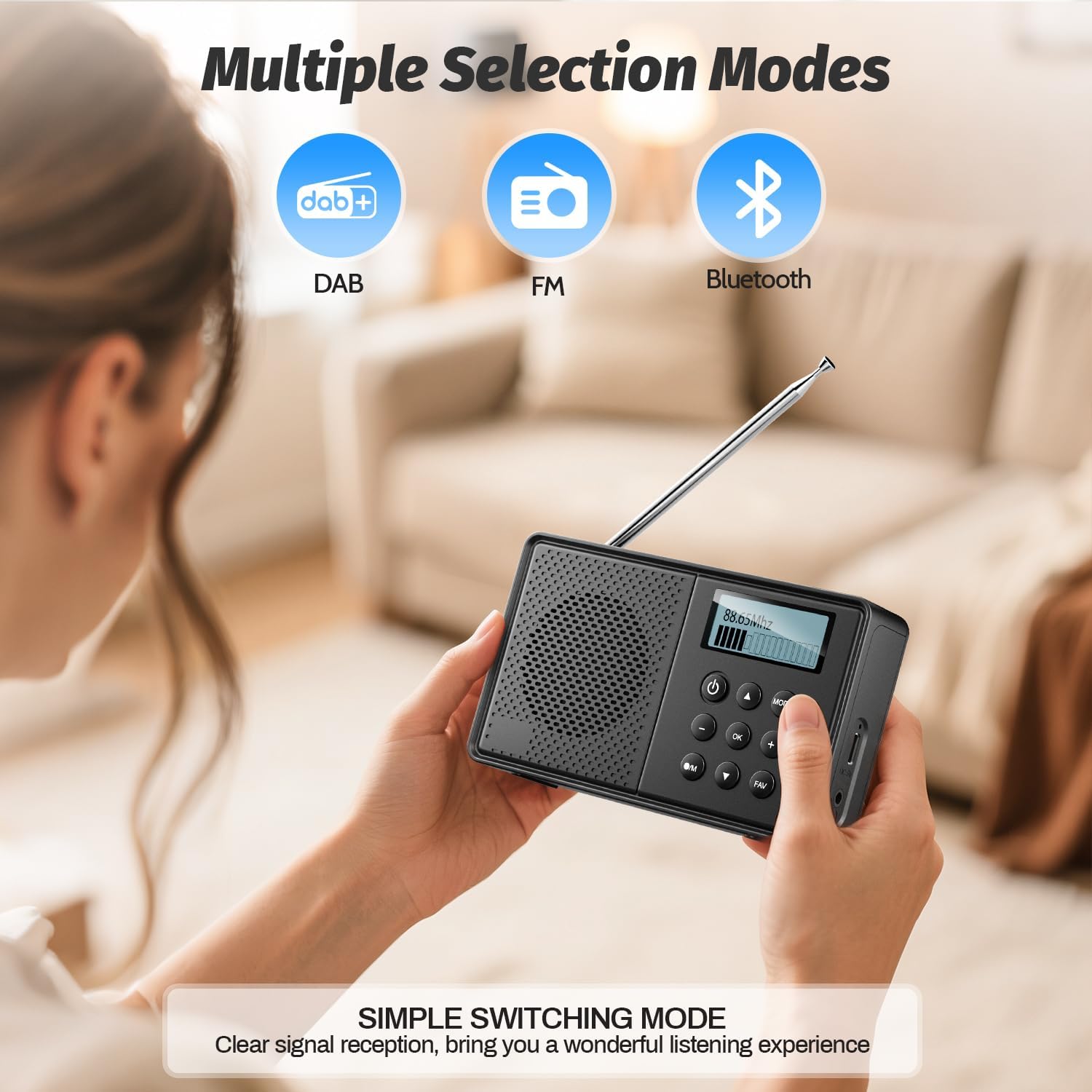
- Botó de mode: Switches between DAB, FM, and Bluetooth modes.
- Pom de volum: Ajusta el volum d'àudio.
- Tuning/Navigation Buttons: Used for tuning stations, navigating menus, and setting alarms.
- Botons predefinits (1-5): Quick access to saved stations.
- Botó FAV: Saves and recalls favorite stations.
- Antena: Esteneu-lo per a una recepció de ràdio òptima.
- Port de càrrega tipus C: Per carregar la bateria interna.
- Presa d'auriculars de 3.5 mm: Per a una escolta privada.
3. Configuració
Càrrega inicial
Before first use, fully charge the radio. Connect the provided Type-C USB cable to the radio's charging port and the other end to a USB power adapter (not included) or a computer USB port. The battery indicator on the LCD display will show charging status.

Image: The Arafuna NDR111B radio connected to a Type-C charging cable, illustrating its high battery capacity and charging method.
Extensió d'antena
For optimal radio reception, extend the telescopic antenna fully. Adjust its position for the best signal quality.
4. Instruccions de funcionament
Encès/Apagat
- Premeu el botó Poder botó per encendre o apagar la ràdio.
Selecting Radio Modes (DAB/DAB+/FM)
- Premeu el botó MODE button repeatedly to cycle through DAB, FM, and Bluetooth modes.
Image: The Arafuna NDR111B radio displaying icons for DAB, FM, and Bluetooth modes, indicating multiple selection options.
Operació de ràdio DAB/DAB+
- In DAB mode, the radio will automatically scan for available stations upon first use.
- Use the navigation buttons to browse through the list of available DAB stations.
- Premeu OK per seleccionar una estació.
Funcionament de la ràdio FM
- In FM mode, you can perform an auto-scan or manual tuning.
- To auto-scan, press and hold the ESCANEAR button (if available) or follow on-screen prompts.
- For manual tuning, use the navigation buttons to adjust the frequency.

Image: The Arafuna NDR111B radio illustrating its auto-scan feature and the ability to store 40 preset stations (20 DAB, 20 FM).
Desar i recuperar preajustos
The radio allows you to store up to 40 stations (20 DAB / 20 FM).
Per desar una emissora:
- Sintonitza l'emissora desitjada.
- Manteniu premut el botó FAV botó durant 2 segons.
- Use the navigation buttons to select a preset number (1-20 for DAB, 1-20 for FM).
- Premeu OK per confirmar.

Image: A visual guide showing three steps to store favorite stations using the FAV and OK buttons on the Arafuna NDR111B radio.
To Recall a Station:
- Premeu el botó FAV botó breument.
- Use the navigation buttons to select the desired preset number.
- Premeu OK per confirmar.

Image: A visual guide showing three steps to recall favorite stations using the FAV and OK buttons on the Arafuna NDR111B radio.
Connectivitat Bluetooth
- Canvieu al mode Bluetooth mitjançant el MODE button. The display will show "Bluetooth".
- On your smartphone, tablet, or other Bluetooth device, enable Bluetooth and search for "NDR111B".
- Select "NDR111B" to pair. Once connected, you can stream audio to the radio.
- Nota: Bluetooth headphones are not supported for output.

Image: The Arafuna NDR111B radio demonstrating Bluetooth connectivity with various devices like smartphones, PCs, and tablets. A note indicates that Bluetooth headphones are not supported.
Configuració d'alarma dual
You can set two independent alarms for different schedules (e.g., weekdays and weekends).
- Access the alarm settings via the menu.
- Set the desired alarm time, source (buzzer or radio station), and frequency (daily, weekdays, weekends).
- Premeu OK per salvar.
- Nota: Alarms function only when the radio is connected to a power supply.
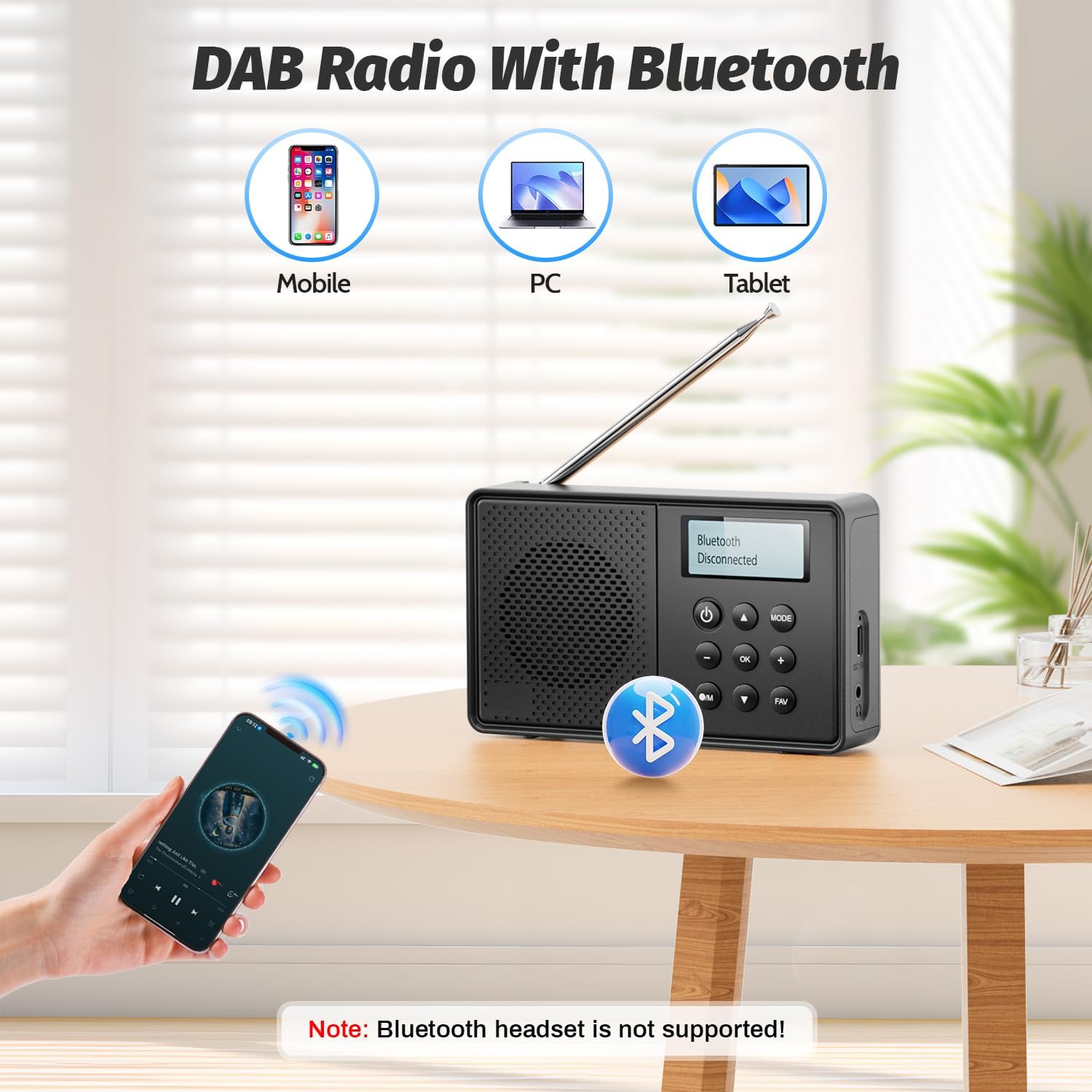
Image: The Arafuna NDR111B radio on a table next to a sleeping person, with an overlay showing the dual alarm and sleep timer settings. A note clarifies that alarms work only when connected to power.
Funció Sleep Timer
The sleep timer allows the radio to turn off automatically after a set period (15-90 minutes).
- Access the sleep timer settings via the menu.
- Select the desired duration (e.g., 15, 30, 60, 90 minutes).
- La ràdio s'apagarà automàticament després del temps seleccionat.
Ús d'auriculars
- Plug 3.5mm wired headphones into the headphone jack for private listening.
5. Càrrega
The Arafuna NDR111B features a built-in lithium battery that provides up to 5 hours of playback and can be fully recharged in approximately 2.5 hours via the Type-C port.
- Connect the Type-C cable to the radio and a power source.
- La icona de la bateria a la pantalla indicarà l'estat de càrrega.
- Desconnecteu el cable un cop carregat completament per estalviar bateria.
6. Manteniment
- Netegeu la ràdio amb un drap suau i sec. No utilitzeu productes de neteja abrasius ni dissolvents.
- Mantingueu el dispositiu allunyat de la pols i de la llum solar directa.
- If not used for a long period, charge the battery periodically to maintain its health.
7. Solució De Problemes
| Problema | Causa possible | Solució |
|---|---|---|
| Sense poder | La bateria s’ha esgotat | Carregueu la ràdio amb el cable tipus C. |
| Mala recepció de ràdio | Antena no estesa o zona de senyal deficient | Esteneu completament l'antena telescòpica i ajusteu-ne la posició. Intenteu moure-la a una altra ubicació. |
| Bluetooth no connectat | El dispositiu no està en mode de vinculació o fora de rang | Ensure the radio is in Bluetooth mode. Check that your device's Bluetooth is on and within 10 meters. |
| L'alarma no sona | Radio not connected to power or alarm not set correctly | Connect the radio to a power source. Verify alarm settings (time, source, frequency). |
8. Especificacions
| Característica | Detall |
|---|---|
| Marca | Arafuna |
| Model | NDR111B |
| Dimensions del producte | 12 x 2 x 6 cm |
| Pes de l'article | 230 g |
| Tecnologia del sintonitzador | DAB/DAB+/FM |
| Bandes de ràdio compatibles | DAB, DAB+, FM |
| Frequency (DAB/DAB+) | 174-240 MHz |
| Frequency (FM) | 87.5-108 MHz |
| Tecnologia de connectivitat | Bluetooth |
| Mostra | LCD |
| Potència de sortida dels altaveus | 3 watts |
| Font d'alimentació | Funciona amb bateria (1 bateria d'ions de liti inclosa) |
| Capacitat de la bateria | 2200 mAh (approx. 5 hours playback) |
| Temps de càrrega | Aprox. 2.5 hores (via tipus C) |
| Característiques addicionals | DAB Plus Radio, Dual Alarm, Sleep Timer, 40 Presets |
9. Garantia i Suport
Arafuna products are designed for reliability and performance. For warranty information, technical support, or customer service inquiries, please refer to the contact details provided on the product packaging or the official Arafuna weblloc web. Conserveu el rebut de compra com a comprovant de compra.
10. Vídeos de productes
Desempaquetatge i mésview
Video: An unboxing video of a similar product, demonstrating the initial setup and components. This video provides a visual guide to what to expect when opening your Arafuna NDR111B radio.
Demostració del producte
Video: A practical product illustration, showcasing the features and functionality of the radio in use. This video helps visualize how to operate the various modes and settings.
Radio Features Overview
Video: A demonstration of a portable FM radio, highlighting its features and ease of use. While not the exact model, it provides a general understanding of portable radio operation.
Ràdio portàtil amb Bluetooth
Vídeo: Una projecció de vídeoasing a portable radio with Bluetooth functionality, similar to the Arafuna NDR111B. It illustrates how to use the radio for both traditional broadcasts and Bluetooth audio streaming.