
1. Introducció
Welcome to the user manual for your BOOX Note Air 4 C Color ePaper Notebook. This document provides essential information for setting up, operating, maintaining, and troubleshooting your device. Please read this manual thoroughly to ensure optimal performance and longevity of your ePaper notebook.
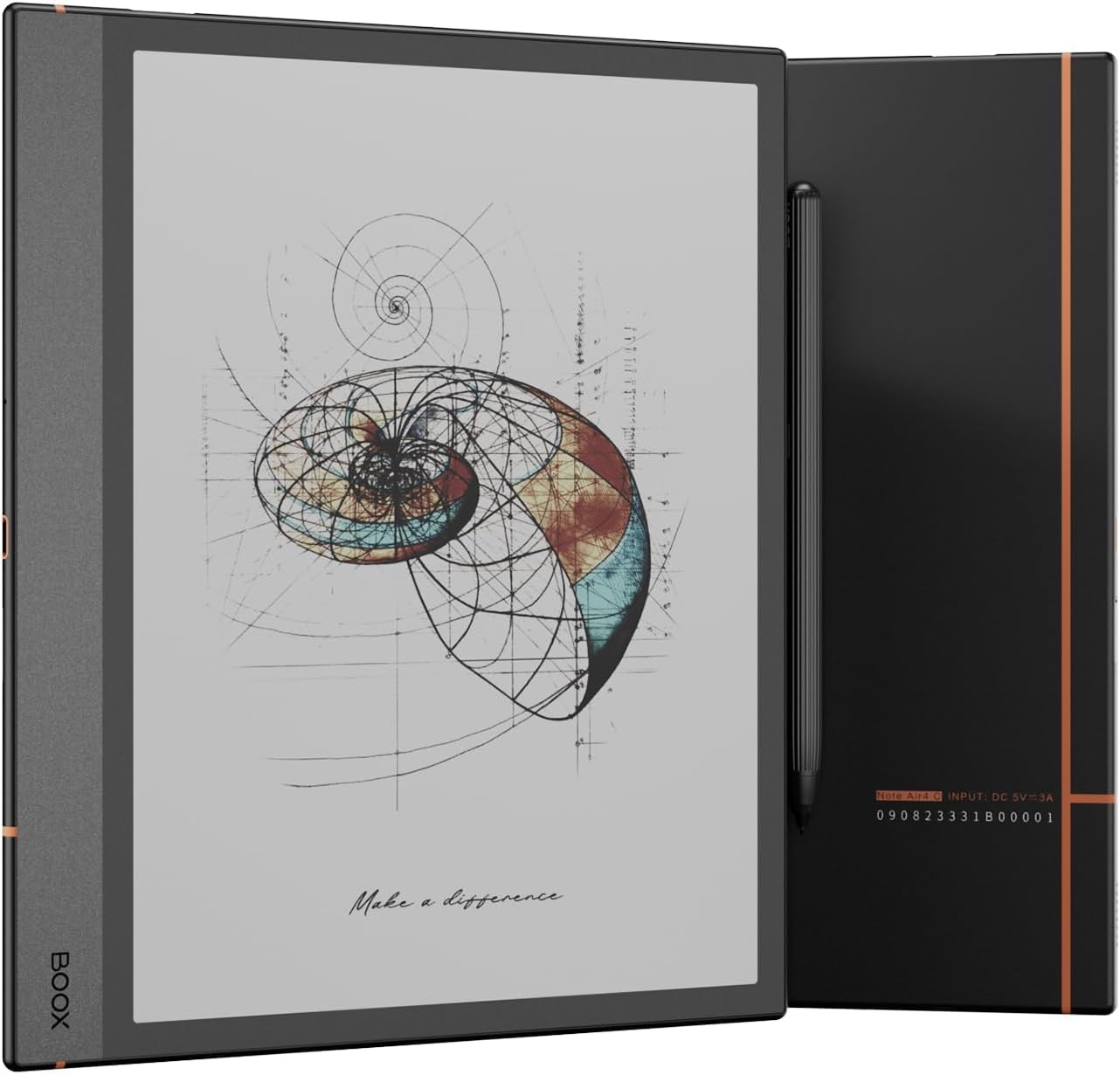
Image 1: The BOOX Note Air 4 C Color ePaper Notebook with its accompanying stylus.
2. Producte acabatview
The BOOX Note Air 4 C is a versatile 10.3-inch color ePaper notebook designed for reading, note-taking, and creative work. It features an advanced Kaleido 3 display, a powerful octa-core processor, and runs on Android 13, offering a seamless and eye-friendly digital experience.
Característiques principals:
- Visualització: 10.3-inch Kaleido 3 Color ePaper with Carta 1200 glass screen and flat cover lens.
- Resolució: Black & White: 2480 x 1860 (300 ppi); Color: 1240 x 930 (150 ppi).
- Toca: BOOX stylus touch (4,096 pressure levels) and capacitive touch.
- Processador: Octa-core CPU with BSR (BOOX Super Refresh) technology.
- Memòria: 6GB RAM, 64GB ROM.
- Sistema operatiu: Android 13.
- Connectivitat: Wi-Fi and Bluetooth 5.1.
- Llum frontal: CTM (warm and cold color) adjustable front light.
- Sensors: G-sensor for automatic screen rotation.
- Bateria: 3,700mAh Lithium-ion polymer.
- Ports: USB-C (supports OTG and audio output), microSD card slot.
- Àudio: Built-in dual speakers and microphone.
- Seguretat: Power button with integrated fingerprint recognition.

Imatge 2: acabatview of the BOOX Note Air 4 C's core features, highlighting its color ePaper display, octa-core processor, 6GB RAM, 64GB ROM, and Android 13 operating system.

Image 3: Visual representation of the performance enhancements, including improved CPU performance, increased RAM for multitasking, and BSR technology for optimal refresh rates.
3. Configuració
3.1 Càrrega inicial
Before first use, fully charge your BOOX Note Air 4 C using the provided USB-C cable and a compatible power adapter. The device will indicate charging status on the screen.
3.2 Encès/Apagat
- Per encendre: Press and hold the power button (located on the side) until the BOOX logo appears.
- Per apagar: Mantingueu premut el botó d'engegada i, a continuació, seleccioneu "Apagar" a les opcions que apareixen a la pantalla.
- Per dormir/despertar-se: Briefly press the power button to put the device to sleep or wake it up.
3.3 Fingerprint Setup
The power button integrates a fingerprint sensor. To set up fingerprint unlock, navigate to Configuració > Seguretat > empremta digital i seguiu les instruccions a la pantalla.
3.4 Connectivitat Wi-Fi i Bluetooth
To connect to Wi-Fi or Bluetooth devices, go to Configuració> Xarxa i Internet or Configuració > Dispositius connectats respectively. Select your desired network or device and enter credentials if prompted.
4. Instruccions de funcionament
4.1 Navegació i interfície
The Note Air 4 C features a touch-sensitive screen for navigation. Use your finger for general interaction and the BOOX stylus for precise input, writing, and drawing. The interface is based on Android 13, providing a familiar tablet-like user experience.

Image 4: The BOOX Note Air 4 C displaying a web page, demonstrating its capability for browsing and content consumption.
4.2 Reading Documents
The device supports a wide range of document formats including PDF, EPUB, MOBI, DOCX, and more. Open documents from your library or file manager. You can adjust font size, contrast, and use the CTM front light for comfortable reading in various lighting conditions.

Image 5: A user engaged in reading on the BOOX Note Air 4 C, highlighting the device's comfortable viewexperiència.
4.3 Note-Taking and Drawing
Utilize the BOOX stylus for a paper-like writing experience. The note-taking application offers various templates, brushes, layers, and AI-powered Smart Scribe tools for capturing and refining your ideas.

Image 6: The Note Air 4 C displaying a creative sketch, illustrating its capabilities as a digital canvas for capturing inspiration with various tools.

Image 7: The device showing advanced art tools like the Shape tool and Lasso tool, enabling precise design work and editing within notes.

Image 8: The BOOX Note Air 4 C displaying a document with handwritten notes and diagrams, demonstrating its utility for active reading and annotation.
4.4 File Management and Organization
Organize your notes and documents using folders, tags, and the Outline feature. The Link tool allows you to connect related thoughts and resources for improved accessibility.

Image 9: The Note Air 4 C interface demonstrating features for organizing notes, including folders, tags, and the Outline feature for structured content.
4.5 Instal·lació de l'aplicació
As an Android 13 device, the Note Air 4 C supports the installation of third-party applications. Access the built-in app store or install APK files directly to expand functionality.
4.6 Sync and Share
Transferència perfecta files between your BOOX tablet, computer, and phone using BOOXDrop. Sync your notes and book annotations to cloud services like Google Drive, Dropbox, OneDrive, or Onyx cloud for access anytime, anywhere.

Image 10: Illustration of the BOOX Note Air 4 C's ability to sync and share work seamlessly across various devices, including tablets, computers, and smartphones.
5. Manteniment
5.1 Neteja del dispositiu
Use a soft, lint-free cloth to gently wipe the screen and body of the device. Avoid using harsh chemicals or abrasive materials, which can damage the screen or finish.
5.2 Actualitzacions de programari
Regularly check for and install software updates to ensure your device has the latest features, performance improvements, and security patches. Navigate to Configuració > Actualització del firmware per comprovar si hi ha actualitzacions.
5.3 Cura de la bateria
To prolong battery life, avoid exposing the device to extreme temperatures. It is recommended to keep the battery charge between 20% and 80% for optimal long-term health. If storing the device for an extended period, charge it to about 50%.
6. Solució De Problemes
6.1 El dispositiu no s'encén
Ensure the device is sufficiently charged. Connect it to a power source and allow it to charge for at least 30 minutes before attempting to power it on again. If the issue persists, try holding the power button for 10-15 seconds for a forced restart.
6.2 Screen Issues (Ghosting, Flickering)
E Ink displays may exhibit minor ghosting or flickering during refresh cycles. This is normal. If ghosting is excessive, adjust the refresh mode in the display settings. A full refresh can often clear persistent ghosting.
6.3 Problemes de connectivitat
If Wi-Fi or Bluetooth is not connecting, ensure the feature is enabled in settings. Try restarting the device and your router/Bluetooth accessory. For Wi-Fi, forget the network and reconnect. For Bluetooth, unpair and re-pair the device.
6.4 El llapis òptic no respon
Check if the stylus tip is worn out and needs replacement. Ensure the stylus is properly paired if it's a Bluetooth model (though BOOX styluses are typically passive). If the screen is unresponsive to the stylus, try restarting the device.
7. Especificacions
| Mostra | 10.3-inch Kaleido 3 (4,096 colors) Carta 1200 glass screen, Flat cover lens |
| Resolution (B/W) | 2480 x 1860 (300 ppp) |
| Resolution (Color) | 1240 x 930 (150 ppp) |
| Toca | BOOX stylus touch (4,096 pressure levels) + Capacitive touch |
| CPU | Octa-core + BSR |
| RAM | 6 GB |
| ROM | 64 GB |
| Sistema operatiu | Android 13 |
| Connectivitat | Wi-Fi, Bluetooth 5.1 |
| Llum frontal | CTM (warm and cold color) |
| Sensors | Sensor G |
| Document Formats | PDF, CAJ, DJVU, CBR, CBZ, EPUB, EPUB3, AZW3, MOBI, TXT, DOC, DOCX, FB2, CHM, RTF, HTML, ZIP, PRC, PPT, PPTX |
| Formats d'imatge | PNG, JPG, BMP, TIFF |
| Formats d'àudio | WAV, MP3 |
| Botons | Power button with fingerprint recognition |
| Ports | USB-C (OTG support, audio jack function), microSD card slot |
| Àudio | Built-in dual speakers, built-in microphone |
| Bateria | 3,700mAh Lithium-ion polymer |
| Dimensions | 226 x 193 x 5.8 mm (8.9 x 7.6 x 0.23 polzades) |
| Pes | Aprox. 420 g (14.8 unces) |

Imatge 11: Un pro lateralfile view of the BOOX Note Air 4 C, emphasizing its slim design and elegant construction.
8. Garantia i Suport
Your BOOX Note Air 4 C comes with a manufacturer's warranty. For detailed warranty information, please refer to the warranty card included with your product or visit the official BOOX website. For technical support, software updates, and frequently asked questions, please visit the BOOX support portal or contact customer service.
BOOX is committed to providing at least 3 years of firmware updates for all products and offers 5GB of free cloud storage to all users.