
1. Introducció
The Yaesu SSM-BT20 Bluetooth headset is designed to enhance your radio communication experience. It provides wireless, hands-free operation and clear audio quality when paired with compatible Yaesu and Standard Horizon radio transceivers. This headset is suitable for various environments, offering convenience and reliable performance for both professional and enthusiast users.
Compatible radio transceivers include models such as FT-5DR, FTM-510DR, FTM-500DR, and FT-850L, among others.
2. Què hi ha a la caixa
Verifiqueu que hi hagi tots els elements en desembalar-los:
- Yaesu SSM-BT20 Bluetooth Headset
- Cable de càrrega USB
- Manual d'instruccions
- Bateria (preinstal·lada o separada)
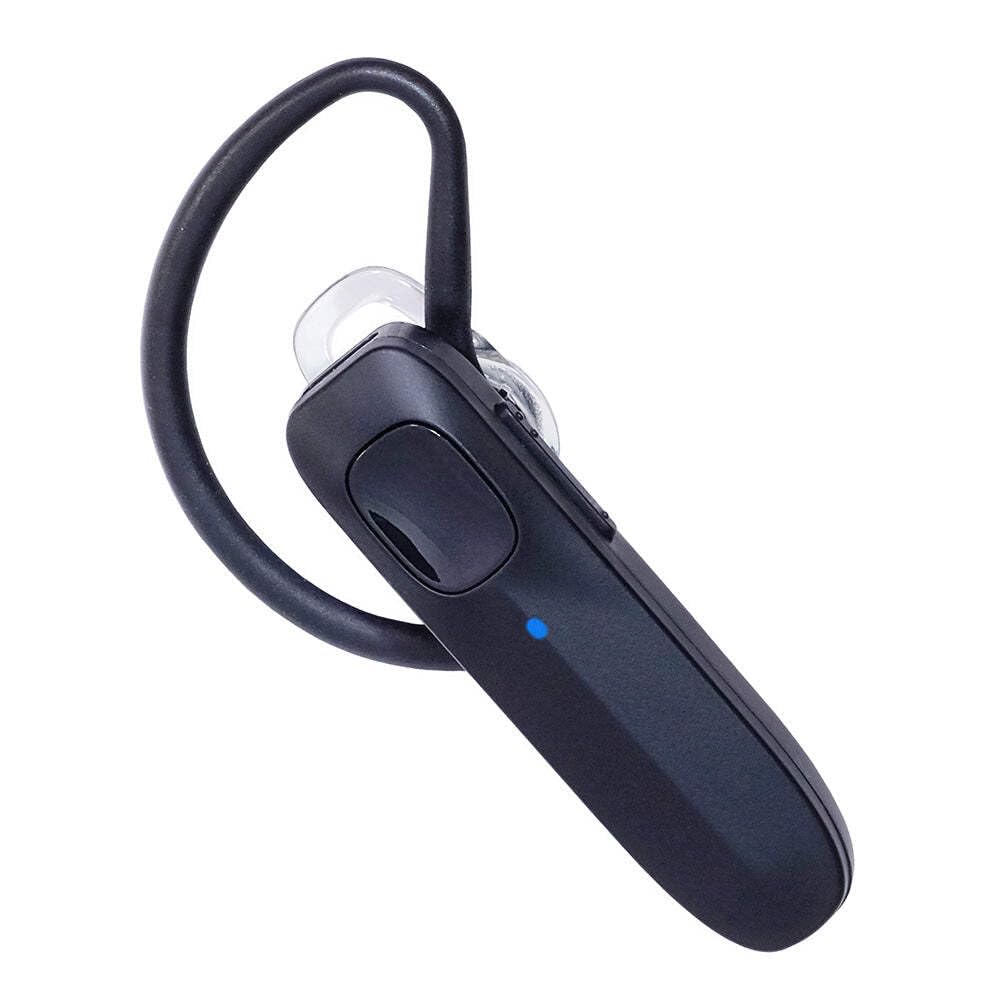
Image: The Yaesu SSM-BT20 Bluetooth Headset, USB charging cable, and manual as packaged in the box.
3. Configuració
3.1 Càrrega inicial
Before first use, fully charge the Yaesu SSM-BT20 headset. Connect the provided USB charging cable to the headset and a compatible USB power source (e.g., USB wall adapter, computer USB port). The charging indicator light will show the charging status.
3.2 Pairing with a Radio Transceiver
- Ensure your Yaesu SSM-BT20 headset is powered off.
- Activate Bluetooth pairing mode on your headset (refer to the headset's specific instructions for this step, usually by pressing and holding the power button until an indicator light flashes).
- On your compatible Yaesu or Standard Horizon radio transceiver, navigate to the Bluetooth settings menu.
- Select "Pair New Device" or similar option.
- Locate and select "SSM-BT20" from the list of available devices.
- Confirm the pairing on both devices if prompted. A successful connection will be indicated by a steady light on the headset.

Image: A person wearing a Bluetooth headset, illustrating its hands-free use with a radio transceiver.
4. Instruccions de funcionament
4.1 Encès/Apagat
- Per engegar: premeu i manteniu premut el botó d'engegada fins que s'il·lumini l'indicador lluminós.
- Per apagar: premeu i manteniu premut el botó d'engegada fins que l'indicador lluminós s'apagui.
4.2 Hands-Free Communication
Once paired, the headset will automatically connect to your radio transceiver when both devices are powered on and within range. You can then use the headset for hands-free transmission and reception of audio.
- Transmetent: Use the Push-To-Talk (PTT) button on the headset (if available) or the radio transceiver to transmit.
- Recepció: Audio from the radio will be streamed directly to the headset.
4.3 Ajust de volum
Adjust the volume directly on your connected radio transceiver or using the volume controls on the SSM-BT20 headset, if equipped.
5. Manteniment
5.1 Neteja
Wipe the headset with a soft, dry cloth. Avoid using harsh chemicals or abrasive cleaners. Ensure no moisture enters the charging port or speaker/microphone areas.
5.2 Emmagatzematge
Store the headset in a cool, dry place away from direct sunlight and extreme temperatures. When storing for extended periods, ensure the battery is partially charged (around 50%) to prolong its lifespan.
5.3 Cura de la bateria
Regularly charge the battery to maintain optimal performance. Avoid fully discharging the battery frequently, as this can reduce its overall lifespan.
6. Solució De Problemes
6.1 Els auriculars no s'encenen
- Ensure the battery is charged. Connect the headset to the USB charging cable and a power source.
- Verify that the power button is being pressed and held correctly.
6.2 Unable to Pair Headset
- Confirm the headset is in pairing mode (indicator light flashing).
- Ensure the radio transceiver's Bluetooth is enabled and discoverable.
- Move the headset closer to the radio transceiver to ensure they are within Bluetooth range.
- Restart both the headset and the radio transceiver, then attempt pairing again.
6.3 Sense àudio o mala qualitat d'àudio
- Check the volume levels on both the headset and the radio transceiver.
- Ensure the headset is properly connected to the radio transceiver. Re-pair if necessary.
- Confirm there are no obstructions between the headset and the radio that could interfere with the Bluetooth signal.
- Verify the headset is fully charged.
7. Especificacions
| Característica | Detall |
|---|---|
| Nom del model | SSM-BT20 |
| Tecnologia de connectivitat | Bluetooth |
| Tecnologia de comunicació sense fils | Bluetooth |
| Versió Bluetooth | 5.0 |
| Dispositius compatibles | FT-5DR, FT-3DR, FTM-500DR, FTM-510DR, FT-850L (and others) |
| Material | Plàstic |
| Pes de l'article | 16 unces (0.45 kg) |
| Dimensions del producte | 2.7 x 2.2 x 1 polzades (6.86 x 5.59 x 2.54 cm) |
| Nivell de resistència a l'aigua | No resistent a l'aigua |
| Mètode de control | Remot |
| Col·locació de l'orella | A l'orella |
| Factor de forma | A l'orella |
| Components inclosos | Bateria |
| Fabricant | Yaesu |
8. Garantia i assistència
8.1 Informació de la garantia
This product is a genuine Yaesu accessory, designed and tested for optimal performance with Yaesu radios. For specific warranty details, please refer to the documentation included with your product or contact Yaesu customer support.
8.2 Atenció al client
For technical assistance, troubleshooting, or service inquiries, please contact Yaesu customer support. Contact information can typically be found on the manufacturer's official weblloc o a l'embalatge del producte.
Return Policy: The buybox winner offers a 30-day return policy for refund/replacement.