
Introducció
This manual provides essential information for the installation, operation, and maintenance of your Philips Smart WiZ Connected B12 Tunable White LED Bulbs. These bulbs offer advanced lighting control through Wi-Fi connectivity, allowing for dimming, tunable white light adjustment, and voice control via the WiZ app.
Informació important de seguretat
- Seguretat elèctrica: Always disconnect power before installing or removing bulbs.
- Només per a ús interior: Aquestes bombetes estan dissenyades per a ús interior en llocs secs.
- Compatibilitat: Ensure the bulb's base (E12) and wattage (40W equivalent) are compatible with your fixture.
- Dimecres: These bulbs are dimmable via the WiZ app or compatible voice control devices, not standard dimmer switches.
- No apte per a aparells tancats: Avoid using in fully enclosed luminaires as this may shorten bulb life.
- Eliminació: Dispose of electronic products responsibly according to local regulations.
Contingut del paquet
Verifiqueu que tots els elements siguin presents al vostre paquet:
- 4 x Philips Smart B12 Tunable White Bulbs
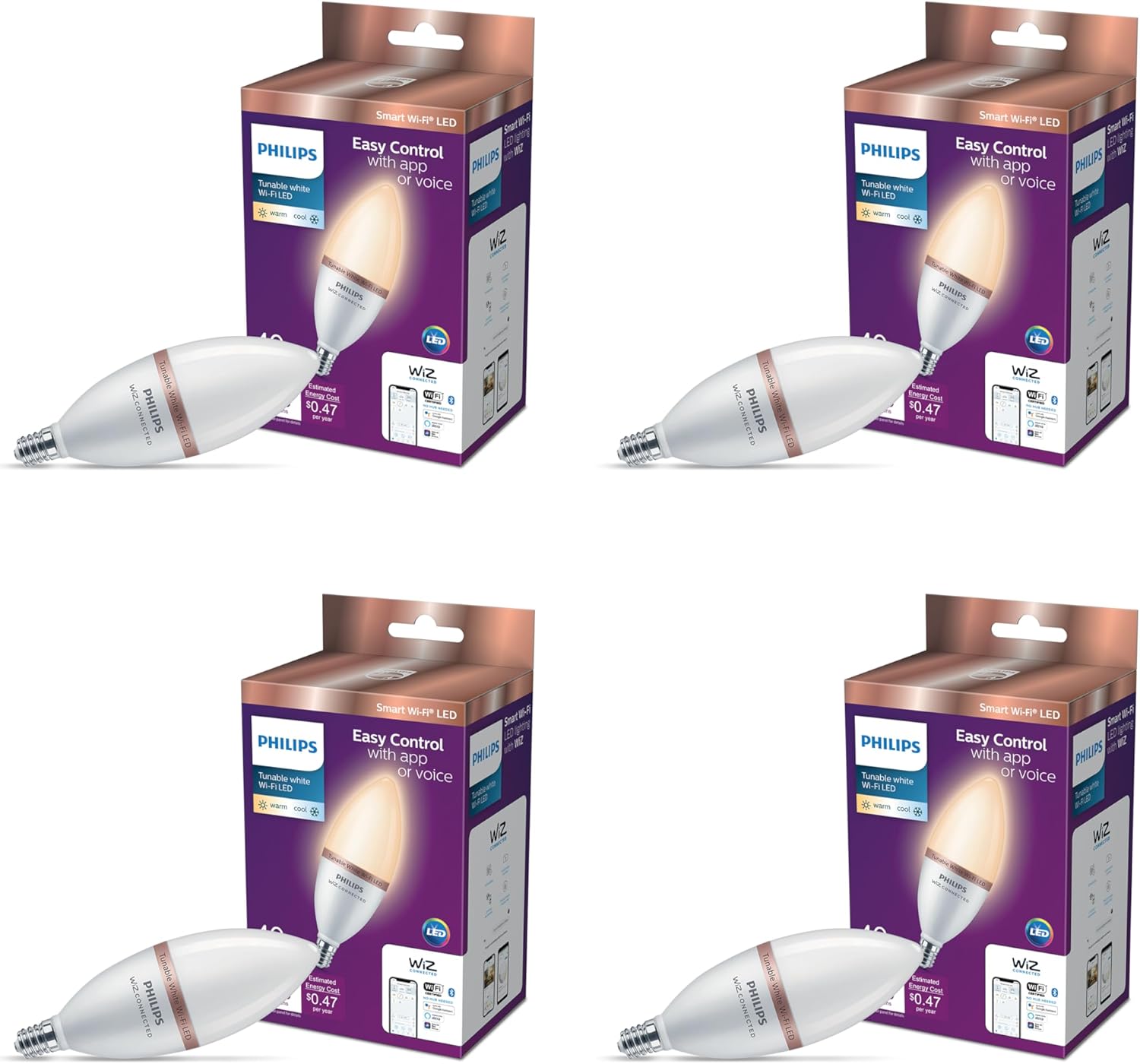
Image: Four Philips Smart B12 Tunable White LED bulbs shown in their individual retail boxes.
Instruccions de configuració
- Instal·leu la bombeta:
Carefully screw the Philips Smart B12 LED bulb into a compatible E12 socket. Ensure the power to the fixture is off before installation.

Image: Step 1 of installation, showing a hand screwing the bulb into a fixture.
- Descarrega l'aplicació WiZ:
Download the WiZ app from your smartphone's app store (available for iOS and Android). The WiZ app is required for smart control features.

Image: A smartphone screen showing the WiZ app, illustrating app control.
- Connecta't a Wi-Fi:
Follow the in-app instructions to connect your Philips Smart bulbs to your existing 2.4 GHz Wi-Fi network. No additional hub is required.
Operating Your Philips Smart Bulbs
1. Control d'aplicacions
The WiZ app provides full control over your lighting. You can:
- Encendre/apagar els llums.
- Adjust brightness (dimming).
- Change color temperature from warm white to cool daylight.
- Establir horaris i temporitzadors.
- Create custom light scenes.

Image: Visual representation of the bulb's features including Wi-Fi, voice control, dimming, timers, and tunable white light.
2. Control per veu
Integrate your Philips Smart bulbs with popular voice assistants for hands-free control:
- Assistent de Google: "Hey Google, turn on the living room lights."
- Amazon Alexa: "Alexa, dim the bedroom lights to 50%."
- Dreceres de Siri: Set up custom phrases for specific actions.

Image: An illustration of voice control in action, showing compatibility with Google Assistant, Alexa, and Siri Shortcuts.
3. Tunable White Light
Adjust the color temperature to suit your mood or activity, from warm white (2700K) for relaxation to cool daylight (6500K) for focus.

Image: A comparison showing the same room illuminated with warm white light (left) and cool white light (right) from the bulbs.
4. Atenuació
Smoothly dim your lights to create the perfect ambiance for any occasion.
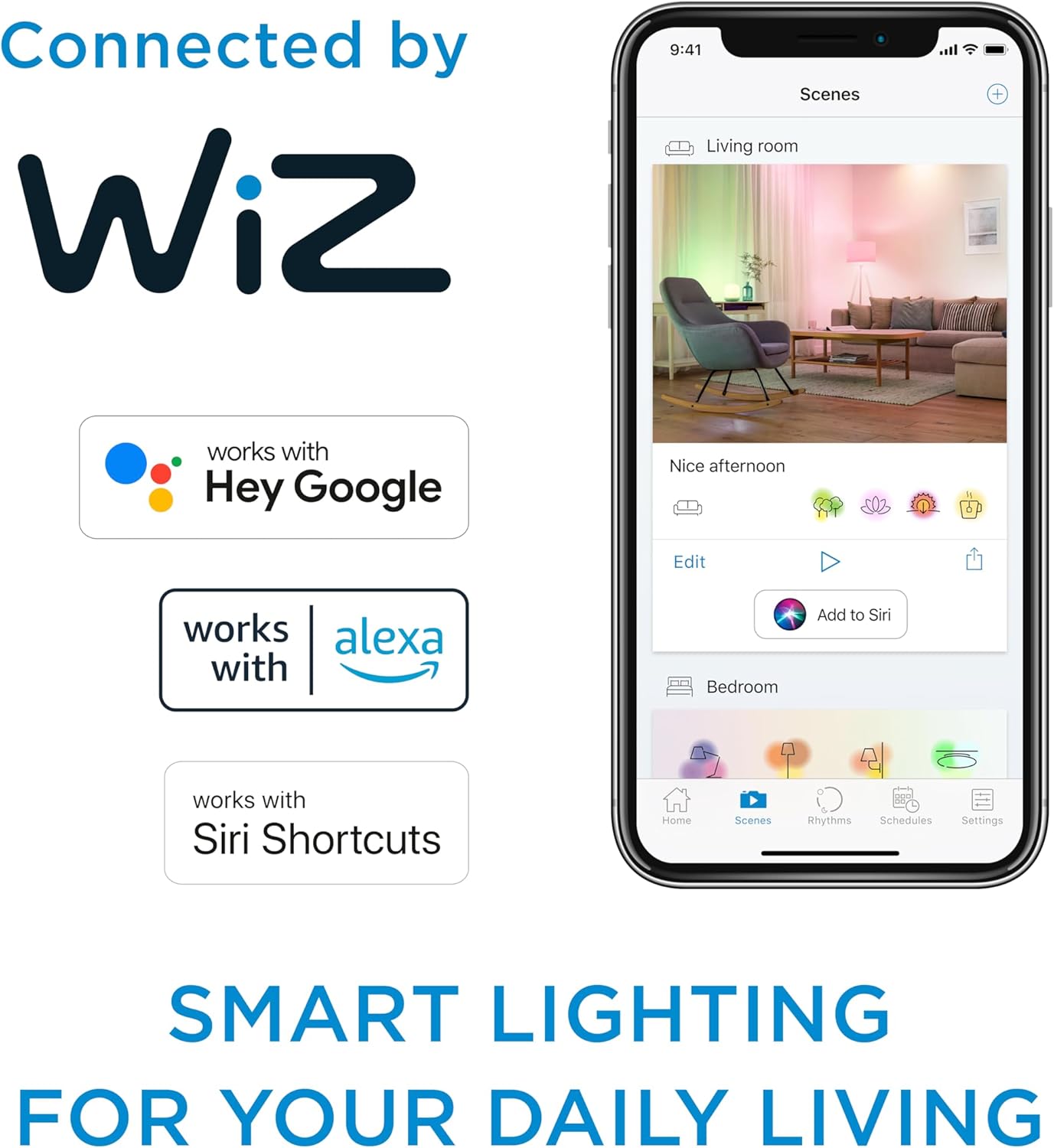
Image: A room demonstrating the dimming capability of the bulbs, showing a bright setting on the left and a dimmed setting on the right.
5. Customizing Your Lighting
The Philips Smart LED bulbs allow for extensive customization of your lighting experience, including dimming and color temperature adjustments to create various ambiances.
Video: Demonstrates how Philips LED dimmable lights can be customized to create different lighting moods.
Manteniment
- Neteja: Ensure the bulb is cool and power is off before cleaning. Wipe with a soft, dry cloth. Do not use liquid or abrasive cleaners.
- Longevitat: LED bulbs are designed for long life and typically do not require replacement for many years under normal use.
Resolució de problemes
| Problema | Causa possible | Solució |
|---|---|---|
| La bombeta no s'encén. | No hi ha corrent a la lluminària; la bombeta no està ben cargolada; la bombeta és defectuosa. | Check power switch and circuit breaker. Ensure bulb is securely screwed in. Test bulb in another working fixture. |
| Bulb won't connect to WiZ app. | Incorrect Wi-Fi password; 5GHz Wi-Fi network; too far from router; network interference. | Verify Wi-Fi password. Ensure you are connecting to a 2.4 GHz network. Move bulb closer to router. Reduce interference from other devices. Reset bulb and try pairing again. |
| Llums intermitents. | Incompatible dimmer switch; unstable power supply; stroboscopic effect. | These bulbs are not compatible with traditional dimmer switches. Control dimming via the WiZ app or voice control. Ensure stable power supply. Philips LED lighting minimizes flicker. |
Understanding Flicker and Stroboscopic Effect
Flickering lights can cause eye strain and headaches. LEDs can flicker due to their rapid response to driver current, which can also lead to a stroboscopic effect where continuous motion appears broken up. Philips LED lighting is designed to minimize these effects for comfortable viewing.
Video: Explanation of LED flicker and stroboscopic effect, and how Philips LED technology addresses it.
Especificacions
| Característica | Detall |
|---|---|
| Marca | Philips |
| Nom del model | 3.9B12/Wi-Fi BLE Tunable/927-65 4/1PF |
| Número de model de l'article | 562447 |
| Tipus de llum | LED |
| Característica especial | Dimmable, Tunable White |
| Wattage | 40 watts (equivalent incandescent) |
| Mida de la forma del bulb | B11 |
| Base del bulb | E12 |
| Brillantor | 450 lúmens |
| Voltage | 120 volts (acceptat: de 100 a 240 volts) |
| Freqüència | 60 Hz |
| Ús interior/exterior | Interior |
| Mètode de control | App, Voice (WiZ app, Google Assistant, Amazon Alexa, Siri Shortcuts) |
| Material | Plàstic |
| Pes de l'article | 11.7 unces |
| Dimensions del paquet | 11.89 x 7.95 x 2.91 polzades |

Image: Detailed dimensions of the Philips Smart B12 LED bulb.
Garantia i Suport
For warranty information and technical support, please refer to the official Philips website or contact Philips customer service. Keep your purchase receipt as proof of purchase.
Nota: These bulbs are not compatible with Philips Hue systems.