
1. Introducció
This manual provides comprehensive instructions for the TIDRADIO TD-M11 Waterproof Two-Way Radio. Please read this manual thoroughly before operating the device to ensure safe and efficient use. The TD-M11 is designed for reliable communication in various environments, featuring a durable, waterproof design and advanced functionalities.
2. Què hi ha a la caixa
En desempaquetar, comproveu que tots els elements que s'enumeren a continuació hi són presents i en bon estat:
- 10 x Walkie Talkies TD-M11
- 10 x bateria
- 10 x Walkie Talkies Earpiece
- 10 x Clip de cinturó
- 10 x USB Charging Cable & Adapter
- 10 x corretja de mà
- 5 x manual
3. Producte acabatview
The TIDRADIO TD-M11 is a compact and robust two-way radio designed for clear and reliable communication. It features 22 channels and 2W output power, making it suitable for various applications from team work to outdoor activities. Its IP67 waterproof rating ensures durability in challenging conditions.

Figura 1: Frontal view of the TIDRADIO TD-M11 Two-Way Radio.
Característiques principals:
- IP67 Waterproof Performance: Dissenyat per suportar diferents condicions meteorològiques.
- Connectivitat Bluetooth: For APP programming via Odmaster.
- Pantalla LED: Hidden LED lighting for clear status display and NOAA weather forecast.
- Built-in VOX: Hands-free operation for enhanced convenience.
- Càrrega tipus C: Convenient USB charging for the 1000 mAh Li-ion battery.
- Busy Channel Lockout (BLCO): Prevents transmission on occupied channels.

Figure 2: The TD-M11 radio is suitable for outdoor activities.

Figure 3: Physical dimensions of the TD-M11 radio.

Figure 4: The TD-M11 radio features long battery life.
4. Configuració
4.1 Càrrega de la bateria
The TD-M11 is equipped with a 1000 mAh Li-ion battery and supports Type-C USB charging. Connect the provided USB charging cable and adapter to the radio's Type-C port. The LED indicator will show charging status. Ensure the radio is fully charged before first use for optimal battery life.
4.2 Col·locació d'accessoris
- Clip de cinturó: Attach the belt clip to the back of the radio for convenient carrying.
- Auricular: Connect the earpiece to the radio's audio jack for private listening and hands-free communication.
- Corretja de mà: Secure the hand strap to the designated loop on the radio to prevent accidental drops.
4.3 Encès inicial
To power on the radio, rotate the volume knob clockwise until you hear a click. The LED display will illuminate, indicating the current channel and battery level. Adjust the volume to a comfortable level.
5. Instruccions de funcionament
5.1 Comunicació bàsica
To transmit, press and hold the Push-To-Talk (PTT) button located on the side of the radio. Speak clearly into the microphone. Release the PTT button to receive. Ensure all radios are set to the same channel for communication.
5.2 Selecció de canals
Use the CH+ and CH- buttons on the side of the radio to cycle through the available 22 channels. The selected channel number will be displayed on the LED screen.
5.3 Funció VOX (centraleta operada per veu)
The built-in VOX function allows for hands-free transmission. When activated, the radio will automatically transmit when it detects your voice, eliminating the need to press the PTT button. Refer to the Odmaster App for VOX level adjustment.
5.4 Receptor meteorològic de la NOAA
The TD-M11 includes a NOAA Weather Receiver function, allowing you to receive weather forecasts and alerts. This feature is displayed on the hidden LED screen, providing critical information for outdoor safety.
5.5 Bluetooth Programming with Odmaster App
The TD-M11 can be programmed wirelessly using the Odmaster App on your mobile phone. This allows you to read and write frequencies, adjust settings, and search for nearby repeaters for extended range communication. Note: Bluetooth is for programming only, not for other accessories.

Figure 5: Visual guide for programming the TD-M11 via the Odmaster App.
Video 1: Demonstration of programming the TIDRADIO TD-M11 using the Odmaster App.
6. Manteniment
6.1 Neteja
Netegeu regularment l'exterior de la ràdio amb un drap suau i sec.amp cloth. Avoid using harsh chemicals or abrasive cleaners. Ensure the Type-C charging port cover is securely closed to maintain its waterproof integrity.
6.2 Cura de la bateria
To prolong battery life, avoid overcharging or completely draining the battery. Store the radio in a cool, dry place when not in use. If the radio falls into water, shake or wipe off the water before using it again.

Figure 6: The TD-M11 radio is IP67 waterproof.
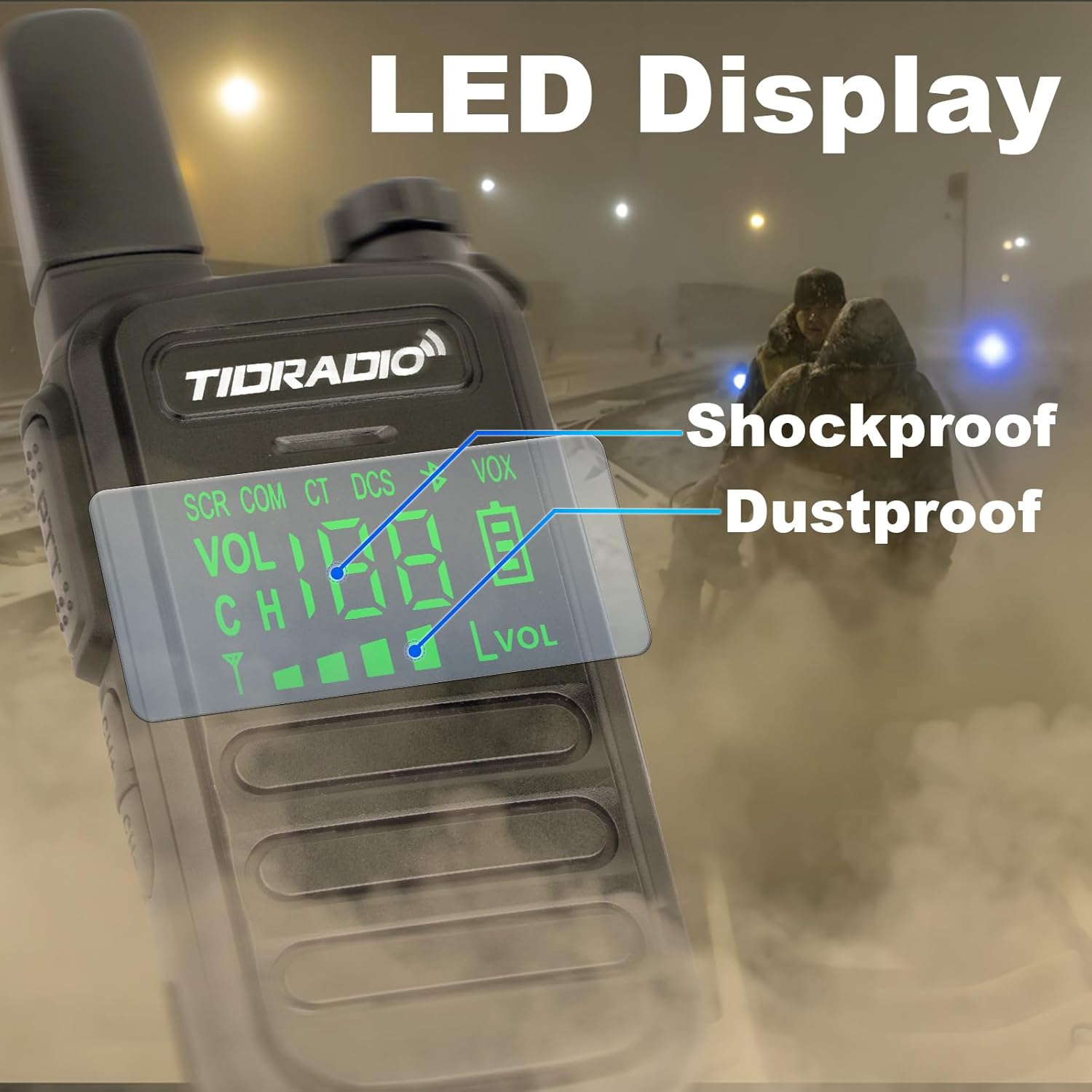
Figure 7: The LED display is protected by shockproof and dustproof design.
7. Solució De Problemes
If you encounter issues with your TD-M11 radio, please refer to the following common problems and solutions:
| Problema | Causa possible | Solució |
|---|---|---|
| Sense poder | La bateria està baixa o esgotada. | Carregueu la bateria completament. |
| No es pot transmetre ni rebre | Les ràdios estan en canals diferents. | Ensure both radios are set to the same channel. |
| Mala qualitat d'àudio | Obstructions or distance between radios. | Move to an open area or closer to the other radio. |
| La programació de Bluetooth falla | Bluetooth not enabled on radio or phone, or incorrect model selected in app. | Long press CH+ button to enable Bluetooth. Ensure correct model (TD-M11) is selected in the Odmaster App. |
8. Especificacions
Detailed technical specifications for the TIDRADIO TD-M11:
| Característica | Especificació |
|---|---|
| Marca | TIDRADIO |
| Número de model | TD-M11 |
| Color | Negre |
| Nombre de canals | 22 |
| Interval de freqüència | 400-470 MHz |
| Interval de conversa màxim | 5 quilòmetre |
| Voltage | 3.6 Volts |
| Nivell de resistència a l'aigua | Impermeable (IP67) |
| Tipus de bateria | 1000 mAh Li-ion Battery (included) |
| Durada mitjana de la bateria | 35 hores |
| Protocol de connectivitat | Bluetooth |
| Característiques especials | LED Display, NOAA Weather Radio, USB-C Charging, Wireless Programming, Shockproof and Drop-proof |
| Dispositius compatibles | Mobile phones, Repeaters, External microphones/headsets |
9. Informació de seguretat
Si us plau, observeu les següents precaucions de seguretat per evitar lesions o danys a la ràdio:
- No feu servir la ràdio en atmosferes explosives (per exemple, gasos inflamables, partícules de pols o pols metàl·lica).
- No desmunteu ni modifiqueu la ràdio. Les reparacions només les ha de realitzar personal autoritzat.
- Mantingueu la ràdio allunyada de camps magnètics forts.
- Use only TIDRADIO approved batteries and chargers.
- Eviteu l'exposició prolongada a la llum solar directa o a temperatures extremes.
10. Garantia i Suport
For warranty information or technical support, please refer to the documentation included with your purchase or contact TIDRADIO customer service directly. Keep your purchase receipt as proof of purchase for warranty claims.