
Introducció
Thank you for choosing the SODO SD-1101 Wireless Over-Ear Headphones. These headphones are designed to provide a comfortable audio experience with versatile connectivity options, including Bluetooth V5.3, a 3.5mm audio jack, and SD card support. They feature an integrated microphone for hands-free calls and are built for extended wear. Please read this manual carefully to ensure proper use and maintenance of your device.
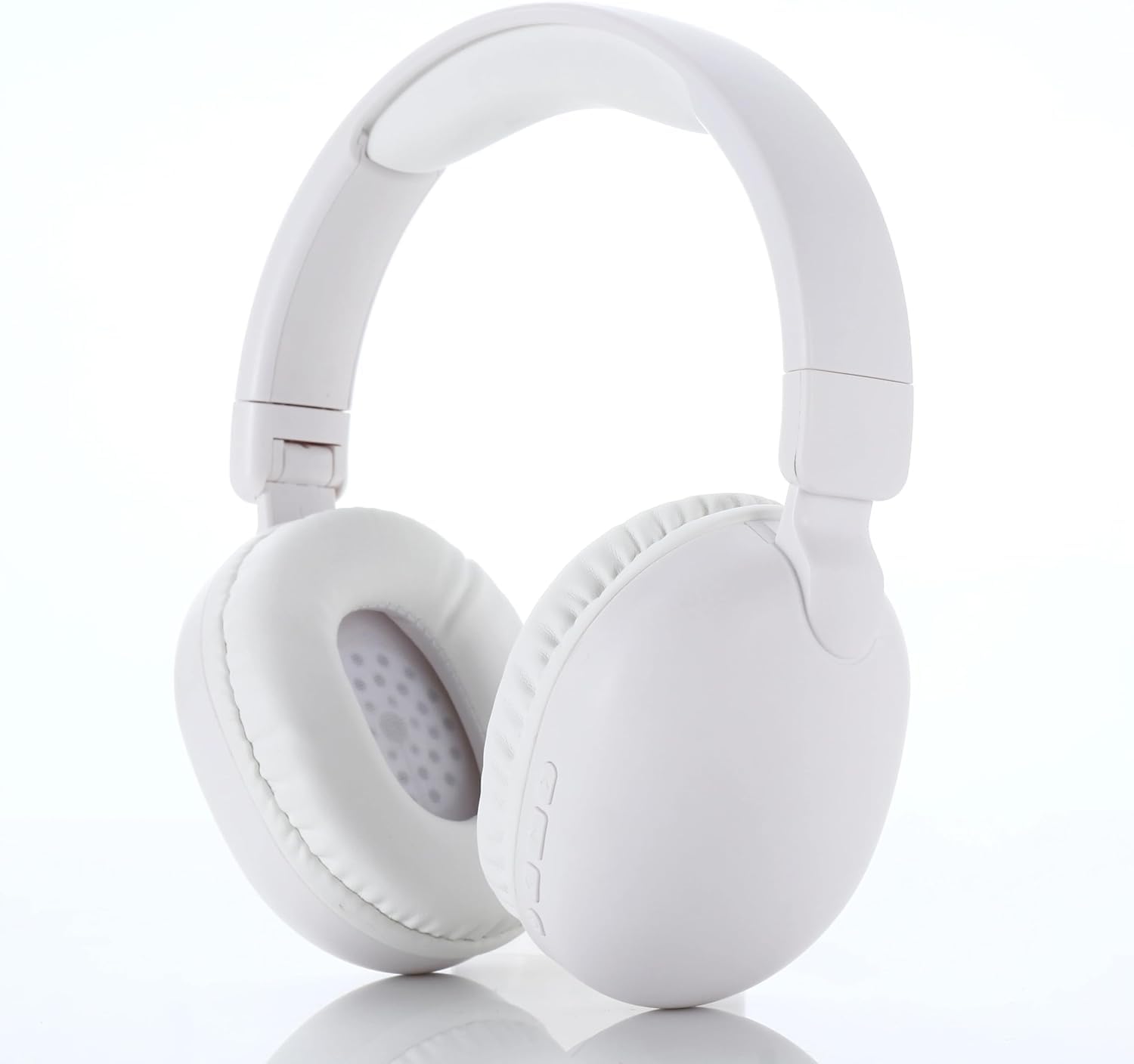
Image: SODO SD-1101 Wireless Over-Ear Headphones, general view.
Contingut del paquet
Assegureu-vos que tots els elements siguin presents al paquet:
- SODO SD-1101 Wireless Over-Ear Headphones (White)
- Cable de càrrega tipus C.
- Manual d'usuari

Image: Packaging for SODO SD-1101 Headphones.
Producte acabatview
Familiarize yourself with the headphone components and controls.

Imatge: Primer pla view of the headphone controls, showing the power button, volume/track controls, TF card socket, 3.5mm jack, and Bluetooth/charging indicator.
Disseny de control:
- Botó d'engegada / apagada: Also functions as Play/Pause.
- Botó Pujar volum / Cançó següent: Premeu curt per pujar el volum, premeu llargament per passar a la següent pista.
- Volume Down / Previous Song Button: Premeu curt per baixar el volum, premeu llargament per anar a la pista anterior.
- Socket de targeta TF: Per a la reproducció de targetes Micro SD.
- Jack de 3.5 mm: Per a connexió d'àudio amb cable.
- Bluetooth Indicator / Charging Indicator: Displays connection and charging status.
- Port de càrrega tipus C: Per carregar els auriculars.
- Micròfon integrat: Per trucades mans lliures.
Configuració
1. Càrrega dels auriculars
- Connecteu el cable de càrrega tipus C proporcionat al port de càrrega dels auriculars.
- Connecteu l'altre extrem del cable a una font d'alimentació USB (per exemple, un adaptador de paret, un port USB de l'ordinador).
- El llum indicador de càrrega s'il·luminarà durant la càrrega.
- Charging typically takes approximately 30 minutes for a full charge. The indicator light will change or turn off once fully charged.
2. Emparellament Bluetooth
- Assegureu-vos que els auriculars estiguin carregats.
- Press and hold the Power On/Off button until the Bluetooth indicator light flashes, indicating pairing mode.
- Al dispositiu (telèfon intel·ligent, tauleta, ordinador), activeu el Bluetooth i cerqueu els dispositius disponibles.
- Select "SODO SD-1101" from the list of found devices.
- Once connected, the Bluetooth indicator light will stop flashing or change color, indicating a successful connection.
3. Connexió amb cable (opcional)
- Insert one end of a 3.5mm audio cable (not included) into the 3.5mm jack on the headphones.
- Connect the other end of the cable to the audio output port of your device.
- Els auriculars canviaran automàticament al mode amb cable.
4. SD Card Usage (Optional)
- Insert a Micro SD card (TF card) with audio files into the TF Card Socket on the headphones.
- The headphones will automatically detect the SD card and begin playing audio from it.
- Use the Volume/Track buttons to control playback.
Instruccions de funcionament
Encès/Apagat
- Per encendre: Press and hold the Power On/Off button for approximately 3 seconds until the indicator light illuminates.
- Per apagar: Press and hold the Power On/Off button for approximately 3 seconds until the indicator light turns off.
Reproducció de música
- Reproduir/pausa: Premeu breument el botó d'encesa/apagada.
- Pista següent: Long press the "Volume Up / Next Song" button.
- Pista anterior: Long press the "Volume Down / Previous Song" button.
Control de volum
- Pujar el volum: Short press the "Volume Up / Next Song" button.
- Baixar el volum: Short press the "Volume Down / Previous Song" button.
Gestió de trucades
The integrated microphone supports hands-free calling with AI-enhanced call clarity and noise cancellation for calls.
- Respondre/Finalitzar la trucada: Premeu breument el botó d'encesa/apagada.
- Rebutja la trucada: Long press the Power On/Off button.
Manteniment
- Netegeu els auriculars amb un drap suau i sec. No utilitzeu productes de neteja abrasius ni dissolvents.
- Eviteu exposar els auriculars a temperatures extremes, humitat o llum solar directa.
- Guarda els auriculars en un lloc fresc i sec quan no els facis servir. El disseny plegable permet un emmagatzematge compacte.
- No intenteu desmuntar ni modificar els auriculars, ja que això anul·larà la garantia i els pot fer malbé.
- Mantingueu el port de càrrega net de pols i deixalles.
Resolució de problemes
| Problema | Causa possible | Solució |
|---|---|---|
| Els auriculars no s'engeguen. | Bateria baixa. | Carregueu els auriculars amb el cable tipus C proporcionat. |
| No es pot emparellar per Bluetooth. | Els auriculars no estan en mode d'emparellament; el Bluetooth està desactivat al dispositiu; el dispositiu està massa lluny. | Ensure headphones are in pairing mode (flashing indicator). Enable Bluetooth on your device. Move device closer to headphones (within 10 meters). |
| No hi ha so en mode Bluetooth. | Volume too low; not connected; incorrect audio output. | Increase headphone and device volume. Ensure headphones are successfully paired. Check audio output settings on your device. |
| No hi ha so en mode amb cable. | Cable not fully inserted; faulty cable; incorrect audio output. | Ensure 3.5mm cable is fully inserted into both devices. Try a different 3.5mm cable. Check device audio output settings. |
| SD card audio not playing. | SD card not inserted correctly; unsupported file format; targeta corrupta. | Reinsert the SD card. Ensure audio files are in a supported format. Try a different SD card. |
| Mala qualitat de trucada. | Weak signal; environmental noise; microphone obstruction. | Move to an area with better signal. Reduce background noise. Ensure microphone is not obstructed. |
Especificacions

Image: Visual representation of SODO SD-1101 performance features, including battery life, Bluetooth version, and wired backup option.
| Característica | Detall |
|---|---|
| Nom del model | SODO 1101 |
| Número de model | SD-1101 |
| Tecnologia de connectivitat | Sense fil (Bluetooth), amb cable (connector de 3.5 mm) |
| Versió Bluetooth | V5.3 |
| Interval Bluetooth | Fins a 10 metres |
| Capacitat de la bateria | 200 mAh, 3.7 V |
| Temps de reproducció contínua | 6-8 hores |
| Temps de càrrega | Aprox. 30 minuts |
| Port de càrrega | Tipus-C |
| Tipus de conductor | Dinàmic |
| Impedància | 32 ohms |
| Resposta de freqüència | 20 Hz - 20 kHz |
| Latència d'àudio | 1.5 mil·lisegons |
| Micròfon | Integrated, with AI-enhanced calls and noise cancellation for calls |
| Control de soroll | Aïllament acústic (passiu) |
| Tipus de control | Control de botons |
| Material de l'auricular | Pell de Proteïna |
| Disseny | Over-Ear, Foldable |
| Pes | 150 grams |
| Color | White (as per product title, images may show black variant) |
Informació de seguretat
- No utilitzeu els auriculars a un volum alt durant períodes prolongats per evitar danys auditius.
- No feu servir els auriculars mentre conduïu, aneu en bicicleta o en situacions on necessiteu escoltar sons ambientals.
- Mantingueu els auriculars allunyats de l'aigua i la humitat.
- Desfeu-vos de la bateria d'acord amb la normativa local. No l'exposeu al foc ni a la calor extrema.
- Mantenir fora de l'abast dels nens.
Garantia i Suport
Per obtenir informació sobre la garantia o assistència tècnica, consulteu la documentació que s'inclou amb la compra o poseu-vos en contacte amb el vostre distribuïdor. Conserveu el comprovant de compra per a qualsevol reclamació de garantia.