
1. Introducció
The INNOLAND Automatic Chicken Coop Door FO-006 is designed to provide a convenient and secure solution for managing poultry access to their coop. Featuring both manual and timer operating modes, a large LCD screen for easy programming, and robust construction, this door ensures the safety and well-being of your chickens, ducks, and geese. Its anti-pinch mechanism and weather-resistant design offer reliable performance in various conditions.

Figura 1: Frontal view of the INNOLAND Automatic Chicken Coop Door.
2. Característiques del producte
- Wider Application: Extra-large door (11 x 9.5 inches) suitable for chickens, ducks, and geese, providing convenient entry and exit.
- Maximum Weather Resistance: Constructed from robust, corrosion-resistant aluminum alloy, designed to operate reliably between -4°F and 140°F.
- Configuració fàcil: User-friendly, high-contrast LCD screen for setting opening and closing times.
- Mecanisme de seguretat: Integrated sensor stops the closing process if an obstacle is detected, lifting the door by 3 cm and pausing for 10 seconds.
- Funciona amb piles: Runs for up to six months on three AA batteries (not included), with a low battery indicator and twist-lock compartment for quick changes.
- Motor actualitzat: Features a 2025 upgraded motor for powerful, stable, and energy-efficient operation.

Figure 2: Robust construction details, highlighting weather resistance and aluminum alloy material.
3. Contingut del paquet
Please verify that all components are present before installation:
- 1 x INNOLAND Automatic Chicken Coop Door (Model FO-006)
- Cargols de muntatge (la quantitat pot variar)
- Manual d'usuari
4. Instal·lació
The automatic chicken coop door is designed for easy installation on most standard chicken coops. Ensure the installation surface is flat and stable.
- Tria la ubicació: Select a flat area on your chicken coop wall where the door can open and close without obstruction. Ensure there is enough space for the door to slide vertically.
- Marqueu els punts de muntatge: Position the door unit against the coop wall and mark the screw holes. The door opening dimensions are approximately 11 inches (height) by 9.5 inches (width).
- Preparació de l'obertura: If necessary, cut an opening in the coop wall to match the door's internal dimensions. Ensure edges are smooth.
- Mount the Door: Secure the door unit to the coop wall using the provided mounting screws. Ensure the unit is level and firmly attached.
- Instal·leu les bateries: Open the waterproof battery compartment (refer to Section 5.1) and insert three AA alkaline batteries (not included), ensuring correct polarity.
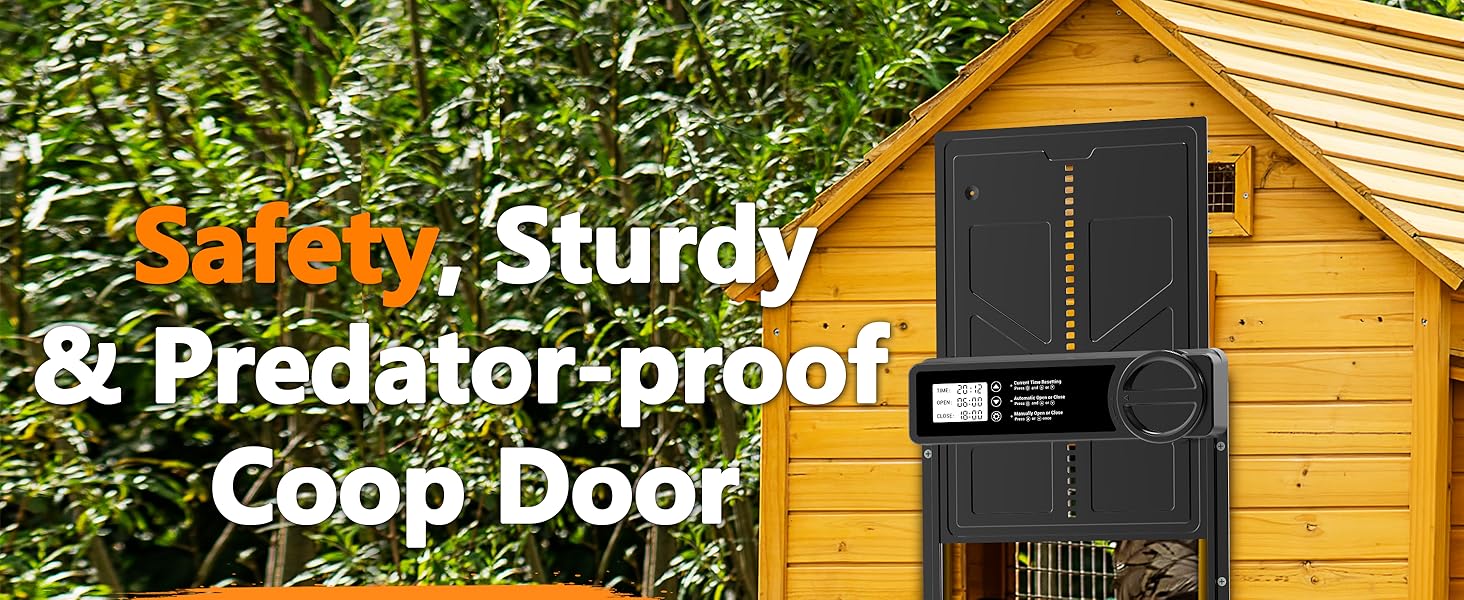
Figura 3: Example installation of the automatic chicken coop door on a wooden coop.
5. Configuració i funcionament
The door features a large LCD screen for easy programming of time and operating modes.
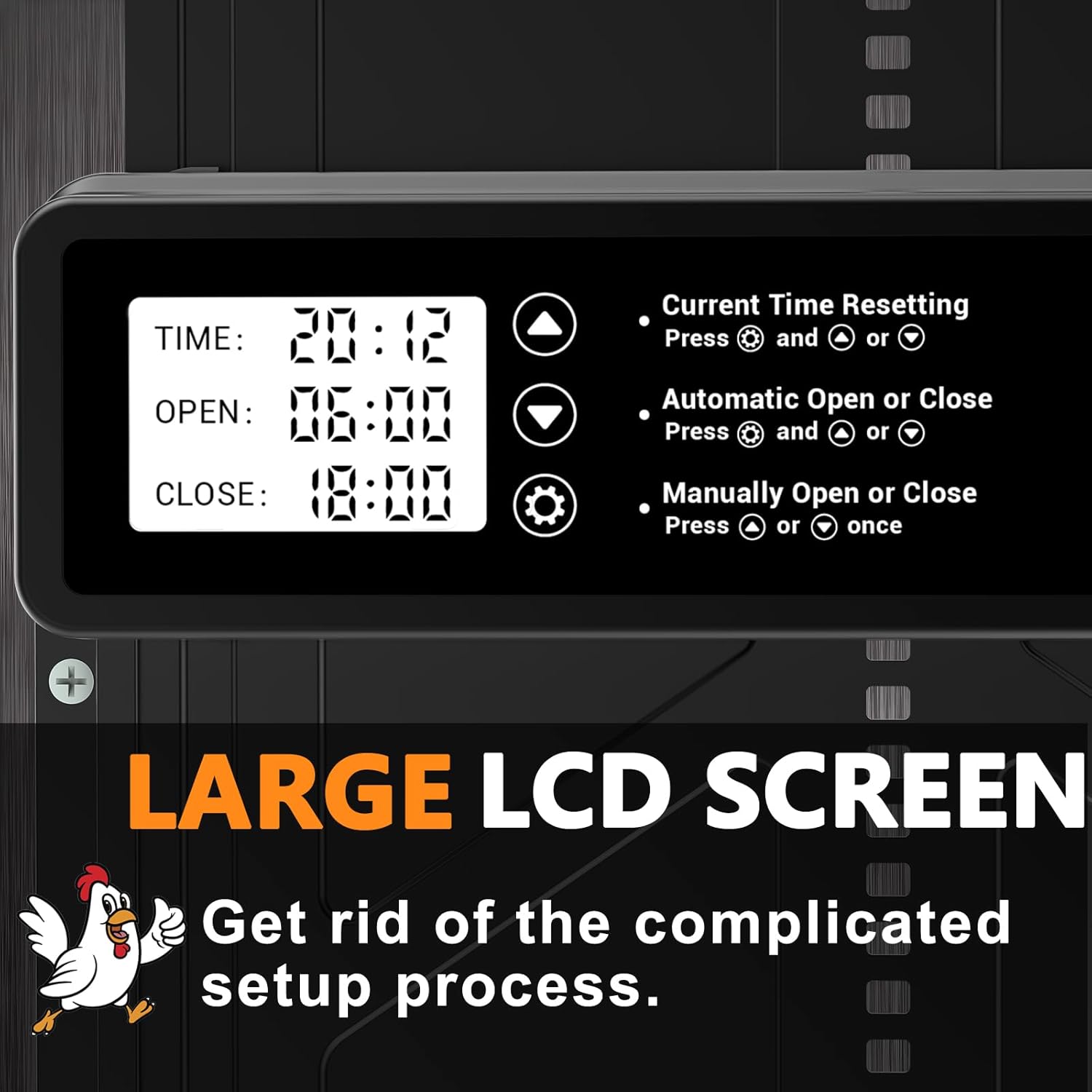
Figure 4: Close-up of the LCD control panel.
5.1 Instal·lació de la bateria
- Locate the twist-lock battery compartment on the side of the control unit.
- Rotate the knob counter-clockwise to unlock and open the compartment.
- Insert three AA alkaline batteries, observing the correct polarity (+/-).
- Close the compartment and rotate the knob clockwise to secure it.

Figure 5: Battery compartment access.
5.2 Configuració de l'hora actual
- Manteniu premut el botó UP i ABAIX buttons simultaneously to enter time setting mode.
- Utilitza el UP i ABAIX botons per ajustar l'hora i els minuts.
- Premeu el botó CONFIGURACIÓ botó per confirmar i passar a la configuració següent.
5.3 Modes de funcionament
The door supports two operating modes: Manual and Timer.
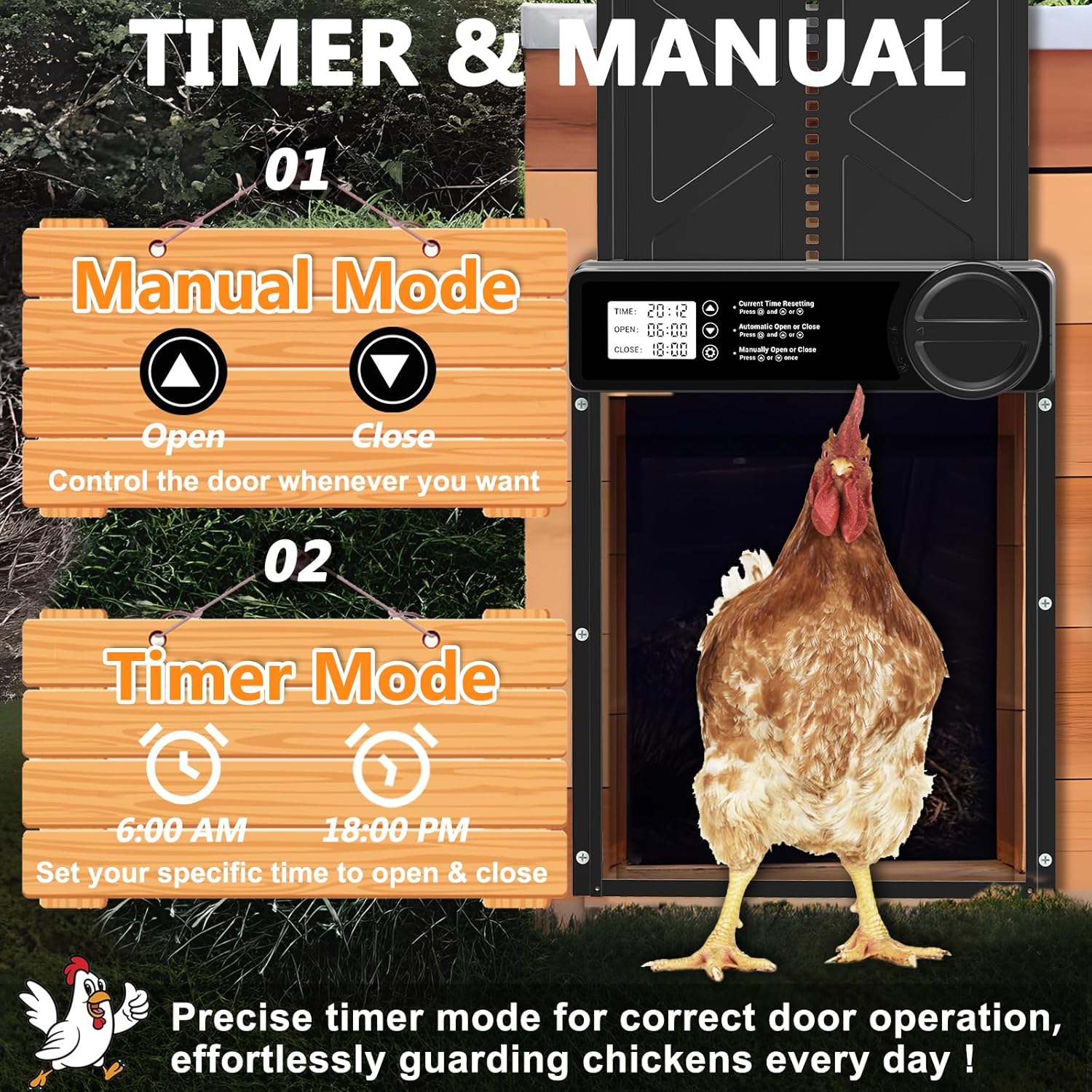
Figure 6: Manual and Timer operating modes.
5.3.1 Mode manual
- Premeu el botó UP button once to manually open the door.
- Premeu el botó ABAIX button once to manually close the door.
5.3.2 Mode de temporitzador
This mode allows you to set specific times for the door to open and close automatically.
- Set Open Time: Manteniu premut el botó UP botó i el CONFIGURACIÓ button simultaneously. Use UP i ABAIX to adjust the desired opening time. Press CONFIGURACIÓ per confirmar.
- Set Close Time: Manteniu premut el botó ABAIX botó i el CONFIGURACIÓ button simultaneously. Use UP i ABAIX to adjust the desired closing time. Press CONFIGURACIÓ per confirmar.
6. Safety Mechanism (Anti-Pinch)
The door is equipped with an integrated safety sensor to prevent injury to poultry.
- If an obstacle is detected during the closing process, the door will stop and automatically lift by 3 cm.
- It will pause for 10 seconds.
- If the obstacle remains, the process will repeat up to three times.
- If the obstacle persists after three attempts, the door will remain midway open and reattempt closing every two hours to conserve battery energy.

Figure 7: Anti-pinch safety feature in action.
7. Manteniment
Regular maintenance ensures optimal performance and longevity of your chicken coop door.
- Neteja: Periodically clean the door tracks and the door panel to remove dirt, debris, or feathers that could obstruct movement. Use a soft cloth and mild detergent if necessary.
- Substitució de la bateria: Replace batteries when the low battery warning appears on the LCD screen. It is recommended to use high-quality alkaline AA batteries for best performance and lifespan.
- Inspecció: Regularly inspect the door for any signs of wear or damage. Ensure all mounting screws are tight.
8. Solució De Problemes
Consulteu aquesta secció per conèixer els problemes comuns i les seves solucions.
| Problema | Causa possible | Solució |
|---|---|---|
| La porta no s'obre/tanca | Bateries baixes Obstruction in track Configuració de l'hora incorrecta | Substituïu les piles Elimina qualsevol obstrucció Verify and reset open/close times |
| Door stops during closing | Obstacle detected by anti-pinch sensor | Remove the obstacle. The door will attempt to close again. |
| La pantalla LCD està en blanc | Sense piles o piles gastades | Install or replace batteries. |
9. Especificacions
- Model: FO-006
- Material: Acrilonitril butadiè estirè (ABS), alumini
- Dimensions del producte: 10.8 cm de llargada x 1.62 cm d'amplada x 14.2 cm d'alçada
- Door Opening Dimensions: Approximately 11"H x 9.5"W
- Pes de l'article: 1.28 lliures
- Temperatura de funcionament: -4 °F a 140 °F (-20 °C a 60 °C)
- Font d'alimentació: 3 piles alcalines AA (no incloses)
- Característiques especials: Improved 2025 motor, Large Aluminum Door Frame, Large LCD screen, Waterproof, Weather Resistant, Anti-Pinch Safety Mechanism.
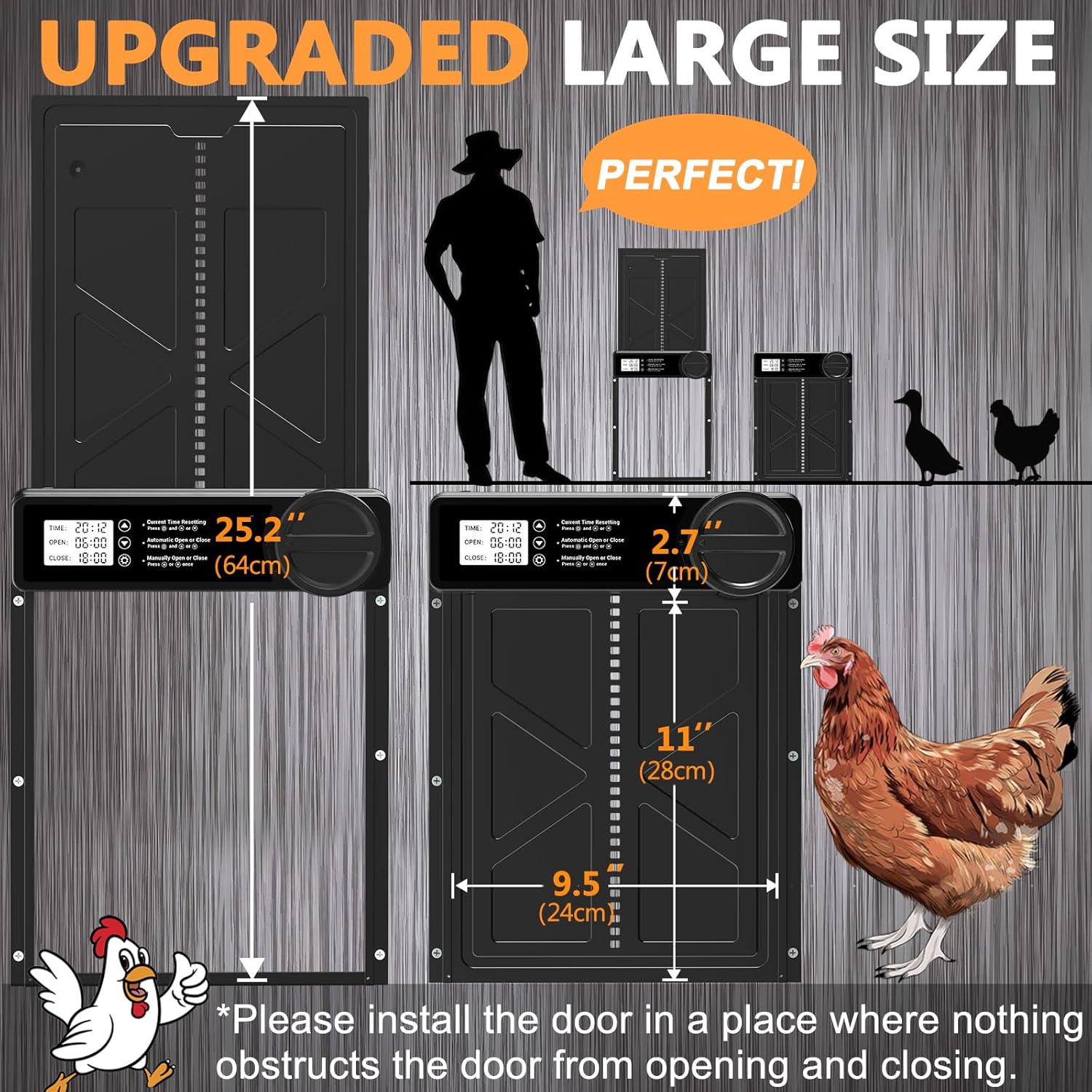
Figure 8: Door dimensions and size suitability for various poultry.
10. Garantia i Suport
This INNOLAND product comes with a 2-Year Manufacturer Guarantee.
For technical support, warranty claims, or any questions regarding your INNOLAND Automatic Chicken Coop Door, please contact INNOLAND customer service. Refer to the contact information provided with your purchase or visit the official INNOLAND weblloc.