
1. Introducció
Welcome to the user manual for your new ECHO Rainbow Pro S Smartwatch. This elegant and functional smartwatch is designed to enhance your daily life with integrated AI assistance, Bluetooth calling, comprehensive health sensors, and various sports modes. It comes with two interchangeable straps for maximum flexibility and is IP68 waterproof for worry-free use. This manual will guide you through the setup, operation, maintenance, and troubleshooting of your device.
2. Què hi ha a la caixa
Si us plau, comproveu el contingut del paquet per assegurar-vos que hi hagi tots els elements:
- ECHO Rainbow Pro S Smartwatch (Rose Gold)
- Silicone Strap (Rose Gold)
- Nylon Strap (Bordeaux)
- Cable de càrrega magnètica
- Manual d'usuari (aquest document)
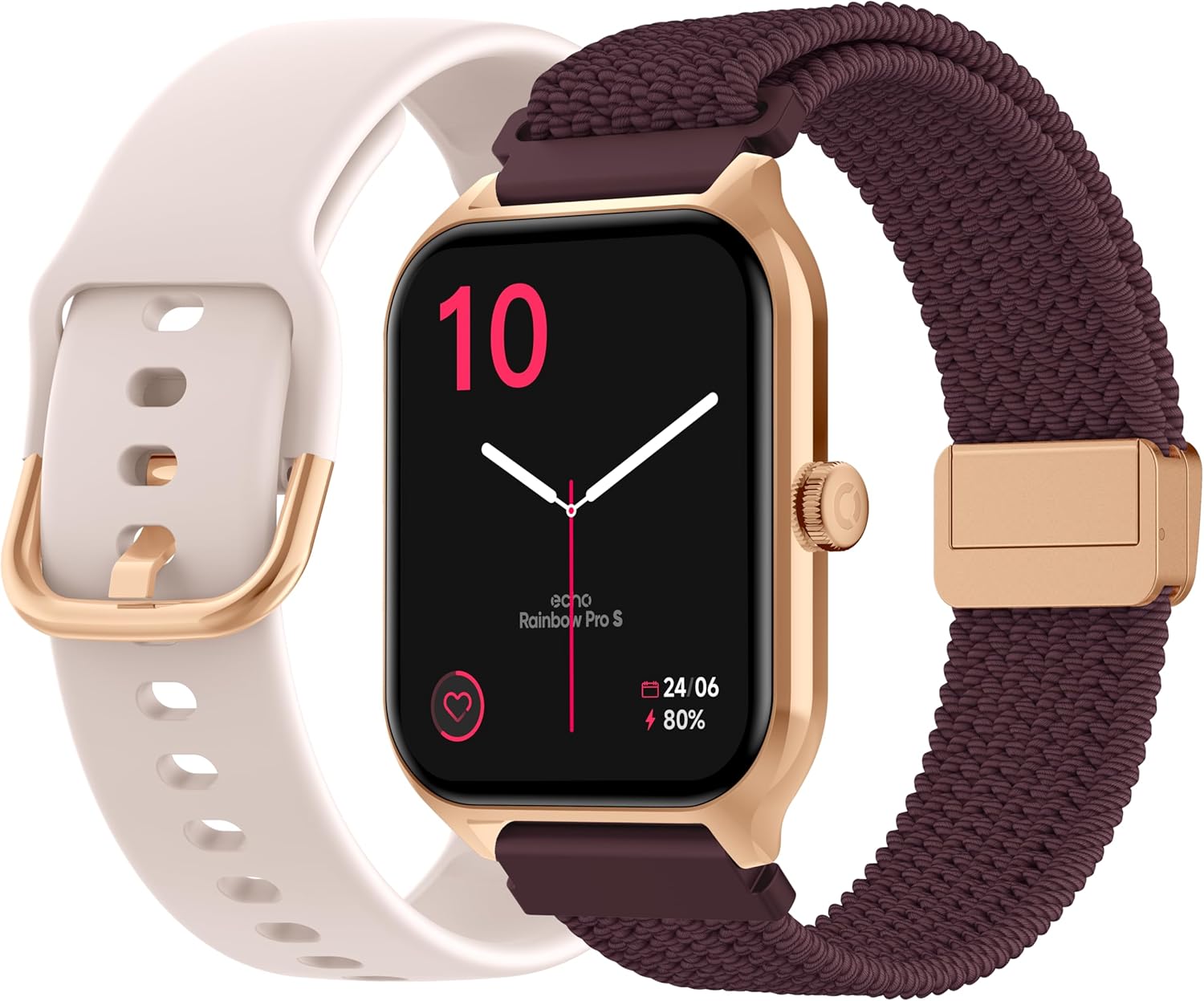
Image: The ECHO Rainbow Pro S Smartwatch, showcasing its rose gold finish, accompanied by both the rose gold silicone strap and the bordeaux nylon strap, along with the magnetic charging cable.
3. Configuració
3.1 Càrrega del dispositiu
Before first use, fully charge your smartwatch. Connect the magnetic charging cable to the charging points on the back of the watch and plug the USB end into a standard USB power adapter (not included) or a computer's USB port. A full charge takes approximately 2.5 hours.
3.2 Instal·lació de l'aplicació Da Fit
The ECHO Rainbow Pro S Smartwatch works with the Da Fit application. Download the Da Fit app from the Apple App Store (for iOS devices) or Google Play Store (for Android devices).
- Scan the QR code in the watch's manual or on the watch screen (if available) or search for "Da Fit" in your app store.
- Instal·la l'aplicació al teu telèfon intel·ligent.
3.3 Emparellament amb el telèfon intel·ligent
To unlock the full potential of your smartwatch, pair it with the Da Fit app:
- Assegureu-vos que el Bluetooth estigui habilitat al vostre telèfon intel·ligent.
- Obriu l'aplicació Da Fit.
- Follow the on-screen instructions to add a new device. The app will search for your ECHO Rainbow Pro S.
- Select your watch from the list of found devices. Confirm the pairing request on both your phone and the watch.
- Un cop emparellat, el rellotge sincronitzarà les dades amb l'aplicació.

Image: The ECHO Rainbow Pro S Smartwatch, showing the watch body, both the silicone and nylon straps, and the magnetic charging cable, illustrating the components for setup.
4. Com fer funcionar el rellotge intel·ligent
4.1 Navegació per la interfície
The ECHO Rainbow Pro S features an intuitive 1.96-inch touchscreen. Swipe left, right, up, or down to access different functions and menus. The side button typically serves as a power button or a return-to-home screen button.
4.2 Vigilància de la salut
Your smartwatch is equipped with advanced sensors to track your well-being:
- Freqüència cardíaca: Controla contínuament la freqüència cardíaca durant tot el dia.
- Oxigen en sang (SpO2): Mesura la saturació d'oxigen a la sang.
- Pressió arterial: Proporciona estimacions de la pressió arterial.
- Seguiment del son: Analyzes your sleep patterns, including deep and light sleep stages.
Totes les dades de salut poden ser viewed in detail within the Da Fit app, allowing you to track trends and progress over time.

Imatge: La part posterior view of the ECHO Rainbow Pro S Smartwatch, highlighting the optical sensors used for heart rate, SpO2, and blood pressure monitoring.

Image: The ECHO Rainbow Pro S Smartwatch screen showing various health metrics, including heart rate (BPM), SpO2 percentage, and activity data, demonstrating its health tracking capabilities.
4.3 Característiques de comunicació
Estigues connectat directament des del teu canell:
- Trucades Bluetooth: Fes i rep trucades directament des del rellotge quan estiguis connectat al telèfon intel·ligent.
- Notificacions: Receive alerts for calls, messages, and app notifications from your paired smartphone.

Image: The ECHO Rainbow Pro S Smartwatch displaying incoming call and message notifications, illustrating its communication features when paired with a smartphone.
4.4 Assistent d'IA
The ECHO Rainbow Pro S integrates an AI assistant for convenient voice commands and information retrieval. Simply activate the AI feature on your watch and speak your query or command.

Image: The ECHO Rainbow Pro S Smartwatch screen showing the AI assistant interface, ready to receive voice commands or queries.
4.5 Sports Modes & Coaching
With over 100 sports modes and integrated training programs, your smartwatch is an ideal companion for your fitness journey. Select your activity from the watch's menu to track performance metrics such as calories burned, distance, and duration. The Da Fit app provides personalized tracking and allows you to follow your course using your smartphone's GPS.

Image: The ECHO Rainbow Pro S Smartwatch displaying various sports modes and training exercises, with accompanying smartphone app screenshots showing detailed workout plans and GPS tracking.
4.6 Personalització
Personalitza la teva experiència amb el rellotge intel·ligent:
- Cares de visualització: Choose from over 100 downloadable watch faces via the Da Fit app to match your style.
- Corretges intercanviables: Easily swap between the included silicone and nylon straps to suit your activity or outfit.
Image: The ECHO Rainbow Pro S Smartwatch, showcasing its rose gold finish, accompanied by both the rose gold silicone strap and the bordeaux nylon strap, highlighting the interchangeable design.
5. Manteniment
5.1 Neteja
To keep your smartwatch in optimal condition, clean it regularly. Wipe the screen and body with a soft, lint-free cloth. For stubborn smudges, slightly dampRenta el drap amb aigua. Evita utilitzar productes químics agressius o materials abrasius.
5.2 Resistència a l'aigua (IP68)
The ECHO Rainbow Pro S is IP68 rated, meaning it is resistant to water up to 1 meter deep for 30 minutes. This makes it suitable for daily activities like hand washing, rain, or accidental splashes. However, it is not recommended for swimming, diving, or high-pressure water activities. Avoid exposing the watch to hot water, steam, or corrosive liquids.
5.3 Durada de la bateria
The smartwatch offers up to 5 days of battery life with typical usage. To optimize battery performance:
- Redueix la brillantor de la pantalla.
- Desactiveu el monitoratge continu de la freqüència cardíaca si no és necessari.
- Limita el nombre de notificacions de l'aplicació.
6. Solució De Problemes
If you encounter any issues with your ECHO Rainbow Pro S Smartwatch, please refer to the following common problems and solutions:
| Problema | Solució |
|---|---|
| El rellotge no s'encén | Assegureu-vos que el rellotge estigui completament carregat. Connecteu-lo al cable de càrrega magnètic i a una font d'alimentació durant almenys 30 minuts. |
| No es pot emparellar amb el telèfon intel·ligent | 1. Assegureu-vos que el Bluetooth estigui activat al telèfon. 2. Make sure the watch is within range of your phone. 3. Reinicieu el rellotge i el telèfon. 4. Esborra la memòria cau de Bluetooth del telèfon (Android) o oblida't del dispositiu i torna a emparellar-lo (iOS/Android). 5. Ensure the Da Fit app has necessary permissions. |
| Lectures de salut inexactes | 1. Assegureu-vos que el rellotge estigui ben ajustat al canell, ni massa ajustat ni massa fluix. 2. Clean the sensors on the back of the watch. 3. Avoid excessive movement during measurements. 4. Note that these readings are for reference and not for medical diagnosis. |
| No s'han rebut notificacions | 1. Ensure the watch is paired and connected to your phone. 2. Check notification settings in the Da Fit app and on your phone (e.g., app permissions, DND mode). 3. Make sure the Da Fit app is running in the background. |
| Durada de la bateria curta | 1. Redueix la brillantor de la pantalla. 2. Disable continuous heart rate monitoring if not needed. 3. Limit background app refresh for the Da Fit app. 4. Ensure no apps are constantly running on the watch. |
7. Especificacions
| Característica | Detall |
|---|---|
| Marca | ECO |
| Model | Rainbow Pro S |
| Número de model | bd279646-58a1-4a95-ab0c-0847dc2ca4e6 |
| Color | Or rosa |
| Mida de la pantalla | 1.96 polzades |
| Tipus de visualització | OLED or LED |
| Connectivitat | Bluetooth |
| Dispositius compatibles | Smartphone, tauleta |
| Composició de la bateria | Polímer de liti |
| Durada de la bateria (típica) | 5 dies |
| Temps de càrrega | 2.5 hores |
| Resistència a l'aigua | IP68 (fins a 1 metre durant 30 minuts) |
| GPS | Sense GPS |
| Forma | Ronda |
| Compatibilitat d'aplicacions | Da Fit |
| País d'origen | Xina |
8. Garantia i Suport
8.1 Garantia del producte
Your ECHO Rainbow Pro S Smartwatch is covered by a standard manufacturer's warranty against defects in materials and workmanship. The specific duration and terms of the warranty may vary based on your region and point of purchase. Please refer to your purchase documentation or contact your retailer for detailed warranty information.
8.2 Atenció al client
For technical assistance, troubleshooting beyond this manual, or warranty claims, please contact the retailer or manufacturer directly. Have your product model number (bd279646-58a1-4a95-ab0c-0847dc2ca4e6) and proof of purchase ready when contacting support.