
1. Introducció i finalview
This manual provides comprehensive instructions for the ASHATA 4G Portable Router, Model ASHATA3ethc05m91. This device is a versatile mobile hotspot designed to provide reliable internet access for multiple users. It supports various 4G networks and offers high-speed connectivity, making it ideal for travel, outdoor activities, or as a portable internet solution. The router features a built-in 3000mAh battery and is powered via a Type-C port, ensuring convenience and portability.

Image 1.1: The ASHATA Portable Pocket WiFi Router, highlighting its compact design, Type-C interface, and 3000mAh battery capacity.
2. Contingut del paquet
Si us plau, verifiqueu que tots els elements que s'enumeren a continuació estiguin inclosos al vostre paquet:
- 1 x ASHATA Portable Router
- 1 x USB Type-C Supply Cord
- 1 x Manual d'instruccions (Aquest document)
3. Característiques del producte
The ASHATA 4G Portable Router offers a range of features designed for optimal mobile connectivity:
- Share Up to 10 Users: Supports multiple 4G networks, enabling internet sharing for up to 10 connected devices simultaneously.
- Opcions d'alimentació flexibles: Powered conveniently by devices with Type-C ports, such as cell phone chargers, car chargers, or mobile power banks.
- Funcionament Plug and Play: Simple setup allows immediate 4G network access. Just insert a SIM card and connect to a power source.
- Connectivitat d'alta velocitat: Achieves 4G LTE speeds of up to 300Mbps, providing fast and stable internet access.
- Multi-Terminal Support: Connects up to 8 devices, including cell phones, tablets, laptops, computers, and smart TVs.
- Xifratge segur: Features WPA/WPA2 encryption for enhanced network security, protecting against unauthorized access.

Image 3.1: Visual representation of the router's key advantages, including its 3000mAh battery, WiFi support, 4G connectivity, portability, Type-C charging, and sleek design.
4. Guia de configuració
Follow these steps to set up your ASHATA 4G Portable Router:
- Insereix la targeta SIM: Locate the SIM card slot on the router. Carefully insert a standard SIM card (not included) into the designated slot until it clicks into place. Ensure the SIM card is correctly oriented.
- Connectar l'alimentació: Connect the provided USB Type-C supply cord to the router's Type-C port and plug the other end into a compatible power source (e.g., a USB wall adapter, car charger, or power bank).
- Encès: Press and hold the power button (refer to Image 4.1 for location) for a few seconds until the device powers on and the display illuminates.
- Arrencada inicial: The router will perform an initial boot-up sequence. The display will show network status, signal strength, and battery level. Wait for the network indicator to show a stable 4G connection.

Imatge 4.1: Una imatge detallada view of the router's side, indicating the Type-C charging port, WPS button, power button, and the location of the SIM card slot for insertion.
5. Instruccions de funcionament
Once the router is set up and powered on, you can begin using its mobile hotspot functionality:
- Connect Devices via Wi-Fi:
- On your Wi-Fi enabled device (phone, tablet, laptop), search for available Wi-Fi networks.
- Select the network name (SSID) displayed on the router's screen.
- Enter the Wi-Fi password (Key) also displayed on the router's screen when prompted.
- Your device should now be connected to the internet through the router.
- Estat de seguiment: The router's display provides real-time information including signal strength, battery level, number of connected users, and data usage.
- Charging the Router: When the battery is low, connect the router to a power source using the Type-C cable. The battery indicator on the display will show charging status.
- Característiques de seguretat: The router uses WPA/WPA2 encryption to secure your wireless network. It is recommended to keep the default password or change it to a strong, unique password for optimal security.
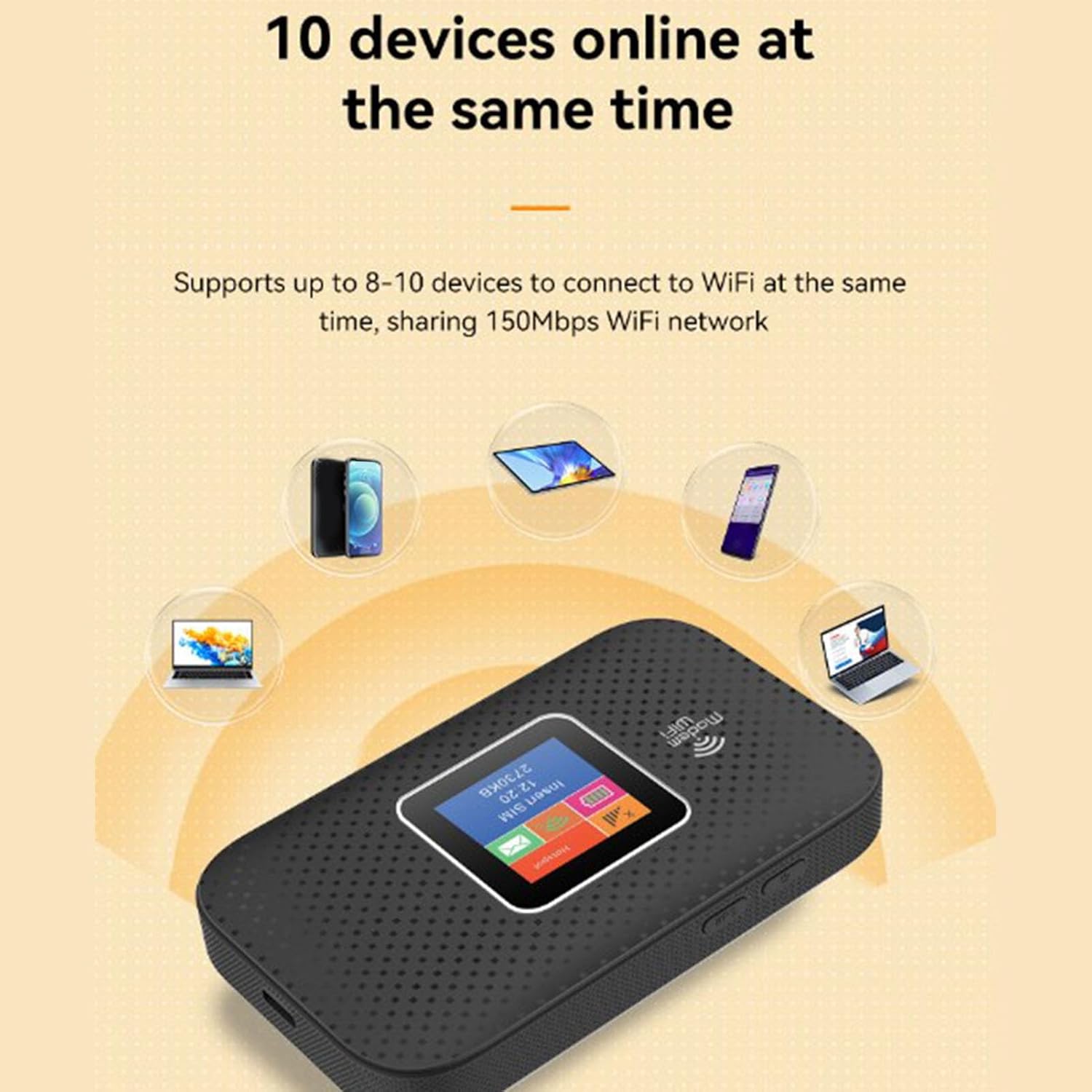
Image 5.1: The router demonstrating its capability to connect up to 10 devices simultaneously, including smartphones, tablets, and laptops.

Image 5.2: An illustration emphasizing the router's security features, specifically WPA/WPA2 encryption, for a more secure network environment.
6. Manteniment
To ensure the longevity and optimal performance of your ASHATA 4G Portable Router, follow these maintenance guidelines:
- Mantenir sec: Avoid exposing the device to water, moisture, or high humidity.
- Control de temperatura: Do not expose the router to extreme temperatures (hot or cold). Operate and store it within recommended environmental conditions.
- Neteja: Feu servir un drap suau i sec per netejar l'exterior del dispositiu. No utilitzeu netejadors líquids ni aerosols.
- Cura de la bateria: For optimal battery life, avoid fully discharging the battery frequently. If storing for extended periods, charge the battery to about 50% and store in a cool, dry place.
- Eviteu l'impacte físic: Protect the device from drops, bumps, and strong vibrations.
7. Solució De Problemes
If you encounter issues with your ASHATA 4G Portable Router, refer to the following troubleshooting tips:
- Sense connexió a Internet:
- Assegureu-vos que la targeta SIM estigui correctament inserida i activada amb un pla de dades.
- Check the signal strength indicator on the router's display. If signal is weak or absent, move to an area with better network coverage.
- Reinicieu el router apagant-lo i tornant-lo a encendre.
- Verify that your connected device's Wi-Fi is enabled and connected to the correct SSID.
- Velocitat d'Internet lenta:
- Reduir el nombre de dispositius connectats.
- Move closer to the router to improve Wi-Fi signal strength.
- Check for network congestion in your area or contact your SIM card provider.
- No es pot connectar a Wi-Fi:
- Assegureu-vos que esteu introduint la contrasenya Wi-Fi correcta (Clau).
- Reinicieu tant el router com el dispositiu que us connecta.
- Check if the router's display shows any error messages.
- El router no s'encén:
- Ensure the battery is charged. Connect the router to a power source using the Type-C cable.
- Verify that the power cable and adapter are functioning correctly.
8. Especificacions
Detailed technical specifications for the ASHATA 4G Portable Router:
| Característica | Especificació |
|---|---|
| Marca | ASHATA |
| Nom del model | ASHATA3ethc05m91 |
| Tecnologia de connectivitat | LTE, Wi-Fi |
| Comunicació sense fils estàndard | 802.11a |
| Velocitat de transferència de dades | 300 megabits per segon |
| Maximum Upstream Data Transfer Rate | 300 megabits per segon |
| Classe de banda de freqüència | Tri-banda |
| Support Network Band (4G) | B1 B3 B7 B20 B28 (2600 2100 1800 800 700MHZ) |
| Support Network Band (TDD) | B38 B40 B41 (2600 2300 2600MHZ) |
| Applicable Region | Europe, Africa, Southeast Asia, Northeast Asia, Middle East |
| Tipus de bateria | 3000mAh Li Polymer Battery (Built-In) |
| Port de càrrega | Tipus-C |
| Protocol de seguretat | WPA, WPA2 |
| Sistema operatiu | Basat en Linux |
| Dispositius compatibles | Laptop, Mobile Phones, Tablets, Smart TVs |
| Usos recomanats | Interior/Exterior |
9. Garantia i Suport
ASHATA products are manufactured to high-quality standards. This product is covered by a limited warranty against defects in materials and workmanship from the date of purchase. Please retain your proof of purchase for warranty claims.
For technical support, warranty inquiries, or further assistance, please refer to the contact information provided with your purchase documentation or visit the official ASHATA weblloc web. No intenteu reparar el dispositiu vosaltres mateixos, ja que això podria anul·lar la garantia.


