
Introducció
This manual provides detailed instructions for the operation and maintenance of your CNBRO Fitness Tracker, model US-X-W5VP. Please read this manual thoroughly before using the device to ensure proper function and to maximize its features. This fitness tracker is designed to monitor various health and activity metrics, including steps, calories burned, distance, and sleep patterns.
Què hi ha a la caixa
En obrir el paquet, comproveu que hi hagi tots els elements:
- 1 x CNBRO Fitness Tracker (US-X-W5VP)
- 1 x Manual d'usuari
Configuració
1. Càrrega del dispositiu
Before initial use, fully charge your fitness tracker. The device features a USB direct charging design.
- Locate the USB charging port on the device. This is typically integrated into one end of the strap.
- Insert the USB end of the tracker directly into a standard USB port (e.g., computer, USB wall adapter).
- La pantalla indicarà l'estat de càrrega. Una càrrega completa triga aproximadament 0.5 hores.
- A fully charged device provides 3-5 days of use and up to 7 days of standby time.
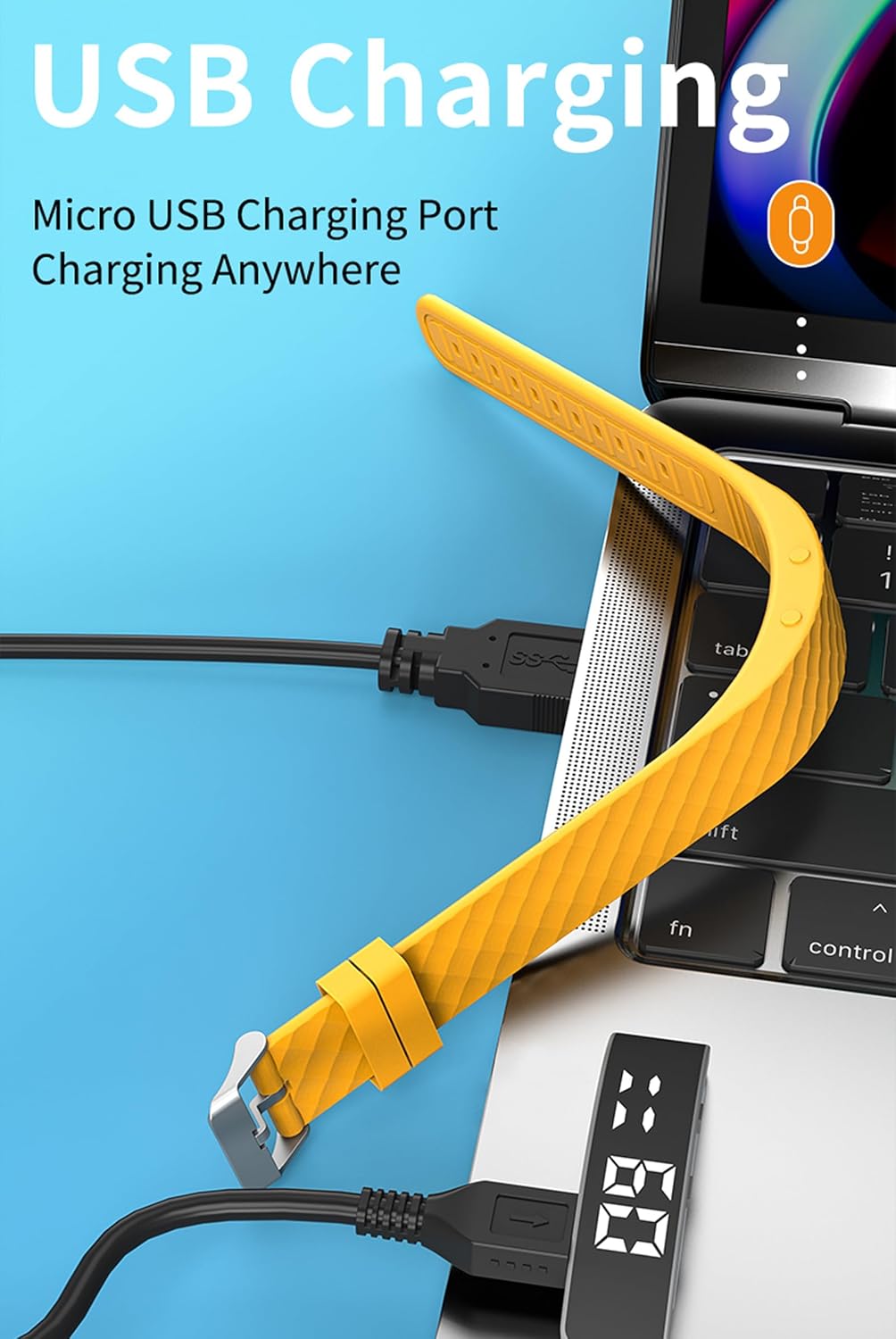
Imatge: The fitness tracker's USB end plugged into a laptop's USB port for charging, illustrating the direct USB charging method.
2. Basic Device Operation
The fitness tracker operates using a combination of a Display Button and a Function Button, typically located on the side or bottom of the device body.
- Aixeca el canell per il·luminar la pantalla: The screen will automatically illuminate when you raise your wrist to view el temps.
- Funcions del botó: Specific functions for the Display and Function buttons are detailed in the "Operating Instructions" section.

Imatge: A yellow fitness tracker highlighting the positions of the 'Display Button' and 'Function Button' on its side.
Instruccions de funcionament
1. Visualització de l'hora i la data
A view l'hora i la data actuals:
- Press the Function Button once to display the time.
- Press the Function Button twice to display the date.

Imatge: Two fitness trackers, one showing "6 20" (date) and another showing "09:00" (time), demonstrating the time and date display function.
2. Seguiment d'activitat
The tracker automatically records your daily activity metrics.
- Recompte de passos: Monitors the number of steps taken throughout the day.
- Calories cremades: Estimates the calories consumed based on your activity level.
- Distància: Calculates the total distance covered.
These data points can be viewed directly on the tracker's display by cycling through the screens using the Function Button.
3. Monitorització del son
Wear the fitness tracker while sleeping to monitor your sleep patterns.
- The device automatically detects when you fall asleep and wake up.
- It records different sleep stages: Deep Sleep (H1), General Sleep (C2), and Light Sleep (L3).
- A view sleep data, press the Display Button 6 times.

Imatge: A yellow fitness tracker displaying "H1" for good sleep, with text indicating sleep monitoring from 23:00 PM to 7:00 AM, and a person sleeping in the background.
4. Configuració d'alarma
The tracker supports setting up to 3 alarms with vibration reminders.
- Refer to the on-screen prompts or specific button combinations (not detailed in provided data) to set alarm times.
- Alarms will vibrate to notify you at the set time.

Imatge: A grey and a purple fitness tracker, both displaying digital time, with an overlay indicating the capability of setting up to 3 alarms.
5. Vibration Reminders
In addition to alarms, the tracker can provide vibration reminders for various notifications. The specific customization options for vibration melodies are managed through the device's settings (not detailed in provided data).
6. Modes multiesport
The tracker supports multiple sport modes to accurately track specific activities. These include:
- Córrer
- Ciclisme
- Saltar a la corda
- Fitness
- Escalada de muntanya
- Ioga
- Golf
- Ballant
To select a sport mode, navigate through the device's menu using the Function Button until the desired mode is displayed, then confirm selection (specific confirmation method not detailed in provided data).
7. Menstrual Cycle Tracking
The device offers menstrual cycle tracking. This feature allows users to log and monitor their cycle directly on the tracker. Specific setup and usage instructions for this feature are typically found within the device's menu options.
Manteniment
Neteja
Per mantenir l'aspecte i la funcionalitat del dispositiu:
- Wipe the tracker regularly with a soft, damp tela.
- Avoid using harsh chemicals or abrasive cleaners, as these can damage the device.
- Assegureu-vos que els contactes de càrrega estiguin nets i secs abans de carregar.
Resistència a l'aigua
The CNBRO Fitness Tracker is designed to be water-resistant. This means it can withstand splashes, rain, and brief immersion in shallow water. However, it is not suitable for diving, hot showers, or prolonged submersion. Always ensure the device is dry before charging.
Resolució de problemes
If you encounter issues with your fitness tracker, refer to the following common solutions:
El dispositiu no s'encén ni respon
- Comproveu la bateria: Ensure the device is fully charged. Connect it to a USB power source for at least 30 minutes.
- Reinicia: If the device is unresponsive, try holding down the Function Button for an extended period (e.g., 10-15 seconds) to force a restart.
Inaccurate Activity Tracking
- Posició de desgast: Ensure the tracker is worn snugly on your wrist, about one finger's width above your wrist bone.
- Actualització del firmware: While this model does not require smartphone connection, ensure the device's internal software is up-to-date if an update mechanism is available (consult manufacturer for details).
- Restablir: A factory reset (if available) can sometimes resolve persistent tracking issues. Note that this will erase all data.
Screen Not Lighting Up
- Raise Wrist Gesture: Ensure you are performing the "raise wrist" gesture correctly.
- Nivell de bateria: A very low battery might prevent the screen from lighting up. Charge the device.
Si aquests passos no resolen el problema, poseu-vos en contacte amb l'atenció al client.
Especificacions
| Nom del model | US-X-W5VP |
| Marca | CNBRO |
| Dimensions del producte | 0.28 x 0.59 x 0.14 polzades |
| Pes de l'article | 4.9 unces |
| Mida de la pantalla | 1 polzades |
| Tipus de bateria | 1 bateria de ions de liti (inclosa) |
| Composició de les cèl·lules de la bateria | Polímer de liti |
| Temps de càrrega | Aproximadament 0.5 hores |
| Temps d'ús | 3-5 dies |
| Temps d'espera | Fins a 7 dies |
| Compatibilitat de sistemes operatius | Android 6.0 and above, iOS 12.0 and above (Note: This product does not require smartphone connection for basic functions) |
| Tecnologia de connectivitat | Bluetooth (for potential future features or advanced settings, though not required for basic operation) |
| Característica especial | Activity Tracker, Sleep Monitor, Pedometer, Calorie Counter, Alarm Clock, Raise Wrist to Light Up Screen |
| Resistència a l'aigua | Yes (Splash and rain resistant, not for swimming or hot showers) |
Informació de la garantia
Specific warranty details for the CNBRO Fitness Tracker US-X-W5VP are not provided in this manual. Please refer to the product packaging or the retailer's website for information regarding warranty coverage and terms. Keep your purchase receipt as proof of purchase for any warranty claims.
Atenció al client
For any questions, technical assistance, or support regarding your CNBRO Fitness Tracker, please contact the seller directly through the platform where you made your purchase.
Per contactar amb el servei d'assistència a través d'Amazon (si ho heu comprat allà):
- Go to your Amazon account and click on "Orders" a la cantonada superior dreta.
- Locate your order for the CNBRO Fitness Tracker.
- Feu clic a "Sold by Fusong US" (or the relevant seller name) below the product name.
- Click the yellow button "Ask a question".
- Seleccioneu "I need assistance with an order I placed".
- Click the yellow button "Write message" and send your inquiry.
Customer support aims to respond within 24 hours.