
1. Introducció
This manual provides essential instructions for the proper setup, operation, and maintenance of your RayNeo HDMI-C to AR Glasses Charging Adapter (Model HC 2.0). This adapter allows for simultaneous video transmission to your AR glasses and charging of your source device, ensuring an uninterrupted experience.
2. Contingut del paquet
Si us plau, verifiqueu que tots els elements que s'enumeren a continuació estiguin inclosos al vostre paquet:
- 1 x RayNeo HDMI-C to AR Glasses Charging Adapter
- 1 x cable de càrrega USB-A a USB-C
- 1 x cable HDMI
- 1 x Guia d'inici ràpid

Imatge: Tots els components inclosos al paquet del producte.
3. Característiques clau
- Funcionament simultani: Connect your AR glasses and charge your source device concurrently.
- Càrrega d'alta velocitat: Delivers up to 50W of power to your AR glasses. Actual charging speed depends on the connected device's specifications.
- Àmplia compatibilitat de dispositius: Compatible with devices adhering to the USB-C standard protocol, including Steam Deck, ROG Ally, and Legion Go.
- Suport d'alta resolució: Supports resolutions up to 8K for crisp, lossless image quality. Features are dependent on source device and display capabilities.
- Construcció duradora: Made from aluminum alloy for enhanced durability.
- Smart Hardware Protection: Safeguards against overvoltage dany.
- Fàcil d'utilitzar: Supports hot-swapping, plug-and-play functionality, and requires no software installation.
4. Instruccions de configuració
Follow these steps to connect your RayNeo HDMI-C to AR Glasses Charging Adapter:
- Connect AR Glasses: Plug your AR glasses into the USB-C output port on the adapter.
- Connectar el dispositiu d'origen: Use the provided HDMI cable to connect your source device (e.g., gaming console, PC, laptop) to the HDMI-IN port on the adapter.
- Connectar l'alimentació: Connect the USB-A to USB-C charging cable to a power adapter (not included) and then to the DC 5V or Type-C charging input port on the adapter. This will provide power to both your AR glasses and charge your source device.

Image: Connection diagram for the adapter with AR glasses, a gaming console, and a power source.
5. Instruccions de funcionament
Once connected, the adapter operates on a plug-and-play basis. Your AR glasses should automatically display content from your source device, and your source device will begin charging.
- Gaming/Streaming: Enjoy uninterrupted gaming or streaming sessions as the adapter ensures continuous power supply to your AR glasses while simultaneously charging your connected device.
- Resolució: The adapter will automatically adapt to the highest supported resolution up to 8K, based on the capabilities of your source device and AR glasses.

Image: Adapter connected to a laptop, AR glasses, and power for simultaneous use and charging.
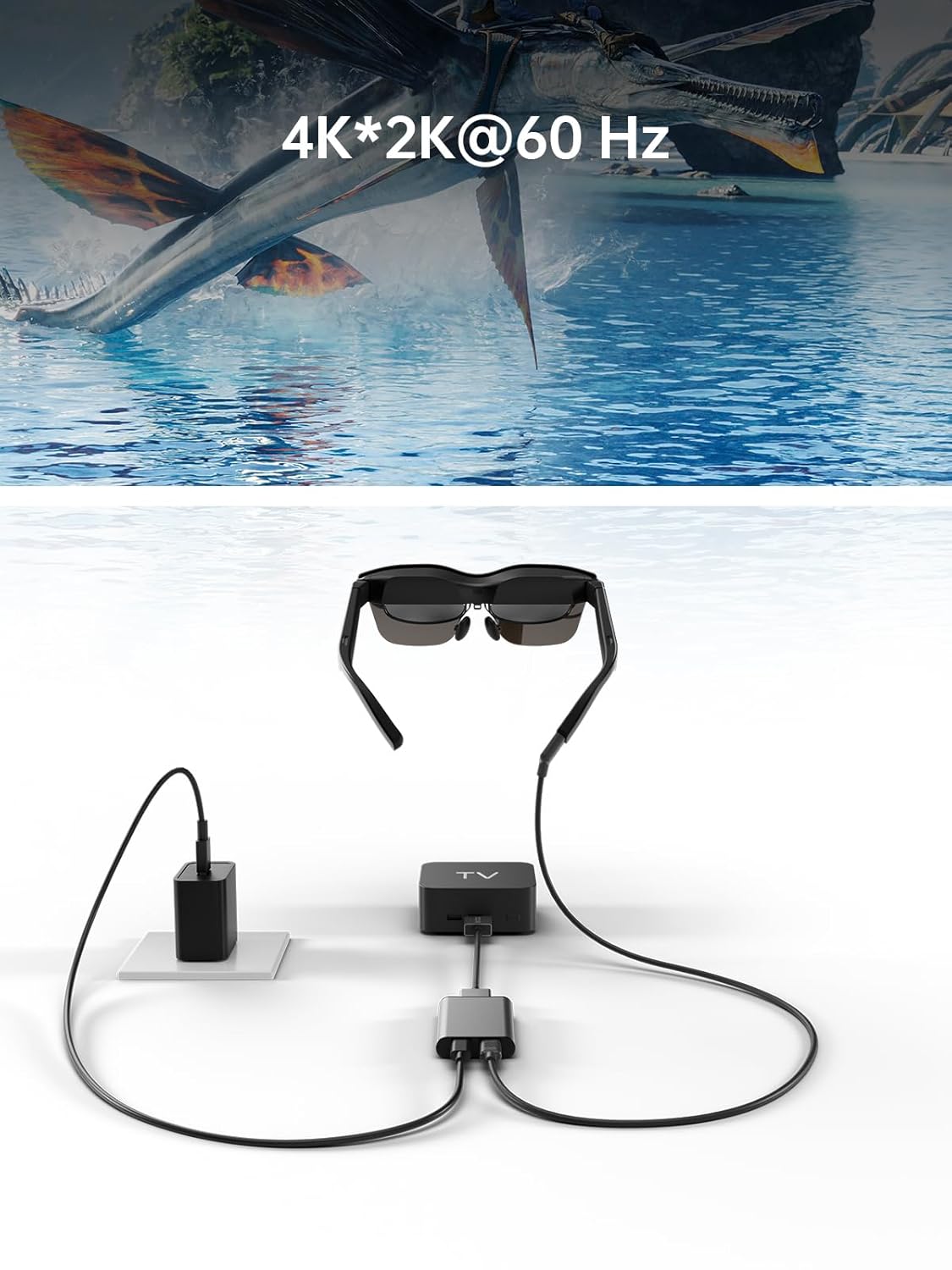
Image: Adapter facilitating 4K*2K@60Hz video output from a TV box to AR glasses.
6. Compatibilitat
The RayNeo HDMI-C to AR Glasses Charging Adapter is designed for broad compatibility. Ensure your devices meet the following criteria:
6.1. Source Devices (HDMI-IN)
Compatible with any device that outputs video via HDMI, including but not limited to:
- Gaming Consoles (e.g., PlayStation 5/4, Xbox Series X/S, Nintendo Switch, Steam Deck, ROG Ally, Legion Go)
- Ordinadors personals (PC)
- Portàtils
- Streaming Devices (e.g., Apple TV)
6.2. AR Glasses (USB-C OUT)
Compatible with AR glasses that accept video input via USB-C, such as:
- RayNeo Air 2s
- RayNeo Air 2
- TCL NXTWEAR S
Nota: Your source device must adhere to the USB-C standard protocol for charging and data transmission to function correctly with this adapter.

Image: Visual representation of the adapter's wide compatibility with various input devices and AR glasses.
7. Solució De Problemes
Si teniu problemes, consulteu les solucions habituals següents:
- No Display on AR Glasses:
- Ensure all cables (HDMI, USB-C to AR glasses) are securely connected.
- Verify that your source device is powered on and outputting video.
- Check if your AR glasses are powered on and functioning correctly.
- Test with different HDMI or USB-C cables if available.
- Source Device Not Charging:
- Confirm the power adapter is connected to the adapter's charging port and to a working power outlet.
- Assegureu-vos que l'adaptador de corrent proporcioni prou aiguatage (up to 50W supported).
- Verify that your source device supports charging via its USB-C port when connected to an external adapter.
- Low Resolution or Poor Image Quality:
- Check the resolution settings on your source device.
- Ensure your HDMI and USB-C cables are high-quality and support the desired resolution.
- The maximum resolution is dependent on both the source device and the AR glasses.
- Adaptador no reconegut:
- Disconnect and reconnect all cables.
- Reinicieu el dispositiu d'origen.
8. Manteniment
Per garantir la longevitat i el rendiment òptim del vostre adaptador, seguiu aquestes pautes de manteniment:
- Neteja: Feu servir un drap suau i sec per netejar l'adaptador. Eviteu netejadors líquids o materials abrasius.
- Emmagatzematge: Guardeu l'adaptador en un lloc fresc i sec, allunyat de la llum solar directa i de temperatures extremes.
- Manipulació: Avoid dropping the adapter or subjecting it to strong impacts. Do not attempt to disassemble the device.
- Cura del cable: Do not bend cables excessively or pull them forcefully from the ports.
9. Especificacions
| Característica | Especificació |
|---|---|
| Número de model | HC 2.0 |
| Marca | RayNeo |
| Tipus de connector | USB Type C (Output), HDMI (Input) |
| Entrada de càrrega | DC 5V / USB Type C |
| Lliurament de potència màxim | Fins a 50 W |
| Suport de resolució màxima | 8K |
| Material | Aliatge d'alumini |
| Color | Plata |
| Pes de l'article | 2.89 unces |
| Dimensions del paquet | 5.39 x 2.64 x 0.94 polzades |

Image: Dimensional drawing of the adapter.
10. Garantia i Suport
For warranty information and customer support, please refer to the documentation included with your product or visit the official RayNeo weblloc. Conserveu el rebut de compra per a reclamacions de garantia.


