
DOOGEE T35
Manual d'usuari de la tauleta DOOGEE T35
Model: T35 | Brand: DOOGEE
1. Introducció
This manual provides essential information for the operation and maintenance of your DOOGEE T35 tablet. Please read it thoroughly before using the device to ensure proper functionality and longevity.
The DOOGEE T35 is an 11-inch tablet featuring a Helio G99 Octa-core processor, Android 14 operating system, and a 2.5K FHD+ display. It comes equipped with 20GB RAM and 256GB internal storage, expandable up to 2TB. Key features include 4G LTE calling, 5G Wi-Fi, an 8580mAh battery with 33W fast charging, and a 20MP camera. Accessories such as a keyboard, stylus, and protective case are included to enhance productivity and user experience.
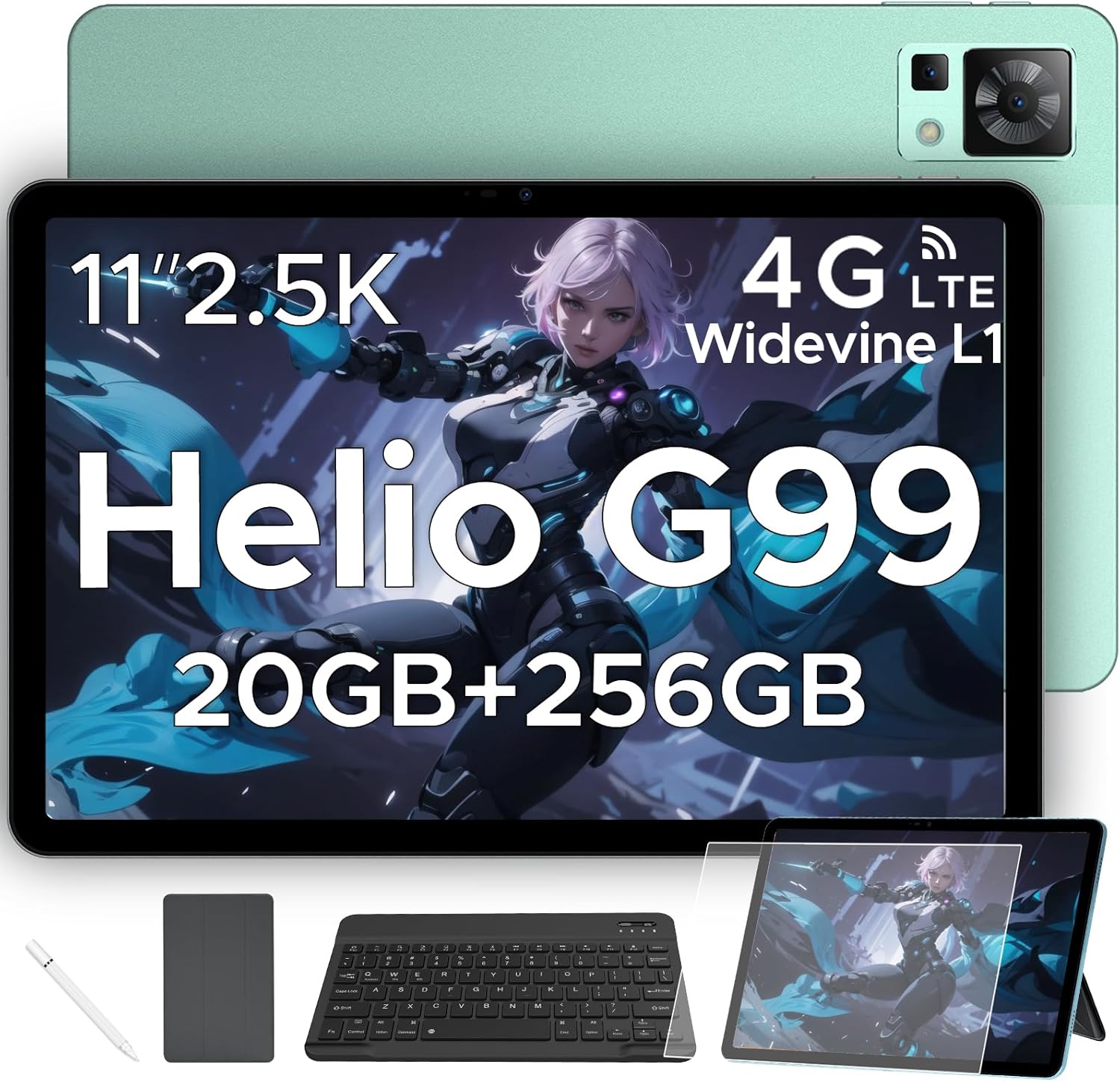
Figure 1.1: DOOGEE T35 Tablet and its accompanying accessories.
2. Què hi ha a la caixa
En obrir el paquet, comproveu que tots els elements enumerats a continuació hi siguin presents i estiguin en bon estat:
- Tauleta DOOGEE T35
- Carregador
- Cable USB tipus C
- SIM Card Tray Ejector Tool
- Manual d'usuari
- Teclat Bluetooth
- Pel·lícula protectora
- Touching Pen (Stylus)
- Business Leather Case
Video 2.1: An unboxing video demonstrating the contents of the DOOGEE T35 package, including the tablet and all listed accessories.
3. Configuració
3.1 Encès inicial
- Press and hold the Power button located on the side of the tablet until the DOOGEE logo appears.
- Segueix les instruccions que apareixen a la pantalla per seleccionar l'idioma i la regió i connectar-te a una xarxa Wi-Fi.
- Inicia la sessió amb el teu compte de Google o crea'n un de nou per accedir a Google Play Store i altres serveis.
3.2 Inserció de la targeta SIM i la targeta MicroSD
The DOOGEE T35 supports 4G LTE connectivity and expandable storage via a MicroSD card (up to 2TB).
- Localitza la safata de la targeta SIM al lateral de la tauleta.
- Insert the provided SIM card tray ejector tool into the small hole next to the tray and gently push until the tray pops out.
- Col·loqueu la targeta (o targetes) Nano-SIM i/o la targeta MicroSD a les ranures designades de la safata, assegurant-vos que l'orientació sigui correcta.
- Torneu a inserir la safata a la tauleta amb cura fins que encaixi al seu lloc.
3.3 Connexió d'accessoris
The tablet comes with a Bluetooth keyboard, stylus, and a business leather case.
- Teclat Bluetooth: Turn on the keyboard and enable Bluetooth on your tablet. Cerca the keyboard in the Bluetooth settings and pair it.
- stylus: The stylus is ready for use directly on the screen for drawing or navigation.
- Business Leather Case: Insert the tablet into the protective case for enhanced protection and convenience.
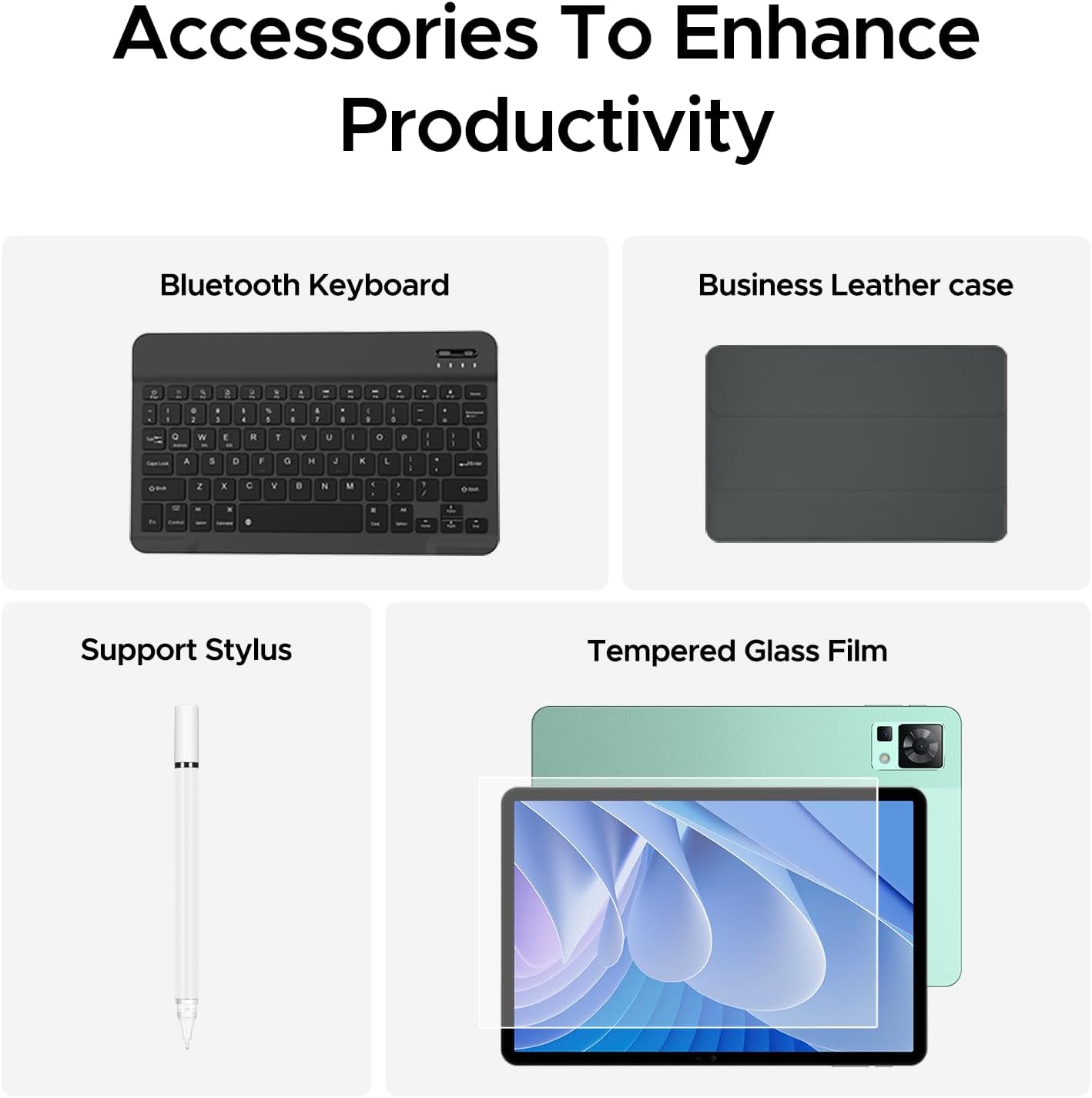
Figure 3.1: The DOOGEE T35 tablet with its included accessories, ready for use.
4. Instruccions de funcionament
4.1 Pantalla i navegació
The DOOGEE T35 features an 11-inch 2.5K ultra-clear display (2560 x 1600 pixels) for a high-quality visual experience.
- Gestos tàctils: Navigate the Android 14 interface using standard touch gestures like tap, swipe, pinch-to-zoom.
- Pantalla dividida: Utilize the split-screen feature to run two applications simultaneously for enhanced multitasking.
- Modes de lectura: Adjust the display settings to Warm, Standard, or Cool mode for comfortable reading in various lighting conditions.

Figure 4.1: The 11-inch 2.5K ultra-clear display provides excellent visuals for all content.
4.2 Rendiment i emmagatzematge
Powered by the Helio G99 Octa-core processor, the T35 offers robust performance for gaming, streaming, and productivity. It offers 20GB RAM (8GB base + 12GB extended) and 256GB ROM, expandable up to 2TB with a MicroSD card.
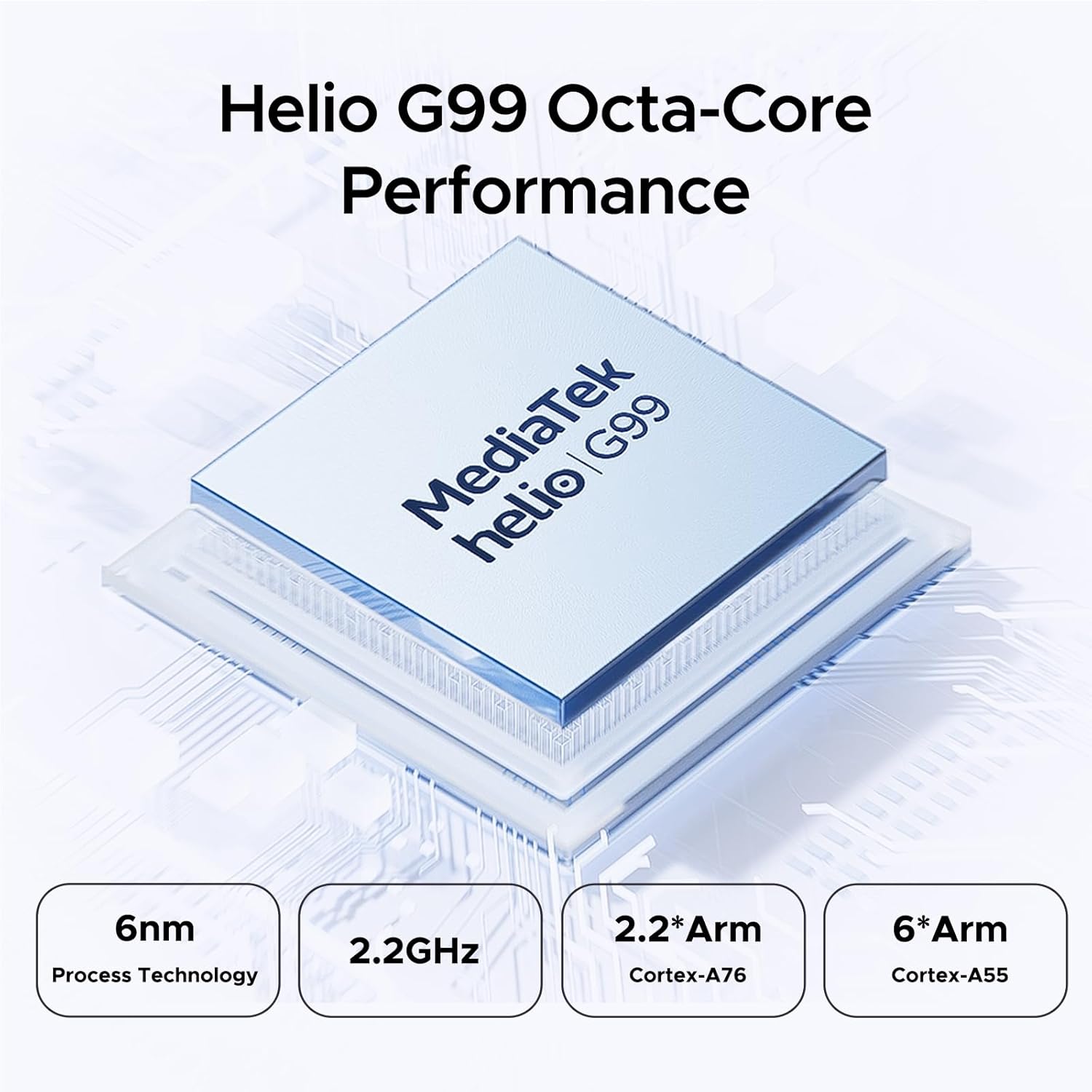
Figure 4.2: Helio G99 Octa-Core Processor for robust performance.

Figure 4.3: Memory and storage capabilities of the DOOGEE T35.
4.3 Gestió de la bateria
The 8580mAh large capacity battery provides extended usage. It supports 33W fast charging and reverse charging, allowing the tablet to act as a power bank for other devices.

Figure 4.4: 8580mAh Battery with 33W Fast Charging.
4.4 Connectivitat
The tablet supports 4G LTE for cellular calls and data, and 5G Wi-Fi for high-speed internet. It also includes GPS, Glonass, Galileo, Beidou, and AGPS for accurate navigation.
4.5 Multimèdia
Enjoy immersive audio with quad speakers and Smart PA. Widevine L1 support ensures high-quality streaming from platforms like Netflix and Amazon Prime Video.
Vídeo 4.1: Un vídeo promocionalasing the DOOGEE T35 Android Tablet and its accessories, highlighting its features and design.
5. Manteniment
5.1 Neteja de la tauleta
- Feu servir un drap suau i sense borrissol per netejar la pantalla i el cos de la tauleta.
- Per a taques persistents, lleugerament dampNetegeu el drap amb aigua o un netejador de pantalles. Eviteu productes químics agressius.
- Assegureu-vos que tots els ports estiguin lliures de pols i deixalles.
5.2 Cura de la bateria
- Eviteu exposar la tauleta a temperatures extremes.
- No descarregueu completament la bateria regularment. Carregueu-la abans que baixi del 20%.
- Use only the provided charger and cable for optimal charging performance and safety.
5.3 Actualitzacions de programari
Comproveu i instal·leu regularment si hi ha actualitzacions del sistema per assegurar-vos que la tauleta tingui les darreres funcions, pegats de seguretat i millores de rendiment. Aneu a Configuració > Sistema > Actualització del sistema per comprovar si hi ha actualitzacions.
6. Solució De Problemes
| Problema | Causa possible | Solució |
|---|---|---|
| La tauleta no s'encén. | Bateria baixa; bloqueig del programari. | Charge the tablet for at least 30 minutes. Press and hold the power button for 10-15 seconds to force restart. |
| Problemes de connexió Wi-Fi. | Incorrect password; router issues; tablet Wi-Fi disabled. | Verify Wi-Fi password. Restart router. Toggle Wi-Fi off/on on tablet. |
| Les aplicacions es bloquegen o es bloquegen. | RAM insuficient; error de l'aplicació; programari obsolet. | Tanca les aplicacions en segon pla. Esborra la memòria cau/dades de l'aplicació. Actualitza el programari de l'aplicació o del sistema. |
| Rendiment lent. | Massa aplicacions en execució; poc espai d'emmagatzematge; programari obsolet. | Close unused apps. Free up storage space. Perform a system update. |
| Cannot connect to Google server/account. | Network issues; incorrect account details; software glitch. | Ensure stable internet connection. Verify Google account credentials. Restart tablet. If persistent, consider a factory reset (backup data first). |
7. Especificacions
| Característica | Especificació |
|---|---|
| Model | DOOGEE T35 |
| Sistema operatiu | Android 14 |
| Processador | MediaTek Helio G99 Octa-core (6nm, 2.2GHz) |
| Mostra | 11-inch 2.5K (2560 x 1600 pixels) |
| RAM | 8GB (expandable to 20GB) |
| Emmagatzematge intern (ROM) | 256 GB |
| Emmagatzematge ampliable | Fins a 2 TB mitjançant targeta MicroSD |
| Capacitat de la bateria | 8580 mAh |
| Carregant | 33W Fast Charging, Reverse Charging |
| Connectivitat | 4G LTE, 5G Wi-Fi (802.11ax), Bluetooth |
| Navegació | GPS, Glonass, Galileo, Beidou, AGPS |
| Àudio | Quad Speakers with Smart PA, Hi-Res Audio, 3.5mm Headphone Jack |
| Seguretat | Identificació facial |
| Dimensions (LxWxH) | 10.12 x 6.64 x 0.3 polzades |
| Pes | 3 lliures |
8. Garantia i Suport
DOOGEE provides comprehensive support for your T35 tablet:
- Garantia de devolució de diners: Enjoy a 30-day money-back guarantee and free returns.
- Garantia limitada: The tablet comes with a 2-year limited warranty.
- Atenció al client: For any inquiries or assistance, please contact DOOGEE customer service.
For further assistance, please refer to the official DOOGEE weblloc web o contacteu amb els seus canals d'assistència.
Ask a question about this manual
Ask about setup, troubleshooting, compatibility, parts, safety, or missing instructions. Manuals+ will review the question and use this page’s manual context to help answer it.