
Bewinner Mini 300M USB Repeater
Bewinner Mini 300M USB Repeater User Manual
Model: Mini 300M USB Repeater
Marca: Bewinner
Introducció
This user manual provides detailed instructions for the setup, operation, and maintenance of your Bewinner Mini 300M USB Repeater. This portable device is designed to enhance your network signal, improve speed, and connect various mobile devices such as smart TVs, laptops, mobile phones, and tablets to the internet. It functions as a signal amplifier, AP booster, and hotspot extender, offering speeds up to 300Mbps.
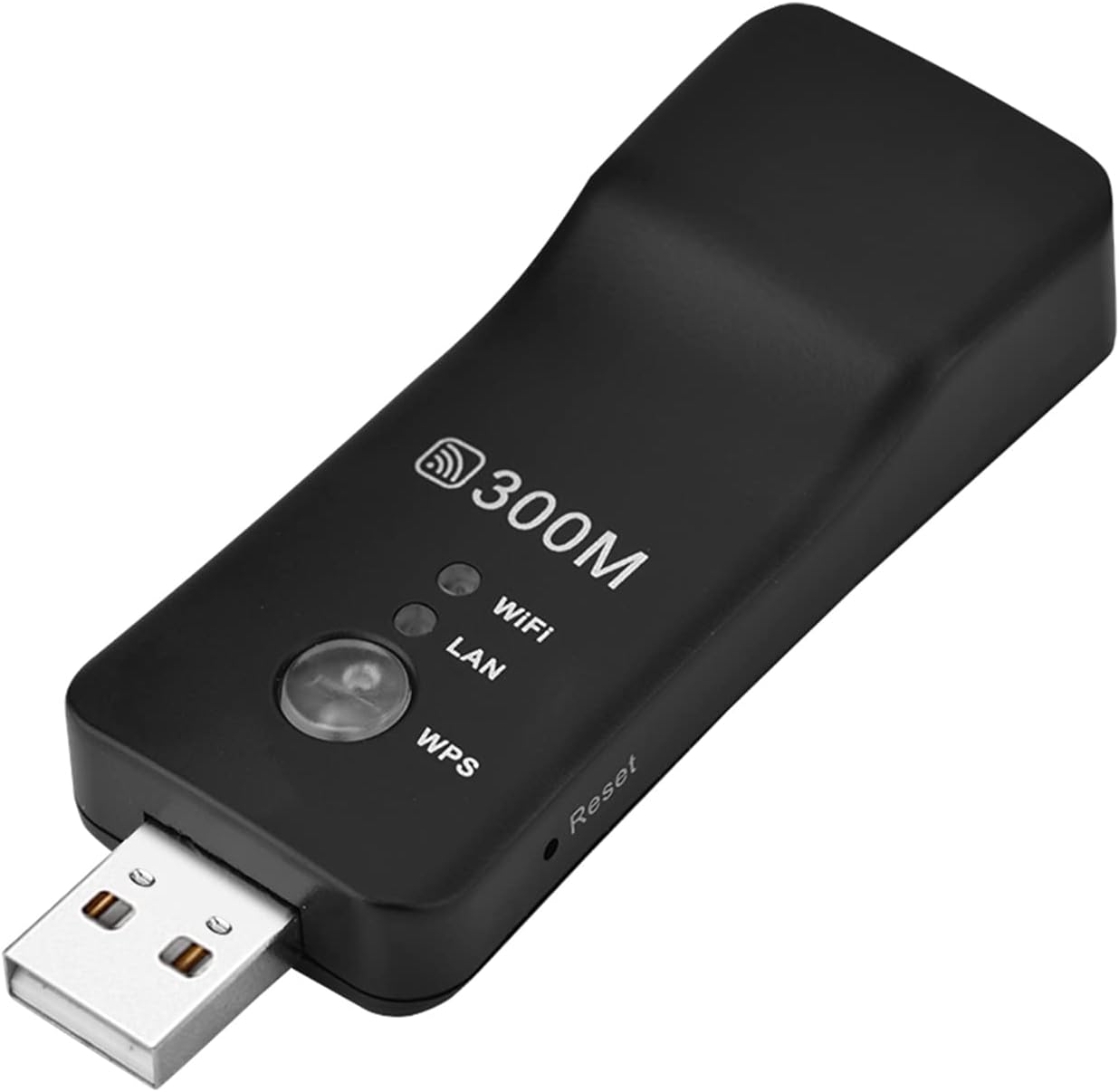
Image: The Bewinner Mini 300M USB Repeater, a compact black device with a USB connector and indicator lights.
Què hi ha a la caixa
El vostre paquet ha de contenir els elements següents:
- 1 x USB Wireless Repeater
- 1 x cable RJ-45
- 1 x Manual d'usuari
Característiques clau
- Alta Velocitat Ampmés viu: Boosts network speed up to 300Mbps for an improved online experience.
- USB Port Powered: Conveniently powered via any standard USB interface.
- Adaptador de xarxa: Supports WEP, WPA/WPS2, WPA-PSK/WPA2-PSK encryption standards (IEEE802.11b/g/n).
- RJ45 Wired and Wireless Support: Converts wired Ethernet to wireless, offering versatile connectivity options.
- Multiple Work Modes: Functions as a WiFi repeater, AP (Access Point), or for TV connectivity.

Image: Diagram illustrating the Wi-Fi Range Extender's features, including 300Mbps transmission rate, Plug and Play, and WPS one-click encryption.
Especificacions
| Marca | Guanyador |
| Comunicació sense fils estàndard | 802.11bgn |
| Velocitat de transferència de dades | 300 megabits per segon |
| Tipus de connector | Mini USB |
| Pes de l'article | 2.4 unces |
| Dimensions del paquet | 6.3 x 4.33 x 1.18 polzades |
Guia de configuració
1. Alimentació del dispositiu
The USB Repeater is powered via its USB interface. Simply plug the device into any standard USB port on a power adapter, computer, smart TV, power strip, or power bank.

Image: The USB Repeater connected to various USB power sources, including a TV, computer, power strip, and power bank.
2. Connecting to a Network (Wired to Wireless Conversion)
To convert a wired Ethernet connection to wireless, connect one end of the provided RJ-45 cable to the LAN port of your smart TV, game console, or other Ethernet-enabled device, and the other end to the RJ45 port on the USB Repeater. The device will then broadcast a Wi-Fi signal.
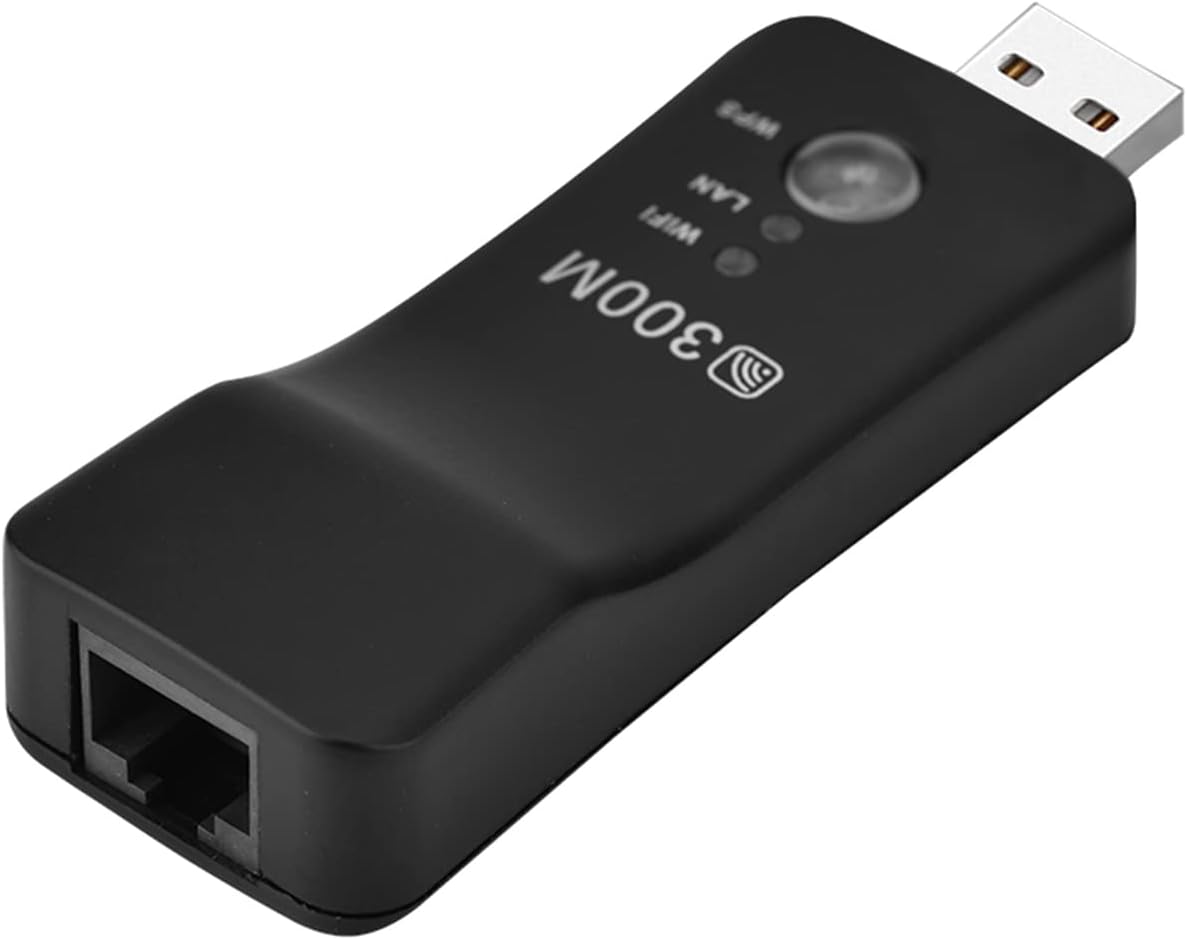
Imatge: Un primer pla view of the USB Repeater, highlighting its RJ45 Ethernet port.

Image: A diagram illustrating how to connect the USB Repeater to a Smart TV's LAN port using an RJ45 cable for wired to wireless conversion.

Image: The USB Repeater with an RJ45 Ethernet cable securely connected to its port.

Image: The USB Repeater connected to a device via an RJ45 cable, showing the connection from a different angle.

Image: A visual representation of the Plug and Play functionality, demonstrating how the device converts wired connections to wireless.
Instruccions de funcionament
Work Modes: Repeater, AP, TV
The USB Repeater supports three primary work modes:
- Mode de repetidor: Amplia l'abast d'una xarxa Wi-Fi existent.
- Mode AP (punt d'accés): Creates a new Wi-Fi hotspot from a wired Ethernet connection.
- Mode TV: Specifically designed to provide wireless connectivity to smart TVs or other devices with an Ethernet port.
WPS One-Click Encryption
For quick and secure connection to your Wi-Fi network, press the WPS button on the repeater and then on your router. This will establish an encrypted connection without manual password entry.

Image: The USB Repeater extending network connectivity to a smart TV and other devices, demonstrating its function as a signal ampmés viu.

Image: The USB Repeater shown in a central position, illustrating its ability to connect to a wide range of devices including HD TVs, printers, PS4, projectors, CCTV, and set-top boxes.

Image: A graphic depicting the wide range of applications for the USB Repeater, emphasizing its wireless connectivity for Ethernet-enabled devices.
Manteniment
To ensure the longevity and optimal performance of your Bewinner Mini 300M USB Repeater, please follow these maintenance guidelines:
- Mantingueu el dispositiu net i lliure de pols. Feu servir un drap suau i sec per netejar-lo.
- Eviteu exposar el dispositiu a temperatures extremes, humitat o llum solar directa.
- No intenteu desmuntar ni reparar el dispositiu vosaltres mateixos. Si teniu algun problema, consulteu personal qualificat.
- Guardeu el dispositiu en un lloc fresc i sec quan no l'utilitzeu.
Resolució de problemes
If you encounter issues with your USB Repeater, please refer to the following common problems and solutions:
| Problema | Possible solució |
|---|---|
| Sense indicador lluminós d'alimentació. | Ensure the USB Repeater is securely plugged into a working USB port. Try a different USB port or power source. |
| No es pot connectar a la Wi-Fi. | Check if the repeater is within range of your main router. Verify Wi-Fi settings and password. Try using the WPS button for connection. |
| Velocitat d'internet lenta. | Ensure the repeater is placed in an optimal location, away from obstructions and interference. Check your main internet connection speed. |
| Wired device not getting internet. | Confirm the RJ-45 cable is properly connected to both the repeater and the device. Ensure the repeater is in AP or TV mode. |
Si el problema persisteix, poseu-vos en contacte amb l'atenció al client per obtenir més ajuda.
Suport i garantia
Bewinner is committed to providing high-quality products and excellent customer service. Your USB Repeater comes with a 100% Satisfaction Guarantee, ensuring stable performance and high reliability.
If you have any questions about the product, encounter issues, or are not satisfied with your purchase, please do not hesitate to contact us. We are dedicated to providing you with the best possible solution.
For support, please refer to the contact information provided with your product or visit the official Bewinner store on Amazon: Botiga Bewinner.
Vídeo del producte
Video: An official product video from Bewinner demonstrating the features and usage of the USB Repeater. This video provides a visual overview of the device and its capabilities.
Ask a question about this manual
Ask about setup, troubleshooting, compatibility, parts, safety, or missing instructions. Manuals+ will review the question and use this page’s manual context to help answer it.