
Introducció
This manual provides detailed instructions for setting up, operating, and maintaining your LB-LINK Archer BL-W1210M AC1200 Dual Band Wireless Router. This device is designed to provide high-speed wireless connectivity for your home or office, supporting both 2.4 GHz and 5 GHz frequency bands for optimal performance.
Producte acabatview
The LB-LINK Archer BL-W1210M is an AC1200 Dual Band Wireless Router offering combined speeds of up to 1200 Mbps (300 Mbps on 2.4 GHz and 867 Mbps on 5 GHz). It features four high-gain external antennas for extensive coverage and stability. The router supports advanced security protocols like WPA/WPA2 encryption and an SPI firewall to protect your network. Its intuitive web-based management interface simplifies setup and configuration.
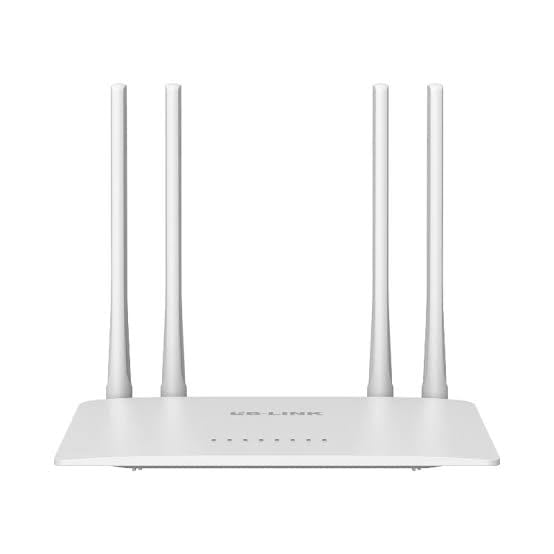
Image: The product packaging for the LB-LINK Archer BL-W1210M AC1200 Dual Band Wireless Router, showing the device and its key features.
Contingut del paquet
Comproveu que el vostre paquet contingui els elements següents:
- LB-LINK Archer BL-W1210M AC1200 Dual Band Wireless Router
- Adaptador d'alimentació
- Cable Ethernet
- Guia d'instal·lació ràpida (si s'inclou)
Configuració
1. Connexió de maquinari
- Apagar: Desconnecteu l'alimentació del mòdem i del router (si escau).
- Connecta el mòdem: Connect one end of the provided Ethernet cable to the WAN port (often blue) on your LB-LINK router and the other end to your modem's Ethernet port.
- Connectar l'alimentació: Plug the power adapter into the router's power jack and then into a wall outlet.
- Encès: Power on your modem first, wait for it to fully boot (usually indicated by stable lights), then power on your LB-LINK router. Wait for the router's indicator lights to stabilize.
- Connect Computer (Optional): For initial setup, you can connect your computer directly to one of the router's LAN ports (yellow) using an Ethernet cable, or connect wirelessly using the default Wi-Fi name (SSID) and password printed on the router's label.
2. Configuració Inicial
- Accés Web Interfície: Obre a web browser (e.g., Chrome, Firefox) on a connected computer or mobile device. In the address bar, type the default IP address, typically 192.168.0.1 or 192.168.1.1i premeu Intro.
- Inici de sessió: Introduïu el nom d'usuari i la contrasenya predeterminats. Normalment són admin per a tots dos o que es troba a l'etiqueta del router.
- Executa la configuració ràpida: Follow the on-screen instructions of the Quick Setup Wizard. This will guide you through setting up your internet connection (WAN settings) and configuring your wireless network (Wi-Fi name and password).
- Change Default Settings: For security, it is highly recommended to change the default login password for the router's management page and customize your Wi-Fi network names (SSIDs) and passwords.
En funcionament
1. Connexió de dispositius a la Wi-Fi
After initial setup, you can connect your wireless devices (smartphones, tablets, laptops) to your new Wi-Fi network:
- Al dispositiu, vés a la configuració del Wi-Fi.
- Select the 2.4 GHz or 5 GHz network name (SSID) you configured.
- Enter the Wi-Fi password you set.
2. Dual-Band Operation
The router operates on two frequency bands:
- 2.4 GHz: Offers wider coverage and better penetration through walls, suitable for general browsing and devices further from the router.
- 5 GHz: Provides faster speeds and less interference, ideal for bandwidth-intensive activities like HD streaming and online gaming, especially for devices closer to the router.
3. Xarxa de convidats
The router supports creating separate guest networks. This allows guests to access the internet without gaining access to your main network resources. You can enable and configure guest networks through the router's web interfície de gestió.
4. Control parental
Utilize the parental control features to manage internet access for specific devices or users. This can include setting time limits or blocking certain websites. Access these settings via the router's web interfície de gestió.
Manteniment
1. Actualitzacions de firmware
Periodically check the LB-LINK official website for firmware updates. Updating your router's firmware can improve performance, add new features, and enhance security. Follow the instructions provided with the firmware update carefully.
2. Restabliment del router
If you encounter persistent issues or forget your login credentials, you may need to perform a factory reset. To do this, with the router powered on, press and hold the reset button (usually a small pinhole button on the back) for about 5-10 seconds until the lights flash. The router will restart with factory default settings.
Resolució de problemes
- Sense accés a Internet:
- Check all cable connections (modem to router, router to computer).
- Reinicieu el mòdem i l'encaminador.
- Verify your WAN settings in the router's web interfície.
- Contact your Internet Service Provider (ISP) to ensure there are no service outages.
- Velocitat Wi-Fi lenta:
- Ensure your device is connected to the appropriate band (5 GHz for faster speeds, if supported).
- Move closer to the router or reduce obstacles.
- Comproveu si hi ha interferències d'altres dispositius electrònics.
- Actualitza el firmware del router.
- No es pot accedir a la pàgina de gestió del router:
- Assegureu-vos que el dispositiu estigui connectat al router (amb cable o sense fil).
- Verify the IP address entered in the browser (e.g., 192.168.0.1).
- Prova una altra web navegador.
- Perform a factory reset if you have forgotten the login credentials (note: this will erase all custom settings).
Especificacions
| Característica | Detall |
|---|---|
| Nom del model | Archer BL-W1210M |
| Classe de banda de freqüència | Doble banda (2.4 GHz i 5 GHz) |
| Comunicació sense fils estàndard | 802.11ac |
| Velocitat de transferència de dades | Up to 1200 Mbps (300 Mbps on 2.4 GHz + 867 Mbps on 5 GHz) |
| LAN Port Bandwidth | 100 Mbps |
| Nombre de Ports | 5 (1 WAN, 4 LAN) |
| Protocol de seguretat | IP/MAC Address Filter, WPA-PSK, WPA2-PSK |
| Característiques especials | 11ac fast speed, 2 guest networks, Parental Control |
| Dispositius compatibles | PC, Laptop, Mobile devices |
| Voltage | 12 Volts |
| Pes de l'article | 500 grams |
| Dimensions de l'article (L x A x A) | 26L x 7W x 29H centímetres |
| Color | Blanc |
Garantia i Suport
Descripció de la garantia: This product comes with a 1-year warranty. Please note that the warranty is void if the original box is not retained or if there is any kind of physical damage to the product.
Importer/Packer Contact Information:
MRJ Electronics
Ahmedabad, Gujarat
Correu electrònic: electronicsmrj@gmail.com
Contacte: 9023265213
For technical support or warranty claims, please contact MRJ Electronics directly.