
Introducció
The OnePlus Buds Pro 3 are advanced wireless Bluetooth earbuds designed to deliver a high-quality audio experience with features such as adaptive noise cancellation, dual-driver audio, and extended battery life. This manual provides essential information for setting up, operating, and maintaining your earbuds.

Image: OnePlus Buds Pro 3 earbuds and their charging case in Midnight Opus.
Què hi ha a la caixa
Your OnePlus Buds Pro 3 package includes the following items:
- OnePlus Buds 3 Pro x 1 pair
- OnePlus Buds 3 Pro charging case x 1
- Guia d'usuari x 1
- Silicon eartips x 3 (S, M, L)
- Cable de càrrega USB tipus C x 1

Image: All items included in the OnePlus Buds Pro 3 retail packaging.
Producte acabatview
The OnePlus Buds Pro 3 feature a sleek design with a metallic finish on the earbud stems and a textured charging case. Each earbud is equipped with dual drivers for enhanced audio quality.

Davant view of earbuds and case.

lateral view of earbuds and case.
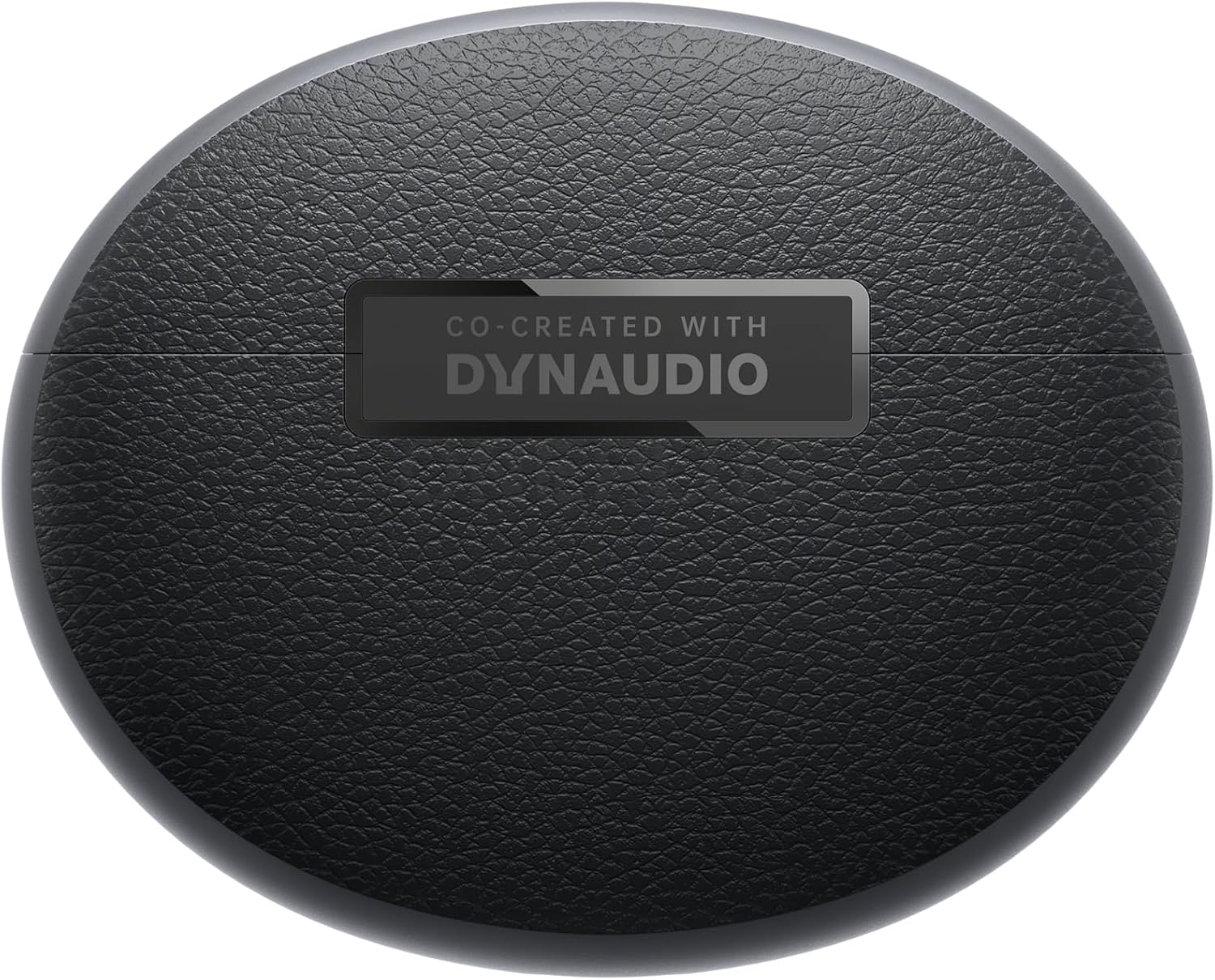
Enrere view of earbuds and case.
Configuració
Maridatge
- Ensure your OnePlus Buds Pro 3 are charged.
- Obre l'estoig de càrrega. Els auriculars entraran automàticament en mode d'emparellament.
- Al dispositiu (telèfon intel·ligent, tauleta, etc.), activeu el Bluetooth.
- Cerca "OnePlus Buds Pro 3" in the list of available Bluetooth devices and select it to pair.
- For quick pairing with compatible Android devices, Google Fast Pair is supported.
HeyMelody App Installation
For full functionality and customization of your OnePlus Buds Pro 3, download the HeyMelody app from your device's app store (Google Play Store for Android, Apple App Store for iOS). The app allows you to manage settings, update firmware, and access advanced features.
Earbud Fit Test
Use the HeyMelody app to perform an earbud fit test. This ensures you have the optimal seal for the best audio quality and effective noise cancellation. Experiment with the included silicone eartips (S, M, L) to find the size that provides the best fit for your ears.
Instruccions de funcionament
Controls tàctils
The OnePlus Buds Pro 3 feature intuitive touch and squeeze controls on the earbud stems. These controls can be customized via the HeyMelody app.
- Premsa ràpida: Reprodueix/Pausa l'àudio.
- Doble pressió: Pista següent.
- Triple pressió: Pista anterior.
- Slide on Earbud Stem: Control de volum.
- Premeu i manteniu premut: Switch between Noise Cancellation and Transparency modes.
Modes de control de soroll
The earbuds offer various noise control modes to adapt to your environment:
- Cancel·lació activa del soroll (ANC): Reduces ambient noise by up to 50dB for an immersive listening experience.
- Cancel·lació adaptativa del soroll: Automatically adjusts the noise cancellation level based on your surroundings.
- Mode de transparència: Et permet escoltar el teu entorn mentre gaudeixes de l'àudio, útil per a la consciència en entorns concorreguts.
Spatial Audio with Head Tracking
Experience immersive 3D sound with dynamic head tracking. This feature creates a sound environment that adapts to your head movements, providing a more realistic audio experience for supported music, video, and game apps.

Image: Spatial Audio with head tracking provides an immersive sound experience.
Mode de joc de baixa latència
Activate Gaming Mode via the HeyMelody app to reduce audio lag, ensuring seamless sound synchronization for an enhanced gaming experience.
Smart Dual Connection
The earbuds support dual connection, allowing you to seamlessly switch between two paired devices (e.g., a smartphone and a laptop) without manually disconnecting and reconnecting.
Sound Master EQ
The HeyMelody app provides access to various Sound Master EQ presets, including Dynaudio-featured tuning, to customize your audio experience. You can also adjust the BassWave™ feature for deeper bass with clarity and fidelity.
Carregant
Durada de la bateria estesa
The earbuds offer up to 9 hours of playback on a single charge. With the charging case, the total battery life extends up to 44 hours.
Tecnologia de càrrega ràpida
A quick 10-minute charge provides up to 5 hours of playback, ensuring your music is always ready when you are.
Càrrega sense fils
The charging case supports wireless charging for convenient power replenishment.

Image: Battery life details for various usage scenarios.
Manteniment i cura
IP55 Water and Sweat Resistance
The earbuds are rated IP55 for water and sweat resistance, making them suitable for workouts and outdoor activities. This rating protects against splashes and sweat, but they are not designed for submersion in water.

Image: IP55 rating ensures protection against water splashes and sweat.
Neteja
Regularly clean the earbuds and charging case with a soft, dry cloth. Remove any earwax or debris from the eartips and speaker grilles to maintain optimal sound quality and hygiene.
Resolució de problemes
- Sense problemes de so/connectivitat: Ensure earbuds are charged, Bluetooth is enabled on your device, and the earbuds are paired correctly. Try unpairing and re-pairing.
- Qualitat de so baixa: Check earbud fit using the HeyMelody app's fit test. Ensure eartips are clean and free of debris.
- Cancel·lació de soroll ineficaç: Verify ANC mode is active and that earbuds have a good seal.
- Els auriculars no es carreguen: Ensure the charging case is charged and that the earbuds are properly seated in the case. Clean charging contacts if necessary.
Especificacions
| Característica | Especificació |
|---|---|
| Nom del model | OnePlus Buds Pro 3 (E512A) |
| Control de soroll | Cancel·lació de soroll adaptativa (fins a 50 dB) |
| Tipus de controlador d'àudio | Hybrid Driver (11mm woofer, 6mm tweeter) |
| Tecnologia de connectivitat | Bluetooth 5.2 |
| Durada de la bateria (auriculars) | Fins a 9 hores |
| Durada de la bateria (amb funda) | Fins a 44 hores |
| Càrrega ràpida | Càrrega de 10 minuts per a 5 hores de reproducció |
| Resistència a l'aigua | IP55 (auriculars) |
| Tipus de control | Control tàctil |
| Impedància | 18 ohms |
| Sensibilitat | 100 dB |
| Resposta de freqüència | 40 Hz |
| Pes | 7.4 unces (0.21 quilograms) |
Vídeo oficial del producte
Video: An official short preview espectacleasing the design and features of the OnePlus Buds Pro 3.
Garantia i Suport
For detailed warranty information and support, please refer to the official OnePlus website or contact OnePlus customer service. Keep your proof of purchase for warranty claims.