
1. Introducció
Thank you for choosing the Joso Simhon 01 Mobile Gaming Controller. This device is designed to enhance your mobile gaming experience with precision controls and versatile compatibility. This manual provides essential information for setup, operation, maintenance, and troubleshooting.
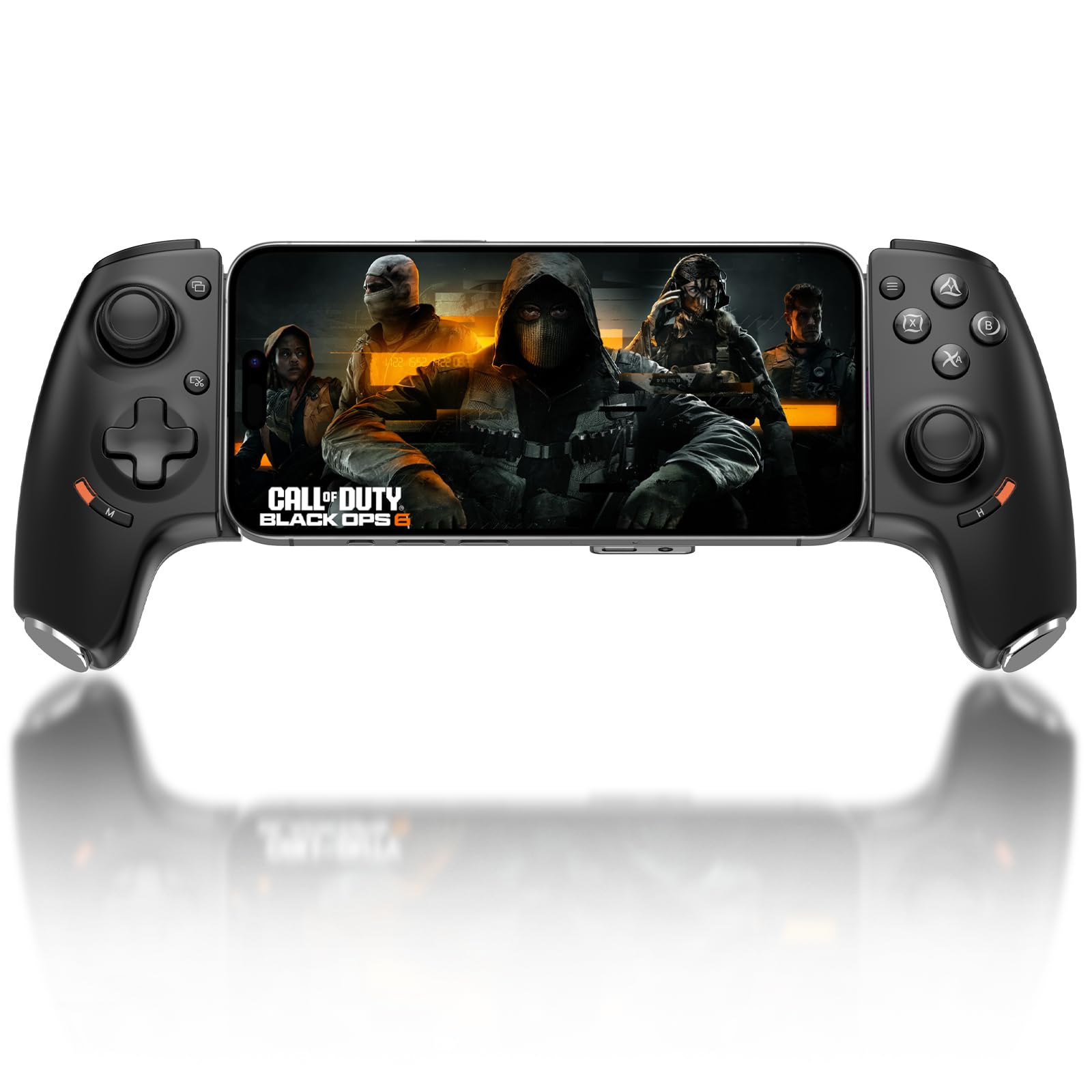
Figure 1: Joso Simhon 01 Mobile Gaming Controller
2. Característiques del producte
- Precision Hall Effect Controls: Equipped with Hall Effect joysticks and pressure-sensitive triggers for zero drift and realistic feedback.
- Botons enrere personalitzables: Two programmable back buttons (L4/R4) for mapping complex actions via the companion app.
- Disseny ergonòmic: Anti-slip grip and lightweight design for comfortable extended gaming sessions.
- Universal Type-C Plug & Play: Direct USB-C connection for ultra-low latency on iPhone 15/16/17 series and Android phones.
- Compatibilitat multiplataforma: Supports PS5/PS4 Remote Play, Xbox Cloud Gaming, Steam Link, and GeForce NOW.
- Conector d'àudio de 3.5 mm: Integrated audio jack for headsets with or without microphones.
- Càrrega directa: Allows charging your phone while playing.
3. Guia de configuració
3.1 Connexió del telèfon
- Ensure your phone is compatible with USB-C connectivity (iPhone 15/16/17 series, Android phones with USB-C).
- Gently extend the controller to fit your phone. The controller supports phones from 4.5 to 7.6 inches in length.
- Align your phone's USB-C port with the controller's USB-C connection port (C) and firmly insert it.
- For optimal stability, it is recommended to remove thick phone cases. If using a case, ensure its thickness is within 1mm.

Figure 2: Controller Features Overview

Figure 3: Phone Size Compatibility (4.5 to 7.6 inches)
3.2 Estat de l'indicador
The connection status indicator light provides feedback on the current mode:
- PS Mode (Orange): For iPhone 15/16/17 Series and PS Remote Play.
- Android Mode (Yellow): For Android phones, Google Play, Xbox Remote Play, Steam Link.
- Bluetooth Mode (Green): For Android phones, especially for games like Call of Duty Mobile & Warzone Mobile.

Figure 4: Indicator Status and Modes
3.3 App Installation (MooWii Gaming App)
For advanced customization and optimal performance, download the 'MooWii Gaming' app from the App Store (iOS) or Google Play Store (Android). You can also scan the QR code provided in the physical user manual or visit the product website for direct download links.
Video 1: Joso Simhon 01 Controller: The Full MooWii Game App Setup. This video demonstrates how to download and set up the MooWii Gaming App for full controller customization.
4. Instruccions de funcionament
4.1 Controls bàsics
The Joso Simhon 01 features standard gamepad controls including:
- Left and Right Hall Effect Joysticks
- D-Pad
- A/B/X/Y Face Buttons
- LB/RB Bumpers
- LT/RT Hall Effect Triggers
- M1/M2/M3/M4 (or L4/R4) Customizable Back Buttons
4.2 Customizing Buttons and Macros
Using the MooWii Gaming App, you can remap buttons, create macros, and adjust joystick/trigger settings to suit your playstyle.
- Mapatge de claus: Remap any button to a different function.
- Edició de macros: Record sequences of button presses to execute complex actions with a single button.
- Joystick Deadzone Adjustment: Fine-tune joystick sensitivity to eliminate drift and improve precision.
- Joystick Response Curve: Customize input/output sensitivity for joysticks (Delay, Performance, Real-time, or custom).
- Configuració de l'activador: Adjust trigger dead zones and enable 'Quick Trigger' for faster response times.

Figure 5: Software Customization via MooWii Gaming App

Figure 6: Customizable Back Buttons
4.3 Gaming Modes and Compatibility
The controller supports various gaming platforms and modes:
- Reproducció directa: Compatible with many controller-supported games from the App Store and Google Play.
- Jocs al núvol: Fully compatible with services like Xbox Cloud Gaming, Steam Link, and GeForce NOW.
- Reproducció remota: Seamlessly use for PS5/PS4 Remote Play and Xbox/PC Remote Play.

Figure 7: Play Your Favorite Games and Platforms
Video 2: Joso Simhon 01 Mobile Gaming Controller for iPhone Type-C. This video demonstrates connecting and using the controller with an iPhone for various games and streaming services.
Video 3: Joso Simhon 01 Phone Game Controller for Android Type-C. This video demonstrates connecting and using the controller with an Android phone for various games and streaming services.
4.4 Audio and Charging
- 3.5mm Audio Jack (A): Connect your headset for in-game audio and communication. Compatible with headsets with or without microphones.
- USB-C Charging Port (B): Use this port to charge your phone while the controller is connected, ensuring uninterrupted gameplay.
5. Manteniment
- Mantingueu el controlador sec i allunyat de temperatures extremes.
- Netegeu la superfície amb un drap suau i sec. Eviteu utilitzar productes químics agressius o materials abrasius.
- Store the controller in a safe place to prevent damage when not in use.
6. Solució De Problemes
- Controller Indicator Not Lighting Up: If the mobile is plugged in but the controller indicator does not light up, simply hold the sides of the controller and push it into the center to ensure a secure connection.
- Problemes de connexió (Android): Some Android phones may require enabling OTG (On-The-Go) functionality in their settings to power on and use the controller.
- L'aplicació no funciona correctament: If you encounter issues with the MooWii Gaming App, ensure your phone's Bluetooth is enabled and the controller is properly connected. Refer to the app's help section or the official Joso website for updated guides.
- Desconnexions aleatòries: Ensure a stable physical connection between your phone and the controller's USB-C port. Avoid excessive movement that might dislodge the connection.
7. Especificacions
| Característica | Detall |
|---|---|
| Nom del model | Simhon 01 |
| Marca | Joso |
| Tecnologia de connectivitat | USB C, Bluetooth |
| Tipus de controlador | USB-C |
| Dispositius compatibles | Android (USB-C Port), iPhone 15 Series, iPhone 16 Series |
| Compatible Video Game Consoles | Sony PlayStation 4, Sony PlayStation 5 |
| Plataforma de maquinari | Android, iOS |
| Característiques addicionals | Conector d'auriculars |
| Quantitat de botons | 8 (standard face buttons, bumpers, triggers, plus customizable back buttons) |
8. Garantia i Suport
For any connection issues, troubleshooting, or to download the latest user manual and access step-by-step video guides, please visit the official Joso weblloc. El website provides comprehensive support resources to ensure optimal configuration and usage of your controller.
For specific warranty information, please refer to the documentation included with your purchase or contact Joso customer support directly.