
Introducció
Thank you for choosing the ODK 80x40cm Small Computer Desk. This manual provides essential information for the safe assembly, operation, and maintenance of your new desk. Please read it thoroughly before beginning assembly and keep it for future reference.

Image: The ODK 80x40cm Small Computer Desk, showcasing its compact design and integrated headphone hook.
Informació de seguretat
Si us plau, observeu les següents precaucions de seguretat per evitar lesions o danys al producte:
- Assegureu-vos que totes les peces estiguin presents i no estiguin danyades abans del muntatge. No utilitzeu el producte si hi falta alguna peça o si està trencada.
- Munta l'escriptori sobre una superfície suau i neta per evitar ratllades.
- Do not overtighten screws during assembly, as this may damage the threads.
- Mantingueu les peces petites allunyades dels nens per evitar perills d'asfixia.
- Do not exceed the maximum weight capacity of the desk (refer to Specifications section).
- Place the desk on a level surface to ensure stability.
Contingut del paquet
Verifiqueu que tots els components que s'enumeren a continuació s'inclouen al paquet:
- Panell d'escriptori (1)
- Left Leg Frame (1)
- Right Leg Frame (1)
- Barres transversals (2)
- Headphone Hook (1)
- Peus ajustables (4)
- Maquinari de muntatge (cargols, clau Allen)
- Manual d'instruccions (Aquest document)
Configuració i muntatge
Assembly is straightforward and typically takes about 25 minutes. Follow these steps carefully:
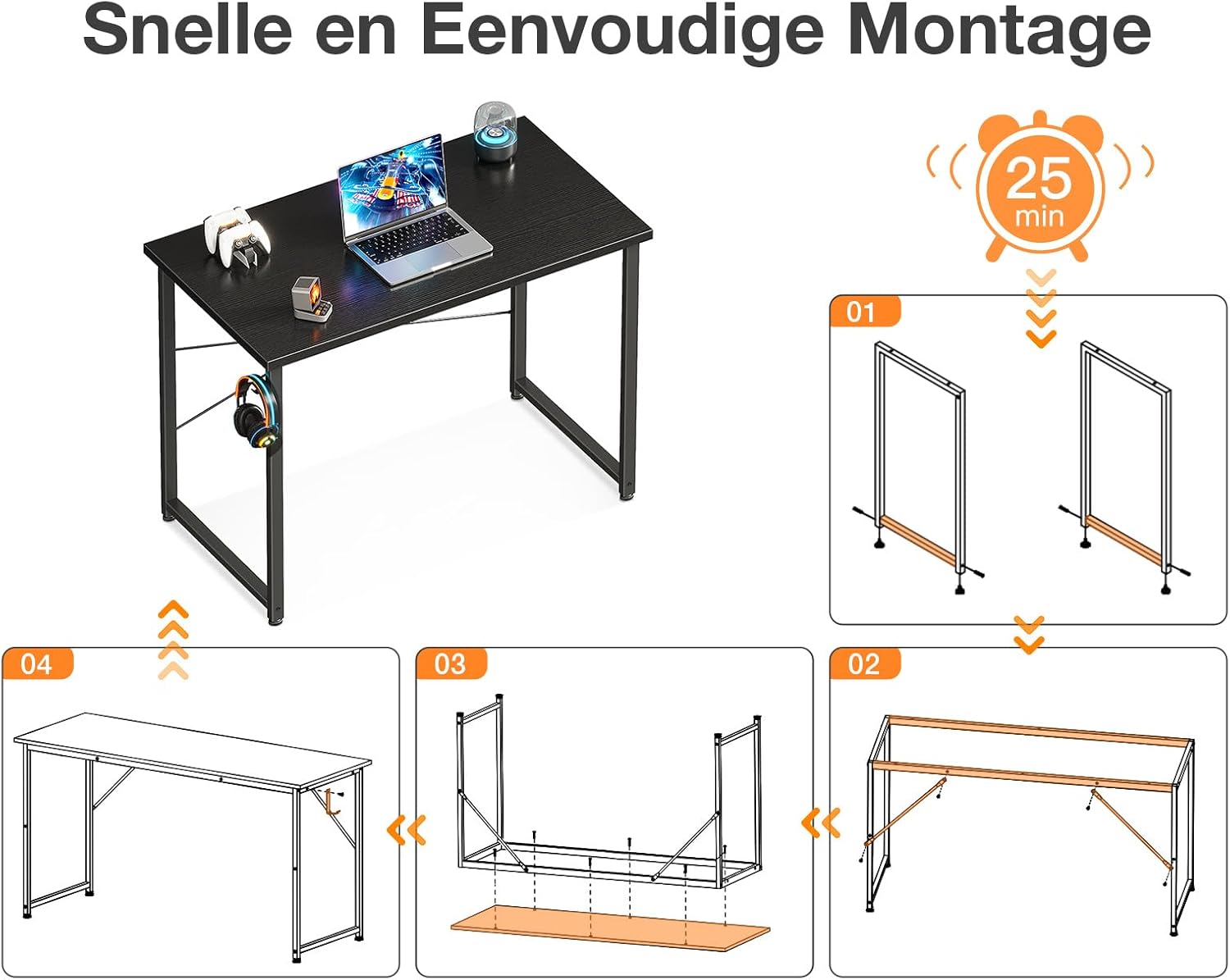
Image: Visual guide for quick and easy assembly of the desk.
- Step 1: Assemble Leg Frames
Attach the two crossbars to the leg frames. Ensure they are securely fastened but do not fully tighten the screws yet. - Step 2: Attach Desktop
Carefully align the assembled leg frame structure with the pre-drilled holes on the underside of the desktop panel. Insert and partially tighten the screws. - Step 3: Secure All Connections
Once all screws are in place, gradually tighten all screws using the provided Allen wrench until the desk is stable. Avoid overtightening. - Step 4: Install Headphone Hook & Adjustable Feet
Screw the headphone hook into the designated hole on the side of the desk. Attach the adjustable feet to the bottom of each leg.

Image: Detail of the adjustable feet, allowing for stability on uneven floors.
Use the adjustable feet to level the desk on uneven floors, ensuring maximum stability.
Instruccions de funcionament
The ODK computer desk is designed for versatile use in various settings. Here are some key operational aspects:
- Capacitat de pes: The desk is built with a sturdy metal frame and can support up to 50 kg (approximately 110 lbs) evenly distributed on the desktop. Do not exceed this limit.
- Ganxo dels auriculars: Utilize the integrated headphone hook to keep your headphones conveniently stored and your workspace tidy.
- Col·locació versàtil: Its compact size makes it ideal for small apartments, dorm rooms, bedrooms, living rooms, or dedicated home office spaces.

Image: Desk dimensions and maximum weight capacity of 50 KG.
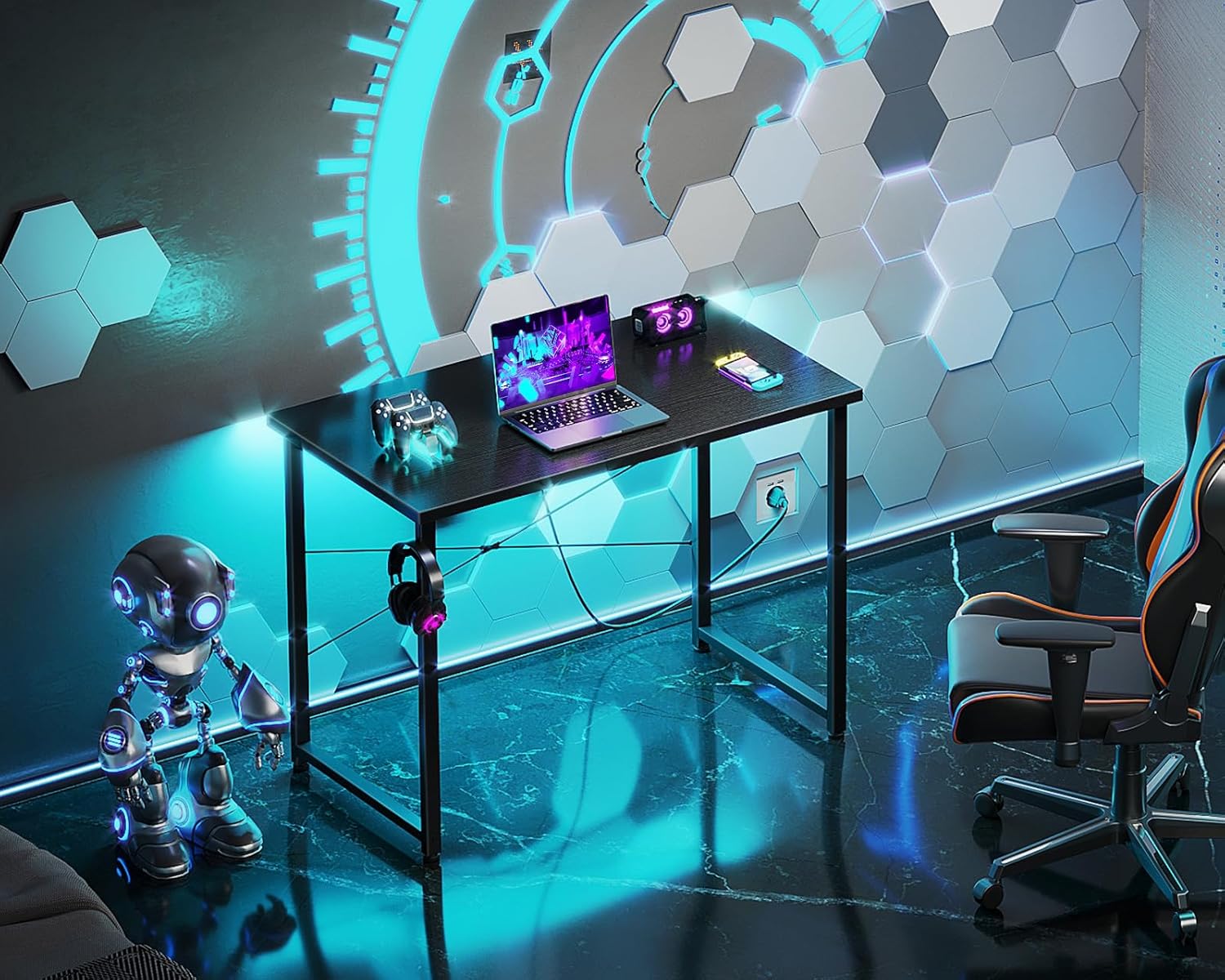
Image: The desk integrated into a modern gaming or work setup.

Image: The desk fitting perfectly in a bedroom, highlighting its suitability for small spaces.
Manteniment
To ensure the longevity and appearance of your ODK desk, follow these simple maintenance guidelines:
- Neteja: Netegeu l'escriptori i el marc amb un drap suauamp cloth. For stubborn marks, use a mild soap solution and dry immediately. Avoid harsh chemicals or abrasive cleaners.
- Vessaments: Netegeu els vessaments immediatament per evitar taques o danys a la superfície.
- Protecció de calor: Feu servir posavasos o coixinets protectors sota els objectes calents per evitar danys per la calor a l'escriptori.
- Comprovacions periòdiques: Periodically check and retighten all screws to maintain stability.
Resolució de problemes
If you encounter any issues with your ODK desk, refer to the table below for common problems and solutions:
| Problema | Causa possible | Solució |
|---|---|---|
| L'escriptori està inestable | Els cargols estan fluixos; terra irregular. | Tighten all assembly screws. Adjust the leveling feet on the bottom of the legs. |
| Les peces no s'alineen durant el muntatge | Orientació incorrecta de les peces; cargols massa apretats prematurament. | Review the assembly instructions and ensure parts are oriented correctly. Loosen screws slightly, align parts, then retighten. |
| Esgarrapades a la superfície | Objectes punxeguts; neteja abrasiva. | Use protective mats for sharp objects. Clean with soft cloth and mild solutions only. Minor scratches may be buffed with appropriate furniture polish. |
Especificacions
| Característica | Detall |
|---|---|
| Marca | ODK |
| Número de model | RE-B03 |
| Dimensions (L x A x A) | 80 cm x 40 cm x 74 cm (31.5 polzades x 15.7 polzades x 29.1 polzades) |
| Pes de l'article | 5.7 kg (12.5 lliures) |
| Color | Negre |
| Forma | Rectangular |
| Tipus de material | Alloy Steel (Frame), Engineered Wood (Desktop) |
| Tipus d'acabat | Recobert de pols |
| Característica especial | Integrated Headphone Hook, Adjustable Feet |
| Capacitat màxima de pes | 50 kg (110 lliures) |
Informació de la garantia
ODK products are manufactured to high-quality standards. This product comes with a limited warranty against defects in materials and workmanship from the date of purchase. Please retain your proof of purchase for warranty claims. The warranty does not cover damage caused by improper assembly, misuse, neglect, accidents, or normal wear and tear.
Atenció al client
If you have any questions, require assistance with assembly, or need to report missing or damaged parts, please contact ODK customer support. For the most up-to-date contact information, please visit the official ODK weblloc web o consulteu la documentació de la compra.
Thank you for choosing ODK.