
1. Introducció
Welcome to the artfone A400 4G Mobile Phone user manual. This guide provides detailed instructions to help you set up, operate, and maintain your new phone. The artfone A400 is designed with ease of use in mind, featuring large buttons, a clear display, and essential functions for seniors.

Imatge 1.1: acabatview of artfone A400 key features.
2. Contingut del paquet
Marqueu la casella per als elements següents:
- 1 x artfone A400 Senior Mobile Phone
- 1 bateria de 1800 mAh
- 1 x cable USB-C
- 1 x EU Charger (Power Adapter)
- 1 x Charging Station (Desktop Charger)
- 1 x Manual d'usuari

Image 2.1: artfone A400 package contents.
3. Trucada telefònicaview
Familiarize yourself with the physical components of your artfone A400.
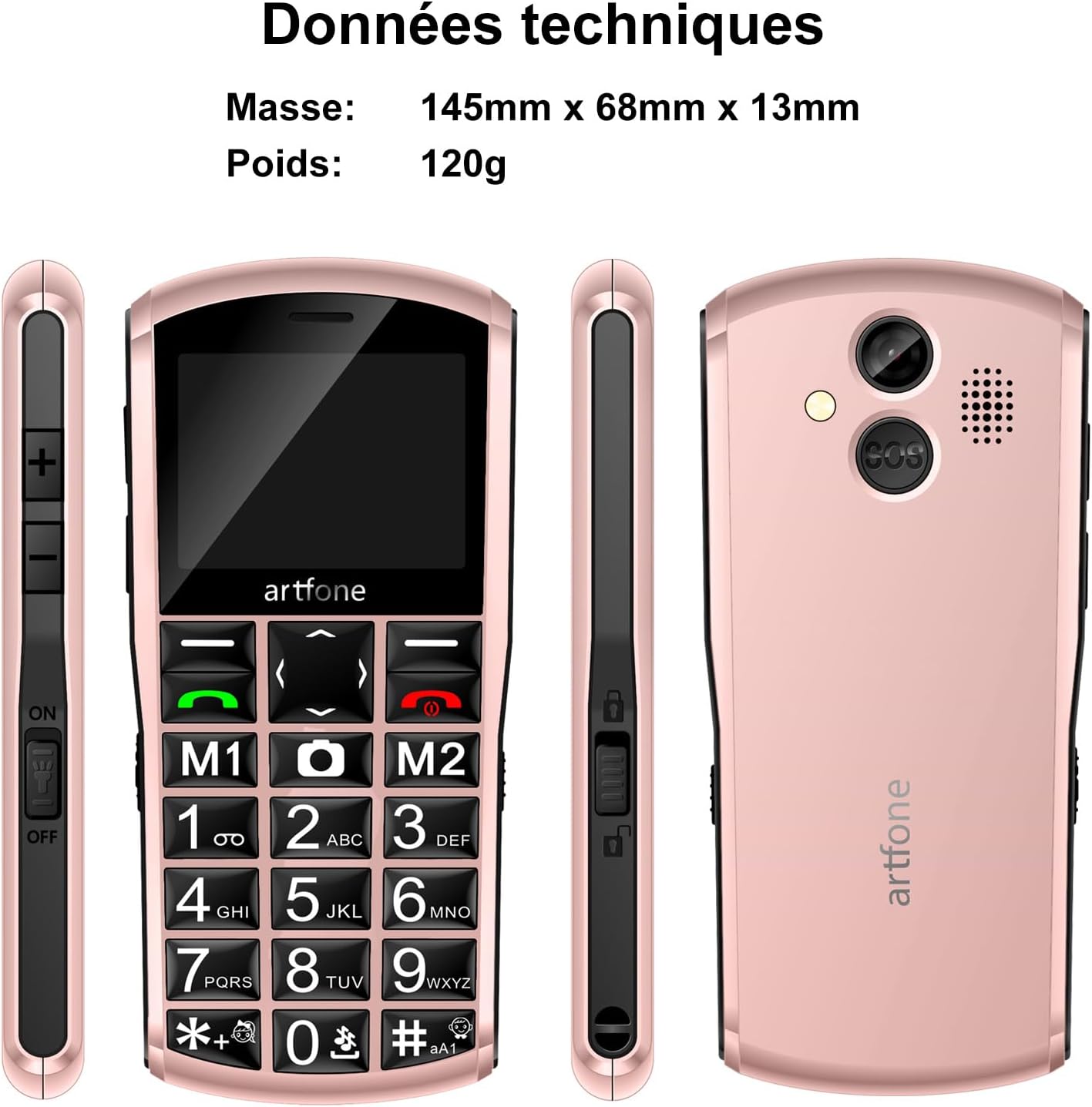
Image 3.1: artfone A400 phone views and basic dimensions.
Key Features and Components:
- Pantalla gran: 2.4-inch LCD screen for clear visibility.
- Large Backlit Keys: Easy to press and see, with dedicated M1 and M2 quick dial buttons.
- Botó SOS: Located on the back for emergency calls and SMS.
- Càmera: Per fer fotos.
- Llanterna: Integrat per a més comoditat.
- Port USB-C: Per a càrrega i transferència de dades.
- Botons de volum: On the side for adjusting call and ringer volume.
- Key Lock Switch: On the side for easily locking/unlocking the keypad.
4. Primers passos
4.1. Instal·lació de la targeta SIM i la targeta MicroSD
The artfone A400 supports Dual Nano SIM cards and a MicroSD card for expandable memory up to 64GB.
- Traieu amb cura la tapa posterior del telèfon.
- Insert your Nano SIM card(s) into the designated SIM slots (SIM1, SIM2). Ensure the gold contacts face downwards.
- If desired, insert a MicroSD card into the MicroSD slot.
- Col·loqueu la coberta posterior de manera segura.

Image 4.1: SIM and MicroSD card installation.
4.2. Instal·lació de la bateria
- After installing SIM/MicroSD cards, insert the 1800mAh battery into the battery compartment, ensuring the contacts align.
- Replace the back cover firmly until it clicks into place.
4.3. Carregant el telèfon
Before first use, fully charge the phone battery. The artfone A400 offers two charging methods:
- Ús del cable USB-C: Connect the USB-C cable to the phone's charging port and the other end to the EU charger. Plug the charger into a wall outlet.
- Ús de l'estació de càrrega: Place the phone into the charging station. Ensure the phone is correctly seated and the charging indicator appears on the screen. Connect the USB-C cable to the charging station and the EU charger.

Image 4.2: Charging the artfone A400 using the charging station.

Image 4.3: Two charging options for the artfone A400.
5. Instruccions de funcionament
5.1. Encendre/apagar
- Per encendre: Mantingueu premut el botó vermell Finalitzar trucada/Encendre fins que la pantalla s'il·lumini.
- Per apagar: Press and hold the red End Call/Power button until the power off options appear, then select 'Power Off'.
5.2. Realització de trucades
- Ensure the keypad is unlocked (use the side switch if locked).
- Dial the phone number using the large numeric keys.
- Press the green Call button to initiate the call.
- To end a call, press the red End Call button.
5.3. Recepció de trucades
When an incoming call rings, press the green Call button to answer. To reject a call, press the red End Call button.
5.4. Gestió de contactes
You can save contacts to your phonebook. The artfone A400 also features quick dial buttons (M1, M2) and photo contacts for easy access.
- Quick Dial (M1/M2): Assign frequently called numbers to M1 and M2 buttons for one-touch dialing. Refer to the phone's menu for setup.
- Photo Contacts: For users with visual or memory difficulties, assign photos to contacts for easier recognition and dialing.

Image 5.1: Photo contacts feature for easy dialing.
5.5. Sending/Receiving SMS
Navigate to the 'Messages' menu to compose new SMS messages or read received ones. The large keys facilitate typing.

Image 5.2: Large font and backlit keys for improved readability and ease of use.
6. Característiques especials

Imatge 6.1: acabatview of additional phone functions.
6.1. SOS Emergency Call Function
The SOS button on the back of the phone allows for quick access to emergency contacts.
- Configuració: In the phone's settings, configure up to 5 emergency contacts.
- Activació: Press and hold the SOS button for 3 seconds. The phone will automatically call the emergency contacts in sequence and send an emergency SMS.

Image 6.2: SOS emergency call function details.

Image 6.3: SOS emergency help feature for quick dialing of 5 emergency contacts.
6.2. Ràdio FM
Access the FM Radio feature through the main menu. You can listen to your favorite radio stations without needing headphones.
6.3. Llanterna
Activate the built-in flashlight from the menu or via a dedicated shortcut (if available, check your phone's specific key assignments).
6.4. Bluetooth
The phone supports Bluetooth connectivity for pairing with compatible devices like headsets.
6.5. Time Announcement
Press and hold the '+' key to hear the current time announced audibly. This feature is beneficial for users with visual impairments.

Image 6.4: Time announcement feature activated by pressing the '+' button.
6.6. Càmera
Use the integrated camera to capture photos. Access the camera function from the main menu.

Image 6.5: Capturing moments with the phone's camera.
6.7. Bloqueig de tecla
Use the dedicated key lock switch on the side of the phone to prevent accidental key presses.
7. Manteniment
- Mantingueu el telèfon sec. La humitat pot danyar els circuits electrònics.
- No exposeu el telèfon a temperatures extremes.
- Clean the phone with a soft, dry cloth. Avoid harsh chemicals.
- Manipuleu el telèfon amb cura per evitar caigudes i impactes.
- Charge the battery regularly to maintain its lifespan. Avoid overcharging or letting it fully discharge for extended periods.
8. Solució De Problemes
| Problema | Causa possible | Solució |
|---|---|---|
| El telèfon no s'encén | Low battery; Battery not installed correctly | Charge the battery; Reinstall the battery, ensuring contacts align. |
| No puc fer/rebre trucades | No SIM card; SIM card not installed correctly; No network signal | Install SIM card; Reinstall SIM card; Move to an area with better network coverage. |
| Poca qualitat de trucada | Weak network signal; Obstructions | Move to an open area; Ensure nothing is blocking the phone's antenna. |
| SOS function not working | Emergency contacts not set; No network signal | Set up emergency contacts in settings; Ensure phone has network coverage. |
| La bateria s'esgota ràpidament | Frequent use; Old battery | Reduce usage of power-intensive features; Consider replacing the battery if it's old. |
9. Especificacions
| Característica | Detall |
|---|---|
| Número de model | A400 |
| Sistema operatiu | artfone OS |
| Mida de la pantalla | 2.4 polzades |
| Resolució | 320 x 240 |
| Tecnologia cel·lular | 4G (Compatible with 2G, 3G, 4G European networks) |
| Ranures per a targetes SIM | Nano SIM dual |
| Memòria ampliable | MicroSD fins a 64 GB |
| RAM | 48 MB |
| Model de CPU | S3C2410 |
| Velocitat de la CPU | 128 MHz |
| Capacitat de la bateria | 1800 mAh Li-ion |
| Temps de conversa | Fins a 10 dies |
| Temps d'espera | 240-300 hores |
| Port de càrrega | USB tipus C |
| Dimensions (L x A x A) | 145 mm x 68 mm x 13 mm |
| Pes | 120 g |
| sonoritat | Fins a 130 dB |
| Resistència a l'aigua | No impermeable |
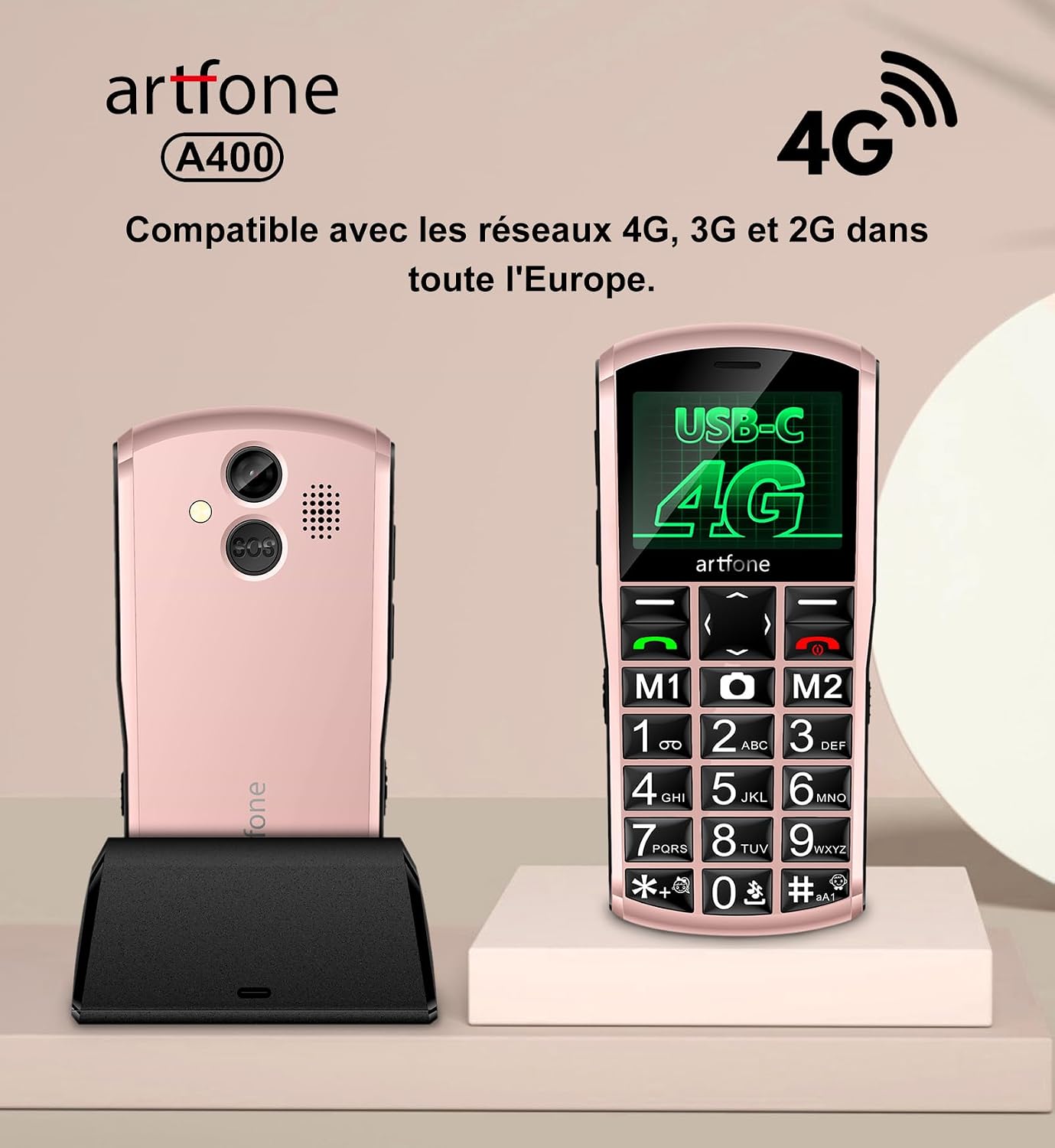
Image 9.1: artfone A400 4G network compatibility.
10. Garantia i Suport
For warranty information and customer support, please refer to the documentation included in your product package or visit the official artfone weblloc web. Conserveu el rebut de compra com a comprovant de compra per a qualsevol reclamació de garantia.