
artfone G3
artfone G3 4G Senior Mobile Phone User Manual
Model: G3 | Brand: artfone
Introducció
The artfone G3 is a 4G flip mobile phone designed for seniors, prioritizing ease of use and essential communication features. It includes large keys, a clear display, an SOS emergency button, and a convenient charging station. This manual provides detailed instructions for setup, operation, and maintenance to ensure optimal use of your device.

Image: The artfone G3 4G Senior Mobile Phone, shown open with its large screen and keypad, highlighting its 4G capability.
Què hi ha a la caixa
Si us plau, comproveu el contingut del paquet en desempaquetar-lo:
- 1x artfone G3 Senior Mobile Phone
- 1 bateria de 1300 mAh
- 1x cable USB-C
- 1x EU Charger
- 1 x estació de càrrega
- 1 x manual d'usuari

Image: All items included in the artfone G3 package, neatly arranged on a surface.

Image: The artfone G3 retail box alongside the phone, charging dock, and accessories.
Configuració
1. Instal·lació de la targeta SIM i la bateria
- Traieu amb cura la tapa posterior del telèfon.
- Insert your Nano SIM card(s) into the designated slot(s) as indicated.
- If desired, insert a microSD card (up to 64GB) into the memory card slot.
- Insert the 1300mAh battery, ensuring the contacts align correctly.
- Torneu a col·locar la coberta posterior fins que sentiu un clic i que quedi ben fixada al seu lloc.

Imatge: Una imatge detallada view of the artfone G3's interior, illustrating the correct placement for the Nano SIM card, Micro SD card, and 1300mAh battery.
Video: This video demonstrates the step-by-step process of how to correctly insert the SIM card into the artfone G3 mobile phone.
2. Càrrega inicial
Before first use, fully charge the phone. You can charge it directly via the USB-C cable or by placing it in the charging station.
- Connect the USB-C cable to the phone or the charging station.
- Connecteu el carregador a una presa de corrent.
- L'indicador de bateria a la pantalla mostrarà el progrés de la càrrega.

Image: The artfone G3 phone resting in its charging dock, illustrating the 1300mAh battery capacity and convenient USB-C charging.

Image: The artfone G3 can be charged directly via a USB-C cable or by placing it in the included charging station.
3. Encès / apagat
- Per encendre: Press and hold the red 'End Call' button until the screen lights up.
- Per apagar: Press and hold the red 'End Call' button until the power-off options appear, then confirm.
Instruccions de funcionament
1. Fer i rebre trucades
- Per fer una trucada: Dial the number using the large keypad and press the green 'Call' button.
- Per respondre una trucada: Press the green 'Call' button when the phone rings.
- Per finalitzar una trucada: Press the red 'End Call' button.

Image: The artfone G3 with its flip-open design, showcasing large font on the screen and clearly backlit keys for enhanced visibility and ease of use.
2. Botó d'emergència SOS
The SOS button is located on the back of the phone for quick access in emergencies.
- Configuració: You can program up to 5 emergency contacts in the phone settings.
- Activació: Press and hold the SOS button for 3 seconds to automatically dial the programmed emergency contacts and send an emergency SMS.
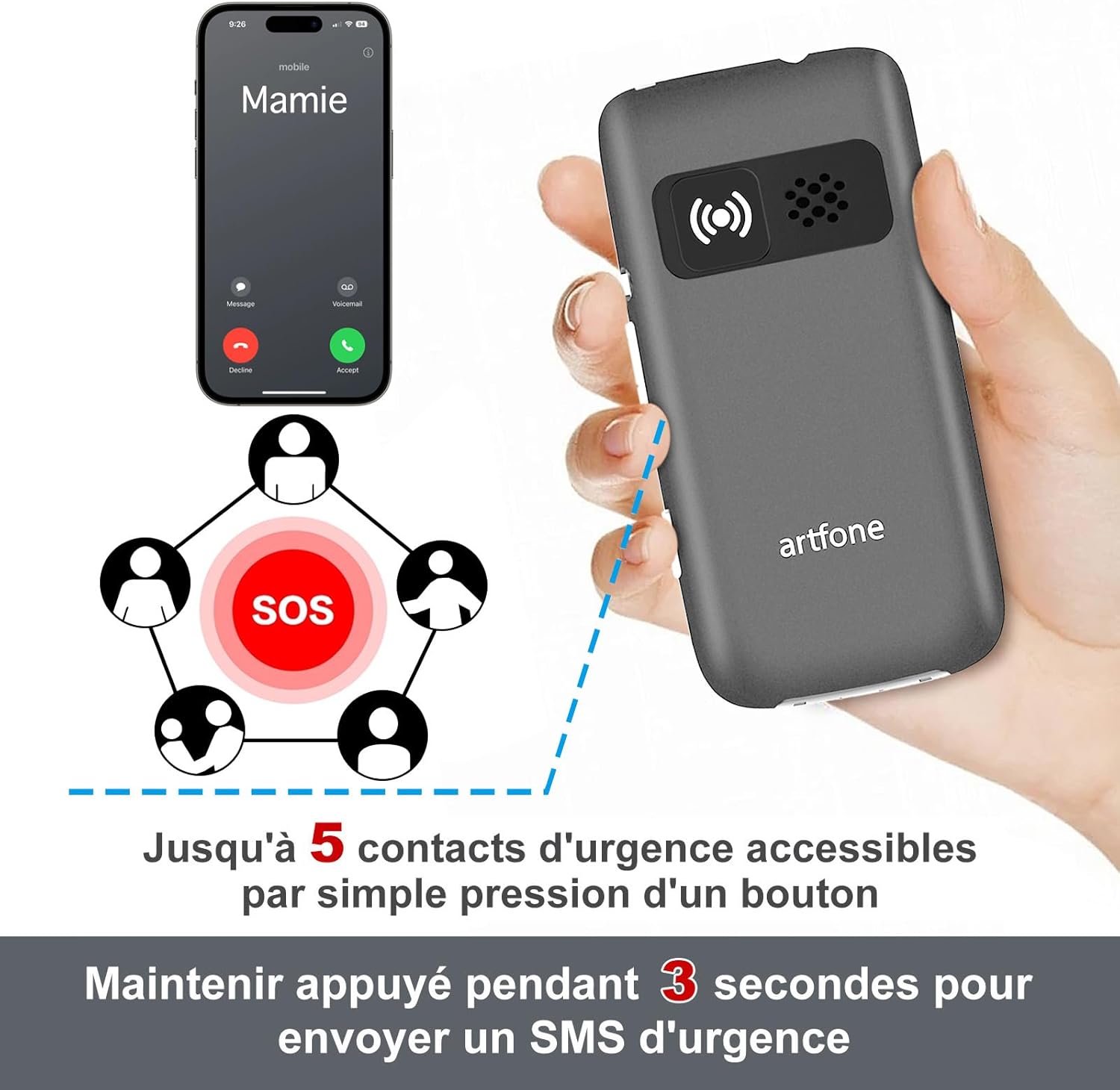
Image: The artfone G3's rear view, highlighting the SOS button and its capability to contact up to 5 emergency numbers with a single press.
3. Quick Dial
The phone supports quick dial functions for frequently called numbers.
- Assign contacts to specific keys (e.g., M1, M2, M3, or number keys).
- Press and hold the assigned key to dial the contact.
4. Control de volum
The artfone G3 features a loud speaker and powerful ringtones, adjustable up to 130dB for users with hearing difficulties.
- Use the volume buttons on the side of the phone to adjust call and ringtone volume.

Image: A visual comparison highlighting the artfone G3's maximum volume of 130dB against another phone's 80dB, emphasizing its loud audio output.
5. Llanterna
The integrated flashlight can be activated via a dedicated button on the side of the phone.
- Premeu el botó de la llanterna per encendre-la/desactivar-la.
6. Other Useful Functions
The artfone G3 includes several practical features:
- Ràdio FM: Escolta les teves emissores de ràdio preferides.
- Despertador: Set multiple alarms for reminders.
- Calendari: Feu un seguiment de les dates importants.
- Calculadora: Perform basic arithmetic.
- Reproductor mp3: Enjoy music stored on your microSD card.
- Time Announcement: Press and hold the '+' button for two seconds to hear the current time announced.
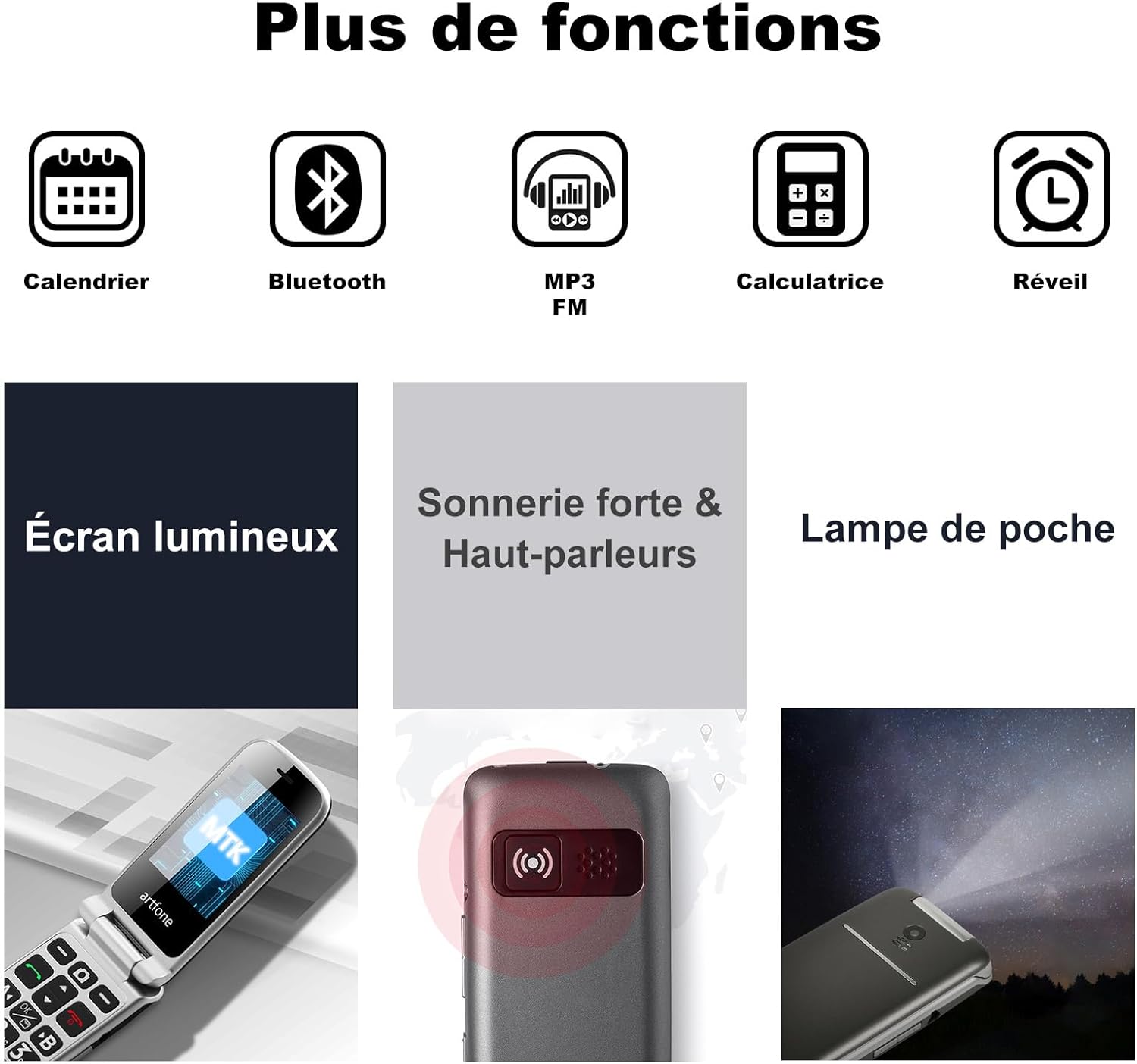
Image: A visual representation of the artfone G3's additional features, including Calendar, Bluetooth, MP3/FM radio, Calculator, Alarm, Bright Screen, Loud Ringtone, and Flashlight.

Image: A woman using the artfone G3, demonstrating the time announcement feature activated by pressing the '+' button.
Manteniment
1. Cura de la bateria
- Per allargar la durada de la bateria, eviteu les temperatures extremes.
- Do not leave the phone fully discharged for extended periods.
- Use only the original artfone charger and battery.
2. Neteja
- Wipe the phone with a soft, dry cloth.
- Eviteu utilitzar productes químics o materials abrasius.
3. Emmagatzematge
- Guardeu el telèfon en un lloc fresc i sec, allunyat de la llum solar directa.
- If storing for a long time, ensure the battery is partially charged (around 50%).
Resolució de problemes
| Problema | Causa possible | Solució |
|---|---|---|
| El telèfon no s'encén | Low battery; Battery not installed correctly | Carregueu la bateria; Torneu a instal·lar la bateria correctament |
| No puc fer/rebre trucades | No SIM card; SIM card not inserted correctly; No network signal | Insert SIM card; Reinsert SIM card; Move to an area with better signal |
| Poca qualitat de trucada | Weak network signal; Obstructions | Move to an area with better signal; Avoid using in enclosed spaces |
| La bateria s'esgota ràpidament | High usage; Background apps; Old battery | Reduce screen brightness; Close unused applications; Consider replacing battery if old |
| El botó SOS no funciona | Emergency contacts not set; Button malfunction | Program emergency contacts in settings; Contact support if button is faulty |
Especificacions
| Característica | Detall |
|---|---|
| Marca | artfone |
| Nom del model | G3 |
| Sistema operatiu | artfone OS |
| Tecnologia cel·lular | 4G |
| Mida de la pantalla | 3 polzades |
| Resolució de pantalla | 320 x 240 píxels |
| RAM | 48 MB |
| Max Flash Memory Supported | 64 GB (MicroSD) |
| Capacitat de la bateria | 1300 mAh |
| Average Battery Life (Standby) | 240 hores |
| Temps de conversa | 300 minuts |
| Tecnologia de connectivitat | Bluetooth, USB (Type C) |
| Ranures per a targetes SIM | Doble SIM |
| Conector d'auriculars | 3.5 mm |
| Nivell de resistència a l'aigua | No impermeable |
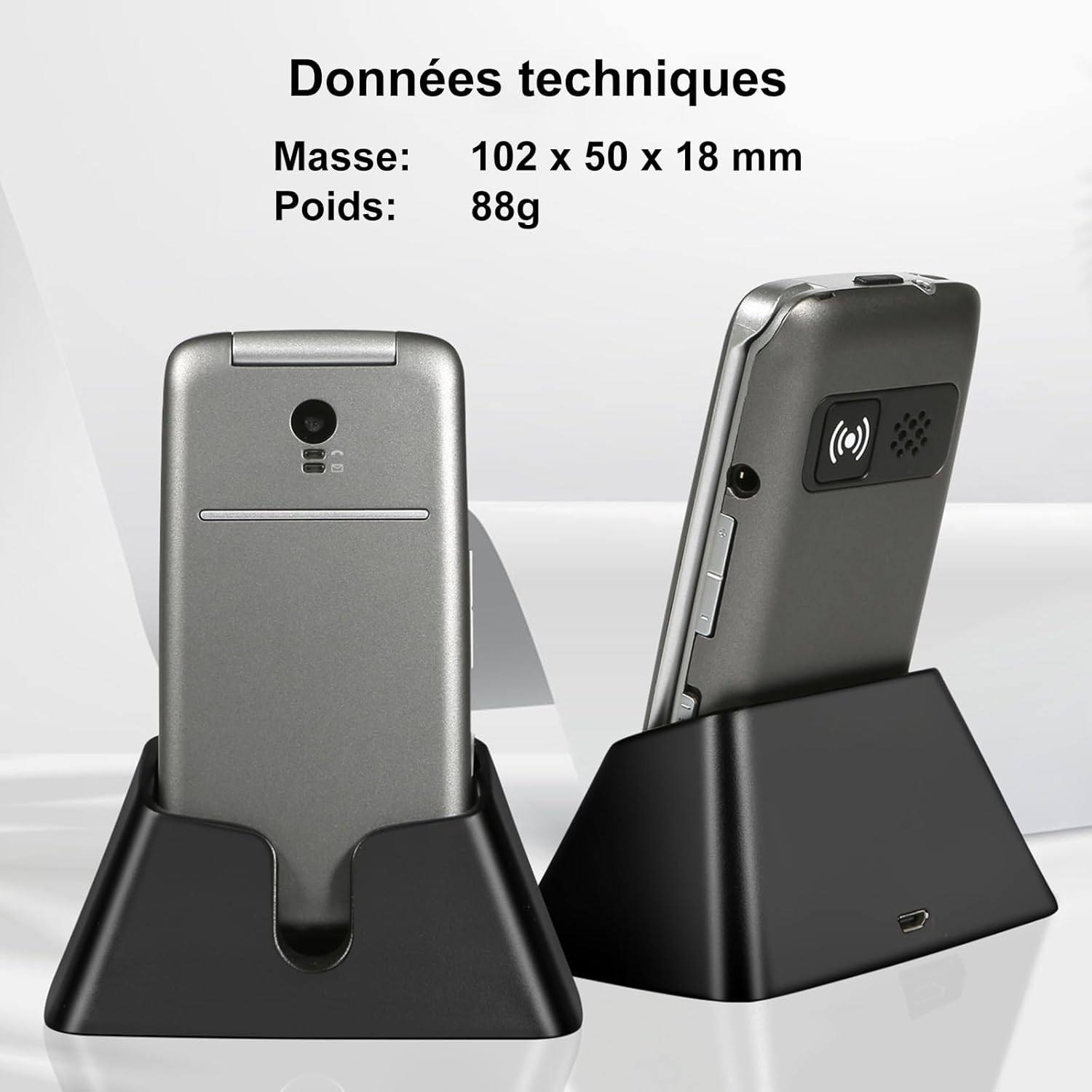
Image: The artfone G3 in its charging dock, accompanied by technical specifications for its dimensions (102 x 50 x 18 mm) and weight (88g).
Garantia i Suport
Informació de la garantia
The artfone G3 comes with a 2 any de garantia from the date of purchase. This warranty covers manufacturing defects and material faults under normal use. It does not cover damage caused by misuse, accidents, unauthorized repairs, or normal wear and tear.
Atenció al client
For any questions, technical assistance, or warranty claims, please contact artfone customer support through the following channels:
- Consulteu la informació de contacte que trobareu a l'embalatge del producte.
- Visit the official artfone weblloc web per a recursos de suport i dades de contacte.
Vídeos addicionals de productes
Vídeo: Un overview of the GSM Flip Senior Mobile Phone, showcasing les seves característiques i disseny.
Video: A demonstration of the 4G Senior Mobile Phone, highlighting its key functionalities.
Video: A summary video of the product, detailing its various features and benefits.
Documents relacionats - G3
 |
Artfone A400 User Manual and Features Discover the Artfone A400 mobile phone. This guide covers features, operation, and troubleshooting for the Artfone A400, including language settings, SOS function, and charging instructions. |
 |
ARTFONE G6 Senior Flip Phone User Manual Comprehensive user manual for the ARTFONE G6 4G senior flip phone, covering setup, charging, SOS configuration, and troubleshooting. |
 |
Manual d'usuari del telèfon mòbil Artfone C1 Senior: funcions, SOS i preguntes freqüents Exploreu el telèfon mòbil per a gent gran Artfone C1 amb aquest manual d'usuari complet. Apreneu sobre la seva funció SOS, marcatge ràpid, controls de volum i respostes a preguntes freqüents. Dissenyat per a la simplicitat i la facilitat d'ús. |
 |
Manual d'usuari i guia del telèfon mòbil Artfone A400 4G Guia d'usuari completa per al telèfon mòbil Artfone A400 4G, que cobreix la configuració, les característiques, les funcions i la resolució de problemes. Inclou instruccions sobre la inserció de la targeta SIM, la col·locació de la bateria, la càrrega, la funció SOS i les operacions bàsiques. |
 |
Manual d'usuari del telèfon plegable Artfone G3 Manual d'usuari complet per al telèfon plegable Artfone G3, que detalla les característiques, el funcionament i les preguntes freqüents. Apreneu a fer trucades, utilitzar la llanterna, la funció SOS i gestionar la configuració. |
 |
Artfone CF241A Flip Phone User Guide User guide for the Artfone CF241A flip phone, covering features like the keypad, SOS function, making calls, and common questions. |
Ask a question about this manual
Ask about setup, troubleshooting, compatibility, parts, safety, or missing instructions. Manuals+ will review the question and use this page’s manual context to help answer it.