
1. Introducció
Thank you for choosing the Baishun Smart Video Doorbell D9. This device enhances your home security by providing real-time video monitoring, two-way audio communication, and instant notifications directly to your smartphone. Please read this manual carefully before installation and operation to ensure proper use and optimal performance.
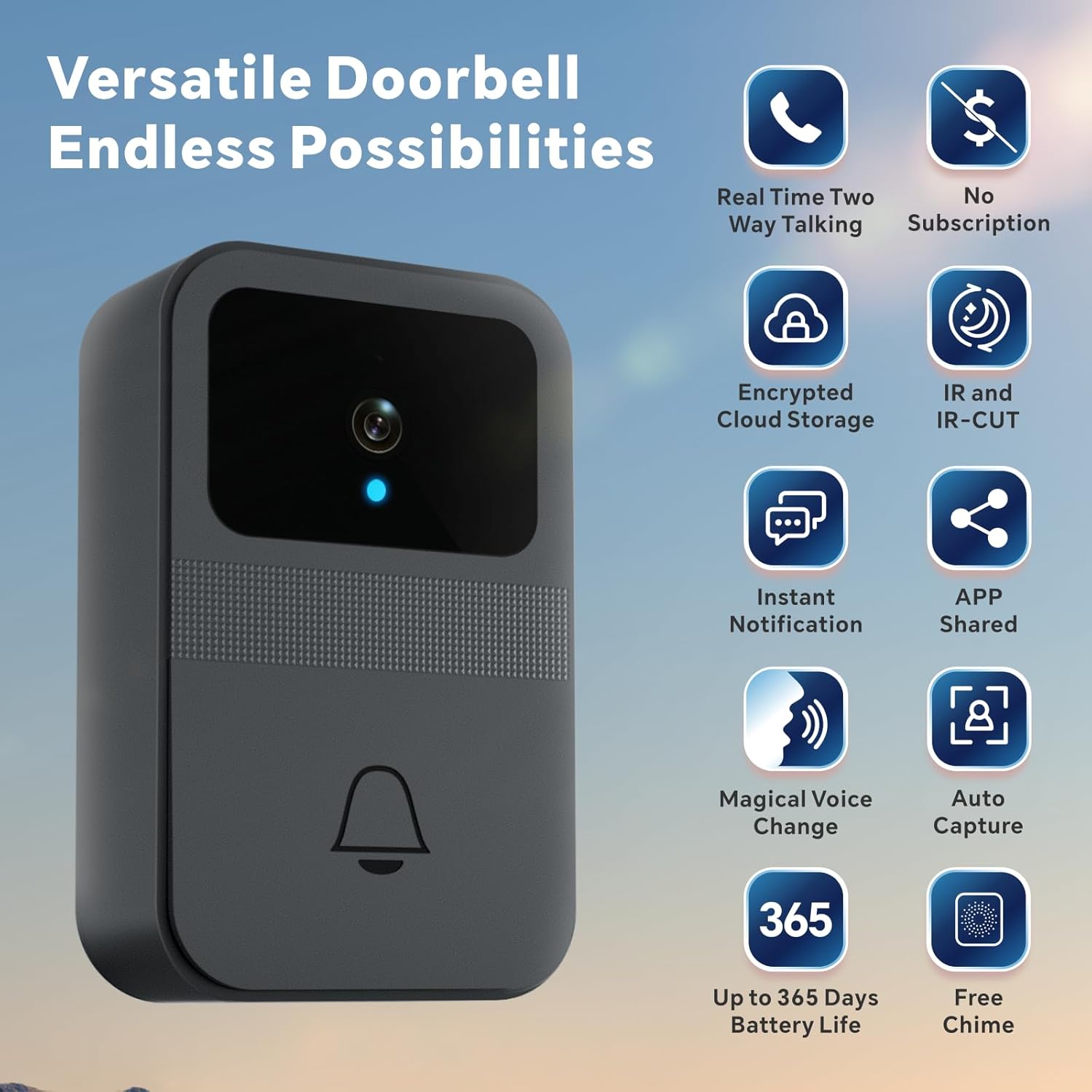
Imatge 1.1: acabatview of Baishun Smart Video Doorbell D9 features.
2. Contingut del paquet
Assegureu-vos que tots els elements siguin presents al paquet:
- Baishun Smart Video Doorbell D9
- Wireless Chime Unit
- Strong Adhesive Pad
- Cargols de muntatge i ancoratges de paret
- Manual d'usuari
- Tornavís petit (per al compartiment de la bateria)
Note: 3xAA batteries are required for the doorbell and are not included in the package.

Image 2.1: Package contents and dimensions of the Baishun Smart Video Doorbell D9.
3. Característiques del producte
- Real-time Two-Way Talk & Night Vision: The doorbell camera provides clear video and audio. Engage in real-time conversations with visitors or delivery personnel from anywhere. Integrated infrared lamps and smart IR technology enable automatic night mode for clear visibility even in darkness.
- Voice Change Function & Free Chime: Maintain privacy and security with the unique voice change feature, allowing you to disguise your voice during two-way audio conversations. The package includes a wireless chime with multiple ringtones, which can be placed up to 30 meters from the doorbell for instant alerts throughout your home.
- Easy Installation & Long Battery Life: This wireless doorbell operates on 2.4GHz Wi-Fi, eliminating the need for complex wiring. Installation takes approximately five minutes using the strong adhesive pad or included screws. Powered by 3xAA batteries (not included), the doorbell offers up to 90 days of normal use and up to 365 days in standby mode.
- Free Encrypted Cloud Storage & App Sharing: Enjoy free encrypted cloud storage with a continuous 3-day loop recording. No monthly subscription fees are required. The X Smart Home app allows you and up to 10 family members to view real-time activity at your door.

Image 3.1: Real-time two-way communication and voice change feature.

Image 3.2: IR Night Vision capability of the doorbell.

Image 3.3: The wireless chime provides alerts throughout the home.

Image 3.4: Encrypted cloud storage and app sharing capabilities.
4. Configuració i instal·lació
4.1 Instal·lació de la bateria
- Locate the battery compartment on the back of the doorbell unit.
- Feu servir el tornavís proporcionat per obrir la tapa del compartiment de la bateria.
- Insert 3xAA batteries, ensuring correct polarity (+/-).
- Tanqueu la tapa del compartiment de la bateria i fixeu-la amb el cargol.
4.2 App Download & Pairing
- Download the "X Smart Home" app from Google Play Store (for Android) or Apple App Store (for iOS).
- Registra't o inicia la sessió al teu compte dins de l'aplicació.
- Follow the in-app instructions to add a new device. The quick start guide included in the package provides step-by-step pairing instructions.
- Ensure your smartphone is connected to a 2.4GHz Wi-Fi network during the pairing process. The doorbell does not support 5GHz Wi-Fi.
4.3 Doorbell Mounting
Trieu un lloc adequat a prop de la porta, assegurant-vos que hi hagi claredat. view i bon senyal Wi-Fi.
- Instal·lació d'adhesius: Peel off the protective film from the strong adhesive pad and firmly press the doorbell onto the desired surface.
- Instal·lació de cargols: Mark the drilling points using the doorbell as a template. Drill holes, insert wall anchors, and secure the doorbell with the provided screws.
4.4 Chime Setup
Plug the wireless chime into a power outlet in a central location within your home, such as the kitchen, dining room, or bedroom. The chime will automatically pair with the doorbell. You can select your preferred ringtone through the chime unit's controls.
5. Instruccions de funcionament
5.1 Recepció de notificacions
When a visitor presses the doorbell, you will receive an instant notification on your smartphone via the X Smart Home app. The doorbell camera will automatically capture an image of the visitor.
5.2 Comunicació bidireccional
Upon receiving a notification, open the app to view the live video feed. Tap the microphone icon to initiate two-way audio communication with the visitor at your door.
5.3 Voice Change Function
During a two-way conversation, activate the voice change feature within the app to alter your voice for added privacy and security. This is particularly useful for children, seniors, or individuals living alone.
5.4 Compartició d'aplicacions
You can share access to your doorbell's live feed and notifications with up to 10 family members through the X Smart Home app. This allows multiple users to monitor and interact with visitors.
5.5 Visió nocturna
The doorbell automatically switches to night vision mode in low-light conditions, ensuring clear video surveillance around the clock.
6. Manteniment
6.1 Substitució de la bateria
When the doorbell's battery is low, you will receive a notification via the app. Replace the 3xAA batteries as described in Section 4.1. Ensure to use fresh, high-quality batteries for optimal performance and battery life.
6.2 Neteja
Netegeu l'exterior del timbre amb un drap suau iamp cloth to remove dust and dirt. Do not use harsh chemicals or abrasive cleaners, as these may damage the device. Ensure the camera lens is clean for clear video quality.
6.3 actualitzacions de microprogramari
Periodically check the X Smart Home app for available firmware updates. Keeping your doorbell's firmware updated ensures you have the latest features and security enhancements.
7. Solució De Problemes
| Problema | Causa possible | Solució |
|---|---|---|
| El timbre no es connecta a la Wi-Fi | Contrasenya Wi-Fi incorrecta; xarxa Wi-Fi de 5 GHz; senyal feble. | Ensure correct 2.4GHz Wi-Fi password. Move doorbell closer to router. Restart router. |
| Sense notificacions al telèfon | App permissions denied; phone in Do Not Disturb mode; doorbell in standby. | Check app notification settings. Disable Do Not Disturb. The camera wakes up when the doorbell is pressed. |
| Poca qualitat de vídeo | Dirty camera lens; weak Wi-Fi signal. | Clean the camera lens. Improve Wi-Fi signal strength. |
| El timbre no sona | Chime unplugged; out of range; not paired. | Ensure chime is plugged in. Move chime closer to doorbell (within 30m). Re-pair if necessary (refer to app instructions). |
| Durada de la bateria curta | Frequent activity; low-quality batteries. | Use high-quality alkaline batteries. Reduce motion detection sensitivity if applicable (check app settings). |
8. Especificacions
- Marca: Baishun
- Tecnologia de connectivitat: Sense fil
- Característiques especials: Night Vision, Two-Way Audio, Voice Changer, Cloud Storage
- Ús interior / exterior: A l'aire lliure
- Dispositius compatibles: Smartphone (iOS & Android)
- Font d'alimentació: Alimentat per piles (3xAA, no incloses)
- Protocol de comunicació: Wi-Fi (només 2.4 GHz)
- Tipus de controlador: iOS, aplicació per a Android
- Tipus de muntatge: Wall Mount (Adhesive or Screws)
- Resolució de captura de vídeo: 480p
9. Garantia i assistència
Baishun is committed to providing quality products and excellent after-sales service. For any issues, questions, or support needs regarding your Smart Video Doorbell D9, please refer to the contact information provided on the product packaging or the official Baishun weblloc. Conserveu el rebut de compra per a reclamacions de garantia.
While specific warranty details are not provided here, standard manufacturer warranties typically cover defects in materials and workmanship for a limited period from the date of purchase. Please consult your retailer or Baishun's customer service for detailed warranty terms.