
INFINMIND K913
Manual d'usuari del teclat sense fil INFINMIND
Model: K913
Introducció
The INFINMIND K913 Wireless Keyboard is an ultra-slim, full-size keyboard designed for comfortable and efficient typing. Featuring noiseless click technology and a matte finish, it provides a quiet and clean work environment. Its plug-and-play 2.4GHz wireless connection ensures stable performance across various operating systems and devices.

Image: The INFINMIND K913 Wireless Keyboard, showcasing its full layout and the compact USB receiver.
Què hi ha a la caixa
Your INFINMIND K913 Wireless Keyboard package includes the following items:
- 1 x Wireless Ultra Slim Keyboard
- 1 x Receptor USB de 2.4 GHz
- 2 x piles AAA
- 1 x Manual d'usuari (aquest document)
Guia de configuració
- Instal·leu les bateries: Locate the battery compartment on the back of the keyboard. Insert the two included AAA batteries, ensuring correct polarity (+/-).
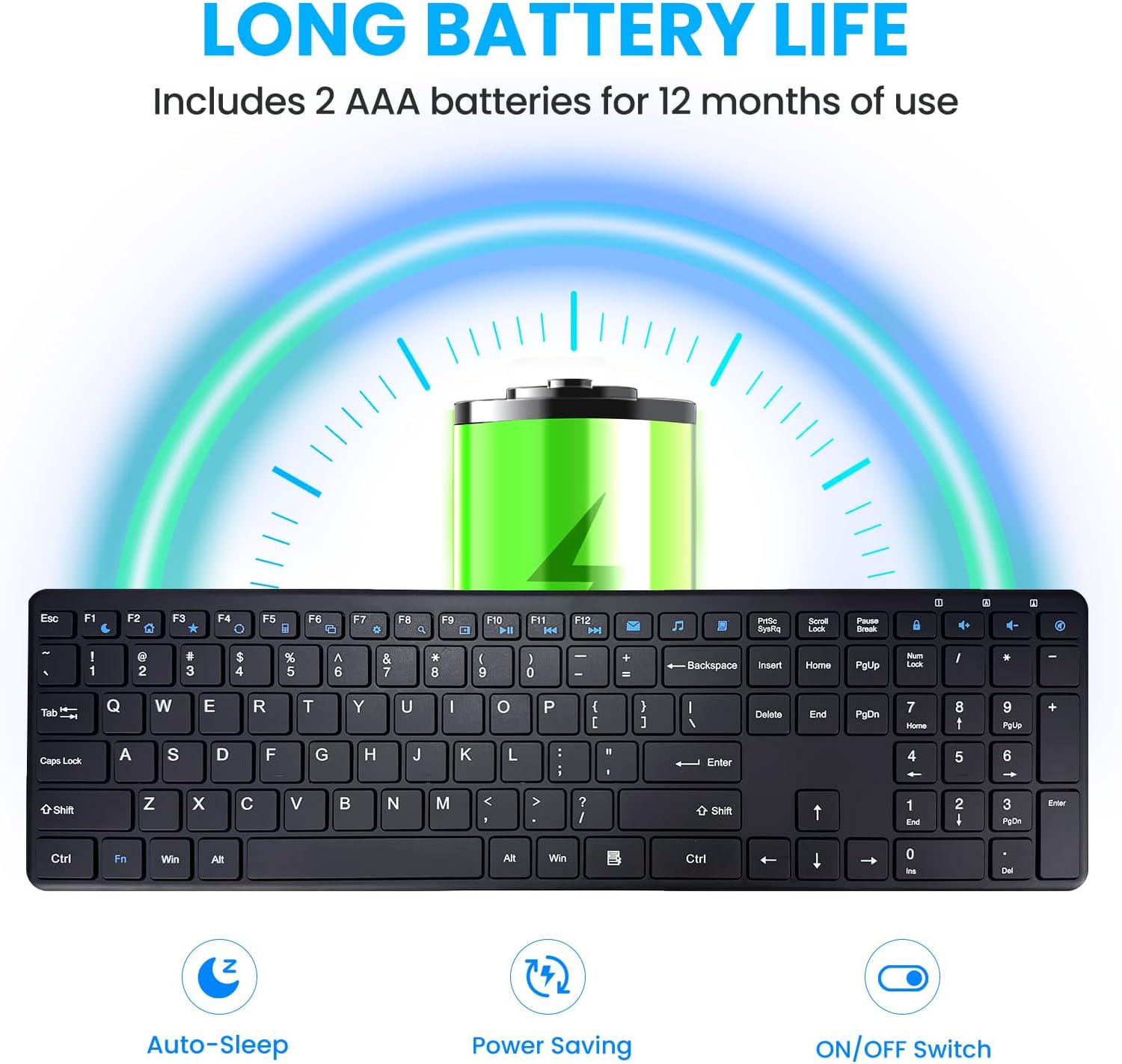
Image: Illustration of battery installation and the keyboard's long battery life feature.
- Connecteu el receptor USB: Take the 2.4GHz USB receiver from the keyboard's battery compartment or packaging. Plug the USB receiver into an available USB port on your computer, laptop, or smart TV.

Image: The keyboard in use with a computer, highlighting the 2.4GHz USB connection and 33ft wireless range.
- Encès: Locate the ON/OFF switch on the back side of the keyboard and slide it to the "ON" position.
- Connexió automàtica: The keyboard will automatically connect to your device. No additional drivers or software are required for most operating systems.

Image: A simple setup showing the keyboard on a desk, emphasizing its plug-and-play nature.
The keyboard is now ready for use. Enjoy a stable and lag-free typing experience up to 33 feet from your device.
Instruccions de funcionament
Ús general
The INFINMIND K913 features a full-size QWERTY layout with a dedicated number pad, providing a complete typing experience. The keys are designed for responsive and quiet typing, utilizing scissor-switch technology to minimize noise.

Imatge: Un primer pla view of the keyboard highlighting the responsive and quiet scissor-switch keys.
Multimèdia i tecles de drecera
Enhance your productivity with the integrated multimedia and shortcut keys. These keys allow quick access to frequently used functions.
| Funció clau | Descripció |
|---|---|
| Fn + F1-F12 | Access 12 combination function keys (e.g., media controls, volume, mute). |
| Dedicated Multimedia Keys | 7 additional shortcuts for quick access to mail, browser, calculator, task manager, settings, search, and My Computer. (Note: Some shortcuts may not be compatible with Mac OS). |
| Bloc numèric | Full numeric keypad for efficient data entry. |

Image: The keyboard with visual indicators for multimedia and function keys, demonstrating productivity features.
Compatibilitat
The INFINMIND K913 Wireless Keyboard is widely compatible with various operating systems and devices:
- Windows 11, Windows 10, and earlier versions
- Chrome OS
- Linux
- Mac OS (Note: Some multimedia shortcuts may not be fully compatible)
- Compatible with Desktops, Laptops, PCs, Chromebooks, Notebooks, Smart TVs, and MacBooks.

Image: A user typing on the keyboard, with icons representing its broad compatibility across different operating systems.
Manteniment
To ensure the longevity and optimal performance of your INFINMIND K913 Wireless Keyboard, follow these maintenance tips:
- Neteja: The keyboard features matte-finished keycaps that resist fingerprints and smudges. To clean, gently wipe the surface with a soft, dry, lint-free cloth. For stubborn dirt, a slightly damp cloth can be used, ensuring no liquid enters the key switches.

Image: A visual comparison demonstrating how the matte finish resists fingerprints and keeps the keyboard looking new.
- Substitució de la bateria: When the low battery indicator lights up, replace the two AAA batteries promptly to maintain optimal performance.
- Emmagatzematge: Guardeu el teclat en un lloc fresc i sec, allunyat de la llum solar directa i de temperatures extremes.
- Eviteu líquids: Do not expose the keyboard to excessive moisture or spill liquids on it. In case of accidental spills, immediately power off the keyboard and disconnect it from your device. Allow it to dry completely before re-using.
Resolució de problemes
If you encounter any issues with your INFINMIND K913 Wireless Keyboard, please refer to the following common solutions:
| Problema | Solució |
|---|---|
| El teclat no respon |
|
| Entrada amb retard o retard |
|
| Les tecles multimèdia no funcionen al Mac | Some multimedia shortcuts may have limited or no compatibility with Mac OS due to system differences. This is expected behavior. |
| Keys feel stiff or unresponsive | Ensure the keys are clean and free from debris. Refer to the Maintenance section for cleaning instructions. |
Especificacions
| Característica | Detall |
|---|---|
| Número de model | K913 |
| Connectivitat | 2.4GHz USB Wireless (Non-Bluetooth) |
| abast sense fils | Fins a 33 peus (10 metres) |
| Nombre de claus | 112 |
| Tipus de clau | Pro baixfile, Scissor-Switch |
| Font d'alimentació | 2 piles AAA (incloses) |
| Durada de la bateria | Up to 12 months (with auto-sleep function) |
| Dimensions del producte | 16.13" de llargada x 4.7" d'amplada x 0.8" d'alçada (409.7 mm x 119.5 mm x 20.3 mm) |
| Pes de l'article | 1.38 lliures (0.62 kg) |
| Color | Negre |
| Fabricant | INFINMENT |

Image: Technical drawing showing the dimensions and slim profile del teclat.
Garantia i Suport
The INFINMIND K913 Wireless Keyboard comes with a standard manufacturer's warranty. For specific warranty details, please refer to the warranty card included in your package or contact our customer service.
If you require further assistance, have questions, or need to report an issue, please contact our friendly customer service team. Contact information can be found on our official weblloc o l'embalatge del producte.
We are committed to providing reliable products and excellent customer support.
Ask a question about this manual
Ask about setup, troubleshooting, compatibility, parts, safety, or missing instructions. Manuals+ will review the question and use this page’s manual context to help answer it.