
1. Introducció
Thank you for choosing the Skyworth 65Q7700G 65-inch QLED Google TV. This television combines advanced QLED+ display technology with a high 144Hz refresh rate and the intuitive Google TV operating system to deliver an exceptional viewing and gaming experience. This manual provides essential information for setting up, operating, maintaining, and troubleshooting your new television.
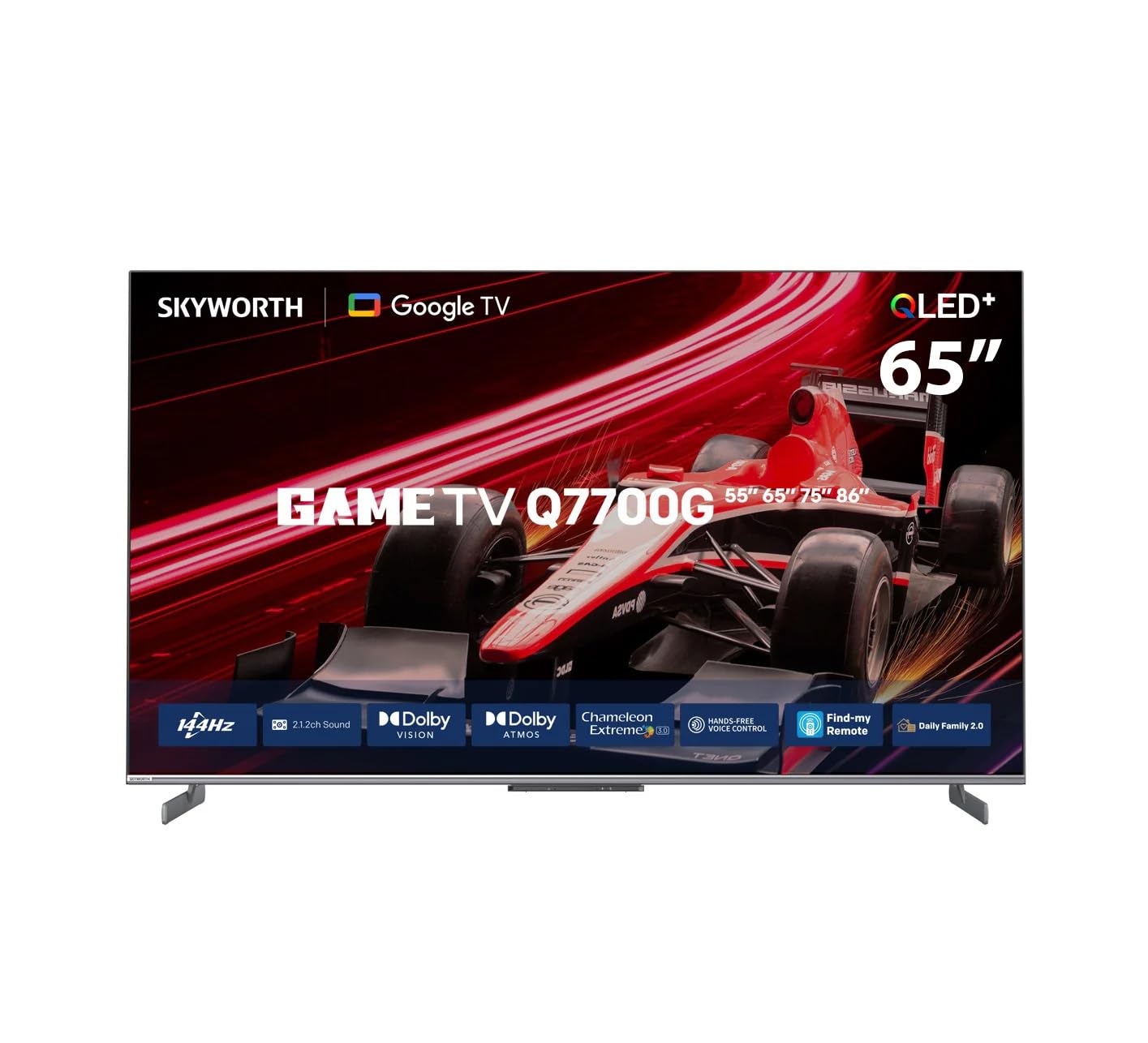
Imatge 1.1: Frontal view of the Skyworth 65Q7700G QLED Google TV. This image displays the television's sleek design and vibrant screen, showcasing its QLED display capabilities.
2. Informació de seguretat
Please read all safety instructions carefully before using your television and retain them for future reference. Incorrect installation or use may result in electric shock, fire, or damage to the device.
- Font d'alimentació: Ensure the TV is connected to an AC 100-240V, 50/60Hz power source. Do not overload power outlets.
- Ventilació: Mantingueu un espai adequat al voltant del televisor per a una ventilació adequada. No bloquegeu les obertures de ventilació.
- Col·locació: Place the TV on a stable, level surface or mount it securely to a wall. Avoid placing it in direct sunlight, near heat sources, or in environments with high humidity or dust.
- Aigua i humitat: No exposeu el televisor a la pluja ni a la humitat. No col·loqueu objectes plens de líquids, com ara gerros, a sobre del televisor.
- Neteja: Desendolleu el televisor abans de netejar-lo. Feu servir un drap suau i sec. No utilitzeu netejadors líquids ni aerosols.
- Nens: Superviseu els nens per evitar que s'enfilin al televisor o juguin amb el comandament a distància.
- Manteniment: No intenteu fer la reparació del televisor vosaltres mateixos. Envieu totes les tasques de manteniment a personal de servei qualificat.
3. Contingut del paquet
Verifiqueu que tots els elements següents estiguin inclosos al paquet del televisor:
- Skyworth 65Q7700G 65-inch QLED Google TV
- Control remot
- Cable d'alimentació
- Suport per a TV (amb cargols)
- Manual d'usuari (aquest document)
4. Configuració
4.1. Desembalatge
Traieu amb cura el televisor del seu embalatge. Es recomana conservar l'embalatge original per a futures necessitats de transport o manteniment.
4.2. Instal·lació de l'estand
Si no voleu muntar el televisor a la paret, fixeu-hi el suport inclòs:
- Col·loqueu el televisor cara avall sobre una superfície suau i plana per evitar que la pantalla es faci malbé.
- Align the stand brackets with the corresponding holes on the bottom of the TV.
- Fixeu el suport amb els cargols proporcionats. Assegureu-vos que el suport estigui ben fixat abans de col·locar el televisor en posició vertical.

Image 4.1: This diagram illustrates the TV's dimensions and indicates the attachment points for the stand, providing a visual guide for installation.
4.3. Muntatge a la paret
The Skyworth 65Q7700G supports VESA mounting standard 400 x 600 mm. Use a compatible wall mount bracket (sold separately) and follow the instructions provided with the wall mount. Ensure professional installation for safety.
4.4. Connexions
Connect your external devices to the TV using the appropriate ports. The TV features multiple HDMI 2.1 ports, USB ports, Ethernet, and built-in Wi-Fi and Bluetooth 5.1.
- HDMI: For high-definition audio and video devices like gaming consoles, Blu-ray players, or set-top boxes. The TV has 3 HDMI ports.
- USB: Per connectar dispositius d'emmagatzematge USB per reproduir contingut multimèdia files. El televisor té 1 port USB 3.0.
- Ethernet (LAN): Per a una connexió a Internet per cable.
- Antenna/Cable (DVB-T2/S2): For connecting to a terrestrial or satellite antenna.

Imatge 4.2: posterior view of the television, highlighting the various input and output ports for connecting external devices.
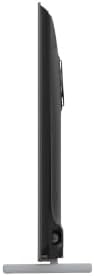
Imatge 4.3: Lateral view of the television, illustrating the conveniently located side input ports for easy access.
5. Funcionament
5.1. Encendre/apagar
Connect the power cable to the TV and a power outlet. Press the power button on the remote control or on the TV itself to turn it on or off.
5.2. Configuració inicial
Upon first power-on, the TV will guide you through the initial setup process, including language selection, network connection, and Google account sign-in. Follow the on-screen instructions.
5.3. Interfície de Google TV
The Google TV interface organizes your favorite content from various streaming services into one personalized home screen. Use the remote control's navigation buttons to browse content, launch apps (Google Play Store, Netflix, YouTube, Amazon Prime, Disney+), and access settings.
5.4. Control per veu
The TV supports hands-free voice control via Google Assistant. Simply say "Hey Google" or "Ok Google" followed by your command to search for content, control smart home devices, or adjust TV settings.
5.5. Característiques de joc
The 65Q7700G is optimized for gaming with a 144Hz variable refresh rate (VRR) and Auto Low Latency Mode (ALLM). These features reduce input lag and screen tearing, providing a smoother and more responsive gaming experience when connected to compatible gaming consoles or PCs via HDMI 2.1.
5.6. Configuració d'imatge i so
Access the settings menu to customize picture and sound. The TV supports advanced picture technologies like QLED+, HDR10, HLG, HDR10+, Dolby Vision, and Local Dimming for enhanced contrast and color. For audio, it features 2.1 channel, 50-watt speakers with Dolby Atmos support for immersive sound.
5.7. Chromecast integrat
Easily cast content from your smartphone, tablet, or computer directly to your TV using the built-in Chromecast functionality.
6. Manteniment
6.1. Neteja de la pantalla
Netegeu suaument la pantalla amb un drap suau i sense borrissol. Per a marques difícils, netegeu lleugerament.ampNetegeu el drap amb aigua o amb un netejador de pantalles especialitzat. No ruixeu mai líquid directament sobre la pantalla.
6.2. Neteja de l'armari
Feu servir un drap suau i sec per netejar el moble del televisor. No utilitzeu productes de neteja abrasius, ceres ni dissolvents.
6.3. Actualitzacions de programari
Ensure your TV's software is up to date for optimal performance and security. The TV will typically notify you of available updates, or you can check manually in the settings menu.
7. Solució De Problemes
Si teniu problemes amb el televisor, consulteu els problemes i solucions més comuns següents:
| Problema | Causa possible | Solució |
|---|---|---|
| Sense poder | Cable d'alimentació desconnectat; Problema amb la presa de corrent | Comproveu la connexió del cable d'alimentació; proveu una presa de corrent diferent |
| No hi ha imatge, però hi ha so | Incorrect input source; Loose HDMI cable | Select correct input source; Reconnect HDMI cable |
| No hi ha so, però hi ha imatge | Volum silenciat o massa baix; Problema amb el dispositiu d'àudio extern | Unmute or increase volume; Check external audio connections |
| El comandament a distància no funciona | Piles gastades; Obstrucció entre el comandament a distància i el televisor | Replace batteries; Remove obstructions; Re-pair remote if Bluetooth |
| Problemes de connexió de xarxa | Wi-Fi signal weak; Router issue | Move TV closer to router; Restart router; Check network settings |
If the problem persists, please contact Skyworth customer support.
8. Especificacions
| Característica | Descripció |
|---|---|
| Marca | Skyworth |
| Nom del model | 65Q7700G |
| Mida de la pantalla | 65 polzades |
| Tecnologia de visualització | QLED |
| Resolució | 4K |
| Freqüència d'actualització | 144 Hz |
| Sistema operatiu | Google TV |
| Característiques especials | Local Dimming, Game Mode, Dolby Vision, HDR10/HLG/HDR10+, Chromecast, Google Assistant, Dolby Atmos, VRR, ALLM |
| Components inclosos | Power cable, Remote control, Stand |
| Tecnologia de connectivitat | HDMI, USB, Bluetooth, Wi-Fi |
| Ports HDMI totals | 3 (HDMI 2.1) |
| Ports USB totals | 1 (USB 3.0) |
| Descripció del ponent | 2.1 Channel, 50 Watt, Dolby Atmos |
| Dimensions del producte (P x A x A) | 8.7 cm x 145.3 cm x 84.6 cm |
| Estàndard de muntatge VESA | 400 x 600 mm |
| Color | Negre |
| Any de fabricació | 2024 |
9. Garantia i Suport
9.1. Informació de la garantia
This Skyworth television comes with a manufacturer's limited warranty for two years from the date of purchase. Please retain your proof of purchase for warranty claims. The warranty covers manufacturing defects under normal use. It does not cover damage caused by misuse, accidents, unauthorized modifications, or external factors.
9.2. Atenció al client
For technical assistance, troubleshooting beyond this manual, or warranty inquiries, please contact Skyworth customer support. Refer to the contact information provided on the Skyworth official weblloc web o la documentació de la compra.