
1. Introducció
Thank you for choosing the Hello Kitty Bluetooth Wireless Earbuds. These earbuds are designed to provide a high-quality audio experience with the convenience of wireless connectivity. This manual will guide you through the setup, operation, and maintenance of your new earbuds.
2. Què hi ha a la caixa
Your Hello Kitty Bluetooth Wireless Earbuds package includes the following items:
- Hello Kitty Bluetooth Wireless Earbuds (Left and Right)
- Hello Kitty-shaped Charging Case
- Cable de càrrega USB
- Manual d'usuari (aquest document)

Imatge: Frontal view of the Hello Kitty Bluetooth Wireless Earbuds packaging, showing the earbuds and charging case.

Imatge: Enrere view of the Hello Kitty Bluetooth Wireless Earbuds packaging, detailing product features and specifications.
3. Producte acabatview
The Hello Kitty Bluetooth Wireless Earbuds are designed for comfort and ease of use, featuring a distinctive Hello Kitty aesthetic.
3.1. Auriculars
- Disseny ergonòmic: Designed for a snug, secure fit in your ears.
- Micròfon integrat: Per trucades mans lliures.
- Controls tàctils: Gestiona la música i les trucades directament des dels auriculars.
3.2. Estoig de càrrega
- Hello Kitty Shape: A stylish and portable charging case.
- Indicador de bateria: Lights on the case indicate charging status.
- Port USB-C: Per carregar la funda.
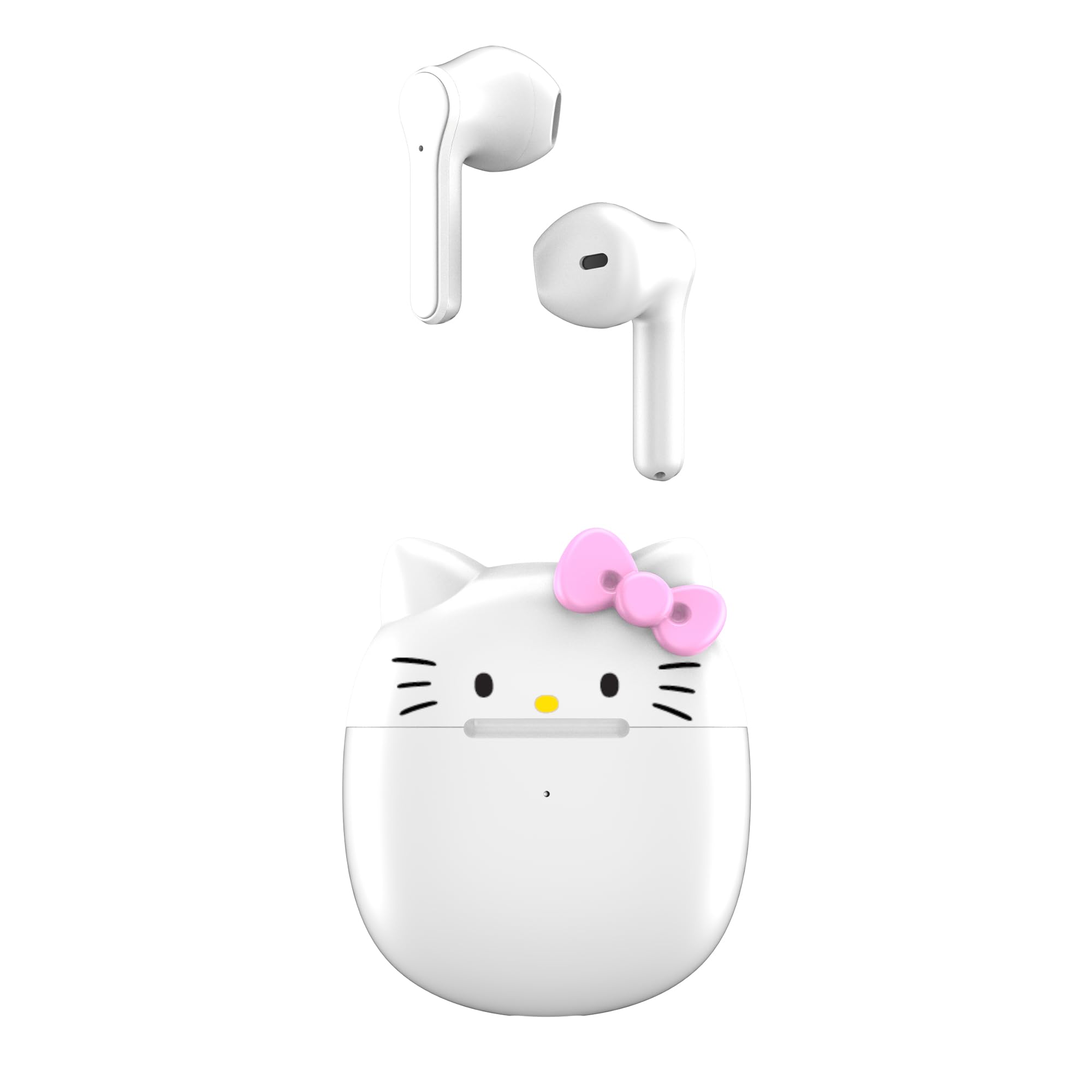
Image: The Hello Kitty wireless earbuds resting in their open Hello Kitty-shaped charging case.

Imatge: Una alternativa view of the Hello Kitty wireless earbuds and their charging case, highlighting the design.
Vídeo: Un overview of the Hello Kitty Bluetooth Wireless Earbuds, showcasing their design and key features.
4. Configuració
4.1. Càrrega de la funda i els auriculars
- Abans del primer ús, carregueu completament l'estoig de càrrega i els auriculars.
- Col·loca els auriculars a l'estoig de càrrega. Assegura't que estiguin correctament col·locats.
- Connecteu el cable de càrrega USB al port de càrrega de la carcassa i a una font d'alimentació (per exemple, un adaptador de paret USB, un port USB de l'ordinador).
- The indicator lights on the case will show the charging status. Once fully charged, the lights may turn off or change color.
4.2. Vinculació amb un dispositiu
- Assegureu-vos que els auriculars estiguin carregats i col·locats dins de l'estoig de càrrega.
- Obre la tapa de la funda de càrrega. Els auriculars entraran automàticament en mode d'emparellament.
- Al dispositiu (telèfon intel·ligent, tauleta, etc.), aneu a la configuració de Bluetooth.
- Cerca available devices and select "Hello Kitty Earbuds" or "HKTWSMD-HK-MFN" from the list.
- Un cop connectats, sentireu un missatge d'àudio i els auriculars estaran llestos per al seu ús.
5. Funcionament
The Hello Kitty earbuds feature intuitive touch controls for easy management of your audio and calls.
5.1. Encendre/apagar
- Encès: Obriu l'estoig de càrrega o manteniu premuda la zona tàctil dels dos auriculars durant 3 segons.
- Apagar: Torneu a col·locar els auriculars a l'estoig de càrrega i tanqueu la tapa, o premeu i manteniu premuda la zona tàctil d'ambdós auriculars durant 5 segons.
5.2. Controls de reproducció de música
- Reproduir/pausa: Toqueu un sol cop qualsevol dels auriculars.
- Pista següent: Toca dues vegades l'auricular dret.
- Pista anterior: Toca dues vegades l'auricular esquerre.
- Pujar el volum: Toca tres vegades l'auricular dret.
- Baixar el volum: Toca tres vegades l'auricular esquerre.
5.3. Gestió de trucades
- Respondre/Finalitzar la trucada: Single tap either earbud during an incoming call.
- Rebutja la trucada: Premeu i manteniu premut qualsevol dels auriculars durant 2 segons durant una trucada entrant.
5.4. Assistent de veu
- Activa l'Assistent de veu: Prem i mantén premut qualsevol dels auriculars durant 3 segons (per exemple, Siri, Google Assistant).
6. Manteniment
Un manteniment adequat garanteix la longevitat i el rendiment òptim dels teus auriculars.
- Neteja: Feu servir un drap suau i sec per netejar els auriculars i l'estoig de càrrega. No utilitzeu productes químics agressius ni materials abrasius.
- Emmagatzematge: Guardeu els auriculars a la funda de càrrega quan no els feu servir per protegir-los i mantenir-los carregats.
- Eviteu l'aigua: While designed for daily use, avoid submerging the earbuds or charging case in water.
7. Solució De Problemes
Si teniu algun problema, consulteu les solucions habituals següents:
| Problema | Solució |
|---|---|
| Els auriculars no s'aparellen | Ensure earbuds are charged. Turn off and on your device's Bluetooth. Place earbuds back in case, close, then open to re-enter pairing mode. |
| No hi ha so d'un auricular | Check battery level of both earbuds. Re-pair the earbuds with your device. |
| La funda de càrrega no es carrega | Verifiqueu que el cable USB estigui connectat correctament tant a la carcassa com a la font d'alimentació. Proveu un altre cable USB o adaptador de corrent. |
| Mala qualitat del so | Assegura't que els auriculars estiguin nets i ben col·locats a les orelles. Acosta't més al dispositiu connectat per evitar interferències. |
8. Especificacions
| Característica | Detall |
|---|---|
| Nom del model | Hello Kitty Bluetooth Wireless Earbuds |
| Número de model | HKTWSMD-HK-MFN |
| Marca | Hola Kitty |
| Tecnologia de connectivitat | Sense fil (Bluetooth) |
| Versió Bluetooth | 4.0 |
| Durada de la bateria (amb estoig de càrrega) | Fins a 30 hores |
| Components inclosos | Estoig de càrrega |
| Material | Plàstic |
| Pes de l'article | 0.45 lliures (7.2 unces) |
| Mètode de control | Premeu el botó, toqueu |
| Característica especial | Lightweight, Microphone Included, Rechargeable Battery |
| Fabricant | Southern Telecom |
9. Garantia i Suport
For warranty information and customer support, please refer to the documentation provided with your purchase or visit the manufacturer's official weblloc web. Conserveu el comprovant de compra per a qualsevol reclamació de garantia.
Fabricant: Southern Telecom