
1. Introducció
The Temtop S1-UP is an advanced air quality monitor designed to provide accurate measurements of PM2.5, AQI (Air Quality Index), temperature, and humidity. This device helps you understand and maintain a healthy indoor environment. Featuring an extended battery life and user-friendly design, the S1-UP is suitable for various settings, including homes and offices.
2. Contingut del paquet
Si us plau, verifiqueu que tots els elements que s'enumeren a continuació siguin presents al vostre paquet:
- Temtop S1-UP Air Quality Monitor
- Manual d'usuari
- Cable de càrrega tipus C.
- Bracket (for stand)
- Caixa d'emmagatzematge
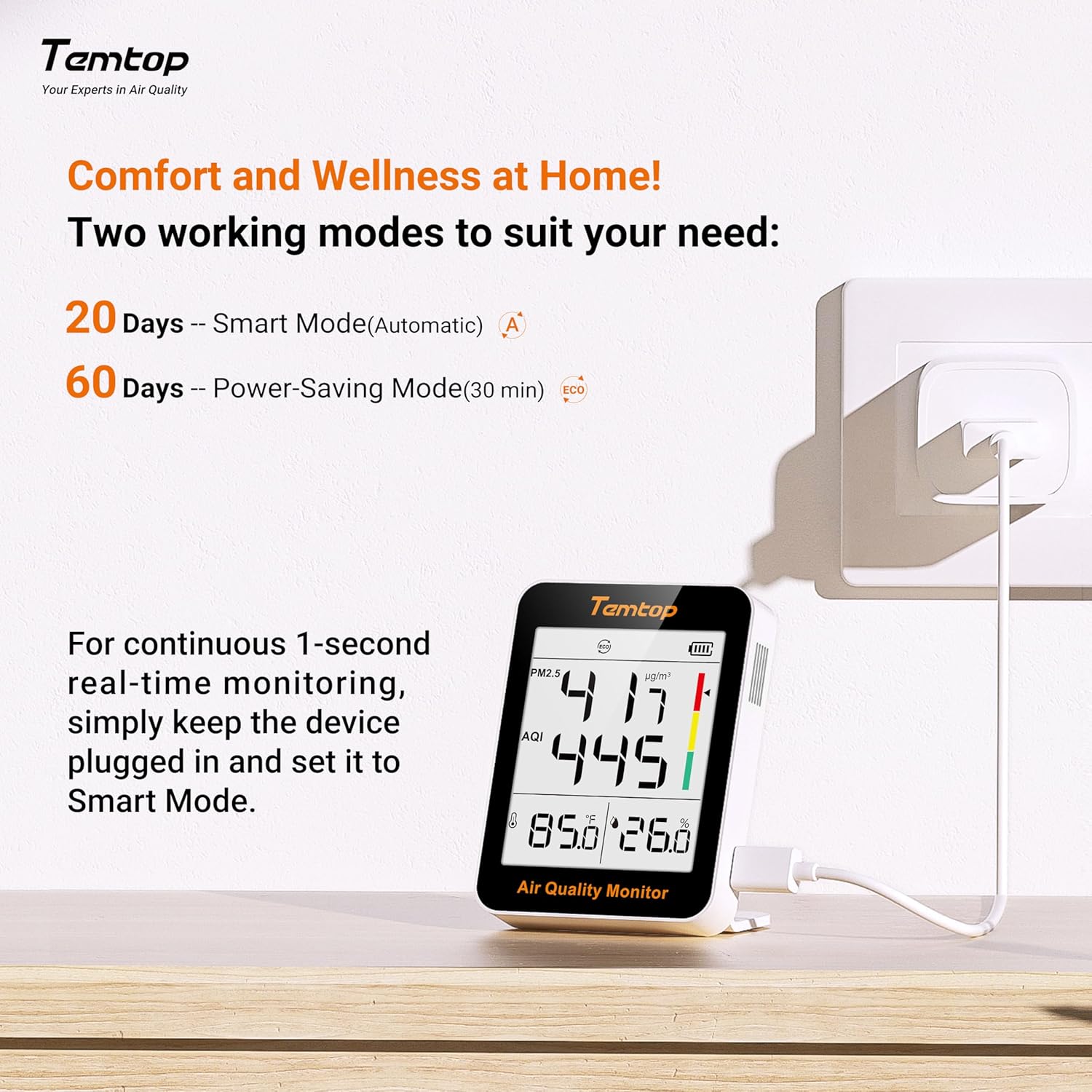
Image 2.1: The Temtop S1-UP package includes the monitor, user manual, Type-C charging cable, a bracket, and a storage box. The dock shown in some promotional images is for display only and is not included.
3. Producte acabatview
Familiarize yourself with the components and display elements of your Temtop S1-UP monitor.

Image 3.1: Diagram illustrating the key features and display elements of the Temtop S1-UP air quality monitor.
- Mode de treball: Indicates the current operating mode (e.g., Smart, ECO).
- PM2.5 level: Displays the concentration of particulate matter 2.5 microns in micrograms per cubic meter (µg/m³).
- AQI level: Shows the Air Quality Index, a numerical value indicating air quality.
- Temperature & Humidity level: Displays the current ambient temperature and relative humidity.
- Nivell de bateria: Indica la càrrega restant de la bateria.
- Indicator bar: A visual representation of air quality levels (color-coded).
- Port tipus C: S'utilitza per carregar el dispositiu.
- Magnetic back: Allows for convenient magnetic mounting on suitable surfaces.
- Botó d'encesa: Encén o apaga el dispositiu.
- Botó de mode: Used to toggle between operating modes and switch temperature units (Celsius/Fahrenheit).
4. Configuració
4.1 Càrrega del dispositiu
Before first use, fully charge the Temtop S1-UP using the provided Type-C charging cable. Connect the cable to the Type-C port on the device and plug the other end into a standard USB power adapter (not included). The battery indicator on the display will show charging status.
4.2 Opcions de col·locació
The S1-UP offers flexible placement options:
- Muntatge magnètic: The device features a magnetic back, allowing it to be attached to metallic surfaces like refrigerators.
- Suport de taula: Use the included bracket to position the monitor upright on any flat surface.
- Direct Placement: The device can be placed directly on a desk or shelf.
- Portàtil: Its compact size makes it suitable for handheld use for spot checks.

Imatge 4.1: Ex.amples of flexible placement options for the Temtop S1-UP, including magnetic, tabletop, and handheld use.
4.3 Engegada/apagada
Manteniu premut el botó Botó d'encesa located on the side of the device to turn it on or off.
5. Instruccions de funcionament
5.1 Comprensió de la pantalla
The clear display provides real-time readings for:
- PM2.5: Particulate matter concentration.
- AQI: Air Quality Index, derived from PM2.5 levels.
- Temperatura: Ambient temperature in Celsius or Fahrenheit.
- Humitat: Humitat relativa percentatgetage.
5.2 Modes de funcionament
The S1-UP features two operating modes to optimize battery life and monitoring frequency:
- Smart Mode (Automatic): Provides continuous monitoring with a battery life of approximately 20 days.
- Power-Saving Mode (ECO): Takes readings every 30 minutes, extending battery life to approximately 60 days.
To switch between modes, short press the Mode button. The current mode will be indicated on the display.

Image 5.1: Illustration of the two operating modes (Smart and Power-Saving) and the recommendation for continuous real-time monitoring.
5.3 Continuous Real-time Monitoring
For continuous 1-second real-time monitoring, it is recommended to keep the device plugged into a power source and set it to Mode intel·ligent. This ensures the most precise and timely air quality data.
5.4 Switching Temperature Units
To switch between Celsius (°C) and Fahrenheit (°F) temperature units, long press the Mode button.
5.5 Alertes de qualitat de l'aire
The device provides visual alerts through its indicator bar and AQI readings, categorizing air quality into different levels:
- Bé: PM2.5 (0-12 µg/m³), AQI (0-50)
- Mitjana: PM2.5 (12.1-55.4 µg/m³), AQI (51-150)
- No saludable: PM2.5 (>55.4 µg/m³), AQI (>150)

Image 5.2: Visual representation of air quality levels (Good, Average, Unhealthy) based on PM2.5 and AQI values. *Refers to EPA standards, with PM2.5 as the main responsible pollutant.
6. Manteniment
6.1 Neteja
Gently wipe the device with a soft, dry cloth. Do not use abrasive cleaners or solvents, as they may damage the casing or internal components. Ensure the air inlet/outlet vents are free from dust accumulation.
6.2 Cura de la bateria
To prolong battery life, avoid fully discharging the device frequently. If storing the device for an extended period, charge it to approximately 50% and store it in a cool, dry place.
7. Solució De Problemes
- El dispositiu no s'encén: Ensure the device is charged. Connect it to a power source using the Type-C cable and try again.
- Lectures inexactes: Ensure the device is placed in an area with good air circulation, away from direct drafts, heat sources, or strong odors. Allow a few minutes for readings to stabilize after powering on or moving the device.
- La pantalla no funciona: If the display is blank or frozen, try restarting the device by holding the power button. If the issue persists, contact customer support.
- Autonomia curta de la bateria: Ensure the device is fully charged. Consider switching to Power-Saving (ECO) mode if extended battery life is preferred over continuous real-time monitoring.
8. Especificacions
| Característica | Descripció |
|---|---|
| Marca | Temptop |
| Model | S1-UP |
| Mides | PM2.5, AQI, Temperature, Humidity |
| Battery Life (ECO Mode) | Fins a 60 dies |
| Durada de la bateria (mode intel·ligent) | Fins a 20 dies |
| Tipus de muntatge | Freestanding, Magnetic |
| Color | Gris |
| Classificació de temperatura superior | 50 graus centígrads |
9. Garantia i Suport
Temtop products are designed for reliability and performance. For warranty information, technical support, or service inquiries, please refer to the official Temtop weblloc web o poseu-vos en contacte amb el seu departament d'atenció al client. Conserveu el rebut de compra com a comprovant de compra.


