
ATTACK SHARK L80
ATTACK SHARK L80 Wireless Gaming Headset User Manual
Model: L80
1. Introducció
Thank you for choosing the ATTACK SHARK L80 Wireless Gaming Headset. This manual provides detailed instructions for setting up, operating, and maintaining your headset to ensure optimal performance and longevity. Please read this manual thoroughly before using the product.
2. Contingut del paquet
Carefully unpack your ATTACK SHARK L80 headset and verify that all items listed below are included:
- ATTACK SHARK L80 Wireless Gaming Headset
- Micròfon desmuntable
- Cable de càrrega USB
- Cable d'àudio de 3.5 mm
- USB & Type-C 2.4GHz Wireless Receiver
- Manual d'usuari (aquest document)

Image: All components included in the ATTACK SHARK L80 headset package.
Video: An unboxing demonstration of the ATTACK SHARK L80 Wireless Gaming Headset, showing all included accessories.
3. Producte acabatview
The ATTACK SHARK L80 is a versatile gaming headset designed for comfort and high-fidelity audio across multiple platforms.
3.1 Disseny i comoditat
The headset features a lightweight design, weighing approximately 184 grams, ensuring comfort during extended gaming sessions. The earcups are made with skin-friendly fabric and artificial leather, providing a soft and breathable fit. The headband is adjustable to accommodate various head sizes.
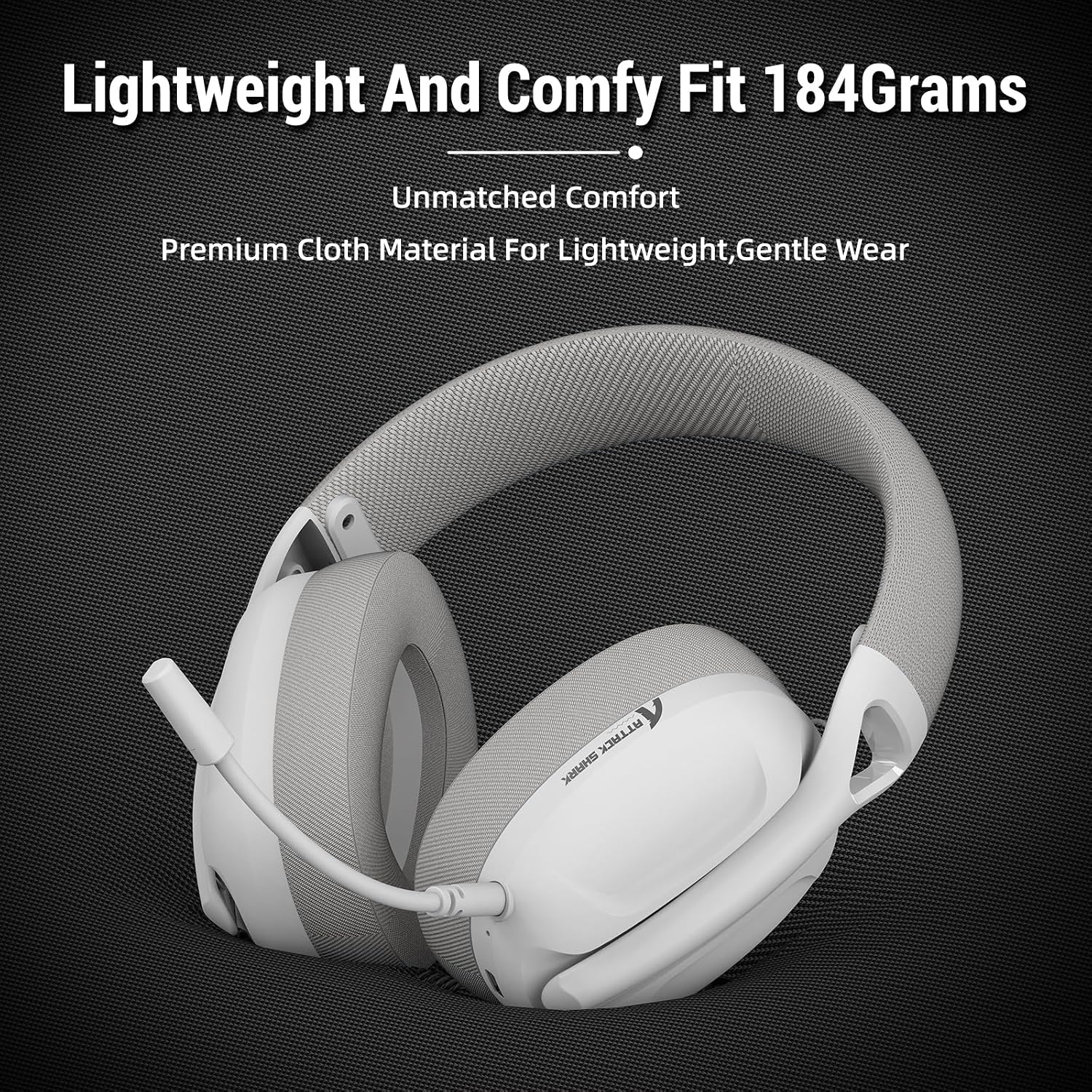
Image: The ATTACK SHARK L80 headset emphasizing its lightweight construction and comfortable ear cushions.
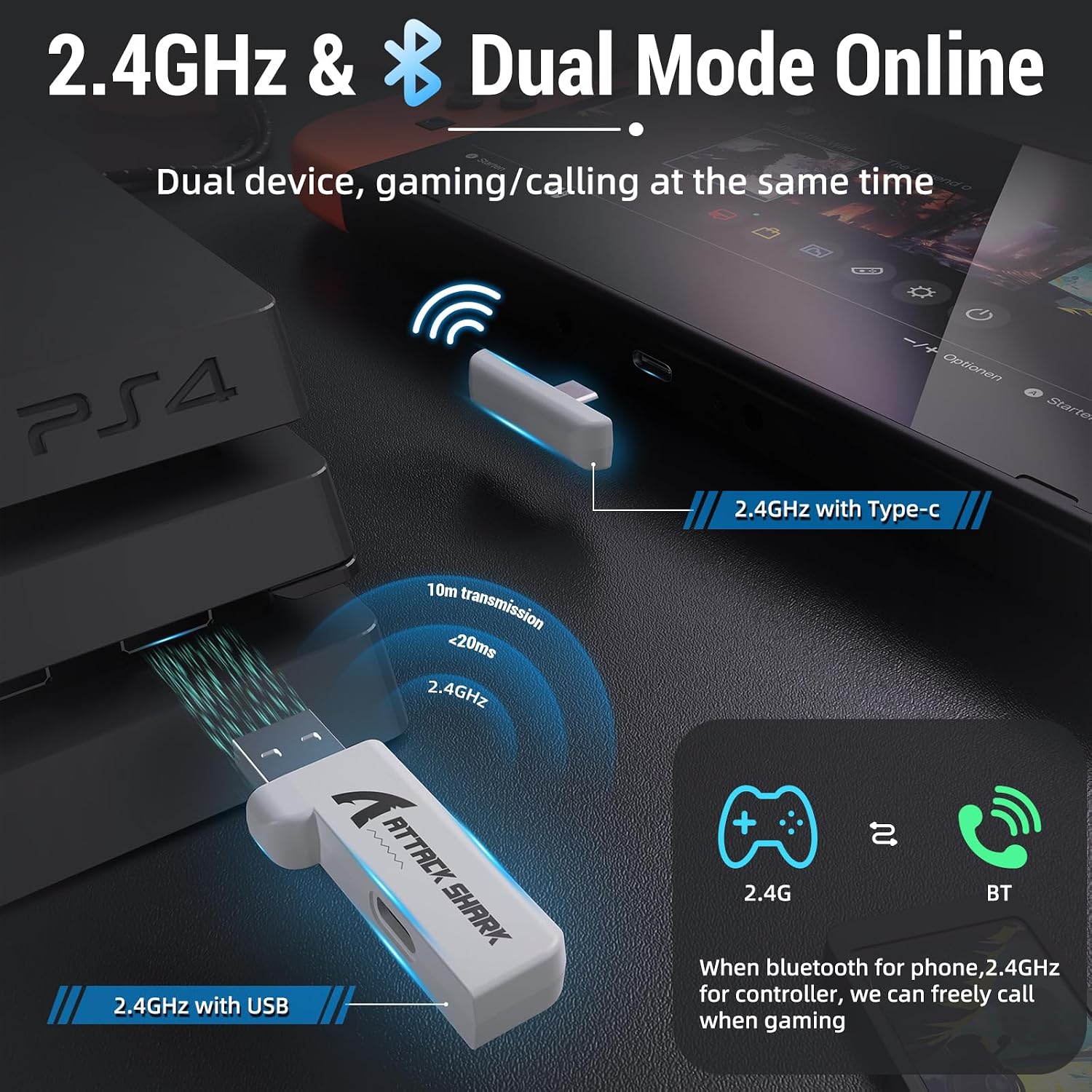
Image: The ATTACK SHARK L80 headset demonstrating its adjustable headband for a customized fit.
3.2 Audio and Microphone
Equipped with 40mm dynamic audio drivers, the L80 delivers balanced, high-fidelity sound with a frequency range of 20Hz to 20,000Hz. The headset includes a detachable, omni-directional microphone with noise-reduction capabilities, ensuring clear communication with teammates.

Imatge: Una imatge interna view highlighting the powerful 40mm audio drivers of the headset.

Image: The headset featuring its detachable and adjustable noise-cancelling microphone.
3.3 Durada de la bateria
The L80 headset offers up to 50 hours of playtime at 50% volume on a full charge, which takes approximately 3 hours. A 3.5mm AUX cable is provided for wired use, allowing continued operation even if the battery is depleted.

Image: Visual representation of the headset's long-lasting battery life and charging indicators.
4. Configuració
The ATTACK SHARK L80 headset supports three connection modes: 2.4GHz wireless, Bluetooth 5.2, and 3.5mm wired.
Connexió sense fil 4.1 de 2.4 GHz
This mode provides low-latency, reliable wireless connectivity ideal for gaming. It is compatible with PCs, PS4, PS5, and Nintendo Switch (via USB-C adapter).
- Insert the USB or Type-C 2.4GHz receiver into an available USB port on your device (PC, PS4, PS5, or Nintendo Switch dock).
- Power on the headset by pressing and holding the Power button for 3 seconds.
- The headset will automatically connect to the receiver. The indicator light will show a stable connection.
Connexió Bluetooth 4.2 5.2
Bluetooth mode is suitable for mobile devices, tablets, and other Bluetooth-enabled systems.
- Assegureu-vos que els auriculars estiguin encès.
- Triple-press the Power button to switch to Bluetooth mode. The indicator light will flash, indicating pairing mode.
- On your device, go to Bluetooth settings and select "ATTACK SHARK L80" from the list of available devices to pair.
- Once connected, the indicator light will become stable.
4.3 Connexió amb cable de 3.5 mm
For universal compatibility or when battery is low, use the 3.5mm audio cable.
- Connecteu un extrem del cable d'àudio de 3.5 mm al connector de 3.5 mm dels auriculars.
- Connect the other end to the 3.5mm audio output of your device (PC, console controller, mobile phone, etc.).
- Note: Volume cannot be adjusted via the headset buttons in wired mode; adjust volume directly on your connected device.

Image: The headset demonstrating its compatibility with multiple gaming platforms and devices.
5. Instruccions de funcionament
Familiarize yourself with the controls located on the headset for easy operation.
5.1 Controls dels auriculars
- Encès/apagat: Manteniu premut el botó d'engegada durant 3 segons.
- Answer/End Call (Phone Priority)/Play/Pause: Premeu breument el botó d'engegada.
- Bluetooth/2.4G Mode Switching: Triple-press the Power button.
- Pujar el volum: Premeu breument el botó Volum+.
- Cançó anterior: Premeu llargament el botó Volum+.
- Baixar el volum: Premeu breument el botó de volum.
- Següent cançó: Premeu llargament el botó de volum.
- Micròfon ON/OFF: Short press the Microphone button.

Imatge: Una imatge detallada view of the headset's on-ear control buttons and their functions.
6. Manteniment
To ensure the longevity and optimal performance of your ATTACK SHARK L80 headset, follow these maintenance guidelines:
- Neteja: Feu servir un drap suau i sec per netejar els auriculars. Eviteu utilitzar productes de neteja abrasius o dissolvents.
- Emmagatzematge: Guardeu els auriculars en un lloc fresc i sec, allunyat de la llum solar directa i de temperatures extremes.
- Cura del cable: Avoid sharp bends or kinks in the cables. Disconnect cables by pulling the plug, not the cord.
- Micròfon: Quan no estigui en ús, desconnecteu el micròfon per evitar que es faci malbé.
- Bateria: Per a l'emmagatzematge a llarg termini, carregueu la bateria al 50% aproximadament cada pocs mesos per evitar una descàrrega profunda.
7. Solució De Problemes
Si teniu problemes amb els auriculars, consulteu els problemes i solucions més comuns següents:
| Problema | Causa possible | Solució |
|---|---|---|
| No hi ha so dels auriculars | Headset not powered on; Incorrect connection mode; Volume too low; Device audio output not set to headset. | Ensure headset is powered on. Switch to correct mode (2.4G/BT). Increase headset and device volume. Check device's audio output settings. |
| El micròfon no funciona | Microphone muted; Microphone not properly inserted; Device microphone input not set to headset. | Unmute microphone using the headset button. Ensure microphone is fully inserted. Check device's microphone input settings. |
| Cannot connect via 2.4GHz | Receiver not properly inserted; Headset not in 2.4GHz mode; Interference. | Ensure receiver is fully inserted. Triple-press Power button to switch to 2.4GHz mode. Move closer to the receiver or away from other wireless devices. |
| No es pot connectar mitjançant Bluetooth | Headset not in pairing mode; Device Bluetooth off; Already connected to another device. | Triple-press Power button to enter Bluetooth pairing mode. Ensure device Bluetooth is on. Disconnect from other devices. |
| Durada de la bateria curta | Battery not fully charged; High volume usage. | Ensure headset is fully charged (approx. 3 hours). Reduce volume to extend battery life. |
8. Especificacions
| Característica | Especificació |
|---|---|
| Nom del model | Auriculars L80 |
| Tecnologia de connectivitat | Wireless (2.4GHz, Bluetooth 5.2), Wired (3.5mm) |
| Mida del controlador d'àudio | 40 mil·límetres |
| Interval de freqüència | 20 Hz - 20,000 Hz |
| Impedància | 30 ohms |
| Durada de la bateria | Fins a 50 hores |
| Temps de càrrega | Aprox. 3 hores |
| Micròfon | Detachable Omni-directional, Noise-reduction |
| Pes | 12 unces (aprox. 340 g) |
| Dimensions del producte | 7.09 x 4.13 x 8.66 polzades |
| Dispositius compatibles | PCs, PS5, PS4, Nintendo Switch, Tablets, Phones |
9. Garantia i Suport
For warranty information and customer support, please refer to the warranty card included in your product packaging or visit the official ATTACK SHARK weblloc web. Conserveu el rebut de compra com a comprovant de compra per a qualsevol reclamació de garantia.
If you require further assistance or have questions not covered in this manual, please contact ATTACK SHARK customer service.
Ask a question about this manual
Ask about setup, troubleshooting, compatibility, parts, safety, or missing instructions. Manuals+ will review the question and use this page’s manual context to help answer it.