
Introducció
This manual provides instructions for the AWEI H25 Smart Watch. Please read this manual carefully before using the device to ensure proper operation and maintenance.

Figure 1: AWEI H25 Smart Watch in use.
1. Configuració
1.1 Contingut del paquet
Assegureu-vos que el paquet inclogui els elements següents:
- Rellotge intel·ligent AWEI H25
- Cable de càrrega
- Manual d'usuari (aquest document)
1.2 Càrrega del dispositiu
Before first use, fully charge the smart watch. Connect the charging cable to the charging port on the back of the watch and to a standard USB power adapter (not included).
- Normalment, una càrrega completa triga entre 2 i 3 hores.
- The watch has a 230mAh battery capacity.
- Battery life is approximately 5-7 days with daily use, and up to 30 days in standby mode.

Figure 2: Battery life and performance overview.
1.3 Descàrrega i emparellament de l'aplicació
To utilize all features, download the companion app to your smartphone. Scan the QR code provided in the watch's interface or search for the app name (usually mentioned in the watch's initial setup screen or packaging) in your phone's app store.
- Activa el Bluetooth al teu telèfon intel·ligent.
- Obriu l'aplicació complementària i seguiu les instruccions que apareixen a la pantalla per crear un compte o iniciar la sessió.
- Select "Add Device" or "Pair Device" within the app.
- L'aplicació cercarà els dispositius disponibles. Seleccioneu "AWEI H25" de la llista.
- Confirma la sol·licitud d'emparellament tant al rellotge com al telèfon intel·ligent.
1.4 Personalització de l'esfera del rellotge
The AWEI H25 features a 1.83-inch screen. You can customize the watch face through the companion app.
- Choose from multiple cloud-based watch faces.
- Upload your own photos to create a personalized watch face.
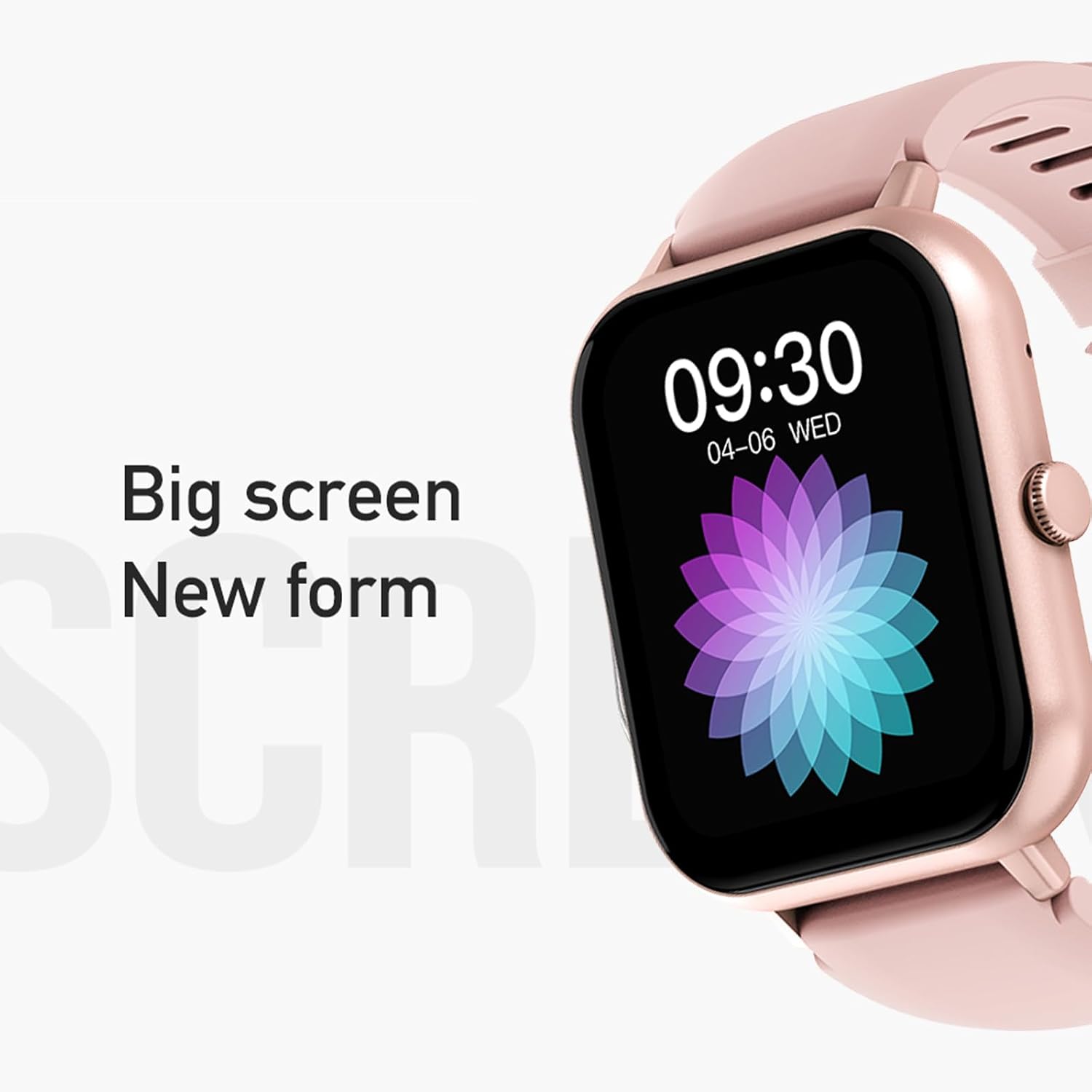
Figure 3: The 1.83-inch screen of the AWEI H25 Smart Watch.
2. Instruccions de funcionament
2.1 Navegació bàsica
- Llisca cap amunt/avall: Navega pels menús i les notificacions.
- Llisca cap a l'esquerra/dreta: Accediu a funcions ràpides o widgets.
- Premeu el botó lateral: Torna a la pantalla d'inici o accedeix a la llista d'aplicacions.
- Long Press Side Button: Power on/off or access system settings.
2.2 Bluetooth Call Function
After successful pairing with your smartphone, the watch supports Bluetooth calls.
- Contestar trucades: When a call comes in, tap the green icon on the watch screen.
- Fer trucades: Access the dial pad or contact list on the watch to initiate a call.
2.3 modes esportius
The AWEI H25 offers over 100 sport modes to track your physical activity.
- Access the "Sports" menu on the watch.
- Select your desired activity (e.g., Running, Walking, Hiking, Basketball, Cycling, Yoga).
- The watch will track exercise time, calories burned, and other relevant metrics.

Figura 4: Mésview of available sport modes.
2.4 Vigilància de la salut
The watch provides monitoring for various health metrics:
- Monitorització de la freqüència cardíaca: Continuous or on-demand heart rate measurement.
- Monitorització de la pressió arterial: Proporciona lectures estimades de la pressió arterial.
- Monitorització d'oxigen en sang: Mesura la saturació d'oxigen a la sang (SpO2).
- Cicle fisiològic femení: Track and predict menstrual cycles (requires setup in the app).
- Recordatoris de sedentarisme: T'avisa que et pots moure després de períodes d'inactivitat.
Nota: The health monitoring features are for reference only and should not be used for medical diagnosis or treatment. Consult a medical professional for health concerns.
2.5 Assistent de veu intel·ligent
After binding the watch to the companion app, you can use the smart voice assistant function.
- Click the voice function icon on the watch's menu screen.
- Speak your command (e.g., "What's the weather today?", "Call [Contact Name]").

Figure 5: Smart Voice Assistant interface.
2.6 característiques addicionals
- Control de música: Controla la reproducció de música al teu telèfon intel·ligent.
- Fotografia a distància: Feu servir el rellotge com a disparador remot per a la càmera del telèfon.
- Despertador: Configura alarmes directament des del rellotge.
- Visualització de l'hora: Standard time and date display.
- Pantalla amb gir de canell: La pantalla s'activa quan aixeques el canell.
3. Manteniment
Classificació d'impermeabilitat 3.1 (IP67)
The AWEI H25 Smart Watch has an IP67 waterproof rating. This means it is protected against dust ingress and can withstand immersion in water up to 1 meter for up to 30 minutes.
- Suitable for daily use such as washing hands, face, or light rain.
- No apte per a: Swimming, diving, hot showers, saunas, or high-pressure water activities.
- Avoid contact with hot water, steam, or corrosive liquids.
3.2 Neteja i cura
- Netegeu el rellotge i la corretja regularment amb un drap suau i sec.
- Si cal, utilitzeu una mica damp drap amb sabó suau i després eixugueu-lo.
- No utilitzeu productes químics agressius, netejadors abrasius ni dissolvents.
- Mantingueu els contactes de càrrega nets i secs per garantir una càrrega correcta.
3.3 Cura de la bateria
- Eviteu descarregar completament la bateria amb freqüència.
- Do not expose the watch to extreme temperatures (very hot or very cold).
- Si guardeu el rellotge durant un període prolongat, carregueu-lo al 50% aproximadament i guardeu-lo en un lloc fresc i sec.
4. Solució De Problemes
4.1 El dispositiu no s'encén
- Assegura't que el rellotge estigui completament carregat. Connecta'l al carregador durant almenys 30 minuts.
- Try a long press (approx. 10-15 seconds) of the side button to force a power-on.
4.2 No es pot emparellar amb el telèfon intel·ligent
- Assegureu-vos que el Bluetooth estigui habilitat al vostre telèfon intel·ligent.
- Assegureu-vos que el rellotge estigui dins de l'abast del Bluetooth (normalment 10 metres).
- Reinicieu tant el rellotge com el vostre telèfon intel·ligent.
- Esborra la memòria cau de Bluetooth del telèfon (si escau) i torna a intentar emparellar-lo.
- Assegureu-vos que l'aplicació complementària estigui actualitzada a la darrera versió.
4.3 Lectures de salut inexactes
- Assegureu-vos de portar el rellotge ben ajustat al canell, ni massa ajustat ni massa fluix.
- Mantingueu el sensor de la part posterior del rellotge net i lliure de brutícia.
- Eviteu moviments excessius durant les mesures.
- Remember that these readings are for reference and not medical grade.
4.4 El rellotge no rep notificacions
- Check notification permissions for the companion app on your smartphone.
- Assegureu-vos que el rellotge estigui connectat al telèfon mitjançant Bluetooth.
- Verify that "Do Not Disturb" mode is not active on either the watch or phone.
5. Especificacions
| Número de model | H25 |
| Marca | AWEI |
| Mida de la pantalla | 1.83 polzades |
| Capacitat de la bateria | 230 mAh |
| Connectivitat | Bluetooth |
| Classificació impermeable | IP67 |
| Característiques especials | 100+ sport modes, Multiple customizable dials, Smart voice assistant, Heart rate, Blood pressure, Blood oxygen monitoring, Bluetooth call function. |
| GPS | Sense GPS |
6. Garantia i Suport
6.1 Garantia del producte
The AWEI H25 Smart Watch comes with a one-year warranty from the date of purchase. This warranty covers manufacturing defects under normal use. It does not cover damage caused by misuse, accidents, unauthorized modifications, or failure to follow instructions in this manual.
Conserveu el vostre comprovant de compra per a reclamacions de garantia.
6.2 Atenció al client
If you encounter any issues not covered in the troubleshooting section or require further assistance, please contact AWEI customer support. Refer to the product packaging or the official AWEI weblloc web per obtenir la informació de contacte més actualitzada.