
1. Introducció
The R-MUSIC Blaster M is a high-power portable Bluetooth speaker designed to deliver exceptional sound quality for various events, from intimate gatherings to larger parties. It features advanced functionalities including Bluetooth 5.3 connectivity, RGB lighting, karaoke mode, and multiple input options. This manual provides detailed instructions for setting up, operating, and maintaining your Blaster M speaker.
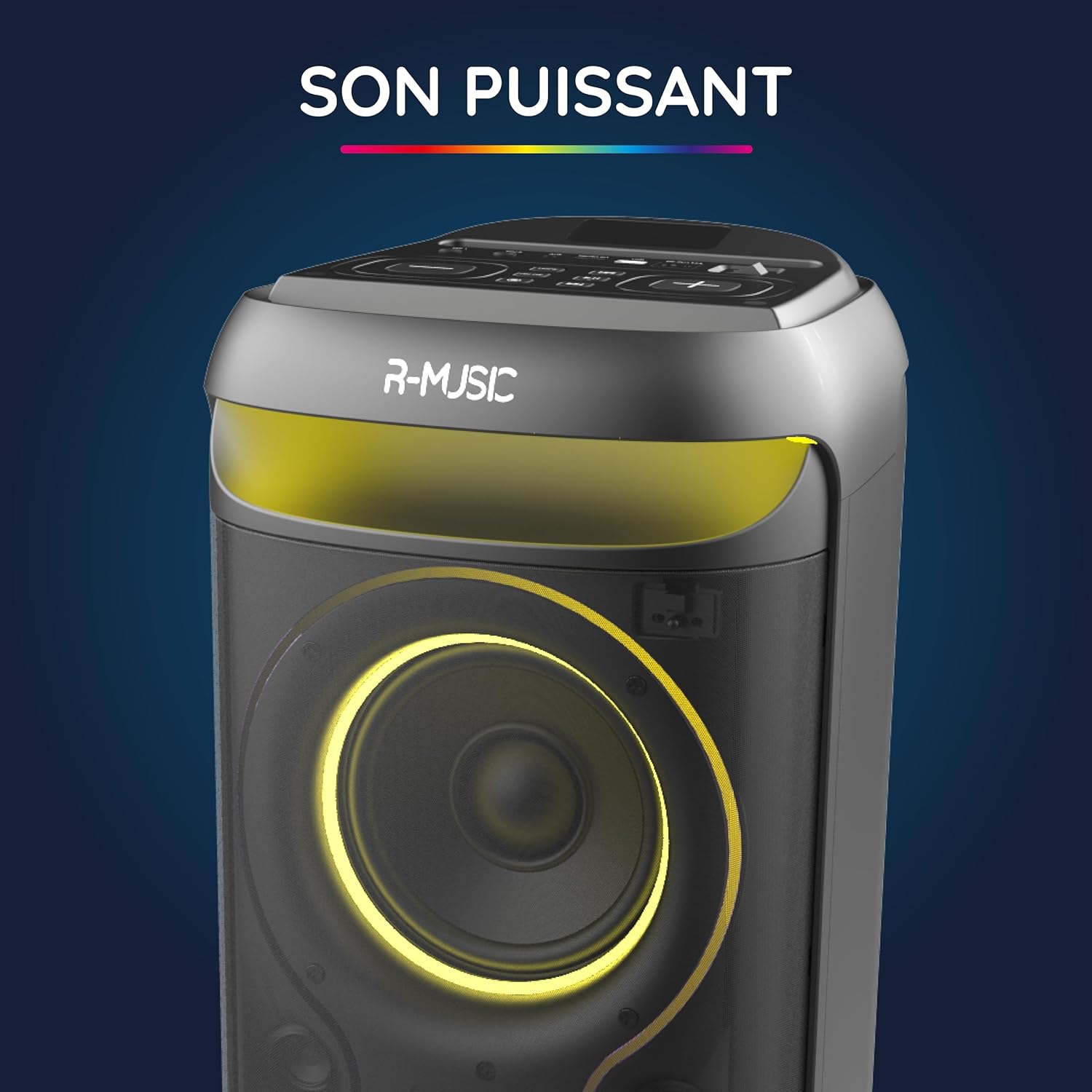
Image: The R-MUSIC Blaster M speaker, highlighting its powerful sound output with an illuminated speaker cone.
2. Informació de seguretat
- Llegiu totes les instruccions abans d'utilitzar el dispositiu.
- Mantingueu l'altaveu allunyat de l'aigua, la humitat i les temperatures extremes.
- No intenteu desmuntar ni reparar la unitat vosaltres mateixos. Encarregueu tot el manteniment a personal qualificat.
- Use only the provided charging cable and charger.
- Eviteu l'exposició prolongada a nivells de volum elevats per evitar danys auditius.
- Assegureu-vos d'una ventilació adequada al voltant de l'altaveu durant el funcionament.
3. Contingut del paquet
Verifiqueu que tots els elements siguin presents al paquet:
- R-MUSIC Blaster M Speaker
- Micròfon per cable
- Cable de càrrega
- Carregador
- Manual d'usuari (aquest document)
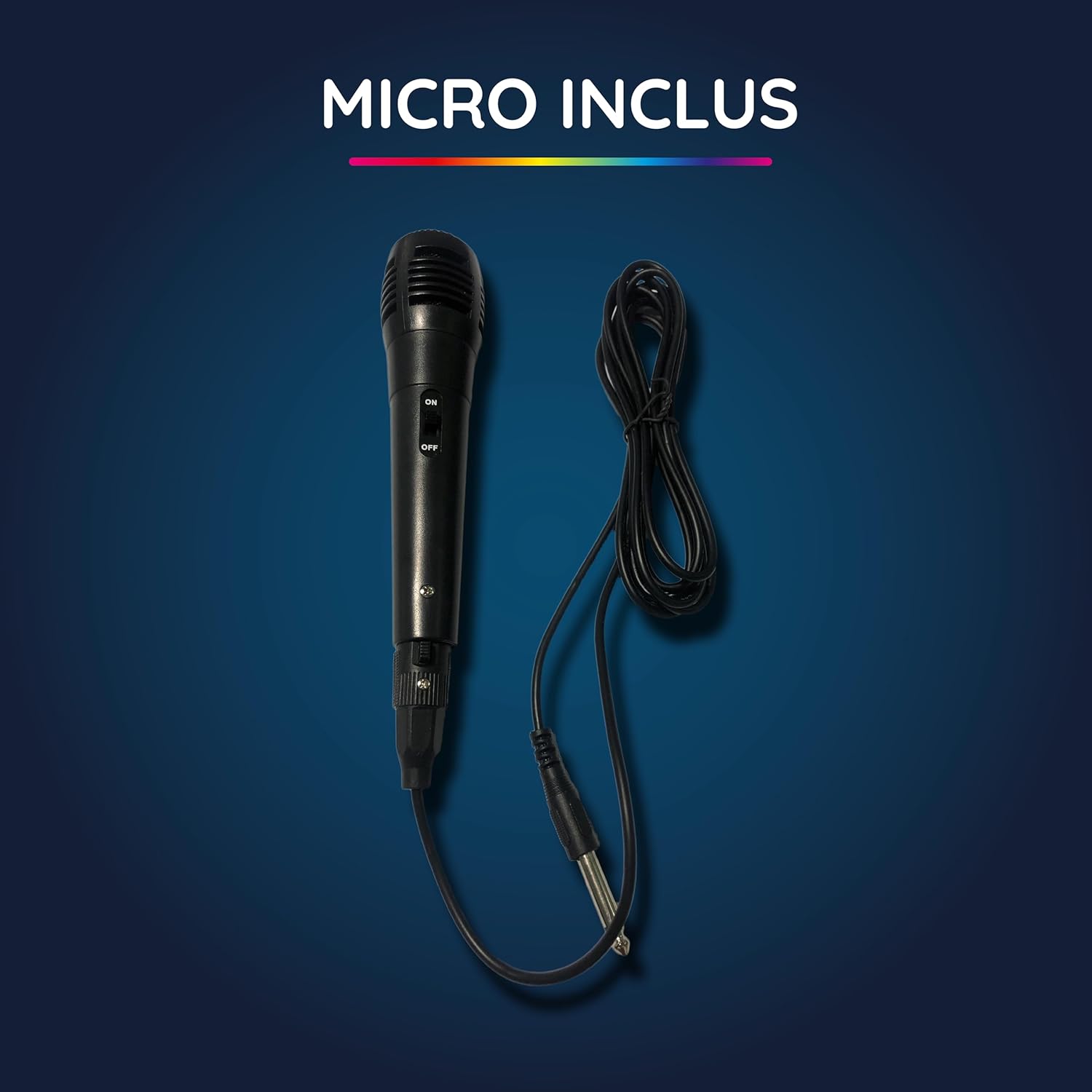
Image: The wired microphone included with the Blaster M speaker.
4. Producte acabatview
4.1 Tauler de control i ports
The top panel of the Blaster M speaker features various controls and input ports for versatile usage.
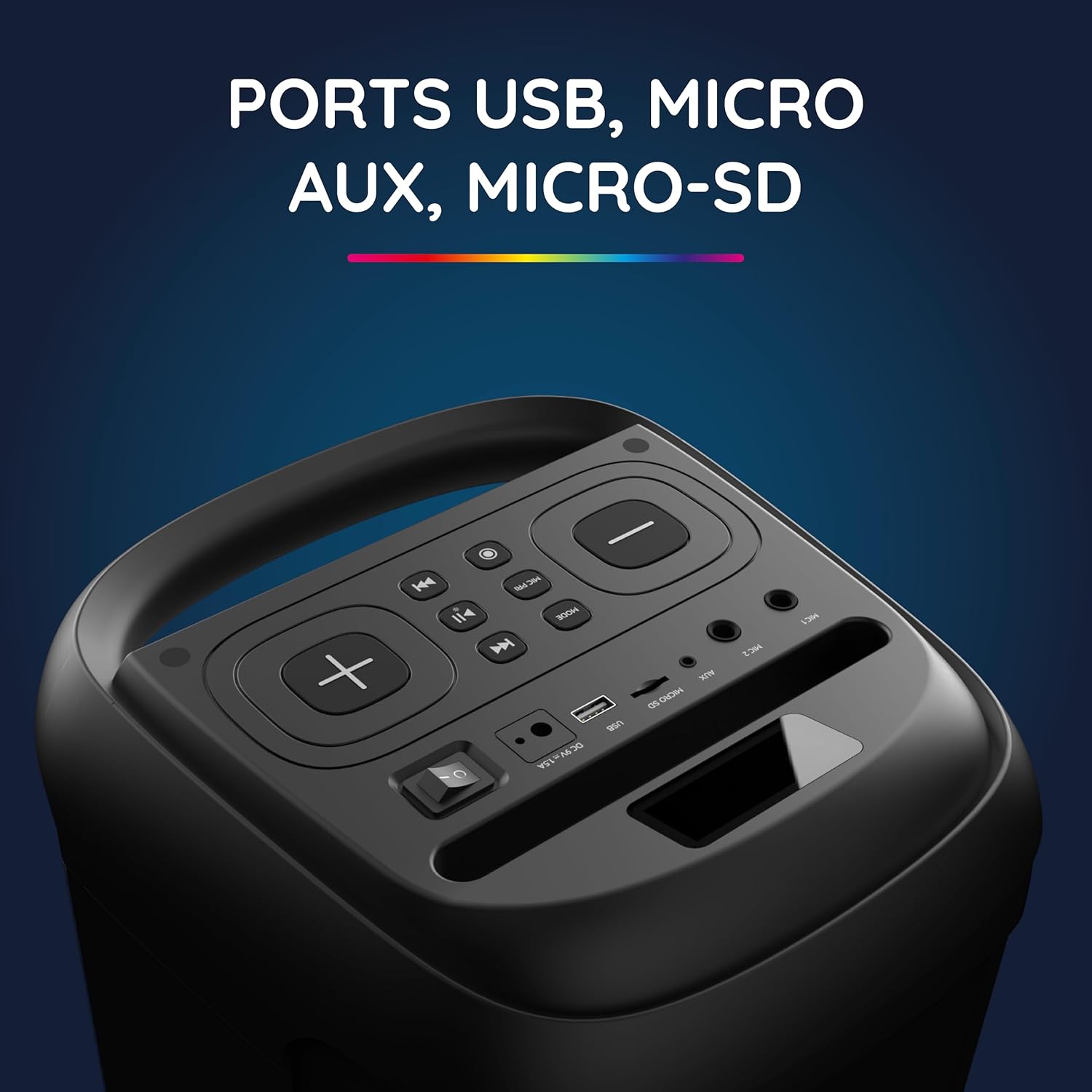
Image: Close-up of the Blaster M's top panel, displaying USB, Micro SD, and AUX input ports.

Image: Close-up of the Blaster M's top panel, showing controls for equalizer, volume, and echo adjustments.
4.2 Integrated Handle and Device Support
The speaker includes an integrated handle for easy portability and a dedicated slot to hold your phone or tablet.

Image: The integrated handle on the top of the Blaster M speaker for convenient carrying.

Image: The integrated slot on the Blaster M speaker designed to hold a phone or tablet.
5. Configuració
5.1 Càrrega de l'altaveu
- Connect the provided charging cable to the DC 5V/1.5A port on the speaker.
- Connecteu el carregador a una presa de corrent.
- The charging indicator light will illuminate. A full charge takes approximately 5 hours and 20 minutes, providing up to 7 hours and 20 minutes of playback.
- Un cop estigui completament carregat, desconnecteu el carregador.
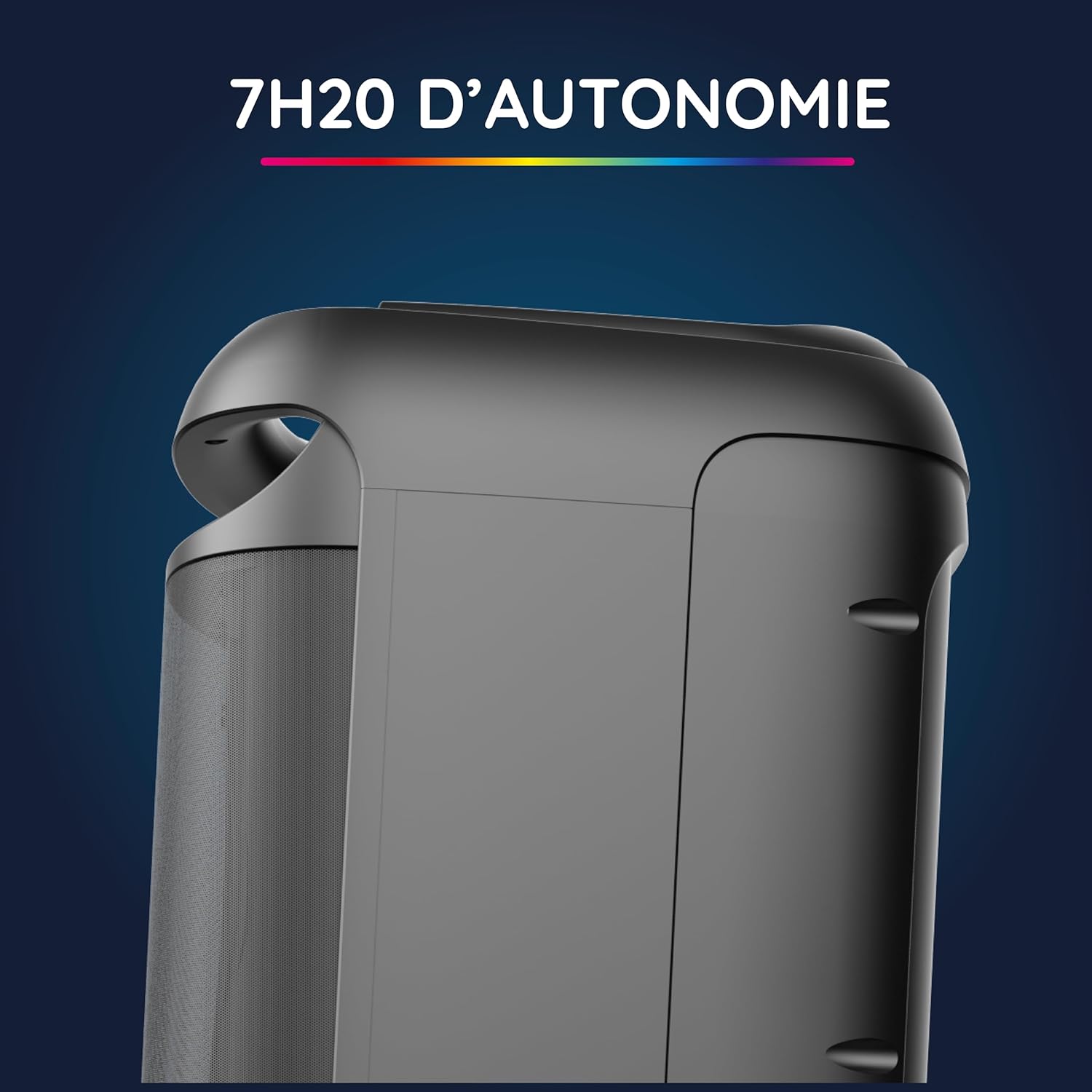
Imatge: Lateral view of the Blaster M speaker, illustrating its portability and long battery life.
5.2 Engegada/apagada
- To power on, press and hold the power button located on the control panel.
- Per apagar, premeu i manteniu premut el botó d'engegada de nou.
6. Instruccions de funcionament
6.1 Connexió Bluetooth
- Assegureu-vos que l'altaveu estigui encès.
- The speaker will automatically enter Bluetooth pairing mode, indicated by a flashing LED.
- Al telèfon intel·ligent, la tauleta o l'ordinador, activeu el Bluetooth i cerqueu els dispositius disponibles.
- Select "R-MUSIC Blaster M" from the list of devices.
- Once connected, the LED indicator will stop flashing, and you will hear a confirmation sound. The Bluetooth connection has a range of up to 10 meters.
6.2 Multiple Connection Options
The Blaster M offers various ways to play your audio:
- Unitat USB: Insert a USB flash drive into the USB port. The speaker will automatically detect and play audio files.
- Targeta micro SD: Insert a Micro SD card into the Micro SD slot. The speaker will automatically detect and play audio files.
- Entrada AUX: Connect an external audio device (e.g., MP3 player) using a 3.5mm AUX cable to the AUX port. Press the "MODE" button to switch to AUX input.
- Entrada de micròfon: Plug the wired microphone into the MIC 1 or MIC 2 (6.35mm) jack for karaoke or announcements.
6.3 Mode Karaoke
To use the karaoke function:
- Connect the wired microphone to one of the MIC jacks.
- Play your desired instrumental track via Bluetooth, USB, Micro SD, or AUX.
- Adjust the microphone volume and echo effect using the dedicated controls on the top panel.
6.4 efectes d'il·luminació RGB
The Blaster M features integrated LED lights that synchronize with the music.
- Press the dedicated light button (if available, or MODE button cycles through light modes) to cycle through different RGB light animations.
- To turn off the lights, cycle through the modes until they are off.
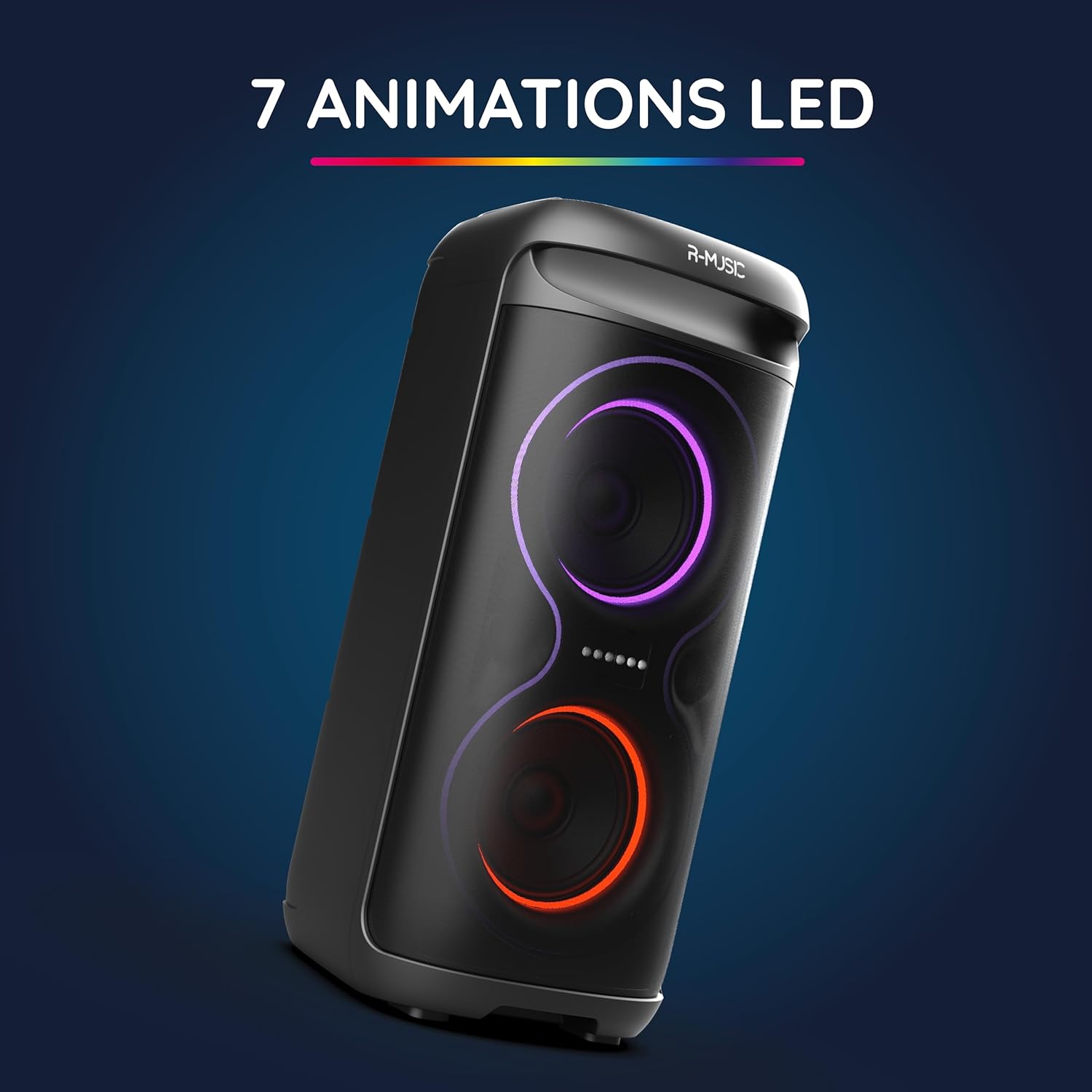
Image: The Blaster M speaker showcasing its dynamic RGB LED lighting effects.
6.5 Ajust de so
Customize your audio experience using the equalizer controls:
- Use the "BASS" knob to adjust the low-frequency output.
- Use the "TREBLE" knob to adjust the high-frequency output.
- Adjust the main volume using the master volume control.
7. Manteniment
- Neteja: Feu servir un drap suau i sec per netejar l'exterior de l'altaveu. No utilitzeu netejadors líquids ni materials abrasius.
- Emmagatzematge: Guardeu l'altaveu en un lloc fresc i sec, allunyat de la llum solar directa i de temperatures extremes quan no l'utilitzeu durant períodes prolongats.
- Cura de la bateria: Per allargar la durada de la bateria, eviteu descarregar-la completament amb freqüència. Carregueu l'altaveu regularment, fins i tot si no l'esteu fent servir.
8. Solució De Problemes
| Problema | Causa possible | Solució |
|---|---|---|
| L'altaveu no s'encén. | La bateria està esgotada. | Charge the speaker using the provided charger. |
| No hi ha connexió Bluetooth. | Bluetooth is not enabled on the device or speaker is not in pairing mode. | Ensure Bluetooth is enabled on your device and the speaker is in pairing mode. Re-pair the devices. |
| No hi ha so de l'altaveu. | Volume is too low, incorrect input mode, or cable not connected properly. | Increase volume. Check input mode (Bluetooth, AUX, USB, Micro SD). Ensure cables are securely connected. |
| El micròfon no funciona. | Microphone not connected, microphone volume too low, or microphone switch is off. | Ensure microphone is securely plugged in. Adjust microphone volume. Check if the microphone's ON/OFF switch is in the ON position. |
9. Especificacions
| Número de model | 484734 RM |
| Marca | R-MÚSICA |
| Dimensions (L x A x A) | 26 x 60 x 29.5 cm |
| Pes | 6.05 kg |
| Tecnologia de connectivitat | Bluetooth 5.3 |
| Interval Bluetooth | Fins a 10 metres |
| Font d'alimentació | Funciona amb bateria |
| Durada de la bateria | Fins a 7 hores 20 minuts |
| Temps de càrrega | Aproximadament 5 hores 20 minuts |
| Dispositius compatibles | PC, telèfon intel·ligent, tauleta |
| Entrades d'àudio | AUX, USB, Micro SD, Microphone (6.35mm jack) |
| Característiques especials | RGB Lights, Karaoke Mode, Integrated Handle, Phone/Tablet Support |
10. Garantia i Suport
For warranty information and technical support, please refer to the warranty card included in your package or visit the official R-MUSIC weblloc.
Informació de contacte:
Si us plau, visiteu www.r-music.com (example link) for the latest support information, FAQs, and contact details.