
FASTWD T181-EEA
FASTWD 14-inch Android 14 Tablet User Manual
Model: T181-EEA
1. Introducció
Welcome to the user manual for your new FASTWD 14-inch Android 14 Tablet. This guide provides essential information on setting up, operating, maintaining, and troubleshooting your device. Please read this manual thoroughly to ensure optimal performance and longevity of your tablet.
1.1 Contingut del paquet
- FASTWD 14-inch Android 14 Tablet (Model T181-EEA)
- Adaptador d'alimentació
- Cable de càrrega USB-C
- Stylus
- Funda protectora
- Guia d'inici ràpid

Image 1.1: FASTWD 14-inch Android 14 Tablet overview.
2. Configuració inicial
2.1 Càrrega de la tauleta
Before first use, fully charge your tablet. Connect the USB-C charging cable to the tablet's charging port and the power adapter to a wall outlet. The battery indicator on the screen will show charging progress. A full charge typically takes several hours.

Image 2.1: Tablet charging and battery life indicators.
2.2 Engegada/apagada
- Per encendre: Press and hold the Power button located on the side of the tablet until the FASTWD logo appears.
- Per apagar: Premeu i manteniu premut el botó d'engegada fins que aparegui el menú d'opcions d'engegada. Seleccioneu "Apagar" i confirmeu.
- Per reiniciar: Al menú d'opcions d'energia, seleccioneu "Reiniciar".
2.3 Configuració inicial
Quan l'encengueu per primera vegada, seguiu les instruccions que apareixen a la pantalla per configurar la tauleta:
- Seleccioneu el vostre idioma preferit.
- Connecteu-vos a una xarxa Wi-Fi.
- Sign in with your Google account or create a new one. This is necessary to download apps from the Google Play Store.
- Review i acceptar els termes i condicions.
- Configura el bloqueig de pantalla (PIN, patró o contrasenya).
3. Com utilitzar la tauleta
3.1 Gestos de pantalla tàctil
- Toca: Seleccioneu un element o obriu una aplicació.
- Toca i mantén premut: Accedir a menús contextuals o moure elements.
- Llisca: Navega per les pantalles o desplaça't pel contingut.
- Pessiga per fer zoom: Apropar o allunyar les imatges i web pàgines.
3.2 Navegació
The Android 14 operating system provides intuitive navigation:
- Botó d'inici: Torna a la pantalla d'inici.
- Botó enrere: Torna a la pantalla anterior.
- Botó d'aplicacions recents: Mostra les aplicacions utilitzades recentment per canviar ràpidament.

Image 3.1: Android 14 interface with key features.
3.3 Connectivitat
- Wi-Fi: Connect to wireless networks for internet access. Supports 5G WiFi (802.11ac) for faster speeds. Go to Configuració > Xarxa i Internet > Wi-Fi.
- Bluetooth 5.0: Emparella amb auriculars sense fil, altaveus o altres dispositius Bluetooth. Ves a Configuració> Dispositius connectats> Preferències de connexió> Bluetooth.
- GPS: Utilize the built-in GPS for navigation and location-based services.
3.4 Funcions de la càmera
Your tablet is equipped with an 8MP front camera and a 13MP rear camera.
- Obre l'aplicació Càmera des de la pantalla d'inici o des del calaix d'aplicacions.
- Canvieu entre la càmera frontal i la posterior mitjançant la icona de la pantalla.
- Tap to focus and press the shutter button to capture photos or videos.
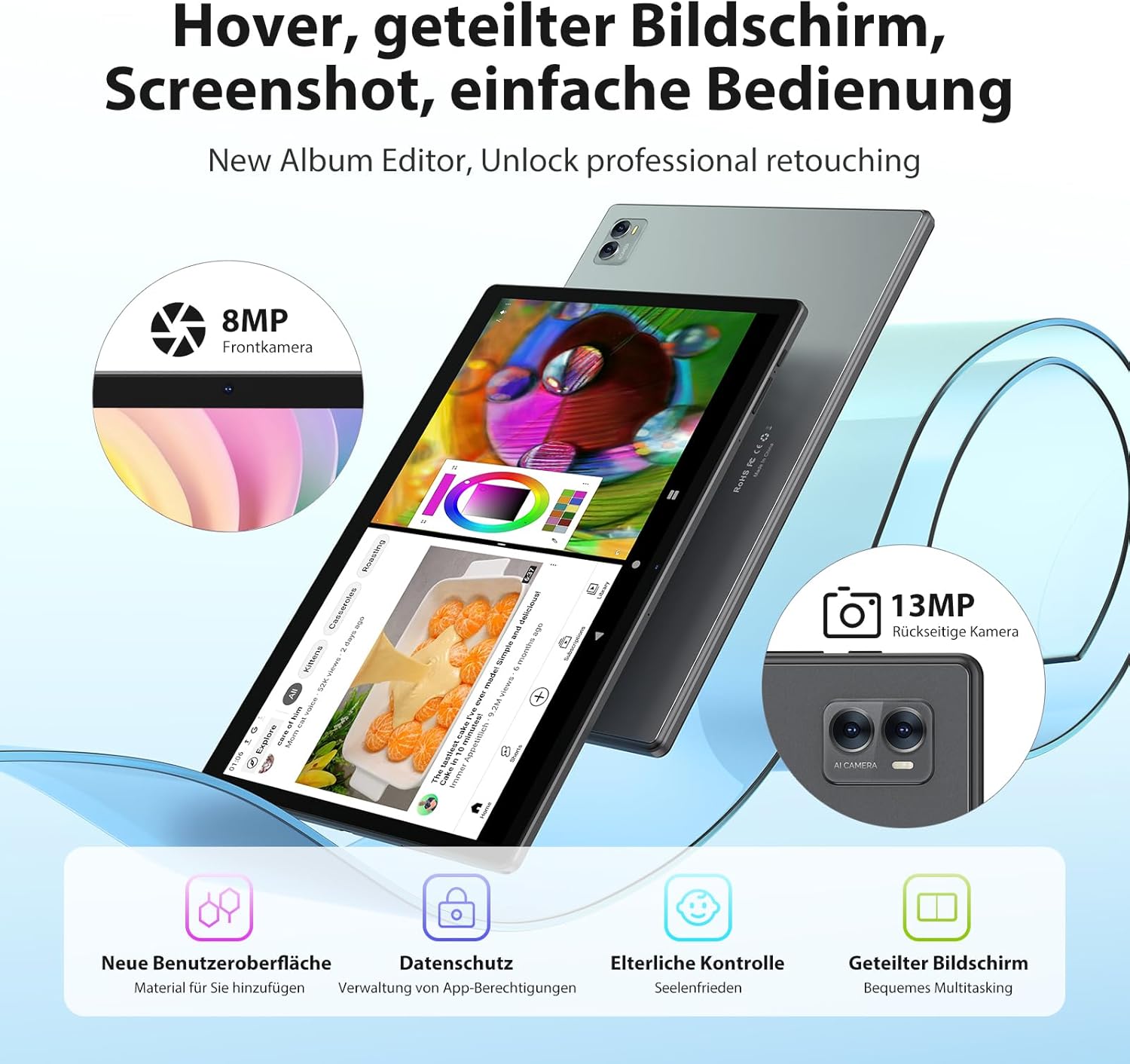
Image 3.2: Camera specifications and split-screen functionality.
3.5 Gestió d'emmagatzematge
The tablet comes with 256GB of internal storage. You can expand this up to 1TB using a TF (microSD) card. Insert the TF card into the designated slot on the side of the tablet.
3.6 Split-Screen Multitasking
Android 14 supports split-screen mode, allowing you to use two applications simultaneously. To activate:
- Obre la primera aplicació.
- Tap the Recent Apps button.
- Touch and hold the app icon at the top of the app's preview.
- Select 'Split screen' and choose the second app.
3.7 Característiques de visualització
The 14.1-inch display features a 2000x1200 HD resolution. It also incorporates anti-glare technology and a blue light filter to reduce eye strain.

Image 3.3: Blue light blocking and anti-glare display.
4. Manteniment
4.1 Cura de la bateria
- Eviteu descarregar completament la bateria amb freqüència.
- Do not expose the tablet to extreme temperatures (hot or cold).
- Feu servir només el carregador i el cable proporcionats.
4.2 Neteja
- Feu servir un drap suau i sense borrissol per netejar la pantalla i la carcassa.
- Per a taques persistents, lleugerament dampNetegeu el drap amb aigua o un netejador de pantalles.
- Eviteu utilitzar productes químics o materials abrasius.
4.3 Actualitzacions de programari
Comproveu i instal·leu regularment si hi ha actualitzacions de programari per assegurar-vos que la tauleta tingui les darreres funcions, pegats de seguretat i millores de rendiment. Aneu a Configuració > Sistema > Actualització del sistema.
5. Solució De Problemes
La tauleta 5.1 no s'encén
- Assegureu-vos que la bateria estigui carregada. Connecteu el carregador i espereu uns minuts abans d'intentar engegar-lo.
- Perform a forced restart by holding the Power button for 10-15 seconds.
5.2 Problemes de connexió Wi-Fi
- Activa i desactiva el Wi-Fi Configuració.
- Reinicieu el vostre encaminador Wi-Fi.
- Oblida't de la xarxa i torna a connectar-te tornant a introduir la contrasenya.
5.3 Rendiment lent
- Tanca les aplicacions de fons innecessàries.
- Clear cache for frequently used apps (Configuració > Aplicacions > [Nom de l'aplicació] > Emmagatzematge i memòria cau > Esborra la memòria cau).
- Reinicieu la tauleta.
- Assegureu-vos que hi hagi prou espai d'emmagatzematge lliure.
5.4 La bateria s'esgota ràpidament
- Redueix la brillantor de la pantalla.
- Desactiva el Wi-Fi, el Bluetooth i el GPS quan no els utilitzis.
- Identify and close power-intensive applications.
- Comproveu si hi ha actualitzacions del sistema.
6. Especificacions tècniques
| Característica | Especificació |
|---|---|
| Número de model | T181-EEA |
| Mida de la pantalla | 14.1 polzades |
| Resolució de pantalla | 2000 x 1200 HD |
| Processador | Octa-Core ARM, 2 GHz |
| RAM | 36 GB (12 GB físic + 24 GB virtual) |
| Emmagatzematge intern | ROM de 256 GB |
| Emmagatzematge ampliable | Fins a 1 TB mitjançant targeta TF |
| Sistema operatiu | Android 14 |
| Capacitat de la bateria | 11580 mAh |
| Durada mitjana de la bateria | 8 hores |
| Càmera posterior | 13MP |
| Càmera frontal | 8MP |
| Wi-Fi | 5G WiFi (802.11ac) |
| Bluetooth | Bluetooth 5.0 |
| GPS | GPS integrat |
| GMS Certified | Sí |
| Dimensions | 41.5 x 25 x 4 cm |
| Pes de l'article | 2.09 quilos |

Image 6.1: Key features and specifications overview.
7. Garantia i Suport
For warranty information, please refer to the warranty card included in your product packaging or contact your retailer. For technical support or service inquiries, please reach out to the FASTWD customer support team through the contact information provided with your purchase or on the official FASTWD weblloc.
Ask a question about this manual
Ask about setup, troubleshooting, compatibility, parts, safety, or missing instructions. Manuals+ will review the question and use this page’s manual context to help answer it.