
Introducció
Welcome to the user manual for your new MageGee Captain87 Rapid Trigger Magnetic Switch Keyboard. This high-performance 75% wired mechanical gaming keyboard is designed for precision and speed, featuring adjustable actuation, a durable CNC aluminum frame, gasket-mounted structure, and vibrant RGB backlighting. This manual provides essential information for setup, operation, maintenance, and troubleshooting to ensure you get the most out of your keyboard.
Què hi ha a la caixa
Upon unboxing your MageGee Captain87 keyboard, please ensure all the following items are present:
- Teclat de disparador ràpid
- Extractor de tecles
- Cable USB tipus C
- Manual d'usuari
- Guia d'usuari

Image: All components included in the MageGee Captain87 keyboard package.
Configuració
Connexió inicial
To begin using your MageGee Captain87 keyboard, connect it to your computer using the provided USB-C cable. Plug the USB-C end into the keyboard's port and the USB-A end into an available USB port on your computer. The keyboard is plug-and-play for basic functionality.
Instal·lació del controlador (només per a Windows)
For full customization and advanced features, including RGB settings, key remapping, macros, and precise trigger range adjustments, you will need to install the MageGee proprietary driver. This driver is compatible only with Windows operating systems.
- Visit the official MageGee website to download the latest driver for the Captain87 keyboard.
- Seguiu les instruccions a la pantalla per completar la instal·lació.
- Once installed, launch the driver software to access customization options.
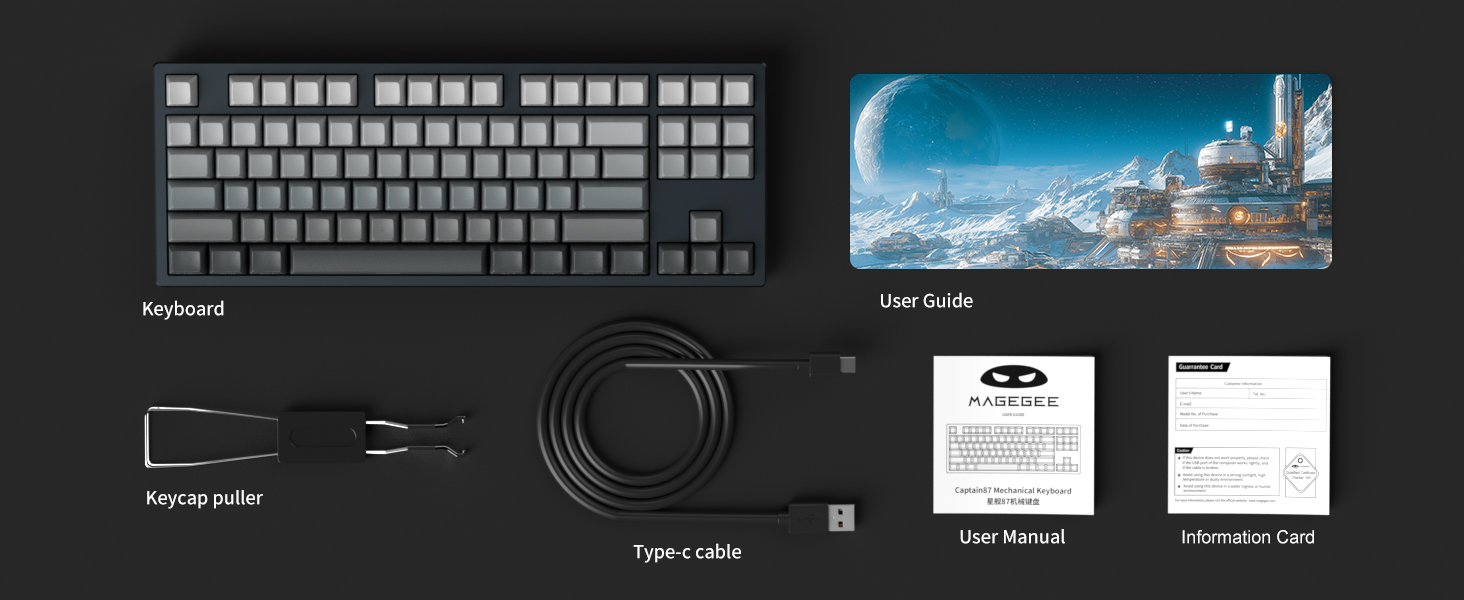
Image: The MageGee proprietary driver interface for customizing keyboard settings.
Instruccions de funcionament
Rapid Trigger and Adjustable Actuation
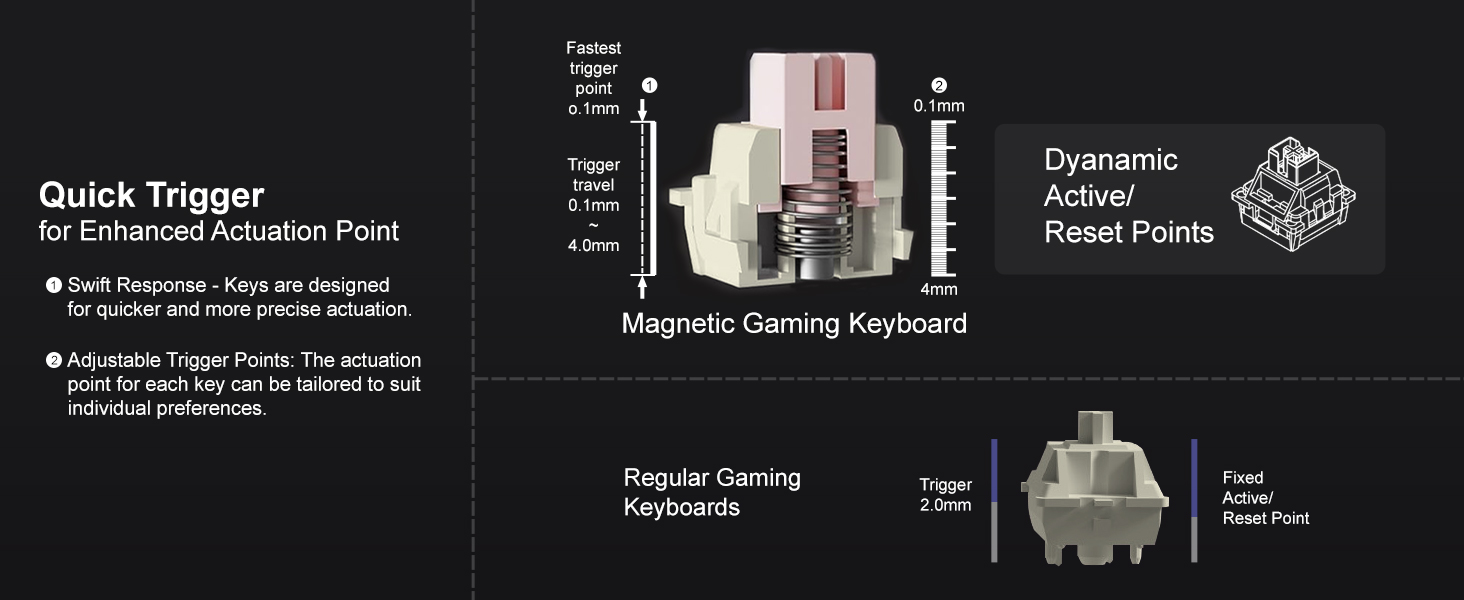
The Captain87 keyboard features ultra-low latency magnetic switches that utilize the Hall effect for triggering, providing fast and precise key commands. The rapid trigger function allows for quick key presses and lifts by adjusting the trigger point and travel, enabling repeated key presses without fully lifting the key. This is particularly beneficial for fast-paced games.
The trigger distance is adjustable from 0.1 mm to 4 mm, with an accuracy of up to 0.1 mm for individual keys. The keyboard also includes three preset key travel modes:
- Mode de confort: Suitable for general typing and relaxed use.
- Mode sensible: Offers a quicker response for balanced use.
- Mode de joc: Provides the fastest response for competitive gaming.
These modes can be switched directly on the keyboard for different scenarios. Refer to the included User Guide for specific key combinations to switch modes.

Image: Detailed diagram explaining the rapid trigger and adjustable actuation points of the magnetic switches.
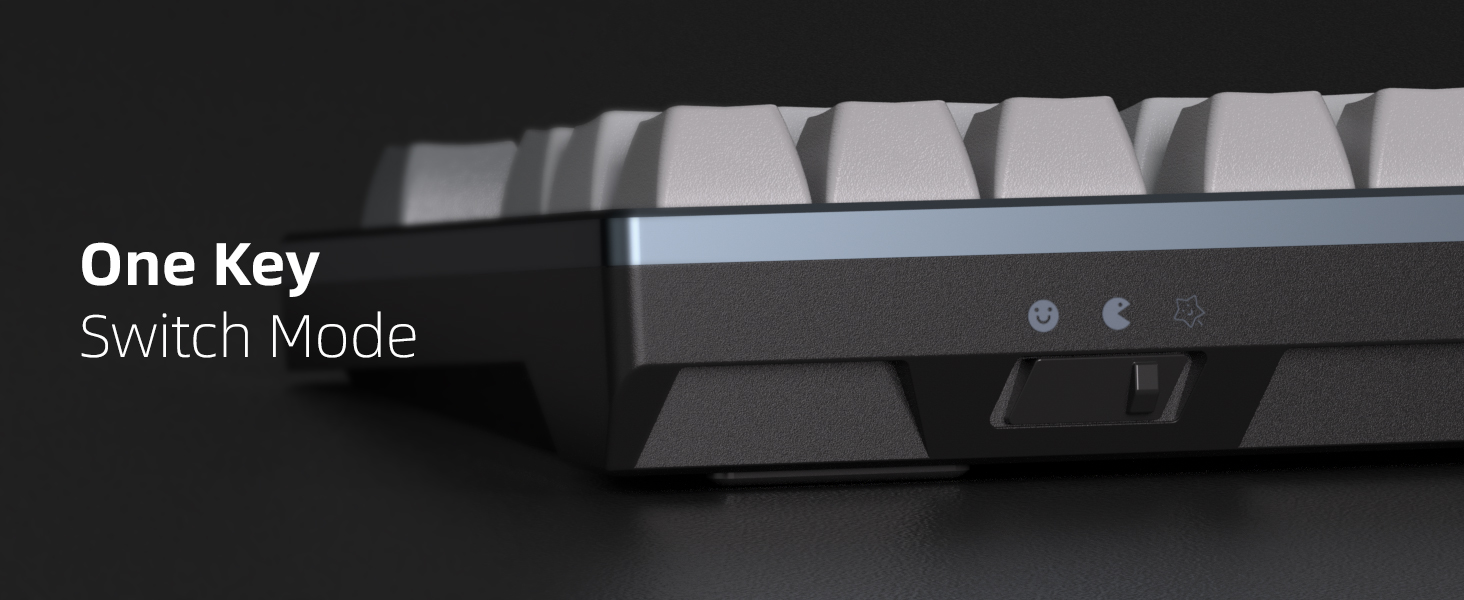
Image: Visual comparison of quick trigger technology versus standard mechanical switches.
Video: An official demonstration of the MageGee Captain87 Rapid Trigger Mechanical Keyboard, showcasing its features and responsiveness.
Il·luminació de fons RGB
The Captain87 features south-facing RGB LEDs, providing bright and visible illumination. It offers a variety of pre-programmed backlight modes and color choices to personalize your setup. You can adjust the speed and brightness of the lights using specific function key combinations. Refer to the User Guide for a complete list of lighting controls.

Image: The MageGee Captain87 keyboard showcasing its customizable RGB backlighting.
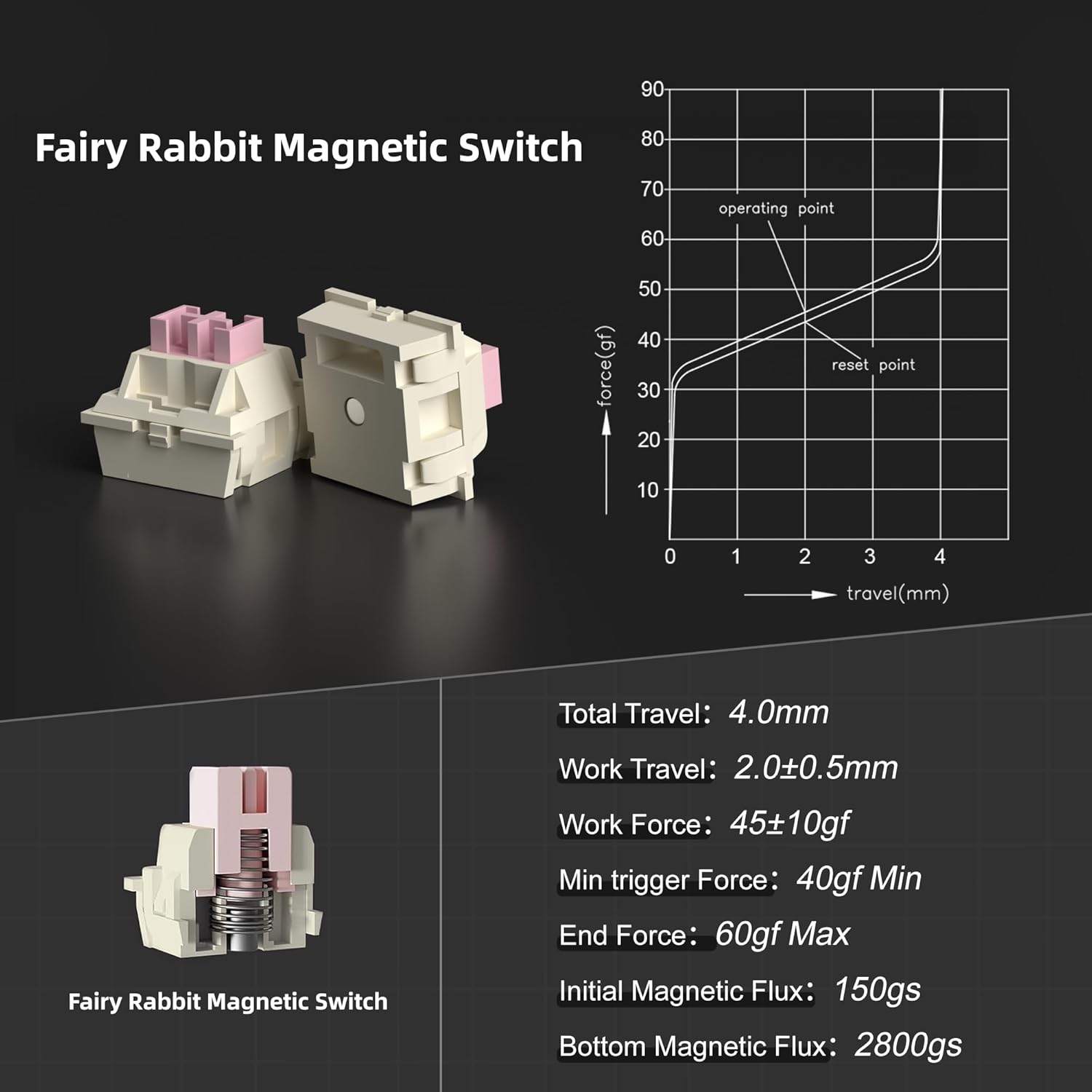
Image: A close-up of the side-printed PBT keycaps, demonstrating how the RGB light shines through the legends.
Interruptors intercanviables en calent
This keyboard is designed with hot-swappable magnetic switches, allowing you to easily remove and replace individual switches without soldering. This feature enables personalization and simplifies maintenance. Please note that the Captain87 keyboard is only compatible with OUTEMU magnetic switches.
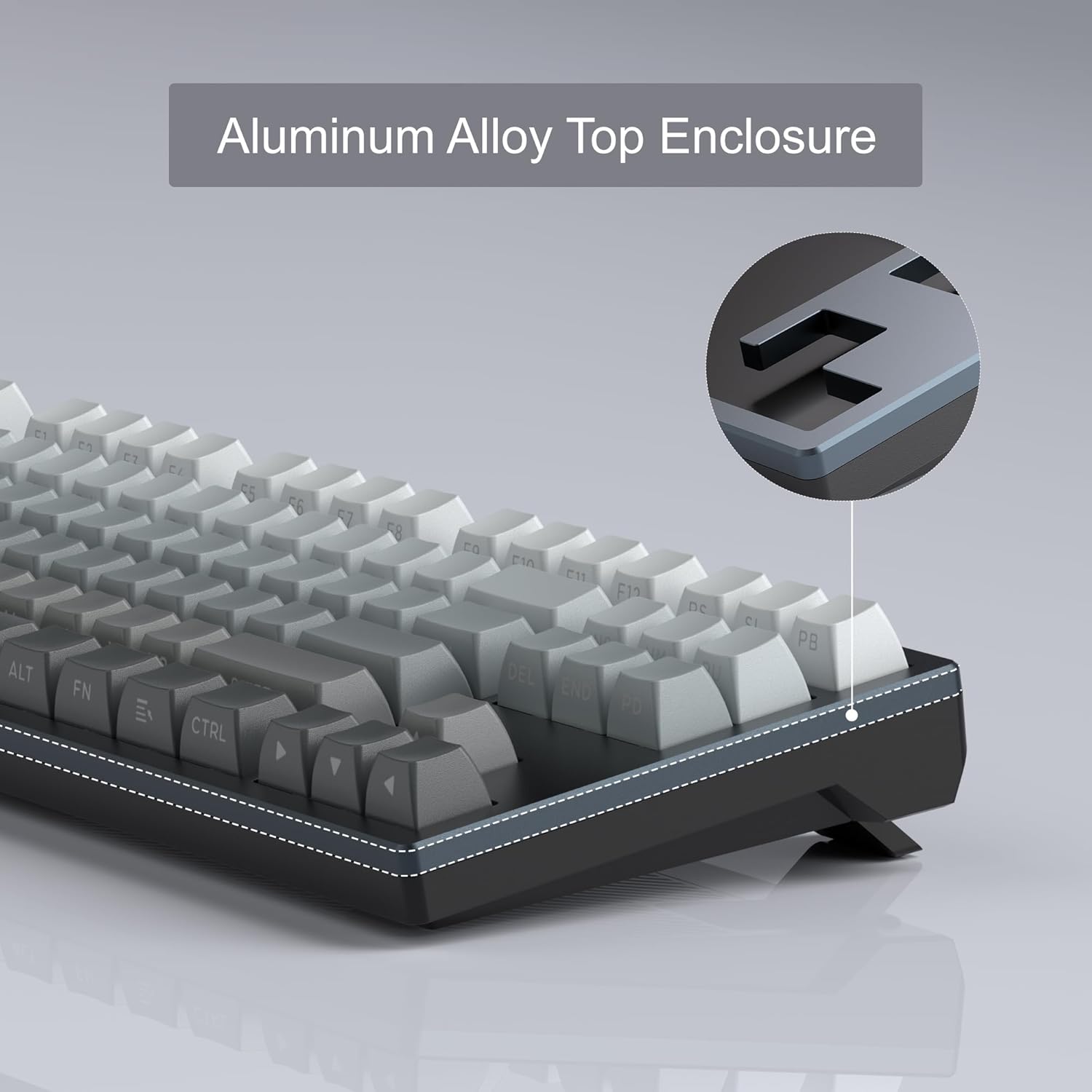
Image: The hot-swappable design of the MageGee Captain87, showing switches being removed.
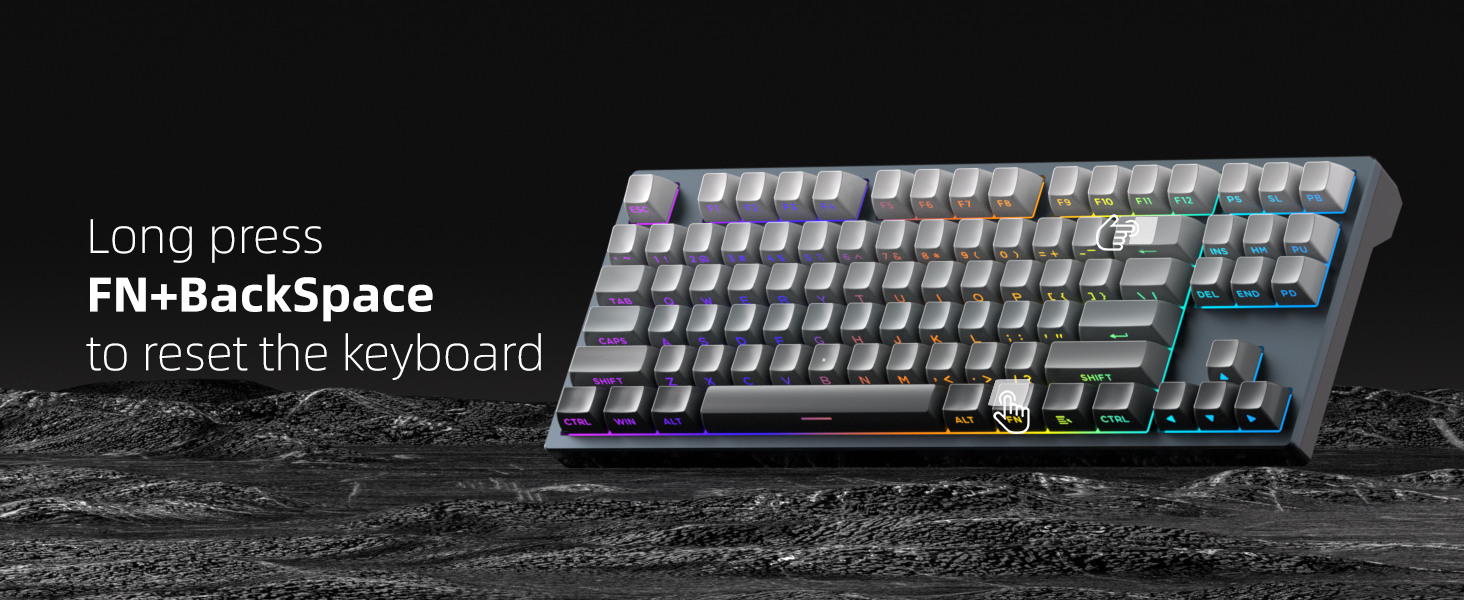
Image: Illustration of the hot-swappable capability, allowing for easy switch replacement.
Programari programable
The MageGee proprietary driver (Windows only) provides extensive customization options for your Captain87 keyboard. Through the software, you can:
- Change RGB lighting settings and effects.
- Remap individual keys to different functions.
- Record and edit complex macros for gaming or productivity.
- Set the precise key trigger range for each switch.
To restore the keyboard to its default settings, click the 'Reset' button located at the bottom right corner of the driver interface.
Image: The comprehensive customization options available within the MageGee driver software.
Gasket-Mounted Structure
The Captain87 features a gasket-mounted structure, which incorporates gaskets around the positioning plate. These gaskets act as a cushioning layer, significantly reducing vibrations during typing. Additionally, three layers of sound-absorbing pads are integrated between the positioning plate, PCB, and bottom case to suppress hollow sounds. This design results in a soft, even, and elastic typing feel with a pure sound profile.

Imatge: Una explosió view demonstrating the internal components and gasket-mounted structure.
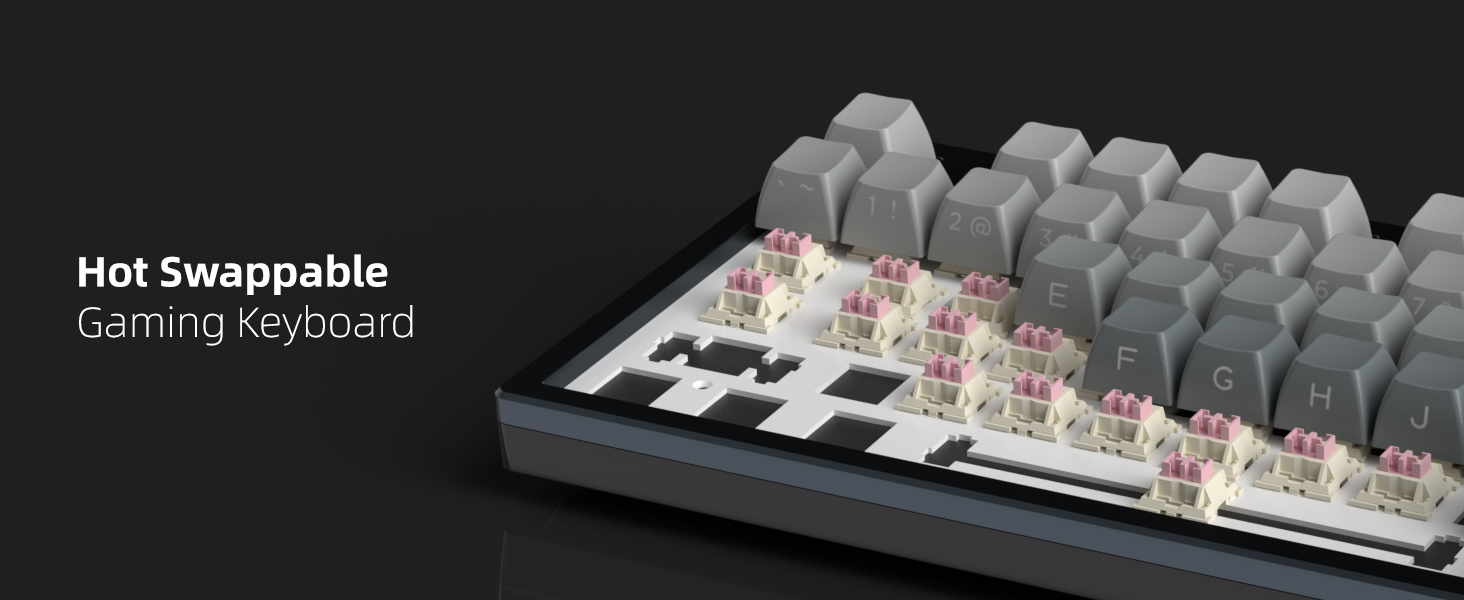
Image: A comprehensive diagram illustrating each layer of the gasket-mounted keyboard structure.
CNC Aluminum Case and PBT Keycaps
The Captain87 features a top cover crafted from CNC aluminum alloy, providing exceptional durability, corrosion resistance, and a premium metallic luster. This robust construction ensures a longer service life and stable performance. The keyboard is equipped with side-printed PBT keycaps, which are highly resistant to abrasion and oil, ensuring that the legends do not easily blur or fade even under high-frequency use. The side printing allows the RGB backlighting to shine through the letters effectively.
Imatge: Una imatge detallada view of the CNC aluminum alloy top enclosure, emphasizing its quality and finish.
Manteniment
Neteja
Per mantenir el rendiment i l'aspecte del teclat, es recomana netejar-lo regularment:
- Neteja general: Utilitzeu un drap suau i sense pelusa lleugerament dampened with water or a mild cleaning solution to wipe down the keycaps and frame. Avoid excessive moisture.
- Eliminació de pols: Use compressed air to blow away dust and debris from between the keycaps and switches.
- Neteja de les tecles: For deeper cleaning, you can remove the keycaps using the provided keycap puller and wash them with mild soap and water. Ensure they are completely dry before reattaching.
Atenció al canvi
The magnetic switches are pre-lubricated at the factory for a smooth typing experience. Avoid applying additional lubricants unless you are experienced with switch modification, as improper lubrication can affect performance. If a switch feels inconsistent, it can be easily replaced due to the hot-swappable design.
Resolució de problemes
If you encounter any issues with your MageGee Captain87 keyboard, please refer to the following common problems and solutions:
| Problema | Solució |
|---|---|
| El teclat no respon | Ensure the USB-C cable is securely connected to both the keyboard and the computer. Try a different USB port or cable. Restart your computer. |
| La il·luminació RGB no funciona o és incorrecta | Check the lighting settings in the MageGee driver software. Use the function key combinations (refer to User Guide) to cycle through lighting modes and adjust brightness/speed. |
| Keys not registering correctly or double-typing | Adjust the actuation point for the affected keys using the driver software. Ensure the magnetic switches are properly seated. If a switch is faulty, replace it with a new OUTEMU magnetic switch. |
| Driver software not installing or recognizing keyboard | Ensure your operating system is Windows. Download the driver from the official MageGee website. Temporarily disable antivirus software during installation if necessary. |
Restabliment del teclat: If you experience persistent issues, you can perform a hardware reset of the keyboard by long-pressing the FN + Espai enrere keys simultaneously. This will restore the keyboard to its factory default settings.
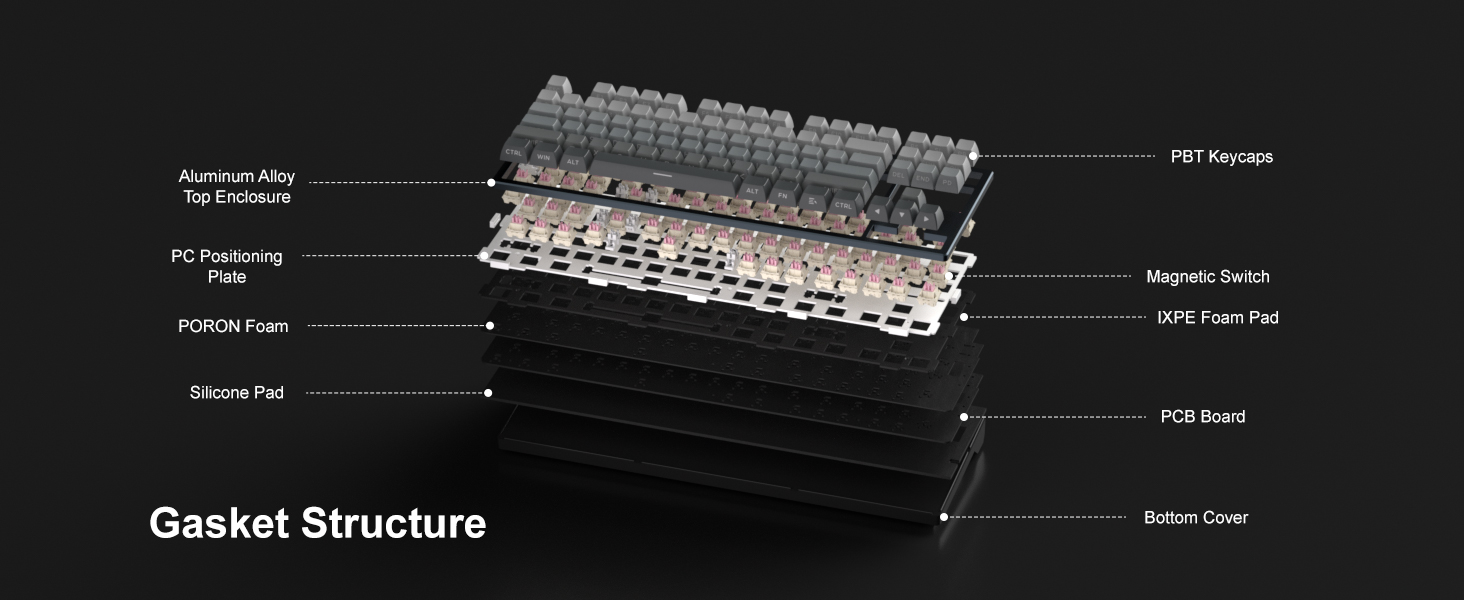
Image: Visual guide for performing a factory reset using the FN + BackSpace key combination.
Especificacions
Key technical specifications for the MageGee Captain87 Rapid Trigger Magnetic Switch Keyboard:
| Característica | Detall |
|---|---|
| Número de model | Cap87-EN-grey2 |
| Fabricant | MageGee |
| Tecnologia de connectivitat | USB-C (amb cable) |
| Descripció del teclat | Hall Effect Magnetic Switches, Rapid Trigger, Adjustable Actuation |
| Nombre de claus | 87 (75% Disseny) |
| Il·luminació del teclat | RGB (LED orientats al sud) |
| Característiques especials | Gasket Mount, Backlit, Programmable Keys, Side Printed PBT Keycaps, Hot-Swappable |
| Usos recomanats | Personal, Programming, Gaming |
| Pes de l'article | 2.86 lliures |
| Dimensions del paquet | 15.86 x 6.81 x 2.64 polzades |
| Estil | Contemporània |
Garantia i Suport
Your MageGee Captain87 keyboard comes with a standard manufacturer's warranty. For detailed information regarding warranty terms, conditions, and duration, please refer to the warranty card included in your product packaging or visit the official MageGee weblloc.
For technical support, troubleshooting assistance beyond this manual, or general inquiries, please visit the MageGee Store on Amazon o els seus canals de suport oficials.


