
Introducció
This manual provides comprehensive instructions for the setup, operation, and maintenance of your Doubc Q13 Wireless Bluetooth 5.3 Earbuds. Please read this manual carefully before use to ensure optimal performance and longevity of your device.
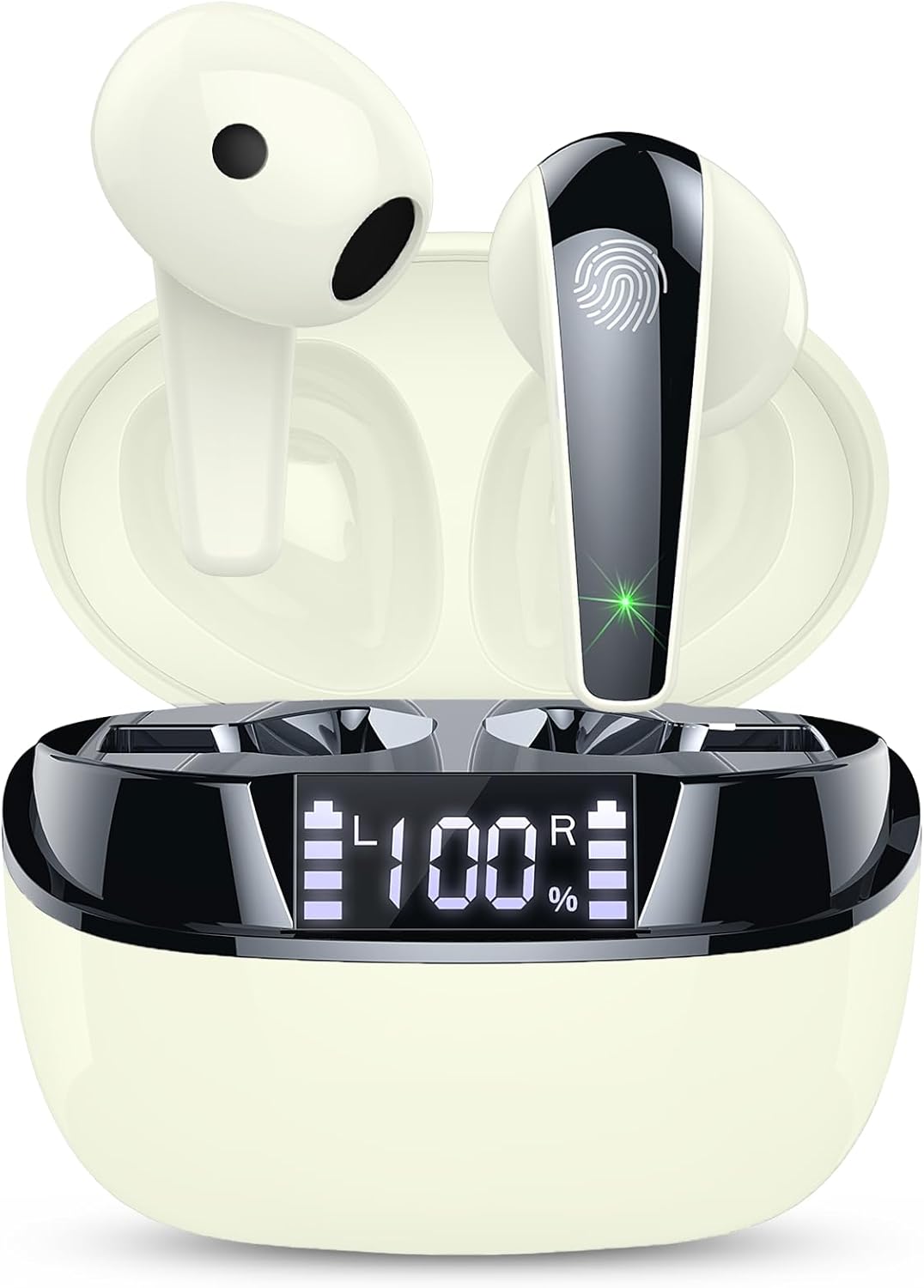
Image: The Doubc Q13 Wireless Bluetooth 5.3 Earbuds in their open charging case, displaying the dual LED battery indicator. The earbuds are off-white with black accents, and the charging case is also off-white.
Contingut del paquet
- Doubc Q13 Wireless Bluetooth 5.3 Earbuds (Left and Right)
- Estoig de càrrega sense fil
- Cable de càrrega USB-C
- Manual d'usuari (aquest document)
Configuració
1. Càrrega inicial
Before first use, fully charge the earbuds and the charging case. Connect the charging case to a power source using a USB-C cable. The dual LED display on the charging case will show the battery percentage for the case and individual earbuds (L for left, R for right).
- Una càrrega completa proporciona fins a 47 hores de reproducció total amb l'estoig de càrrega.
- Earbuds offer up to 7 hours of playtime on a single charge.
- Quick charge feature: 10 minutes of charging provides approximately 1.5 hours of music playtime.
2. Vinculació amb un dispositiu
- Assegureu-vos que els auriculars estiguin carregats.
- Obre l'estoig de càrrega. Els auriculars entraran automàticament en mode d'emparellament.
- Al dispositiu (per exemple, telèfon intel·ligent o tauleta), activeu el Bluetooth.
- Cerca available Bluetooth devices and select "Q13" (or similar name) from the list.
- Once connected, a confirmation sound may be heard, and the earbuds will be ready for use.
The earbuds feature Bluetooth 5.3 technology for faster data transfer, reduced latency, and enhanced connection stability. After initial pairing, the earbuds will automatically reconnect to the last paired device when removed from the case.
Instruccions de funcionament
Controls tàctils intel·ligents
The Doubc Q13 earbuds are equipped with touch-sensitive controls on each earbud. The specific functions are:
| Acció | Funció |
|---|---|
| Toc únic (esquerra/dreta) | Reproduir/Pausar música, Respondre/Finalitzar trucada |
| Doble toc (auricular dret) | Pista següent |
| Doble toc (auricular esquerre) | Pista anterior |
| Toc triple (auricular dret) | Puja el volum |
| Toc tres vegades (auricular esquerre) | Baixa el volum |
| Premsa llarga (2 segons) | Reject Call, Activate Voice Assistant (Siri/Google Assistant) |
Nota: Functions may vary slightly depending on your connected device and operating system.
Manteniment
Neteja
- Netegeu suaument els auriculars i l'estoig de càrrega amb un drap suau, sec i sense borrissol.
- Avoid using abrasive materials, solvents, or chemical cleaners.
- Assegureu-vos que els contactes de càrrega dels auriculars i de la funda estiguin nets i secs per a una càrrega correcta.
Resistència a l'aigua
The earbuds feature an IPX7-rated nano-coating, providing protection against sweat and rain. This makes them suitable for workouts and outdoor activities. However, they are not designed for swimming or submersion in water. Ensure the earbuds are dry before placing them back into the charging case to prevent damage.
Emmagatzematge
Quan no els utilitzeu, guardeu els auriculars a la seva funda de càrrega per protegir-los i mantenir-los carregats. Guardeu el dispositiu en un lloc fresc i sec, allunyat de temperatures extremes.
Resolució de problemes
If you encounter issues with your Doubc Q13 earbuds, refer to the following common solutions:
- Auriculars que no s'emparellan:
- Assegureu-vos que els dos auriculars estiguin carregats.
- Place earbuds back into the charging case, close the lid, then open it again to re-enter pairing mode.
- Desactiva i activa el Bluetooth del dispositiu.
- Forget "Q13" from your device's Bluetooth list and attempt to pair again.
- No se sent cap so d'un auricular:
- Assegureu-vos que els dos auriculars estiguin carregats.
- Prova de tornar a col·locar els dos auriculars a l'estoig de càrrega, tanca la tapa i torna'ls a treure.
- Comproveu la configuració del balanç d'àudio del dispositiu.
- Problemes de càrrega:
- Assegureu-vos que el cable USB-C estigui connectat correctament tant a la carcassa com a la font d'alimentació.
- Verifiqueu que la font d'alimentació estigui activa.
- Netegeu els contactes de càrrega dels auriculars i de l'interior de la funda.
- Mala qualitat de so o caigudes de connexió:
- Ensure the earbuds are within the effective Bluetooth range of your device (typically 10 meters/33 feet).
- Minimitzar les interferències d'altres dispositius sense fil.
- Assegureu-vos que els auriculars estiguin nets i lliures de residus.
If problems persist, consult the manufacturer's support resources (if available) or contact customer service.
Especificacions
| Característica | Detall |
|---|---|
| Nom del model | P13 |
| Marca | Dubc |
| Tecnologia de connectivitat | Sense fil (Bluetooth 5.3) |
| Col·locació de l'orella | A l'orella |
| Factor de forma | A l'orella |
| Control de soroll | Adaptive Noise Cancellation (ENC Microphones) |
| Nivell de resistència a l'aigua | IPX7 impermeable |
| Temps de joc total | Fins a 47 hores (amb estoig de càrrega) |
| Temps de reproducció de l'auricular | Fins a 7 hores (una sola càrrega) |
| Càrrega ràpida | 10 minuts de càrrega per a 1.5 hores de reproducció |
| Conductors | Four 13mm graphene drivers |
| Micròfons | 4 ENC Noise Cancelling Microphones |
| Mostra | Pantalla d'alimentació LED dual |
| Pes de l'article | 1.76 unces |
| Tipus de bateria | Ió de liti (inclòs) |
| Dispositius compatibles | Telèfons mòbils |
| Impedància | 32 ohms |
Garantia i Suport
Information regarding product warranty and customer support contact details was not available in the provided product data. Please refer to the product packaging or the manufacturer's official weblloc web per conèixer els termes de la garantia i les opcions d'assistència.