
Introducció
Welcome to the user manual for your Monster Achieve 300 AirLinks Wireless Earbuds. These earbuds are designed to provide a superior audio experience with advanced features for daily use, sports, and calls. Featuring Pure Monster Sound, Bluetooth 5.3 connectivity, touch controls, and a water-resistant design, they offer comfort and convenience for extended listening.

Image: Monster Achieve 300 AirLinks Wireless Earbuds in their open charging case, showcasing the sleek black design with gold accents.
Contingut del paquet
Marqueu la casella per als elements següents:
- Monster Achieve 300 AirLinks Wireless Earbuds (Left and Right)
- Estoig de càrrega
- Cable de càrrega USB-C
- Manual d'usuari
- Three pairs of soft rubber ear tips (Small, Medium, Large - Medium size pre-installed)
Configuració
1. Càrrega dels auriculars i l'estoig
Before first use, fully charge the earbuds and charging case. The charging case provides extended battery life for your earbuds.
- Connecteu el cable USB-C proporcionat al port de càrrega de la funda i a una font d'alimentació.
- Els indicadors lluminosos de la caixa de càrrega mostraran l'estat de càrrega.
- A 10-minute quick charge provides up to 120 minutes of playback.
- The earbuds offer up to 32 hours of total play time with the charging case.

Image: The Monster Achieve 300 AirLinks charging case, highlighting its compact size and the LED indicators for battery status.
Video: This video demonstrates the features and usage of the Monster Achieve 300 AirLinks Wireless Earbuds, including pairing, touch controls, sound quality, and water resistance.
2. Emparellament amb el dispositiu
Els auriculars tenen una funció d'emparellament en un sol pas per a una connexió ràpida i senzilla.
- Obre l'estoig de càrrega. Els auriculars entraran automàticament en mode d'emparellament.
- Al dispositiu (telèfon intel·ligent, tauleta, ordinador portàtil), activeu el Bluetooth.
- Cerca "Monster Achieve 300 AirLinks" in the list of available Bluetooth devices.
- Select the earbuds to connect. Once connected, you will hear an audible confirmation.

Image: A graphic illustrating key features such as Bluetooth 5.3 for stable transmission, IPX6 water resistance, one-step pairing, and one-key reset.
Instruccions de funcionament
Controls tàctils
The multi-function touch control allows for easy management of music and calls. Specific gestures may vary slightly, but common functions include:
- Reproduir/pausa: Un sol toc a qualsevol dels auriculars.
- Pista següent: Toqueu dues vegades l'auricular dret.
- Pista anterior: Toqueu dues vegades l'auricular esquerre.
- Pujar el volum: Toqueu tres vegades l'auricular dret.
- Baixar el volum: Toqueu tres vegades l'auricular esquerre.
- Respondre/Finalitzar la trucada: Toqueu un sol cop a qualsevol dels auriculars durant una trucada entrant.
- Rebutja la trucada: Prem i mantén premut qualsevol dels auriculars durant una trucada entrant.
- Activa l'Assistent de veu: Press and hold for 2 seconds on either earbud (e.g., Siri, Google Assistant).
Fer i rebre trucades
The Monster Achieve 300 AirLinks are equipped with built-in dual microphones for clear calls, enhanced by ENC (Environmental Noise Cancellation) technology.
- Assegureu-vos que els auriculars estiguin connectats al telèfon.
- Per respondre una trucada entrant, toqueu un sol qualsevol dels auriculars.
- Per finalitzar una trucada, toqueu un sol qualsevol dels auriculars.
- To reject a call, press and hold either earbud.

Image: A man wearing the Monster Achieve 300 AirLinks earbuds, illustrating the clear call quality provided by the built-in microphones with ENC technology.
Escoltant Música
Experience Pure Monster Sound with deep bass and a wider soundstage, ensuring excellent accuracy and clarity across the entire frequency range.
- Once paired, open your preferred music application on your device.
- Use the touch controls on the earbuds or your device to manage playback.
- The ergonomic design ensures a comfortable and secure fit, ideal for extended listening sessions.
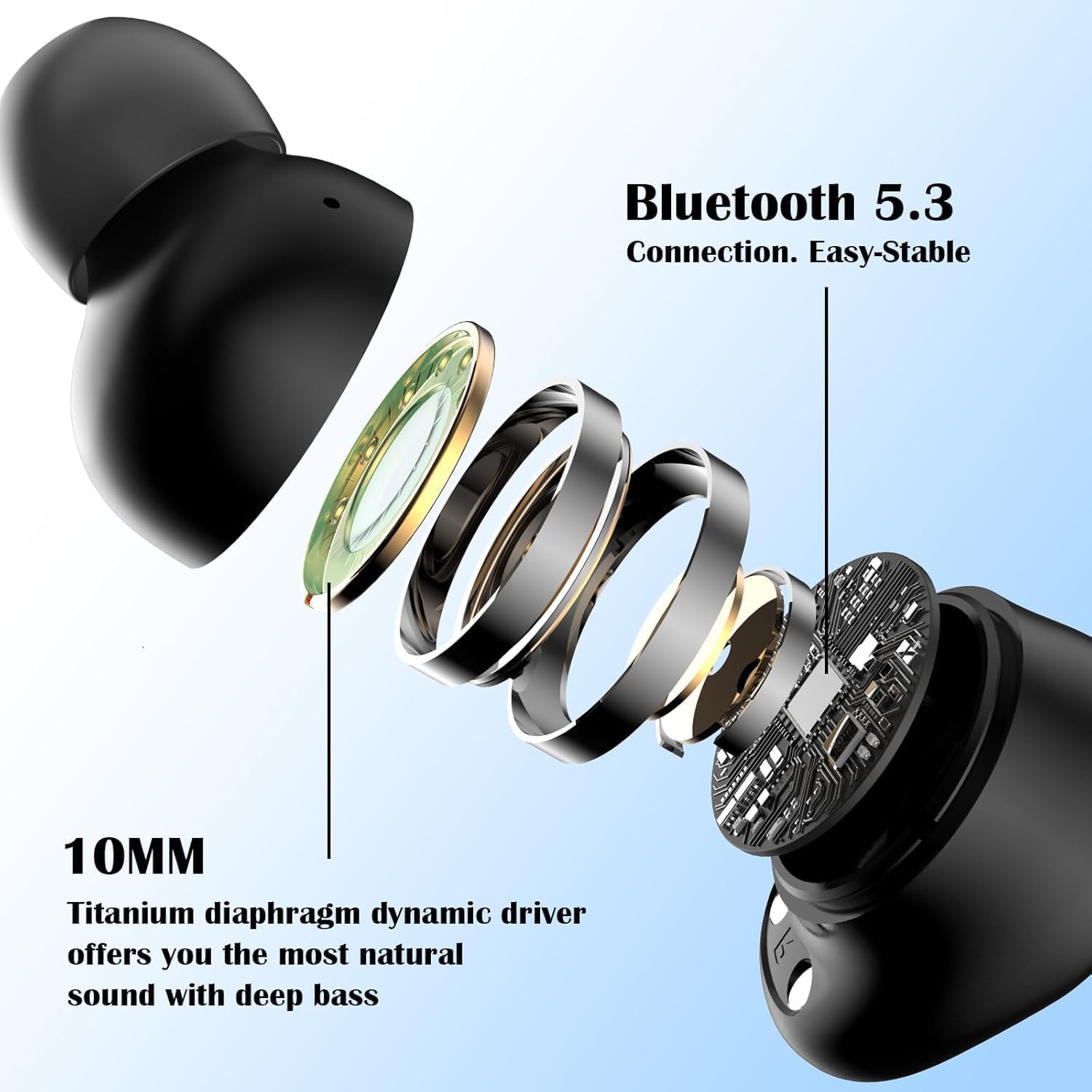
Imatge: Una explosió view of a Monster Achieve 300 AirLinks earbud, detailing the internal components including the 10MM Titanium diaphragm dynamic driver for natural sound and deep bass.
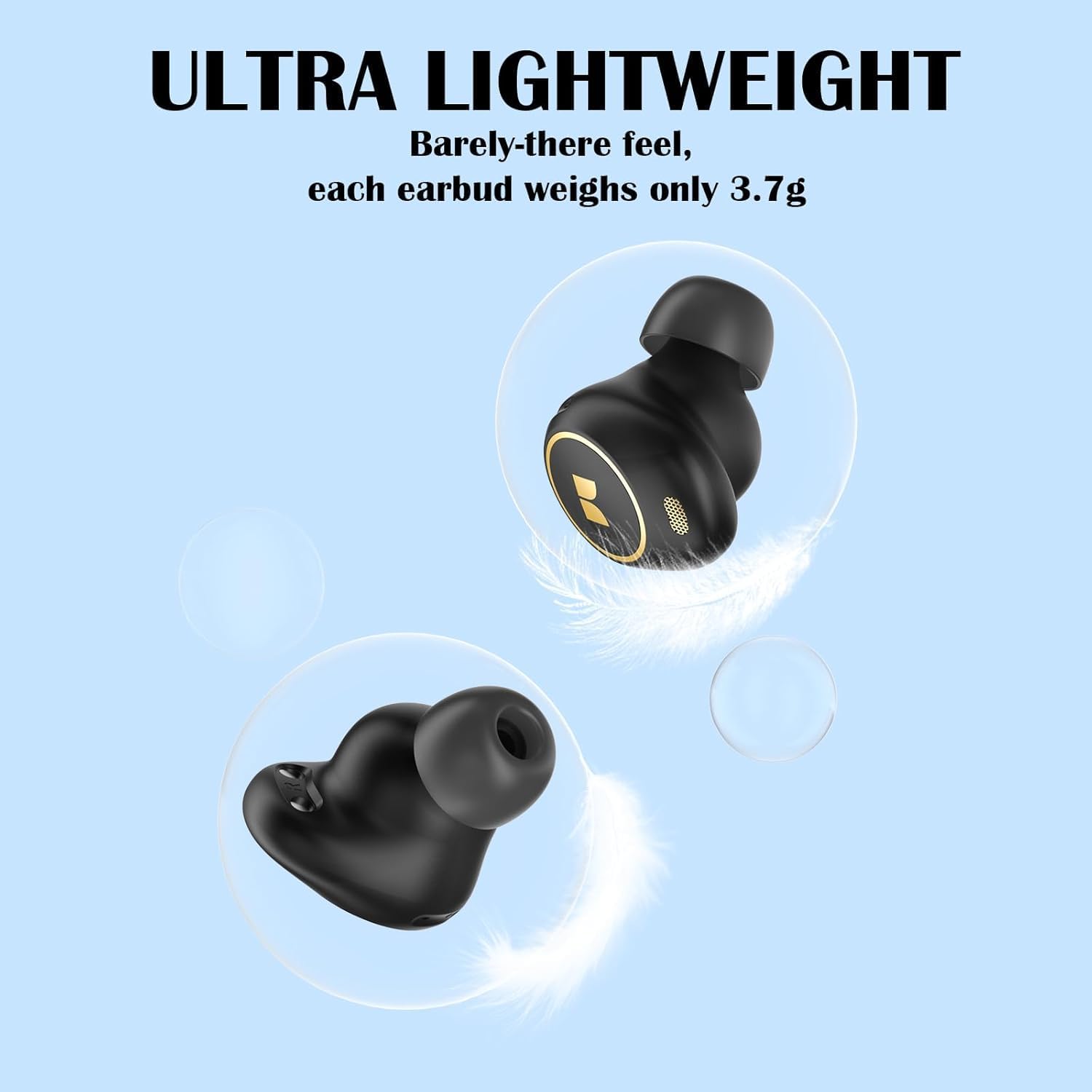
Image: A visual representation emphasizing the ultra-lightweight design of the Monster Achieve 300 AirLinks earbuds, with each earbud weighing only 3.7g.
Manteniment
To ensure the longevity and optimal performance of your Monster Achieve 300 AirLinks earbuds:
- Neteja: Netegeu regularment els auriculars i l'estoig de càrrega amb un drap suau, sec i sense borrissol. No utilitzeu productes químics agressius ni materials abrasius.
- Resistència a l'aigua: The earbuds are IPX6 water-resistant, meaning they can withstand powerful water jets. This makes them ideal for sports and outdoor activities, protecting against sweat and rain. However, they are not designed for submersion in water. Ensure they are dry before placing them back in the charging case.
- Emmagatzematge: Quan no els utilitzeu, guardeu els auriculars a la seva funda de càrrega per protegir-los i mantenir-los carregats.
- Temperatura: Eviteu exposar els auriculars a temperatures extremes (calor o fred) o a una humitat elevada.
Resolució de problemes
Si teniu problemes amb els auriculars, proveu les solucions següents:
| Problema | Solució |
|---|---|
| Els auriculars no s'aparellen |
|
| No hi ha so d'un auricular |
|
| Els auriculars no es carreguen |
|
| Poca qualitat de trucada |
|
Especificacions
| Característica | Detall |
|---|---|
| Nom del model | MH12005 |
| Tecnologia de connectivitat | Sense fil (Bluetooth 5.3) |
| Nivell de resistència a l'aigua | IPX6 (impermeable) |
| Durada mitjana de la bateria | 32 hores (amb estoig de càrrega) |
| Col·locació de l'orella | A l'orella |
| Factor de forma | A l'orella |
| Impedància | 29.99 ohms |
| Característiques especials | Volume Control, Touch Control, Built-in Mic for Clear Calls |
| Dispositius compatibles | Telèfons intel·ligents, tauletes, ordinadors portàtils, altaveus intel·ligents |
| Pes de l'article | 120 g (Parcel Dimensions) |
Garantia i Suport
For warranty information or technical support, please refer to the warranty card included in your package or visit the official Monster website. If you have any questions or require assistance, please feel free to contact our customer service team. We are committed to providing quality service within 24 hours.
També podeu trobar més informació i suport a Monster Store on Amazon.