
1. Introducció
This manual provides essential information for the safe and efficient operation of your HOTWAV R9 Pro Rugged Tablet. The HOTWAV R9 Pro is designed for durability, featuring MIL-STD-810H, IP68, and IP69K certifications, making it resistant to drops, water, and dust. It operates on Android 14 and offers a robust set of features for various environments. Please read this manual thoroughly before using your device.
2. Informació de seguretat
- Resistència a l'aigua i a la pols: While the device is IP68/IP69K rated, avoid prolonged submersion beyond specified depths (2 meters) and durations (30 minutes). Ensure all port covers are securely closed before exposure to water or dust.
- Temperatura: No exposeu el dispositiu a temperatures extremes (inferiors a -20 °C o superiors a 60 °C).
- Impacte: The device is drop-resistant up to 1.2 meters. However, severe impacts can still cause damage.
- Bateria: Use only approved chargers and cables. Do not attempt to replace the battery yourself. Avoid puncturing or damaging the battery.
- Neteja: Utilitzeu un suau, damp drap per netejar. Eviteu els productes químics durs.
- Eliminació: Desfeu-vos del dispositiu i de la bateria de manera responsable d'acord amb la normativa local.
3. Contingut del paquet
Verifiqueu que tots els elements siguin presents al vostre paquet:
- 1x HOTWAV R9 Pro Rugged Tablet
- 1x cable USB tipus C
- 1x OTG Cable
- 1x adaptador de corrent
- 1 x manual d'usuari
4. Dispositiu acabatview
The HOTWAV R9 Pro features an 11-inch display and a robust exterior. Familiarize yourself with the key components.

Davant i darrere view of the HOTWAV R9 Pro Rugged Tablet, showing the screen, cameras, and rugged casing.

lateral view of the HOTWAV R9 Pro Rugged Tablet, highlighting port locations and buttons.
5. Configuració
5.1 Càrrega inicial
Before first use, fully charge the tablet using the provided power adapter and USB Type-C cable. Connect the cable to the tablet's charging port and the adapter to a power outlet. The charging indicator will show the charging status.
5.2 Engegada/apagada
- Per encendre: Press and hold the Power button until the HOTWAV logo appears.
- Per apagar: Mantingueu premut el botó d'engegada i, a continuació, seleccioneu "Apagar" de les opcions que apareixen a la pantalla.
- Reinicia: Mantingueu premut el botó d'engegada i, a continuació, seleccioneu "Reiniciar" de les opcions.
5.3 Instal·lació de la targeta SIM i la targeta TF
The tablet supports dual 4G SIM cards and a TF card for expandable storage up to 2TB.
- Localitza la safata de la targeta SIM/TF al lateral de la tauleta.
- Feu servir l'eina d'expulsió de la SIM proporcionada per obrir la safata.
- Carefully place the SIM cards and/or TF card into their respective slots, ensuring correct orientation.
- Gently push the tray back into the tablet until it is flush with the device.
5.4 Configuració inicial d'Android
En engegar-lo per primera vegada, seguiu les instruccions que apareixen a la pantalla per completar la configuració inicial, inclosa la selecció d'idioma, la connexió Wi-Fi, l'inici de sessió al compte de Google i la configuració de seguretat.
6. Instruccions de funcionament
6.1 Navegació bàsica
The HOTWAV R9 Pro uses standard Android touch gestures:
- Toca: Selecciona un element o obre una aplicació.
- Llisca: Desplaçar-se per pantalles o llistes.
- Pessigar: Apropar o allunyar les imatges i web pàgines.
- Premsa llarga: Accedir a menús contextuals o moure icones.
6.2 Connectivitat
- Wi-Fi: Go to Settings > Network & internet > Wi-Fi to connect to available networks. The tablet supports 5G Wi-Fi.
- 4G Doble SIM: Insert two 4G SIM cards to manage calls and data from different networks. (Note: Not compatible with AT&T, Cricket, or Verizon networks. Fully supports T-Mobile, Mint, Boost, and Google Fi.)
- Bluetooth 5.0: Ves a Configuració > Dispositius connectats > Bluetooth per emparellar-lo amb accessoris Bluetooth.
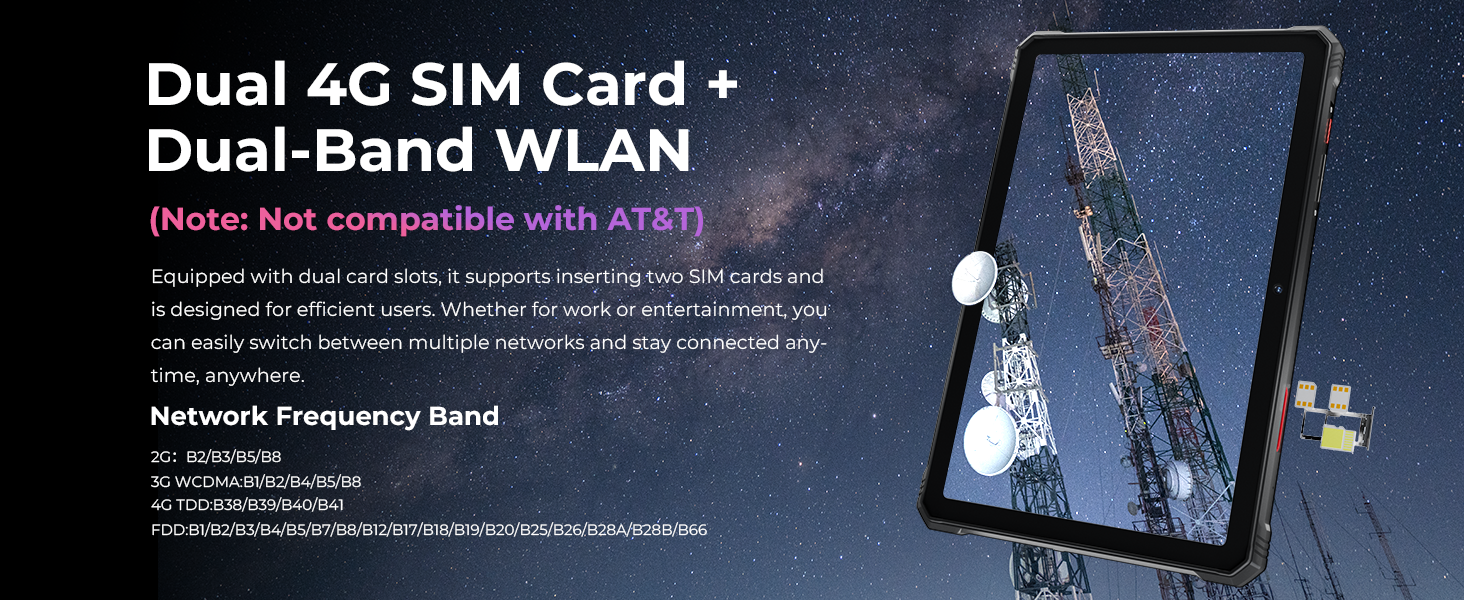
Image showing the tablet's dual 4G SIM card and dual-band WLAN capabilities.
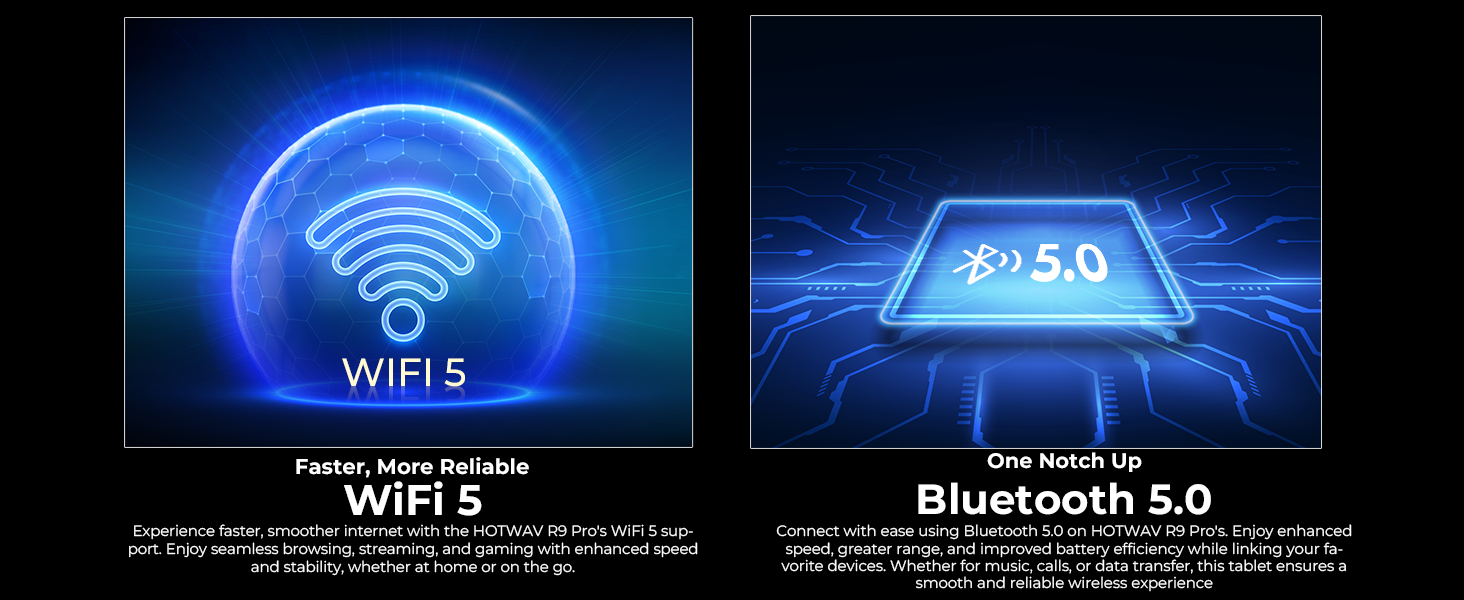
Visual representation of WiFi 5 and Bluetooth 5.0 connectivity features.
6.3 Ús de la càmera
La tauleta inclou una càmera posterior de 64 MP i una càmera frontal de 16 MP.
- Open the Camera app to take photos or record videos.
- Mode subaquàtic: Activate this mode in the camera settings before taking photos or videos underwater. Ensure all port covers are sealed.

Mostra d'imatgesasing the 64MP rear camera's capability to capture detailed photos.
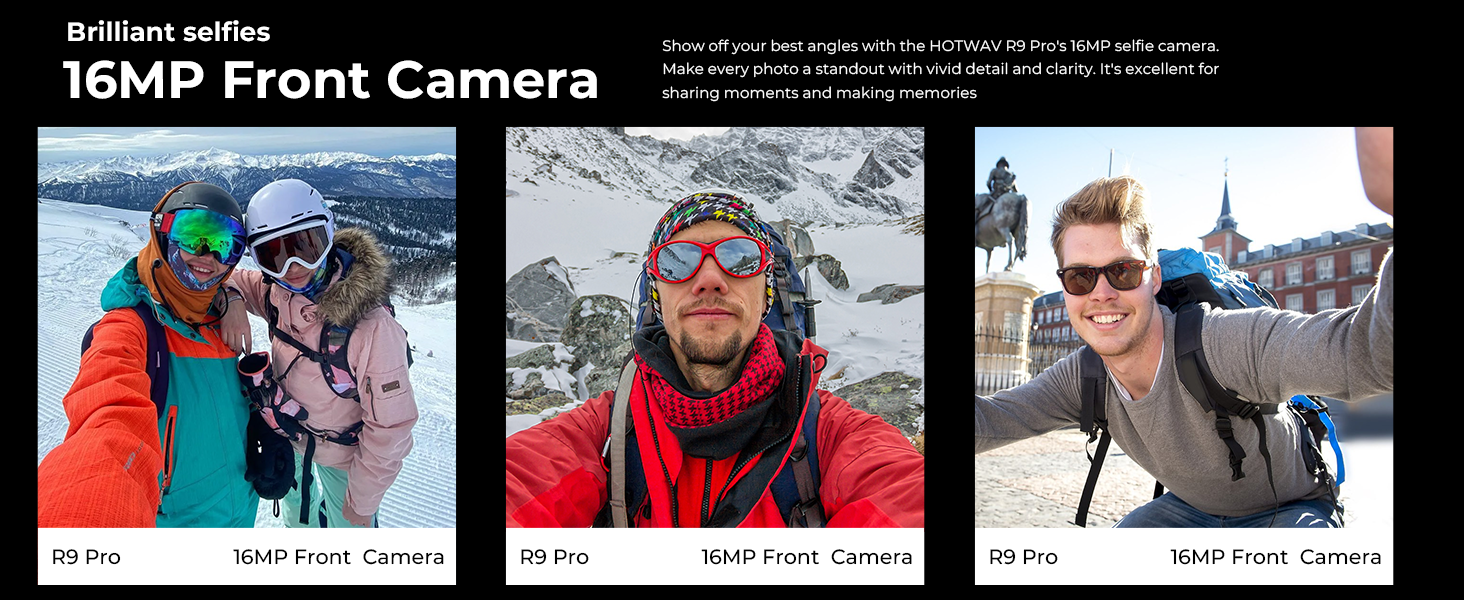
Image demonstrating the 16MP front camera for selfies and video calls.

The tablet's underwater mode allows for photography in aquatic environments.
6.4 Navegació GPS
The tablet supports GPS, BEIDOU, GLONASS, and Galileo for accurate positioning. Download maps in advance for offline use.
The tablet's GPS capabilities for navigation and location tracking.
6.5 Identificació facial
Set up Face ID for secure and convenient unlocking of your device. Go to Settings > Security & privacy > Face unlock and follow the instructions.
6.6 Campllum
The integrated Super LED Camping Light provides 350 lumens of illumination and can last for 14 hours. Access and control the camping light through the quick settings panel or a dedicated app.
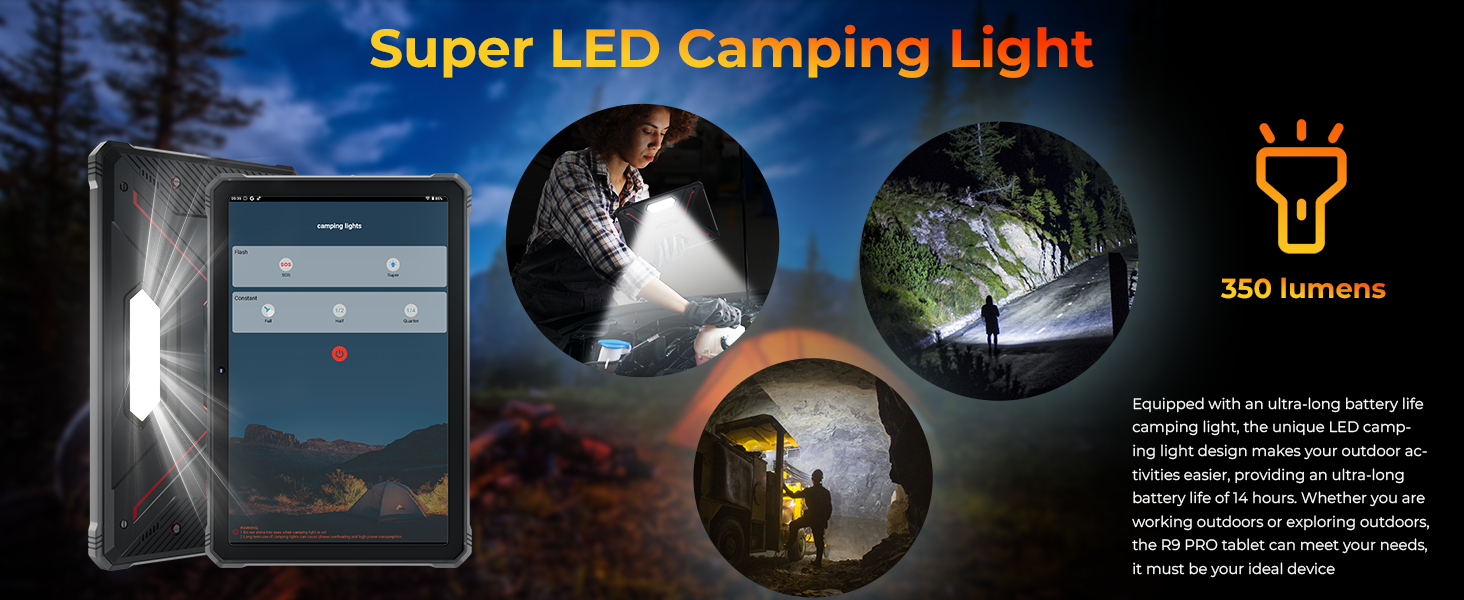
The tablet's Super LED Camping Light in use, providing illumination.
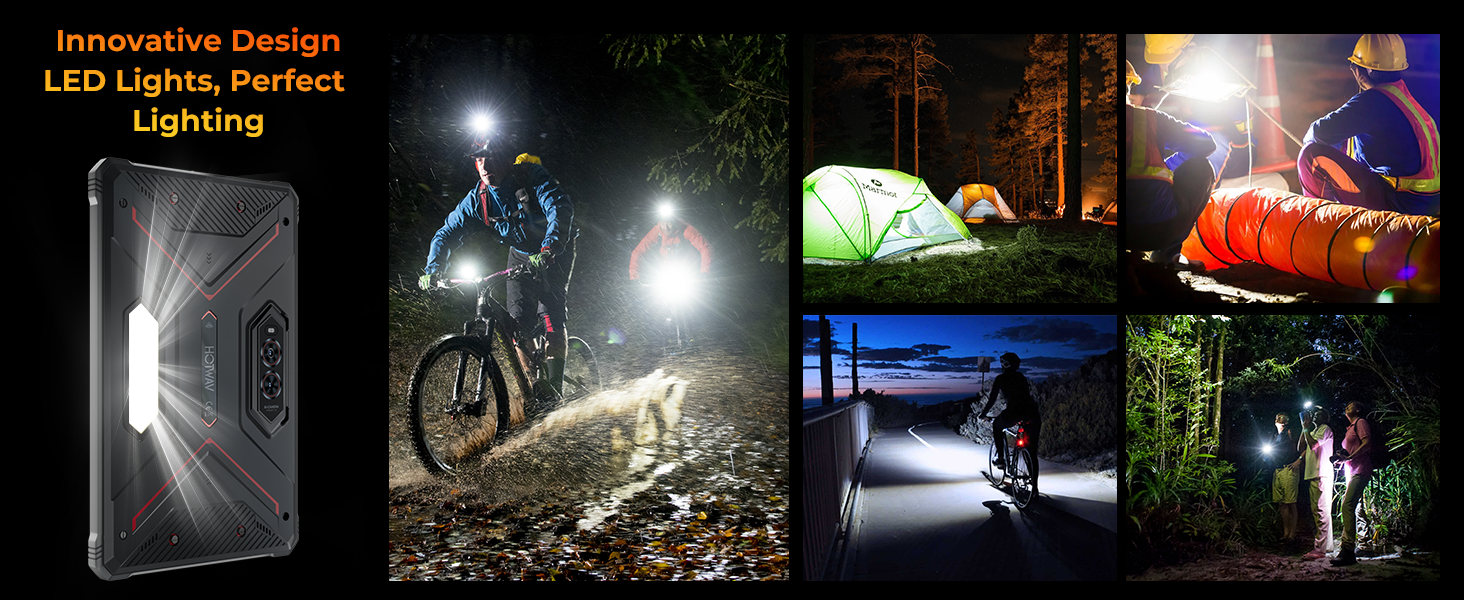
Various scenarios demonstrating the utility of the tablet's LED campla llum.
6.7 OTG Reverse Charging
Use the provided OTG cable to connect other devices to your tablet and use the tablet's large battery to charge them. This feature allows the tablet to act as a power bank.

Diagram illustrating the OTG reverse charging function, showing the tablet charging other devices.
6.8 Característiques d'Android 14
The tablet runs on the latest Android 14, offering enhanced privacy controls, improved performance, and features like split-screen multitasking.

Image depicting the Android 14 operating system interface on the HOTWAV R9 Pro.
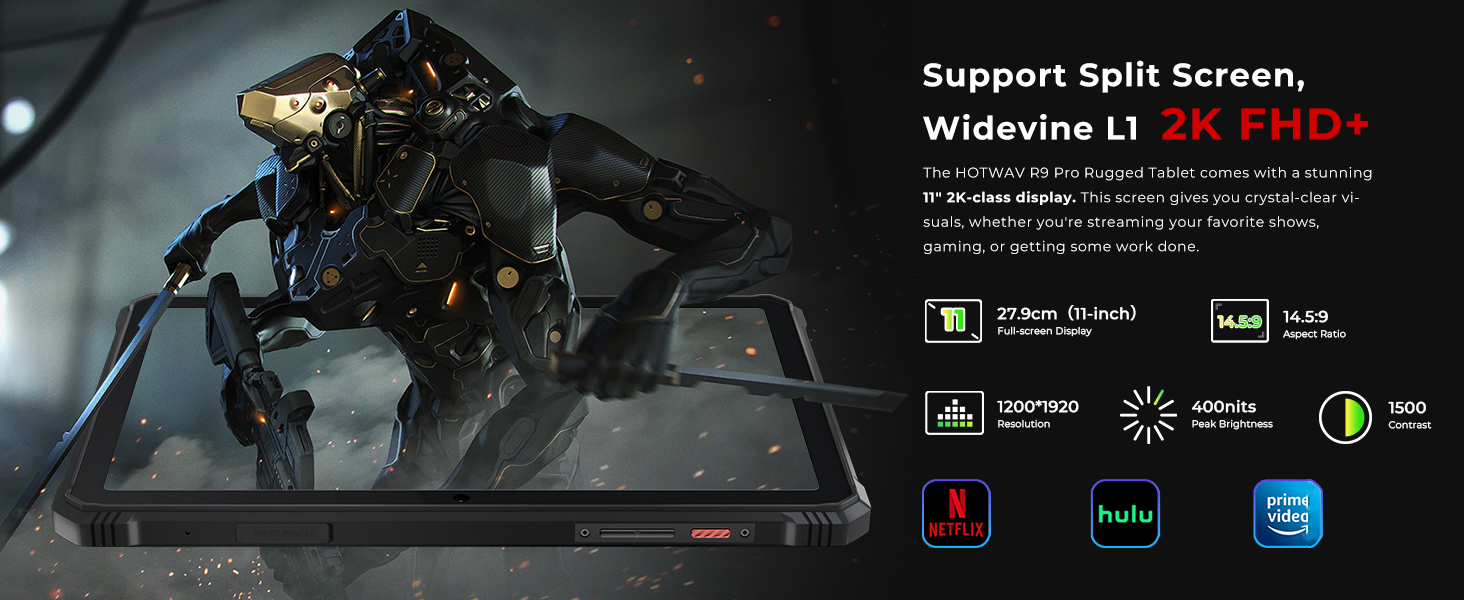
The tablet supports split-screen functionality and Widevine L1 for high-definition streaming.
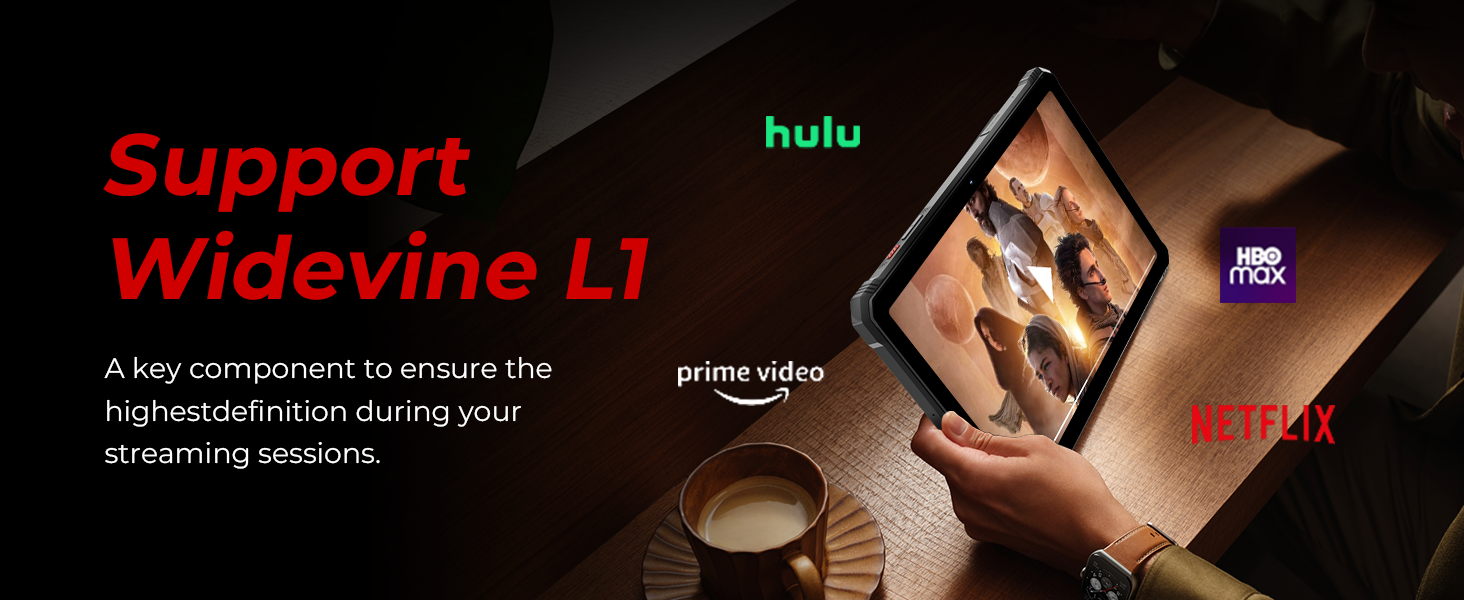
The tablet's support for Widevine L1 ensures high-definition content playback from streaming services.
7. Característiques clau
7.1 Pantalla
The HOTWAV R9 Pro features an 11-inch 2K FHD+ display with a resolution of 1920x1200 pixels and 450 NIT brightness. The screen is designed to be scratch-resistant, providing clear visuals for various applications.

The 11-inch 2K display offers clear visuals and is scratch-resistant.
7.2 Rendiment
Powered by a Unisoc T606 octa-core processor, the tablet includes 20GB RAM (6GB fixed + 14GB expandable) and 256GB internal storage, expandable up to 2TB via a TF card. This configuration supports smooth multitasking and ampemmagatzematge per a aplicacions i suports multimèdia.
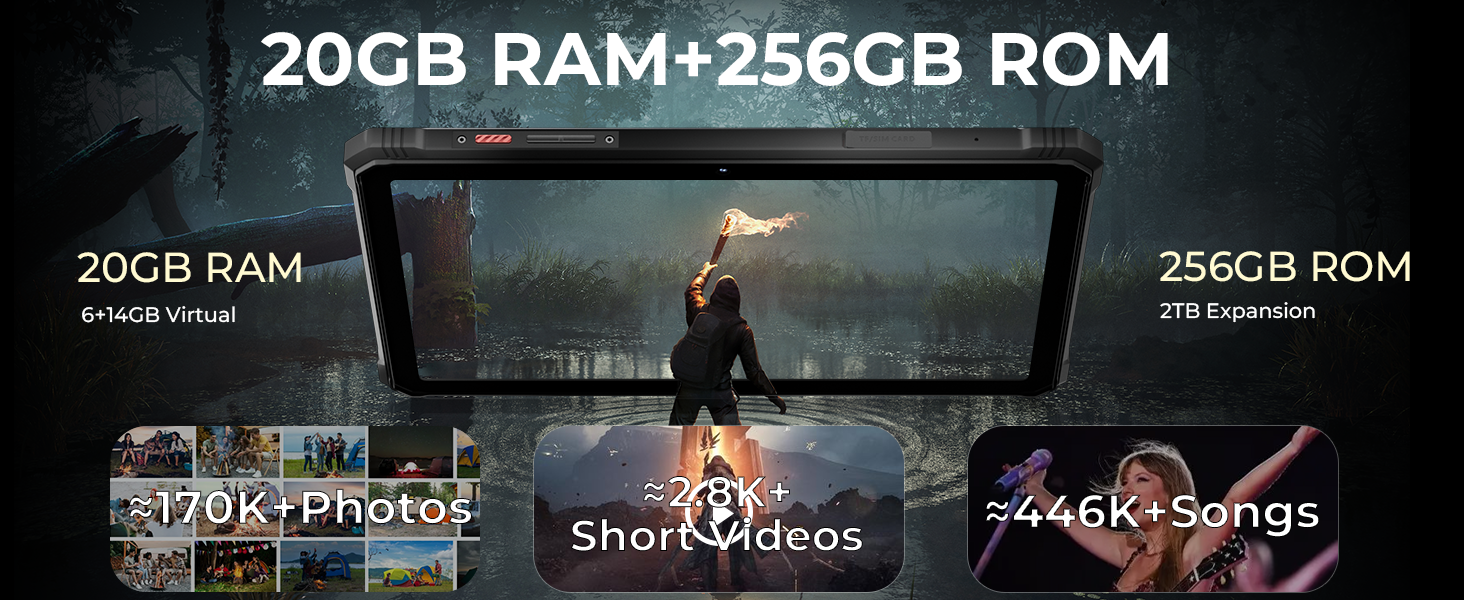
Details on the Unisoc T606 octa-core processor, 20GB RAM, and 256GB ROM with 2TB expandability.

Visual representation of the tablet's 20GB RAM and 256GB ROM, highlighting storage capacity for photos, videos, and songs.
7.3 Durabilitat
The R9 Pro is built to withstand harsh conditions, meeting MIL-STD-810H military standards and IP68/IP69K ratings. This ensures resistance to drops up to 1.2 meters, and water/dust immersion up to 2 meters for 30 minutes.

Illustrations of the tablet's drop-proof, waterproof, and dust-proof features, certified by IP68, IP69K, and MIL-STD-810H standards.
Official video demonstrating the ruggedness of the HOTWAV R9 Pro tablet, including drop and water resistance tests.
Vídeo oficialasing the waterproof capabilities of the HOTWAV R9 Pro tablet.
7.4 Durada de la bateria
Equipped with a 20080mAh battery, the tablet offers extended usage times: up to 120 days standby, 1000 hours of music playback, and 100 hours of talk time. It supports 20W fast charging.
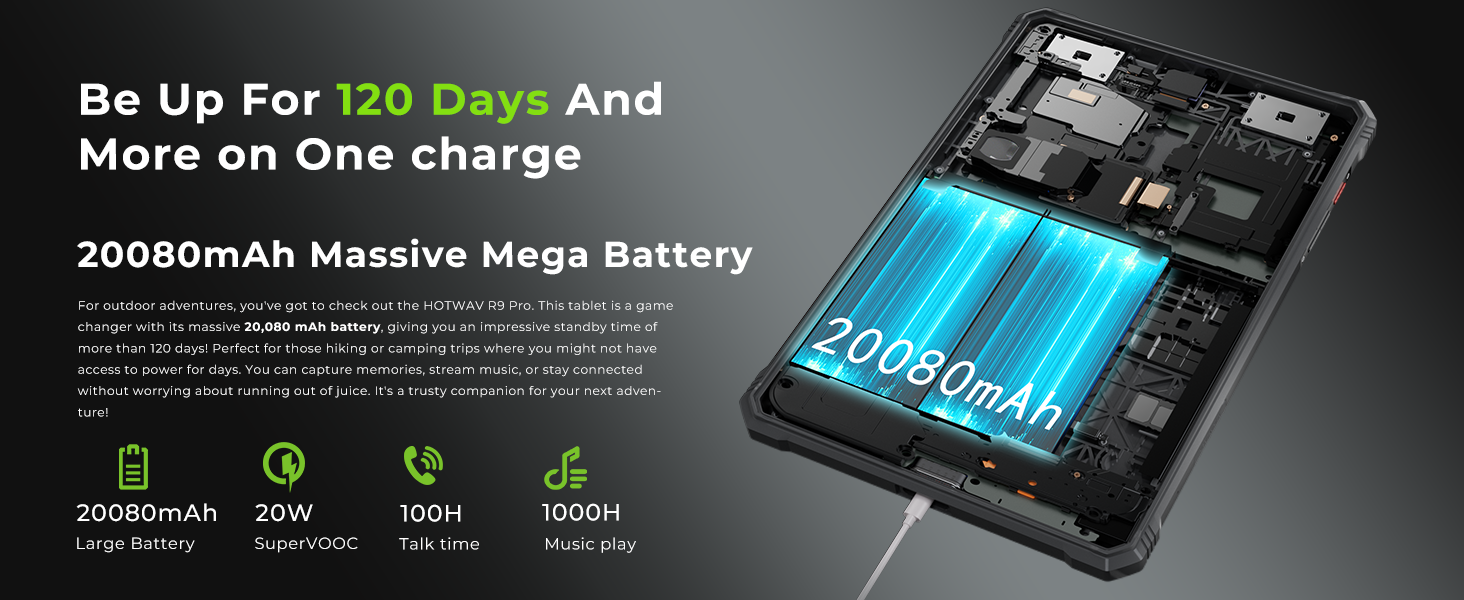
Information on the tablet's 20080mAh battery, including standby time, music playback, and talk time.
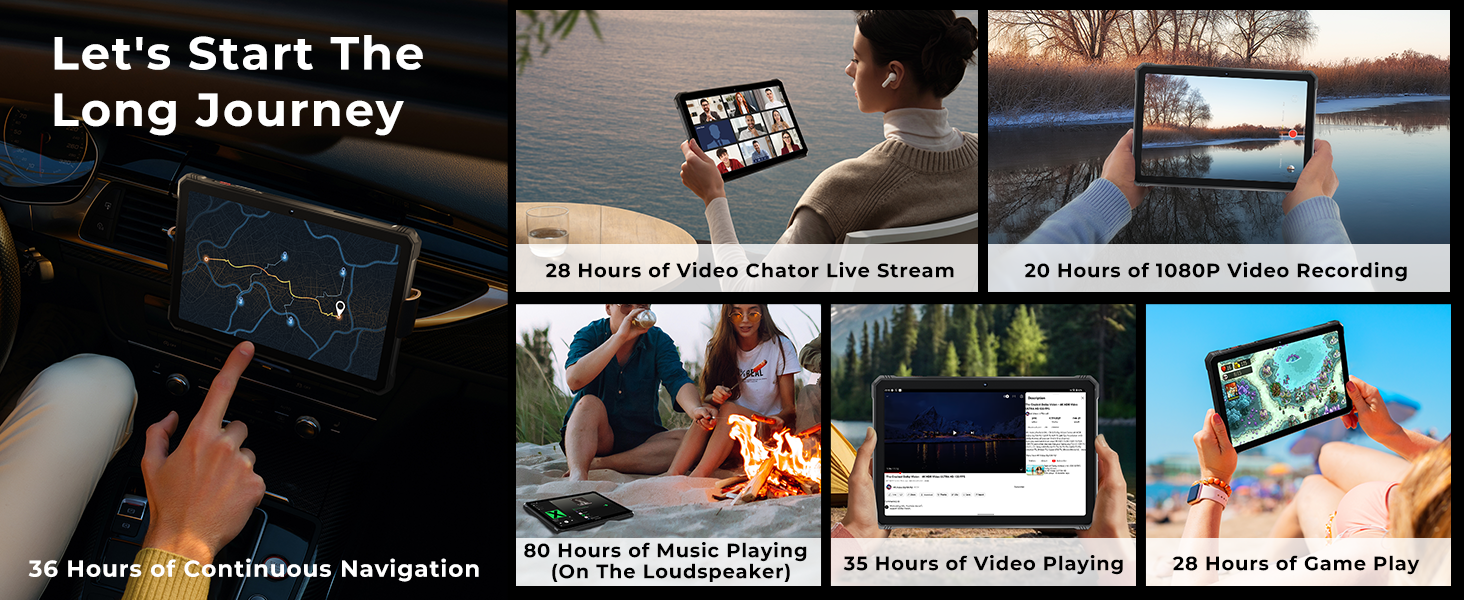
Examples of extended usage times for navigation, video, music, and gaming on a single charge.
7.5 Mode guant
The tablet features a Glove Mode, allowing you to operate the touchscreen while wearing gloves, which is useful in cold weather or industrial environments. This mode can typically be activated in the display settings.

Image showing a user operating the tablet while wearing gloves, demonstrating the Glove Mode feature.
8. Manteniment
- Neteja: Wipe the screen and body with a soft, lint-free cloth. For stubborn dirt, slightly dampen the cloth with water. Ensure all port covers are closed before cleaning with moisture.
- Cura de la bateria: To prolong battery life, avoid fully discharging the battery frequently. Charge the device regularly and avoid leaving it in direct sunlight or extremely hot environments.
- Actualitzacions de programari: Regularly check for and install system updates to ensure optimal performance and security. Go to Settings > System > System update.
- Gestió d'emmagatzematge: Netegeu periòdicament els innecessaris filei aplicacions per mantenir la velocitat del dispositiu i alliberar emmagatzematge.
9. Solució De Problemes
| Problema | Possible solució |
|---|---|
| El dispositiu no s'encén | Assegureu-vos que la bateria estigui carregada. Connecteu-la al carregador durant almenys 30 minuts i, a continuació, torneu-la a engegar. |
| No es pot connectar a la Wi-Fi | Check if Wi-Fi is enabled. Restart the tablet and your Wi-Fi router. Ensure you are entering the correct password. |
| 4G network not working | Ensure SIM cards are correctly inserted and activated. Check network coverage in your area. Verify compatibility with your carrier (T-Mobile, Mint, Boost, Google Fi are supported; AT&T, Cricket, Verizon are not). |
| La pantalla tàctil no respon | Reinicieu el dispositiu. Si el problema persisteix, feu un restabliment de fàbrica (es perdran les dades). |
| La bateria s'esgota ràpidament | Close unused apps running in the background. Reduce screen brightness. Disable unnecessary features like GPS or Bluetooth when not in use. |
10. Especificacions
| Característica | Detall |
|---|---|
| Marca | HOTWAV |
| Nom del model | R9 Pro |
| Sistema operatiu | Android 14 |
| Processador | Unisoc T606 Octa-Core |
| RAM | 20 GB (6GB fixed + 14GB expandable) |
| Emmagatzematge intern | 256 GB |
| Emmagatzematge ampliable | Up to 2 TB via TF card |
| Mida de la pantalla | 11 polzades |
| Resolució de visualització | 1920 x 1200 (2K FHD+) |
| Càmera posterior | 64 MP |
| Càmera frontal | 16 MP |
| Capacitat de la bateria | 20080 mAh |
| Carregant | Càrrega ràpida de 20 W, càrrega inversa OTG |
| Classificacions de durabilitat | IP68, IP69K, MIL-STD-810H |
| Connectivitat | 4G Dual SIM, 5G Wi-Fi, Bluetooth 5.0, USB Type-C |
| Navegació | GPS, BEIDOU, GLONASS, Galileo |
| Característiques especials | Super LED Camping Light (350 lumens), Underwater Mode, Face ID, Glove Mode |
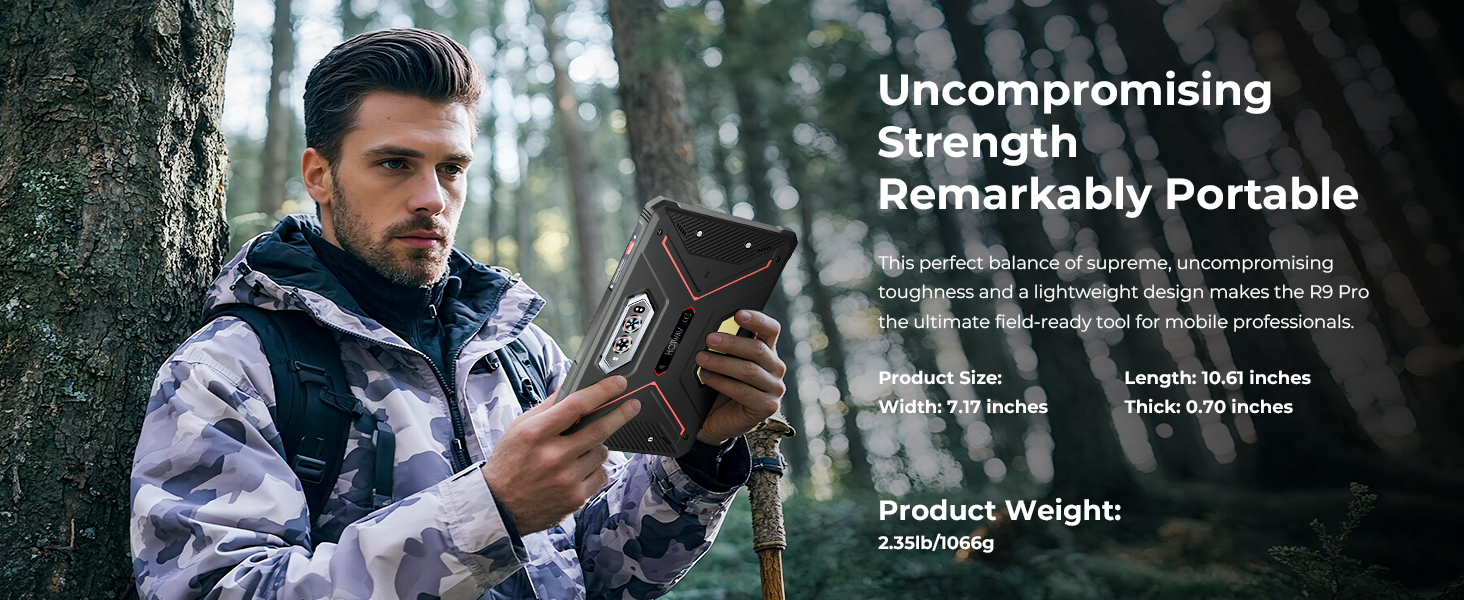
| Dimensions (L x W x Thickness) | 7.17 cm de llargada x 10.59 cm d'amplada x 0.67 cm de gruix |
| Pes de l'article | 1.68 quilos |
11. Garantia i Suport
HOTWAV offers comprehensive support for your R9 Pro tablet:
- Política de devolució: 30 days no-reason return.
- Garantia: Two years free warranty covering buttons and other components against defects.
- Suport tècnic: Suport tècnic de per vida.
- Atenció al client: 24 hours online customer service.
For assistance, please contact HOTWAV customer service.