
Introducció
Welcome to the user manual for your Maxcom Celin FW27 Smartwatch. This guide provides essential information on how to set up, operate, and maintain your device. The FW27 combines elegant design with advanced technology, offering features such as health monitoring, sports tracking, and smart notifications. Please read this manual thoroughly to ensure proper use and to maximize your smartwatch experience.
Contingut del paquet
Upon opening your Maxcom Celin FW27 Smartwatch package, please verify that all the following items are included:
- Maxcom Celin FW27 Smartwatch
- Cable de càrrega
- Manual d'usuari (aquest document)
- Additional Fabric Strap
- Extra Glass Protector
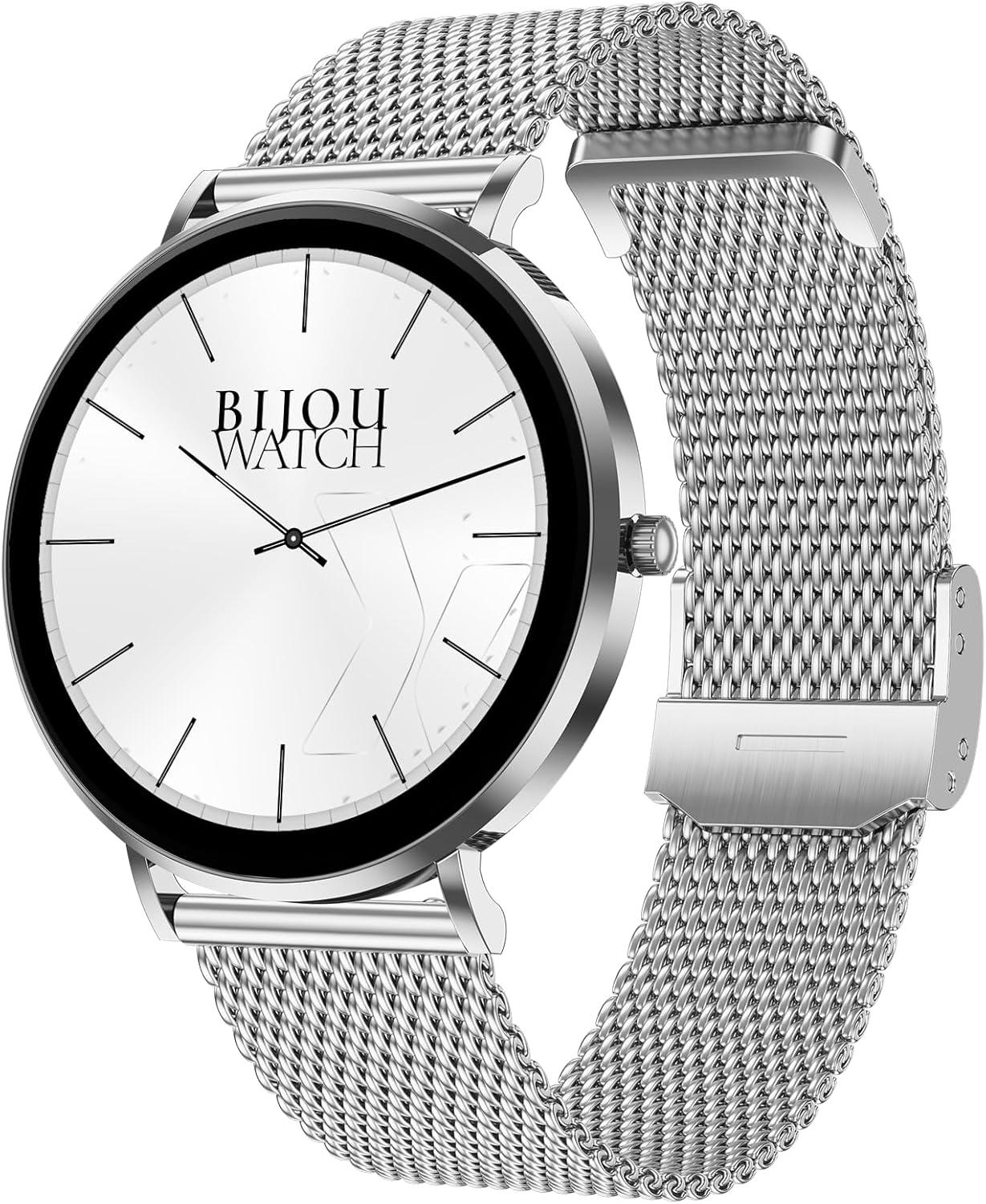
Image: The Maxcom Celin FW27 Smartwatch with its elegant silver mesh strap.
Producte acabatview
The Maxcom Celin FW27 Smartwatch features a sleek, ultra-slim stainless steel design with a vibrant AMOLED display. It is designed for comfort and durability, making it suitable for daily wear and various activities.
Components clau:
- Pantalla AMOLED: High-resolution 1.35-inch screen (466x466 pixels) for clear visuals and vibrant colors, supporting Always-On Display (AOD).
- Botó lateral/corona: Used for navigation, power on/off, and accessing menus.
- Sensors: Located on the back for heart rate, blood oxygen, and blood pressure monitoring.
- Contactes de càrrega: Contactes magnètics a la part posterior per connectar el cable de càrrega.
- Altaveu/micròfon: For Bluetooth calling functionality.

Image: The smartwatch displaying a digital watch face with time.
Configuració
1. Càrrega del rellotge intel·ligent
Abans del primer ús, carrega completament el teu rellotge intel·ligent.
- Connecteu el cable de càrrega a un adaptador de corrent USB (no inclòs) o al port USB d'un ordinador.
- Align the magnetic pins of the charging cable with the charging contacts on the back of the smartwatch. The cable will snap into place.
- La pantalla del rellotge mostrarà un indicador de càrrega. Calculeu aproximadament 2 hores per a una càrrega completa.
2. Encès / apagat
- Encès: Press and hold the side button for a few seconds until the Maxcom logo appears.
- Apagar: From the watch face, swipe down to access quick settings, or navigate to the settings menu. Select "Power Off" and confirm. Alternatively, press and hold the side button and select "Power Off".
3. Installing the Da Fit App
To unlock the full potential of your smartwatch, download and install the "Da Fit" app on your smartphone.
- Scan the QR code provided in the quick start guide (if available) or search for "Da Fit" in your smartphone's app store (App Store for iOS, Google Play Store for Android).
- Instal·leu l'aplicació i concediu els permisos necessaris.
4. Emparellament amb el telèfon intel·ligent
- Assegureu-vos que el Bluetooth estigui habilitat al vostre telèfon intel·ligent.
- Obre l'aplicació "Da Fit".
- Follow the on-screen instructions to add a new device. The app will search for your FW27 smartwatch.
- Select "FW27" from the list of available devices to pair.
- Confirma la sol·licitud d'emparellament tant al teu telèfon intel·ligent com al rellotge intel·ligent.
- For calling functionality, you may need to pair the watch a second time via your phone's Bluetooth settings (look for "FW27_CALL" or similar).
Funcionament del rellotge intel·ligent
Navegació bàsica
- Llisca cap amunt: Accés a les notificacions.
- Llisca cap avall: Access quick settings (brightness, DND, battery, settings).
- Llisca cap a l'esquerra/dreta: Cycle through widgets (activity, heart rate, weather, music control, etc.).
- Premeu el botó lateral: Torna a l'esfera del rellotge des de qualsevol pantalla o obre el menú de l'aplicació des de l'esfera del rellotge.
- Premta llarga l'esfera del rellotge: Canviar les esferes del rellotge.
Seguiment de salut i forma física
The FW27 smartwatch is an effective health and sports tracker. It monitors various metrics to help you stay informed about your well-being.
- Monitorització de la freqüència cardíaca: Continuously tracks your heart rate. Access this feature from the app menu or a dedicated widget.
- Monitorització d'oxigen en sang (SpO2): Mesura els nivells de saturació d'oxigen a la sang.
- Monitorització de la pressió arterial: Proporciona estimacions de la pressió arterial.
- Seguiment del son: Automatically monitors your sleep patterns, including deep sleep, light sleep, and wake times.
- Seguiment de l'activitat: Records steps taken, distance covered, and calories burned throughout the day.
- Modes esportius: Supports over 70 sports modes, including cycling, running, yoga, and cardio training. Select a mode before starting your workout to track specific metrics.

Image: The smartwatch displaying a watch face with step count and battery status.
Customization (Watch Faces)
The Celin FW27 offers exclusive watch faces that can be changed to match your outfit, occasion, or mood.
- On-Watch: Long-press the watch face and swipe left/right to select from pre-installed faces.
- Via Da Fit App: Open the "Da Fit" app, navigate to the "Watch Faces" section. Choose from over 100 free watch faces or customize your own using personal photos.

Image: The smartwatch displaying an analog watch face with additional health metrics like steps and heart rate.
Calling and Notifications
With the FW27, you can answer and make calls directly from your watch. It also keeps you informed of new messages and app notifications.
- Fer/respondre trucades: Ensure the watch is properly paired for calls (refer to Setup section). You can dial numbers or answer incoming calls directly on the watch.
- Notificacions: The watch will alert you to new messages and app notifications (e.g., WhatsApp). Manage which app notifications appear on your watch through the "Da Fit" app settings.
Durada de la bateria
The Maxcom Celin FW27 Smartwatch offers an extended battery life. With average use, the smartwatch can provide up to 10 days of operation on a single charge. This reduces the need for frequent charging.
Manteniment
Neteja
- Netegeu la pantalla i la carcassa del rellotge amb un drap suau i sense borrissol.
- Per a la brutícia persistent, lleugerament dampRenta el drap amb aigua. Evita utilitzar productes químics agressius o materials abrasius.
- Netegeu els contactes de càrrega regularment per garantir una càrrega eficient.
Cura de la corretja
- The metal mesh strap can be cleaned with a soft brush and mild soapy water, then rinsed and dried thoroughly.
- The fabric strap can be hand-washed with mild soap and water, then air-dried.
- Ensure straps are completely dry before reattaching to the watch.
Resistència a l'aigua (IP68)
The FW27 smartwatch has an IP68 rating, meaning it is resistant to dust and can withstand immersion in water up to 1.5 meters for up to 30 minutes.
- It is suitable for daily use, such as hand washing or light rain.
- Avoid using it in hot water, saunas, or during diving, as steam and high pressure can compromise the seal.
- After exposure to water, wipe the watch dry before charging or operating buttons.
Resolució de problemes
| Problema | Possible solució |
|---|---|
| El rellotge no s'encén. | Assegura't que el rellotge estigui completament carregat. Connecta'l al carregador durant almenys 30 minuts. |
| No es pot emparellar amb el telèfon intel·ligent. |
|
| No es reben notificacions. |
|
| Dades de salut inexactes. |
|
Especificacions
| Característica | Detall |
|---|---|
| Número de model | YG01010000262 |
| Marca | Maxcom |
| Tipus de visualització | AMOLED |
| Mida de la pantalla | 1.35 polzades |
| Resolució | 466 x 466 píxels |
| Connectivitat | Bluetooth |
| Resistència a l'aigua | IP68 |
| Característiques especials | Notifications, Health Tracking (Heart Rate, SpO2, Blood Pressure), Sports Modes, Bluetooth Calling, Always-On Display (AOD) |
| Durada de la bateria | Up to 10 days (average use) |
| Material | Stainless Steel (case) |
| Forma | Ronda |
Garantia i Suport
For warranty information and customer support, please refer to the documentation included with your purchase or visit the official Maxcom weblloc web. Conserveu el comprovant de compra per a reclamacions de garantia.
If you encounter any issues not covered in the troubleshooting section, please contact Maxcom customer service for assistance.