
1. Introducció
Thank you for choosing the MOCREO ST7-CL Bluetooth Temperature Controller. This device is designed for precise temperature management, offering both heating and cooling control. It features a replaceable sensor probe, a loud alarm, and easy configuration via a dedicated mobile application. This manual provides essential information for safe and effective use of your temperature controller.
2. Informació de seguretat
- Ensure the device is plugged into a 100-240V AC power outlet.
- Do not overload the controller. Maximum load is 10A, 1100W.
- Ensure the sensor probe cable is fully plugged in and positioned correctly to monitor the desired temperature.
- Keep the device and probe away from water or excessive moisture unless specified for waterproof use.
- No intenteu desmuntar ni reparar el dispositiu vosaltres mateixos. Poseu-vos en contacte amb el servei d'assistència per obtenir ajuda.
3. Contingut del paquet
- MOCREO ST7-CL Bluetooth Temperature Controller Unit
- Sonda del sensor de temperatura
- Manual d'usuari
4. Producte acabatview
The MOCREO ST7-CL is a compact plug-in device with an integrated temperature sensor probe. It allows for precise temperature control and monitoring via a Bluetooth-connected mobile application.

Figure 1: MOCREO ST7-CL Bluetooth Temperature Controller connected to a mobile application for real-time monitoring.
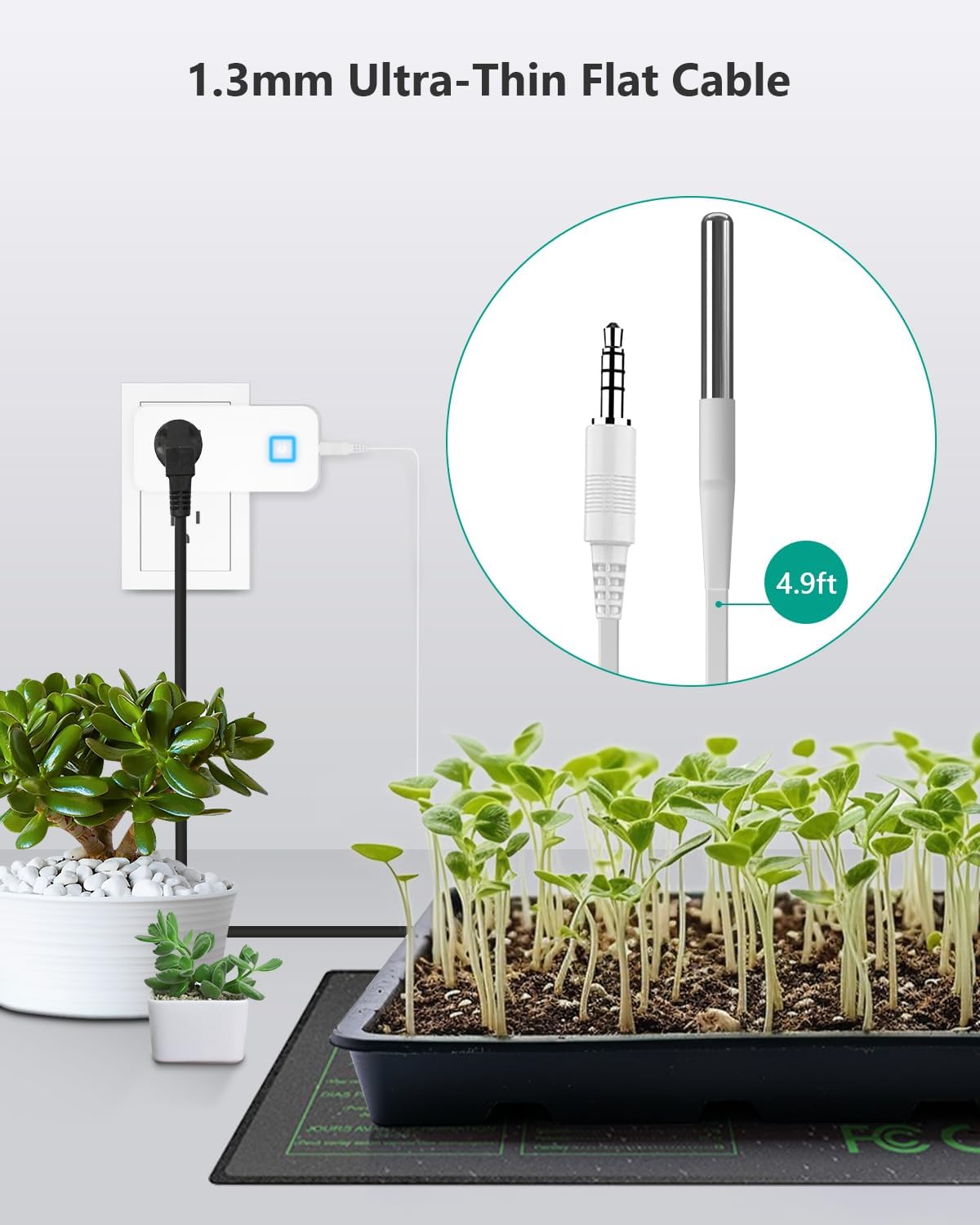
Figure 2: The ultra-thin flat cable of the temperature sensor probe, designed for easy placement without obstructing doors or seals.
5. Instruccions de configuració
- Plug in the Controller: Insert the MOCREO ST7-CL into a standard 100-240V AC power outlet.
- Connect Heating/Cooling Device: Plug your heating or cooling appliance into the outlet on the MOCREO controller.
- Connect Sensor Probe: Ensure the audio jack on the probe cable is fully plugged in and positioned correctly to monitor the desired temperature.
- Download the MOCREO App: Cerca 'MOCREO' in your mobile device's app store (iOS or Android) and install the application.
- Vincular mitjançant Bluetooth: Open the MOCREO App and follow the on-screen instructions to connect to your ST7-CL controller via Bluetooth.
6. Instruccions de funcionament
The MOCREO ST7-CL operates primarily through its mobile application, allowing for flexible temperature control and monitoring.
- Setting Temperature Thresholds: Within the app, you can set the desired 'turn-on' and 'turn-off' temperatures for both heating and cooling modes.
- Mode de refrigeració: Set the turn-on temperature lower than the turn-off temperature. The device will activate when the temperature rises above the turn-off threshold and deactivate when it drops below the turn-on threshold.
- Mode de calefacció: Set the turn-on temperature higher than the turn-off temperature. The device will activate when the temperature drops below the turn-on threshold and deactivate when it rises above the turn-off threshold.
- Configuració d'alarma: Configure the 90dB loud alarm within the app to alert you when the temperature exceeds or falls below your specified range.
- Monitorització en temps real: View the current temperature and device status directly from the MOCREO App within Bluetooth range.

Figure 3: Intuitive app interface for configuring working modes and alarm settings.
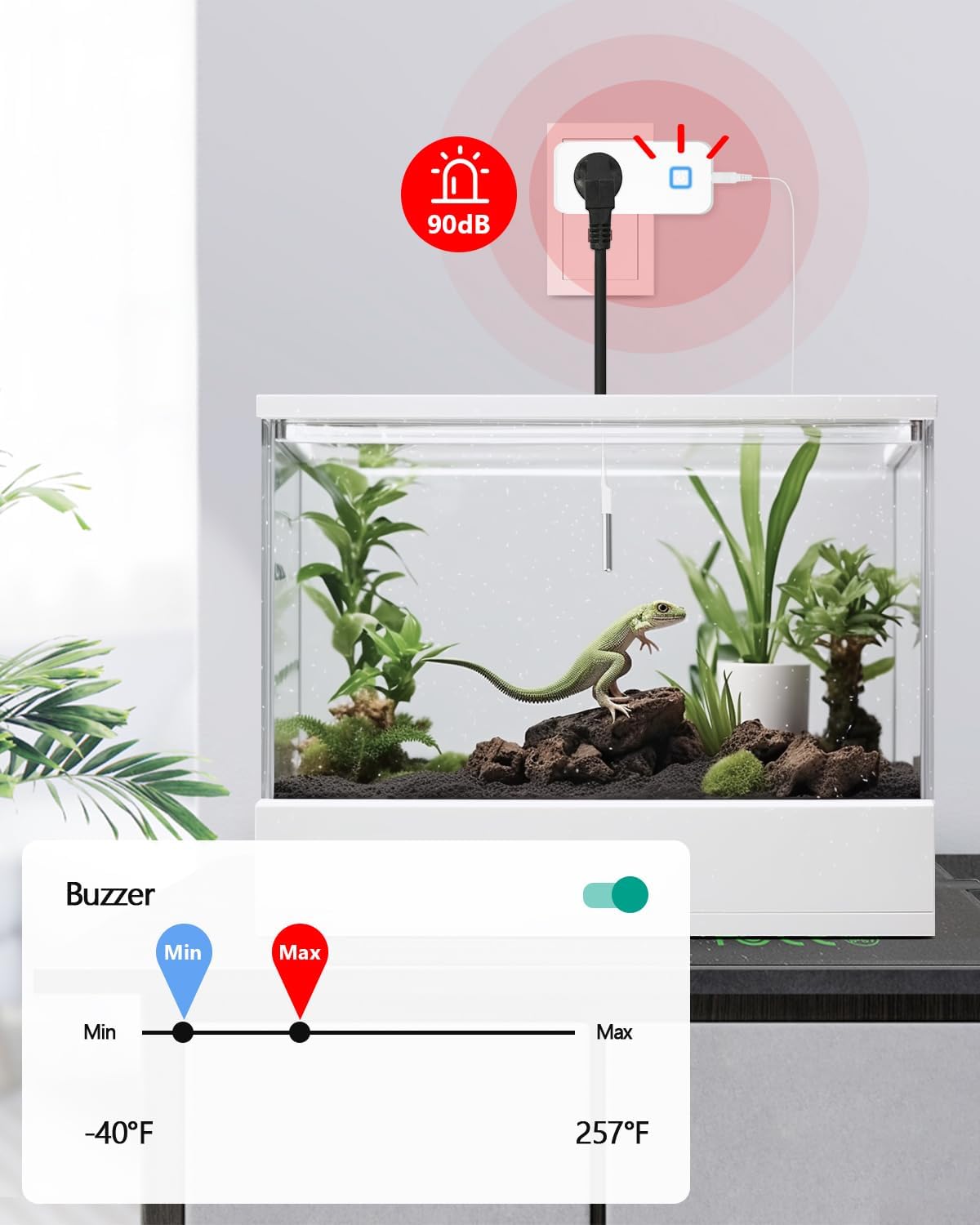
Figure 4: The 90dB alarm provides audible alerts for temperature deviations.
7. Aplicacions
The MOCREO ST7-CL is versatile and can be used in various environments requiring precise temperature control:
- Reptile Heat Pads & Terrariums
- Greenhouse Heaters & Grow Tents
- Homebrew Fermentation
- Aquaris
- Chicken Coop Heat Lamps
- Freezers & Refrigerators

Figura 5: Examples of environments where the MOCREO temperature controller can be effectively utilized.
8. Solució De Problemes
- Device Not Activating: Ensure the probe cable is securely connected and the power outlet is functioning. Check app settings for correct temperature thresholds.
- Problemes de connectivitat Bluetooth: Ensure your mobile device is within the 50ft Bluetooth range of the controller. Restart the app and the controller if necessary.
- Lectures de temperatura inexactes: Verify the sensor probe is correctly positioned and not obstructed. Ensure the probe is clean and undamaged.
- L'alarma no s'activa: Check the alarm settings in the app to ensure thresholds are correctly set and notifications are enabled.
9. Especificacions
| Marca | MOCREO |
| Número de model | ST7-CL |
| Tipus de controlador | Control d'aplicacions |
| Tecnologia de connectivitat | Bluetooth |
| Tipus de control de temperatura | Refrigeració/calefacció |
| Interval de temperatura | -40 ° F ~ 257 ° F (-40 ° C ~ 125 ° C) |
| Precisió de la temperatura | ±0.9 °F |
| Voltage | 100-240V |
| Càrrega màxima | 10 A, 1100 W |
| Característiques especials | Auto-Scheduling, Programmable, 90dB Loud Alarm |
| Material | Acrilonitril butadiè estirè (ABS) |
| Dimensions del producte | 3 x 2.05 x 1.4 polzades |
| Pes de l'article | 4.2 unces |
10. Garantia i Suport
MOCREO is committed to providing reliable and easy-to-use products. For any inquiries or support, please refer to the following:
- Garantia de satisfacció: 90-Day 100% Satisfaction Guarantee with money-back and free return options.
- Garantia del producte: 1 any de garantia.
- Atenció al client: 24/7 Online Support 1-on-1.
Per obtenir més ajuda, visiteu el MOCREO Store or contact our support team directly.