
Introducció
Thank you for choosing the Dexnor Magic Style Keyboard Case. This manual provides detailed instructions on how to set up, operate, and maintain your new keyboard case, transforming your iPad into a powerful, laptop-like device for enhanced productivity and versatility.
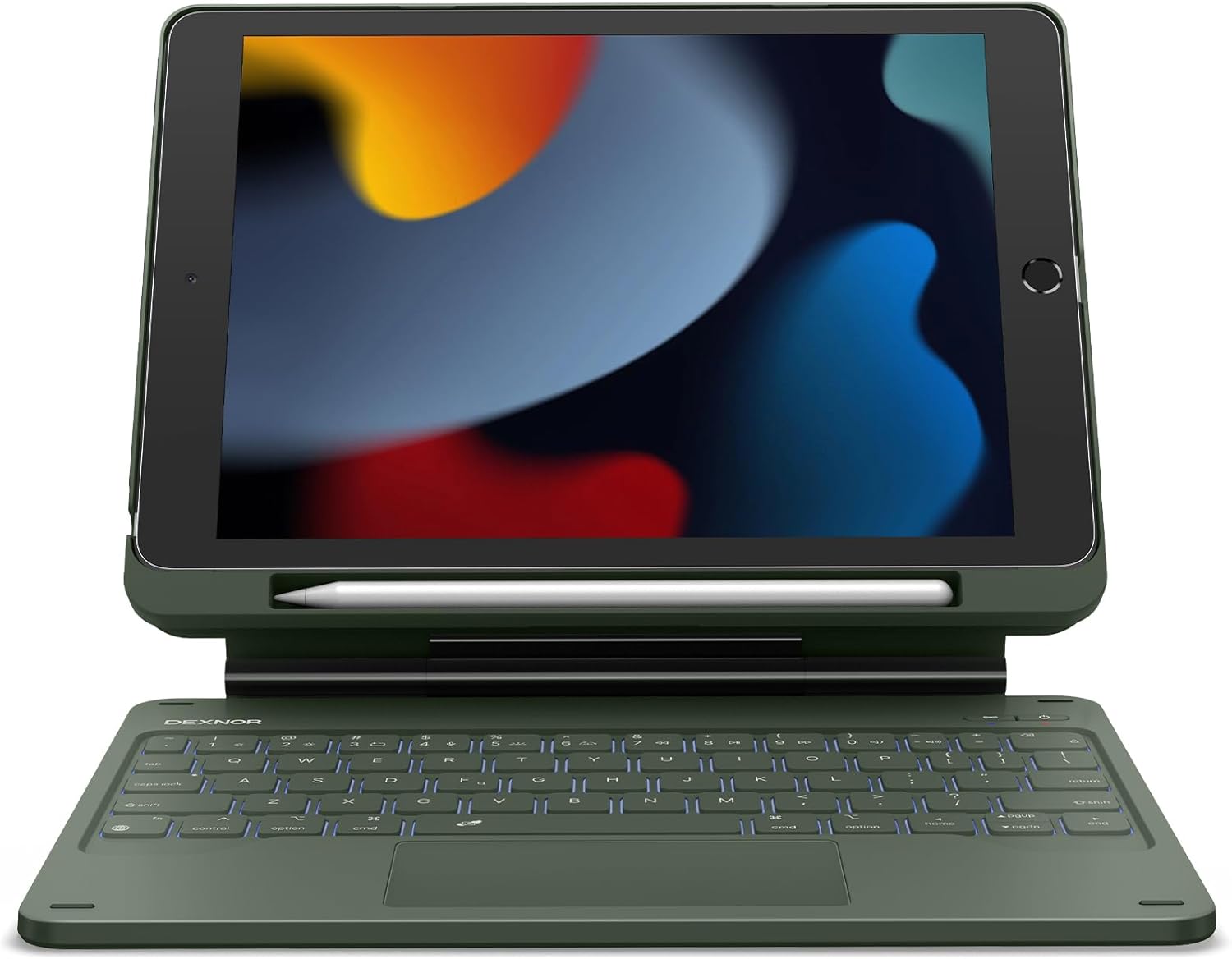
Image: Dexnor Magic Style Keyboard Case in Army Green with an iPad, showcasing el seu disseny.
Contingut del paquet
Si us plau, comproveu el contingut del paquet per assegurar-vos que hi hagi tots els elements:
- 1x Dexnor Bluetooth Keyboard Case
- 1x cable de càrrega USB-C
- 1x Quick-start Guide
- 1x Manual d'usuari (aquest document)
Compatibilitat
This keyboard case is compatible with the following iPad 10.2-inch models:
- iPad 9th Generation (2021): Models A2602, A2603, A2604, A2605
- iPad 8th Generation (2020): Models A2270, A2428, A2429, A2430
- iPad 7th Generation (2019): Models A2197, A2198, A2200
Important: Please verify your iPad model number before use to ensure compatibility.
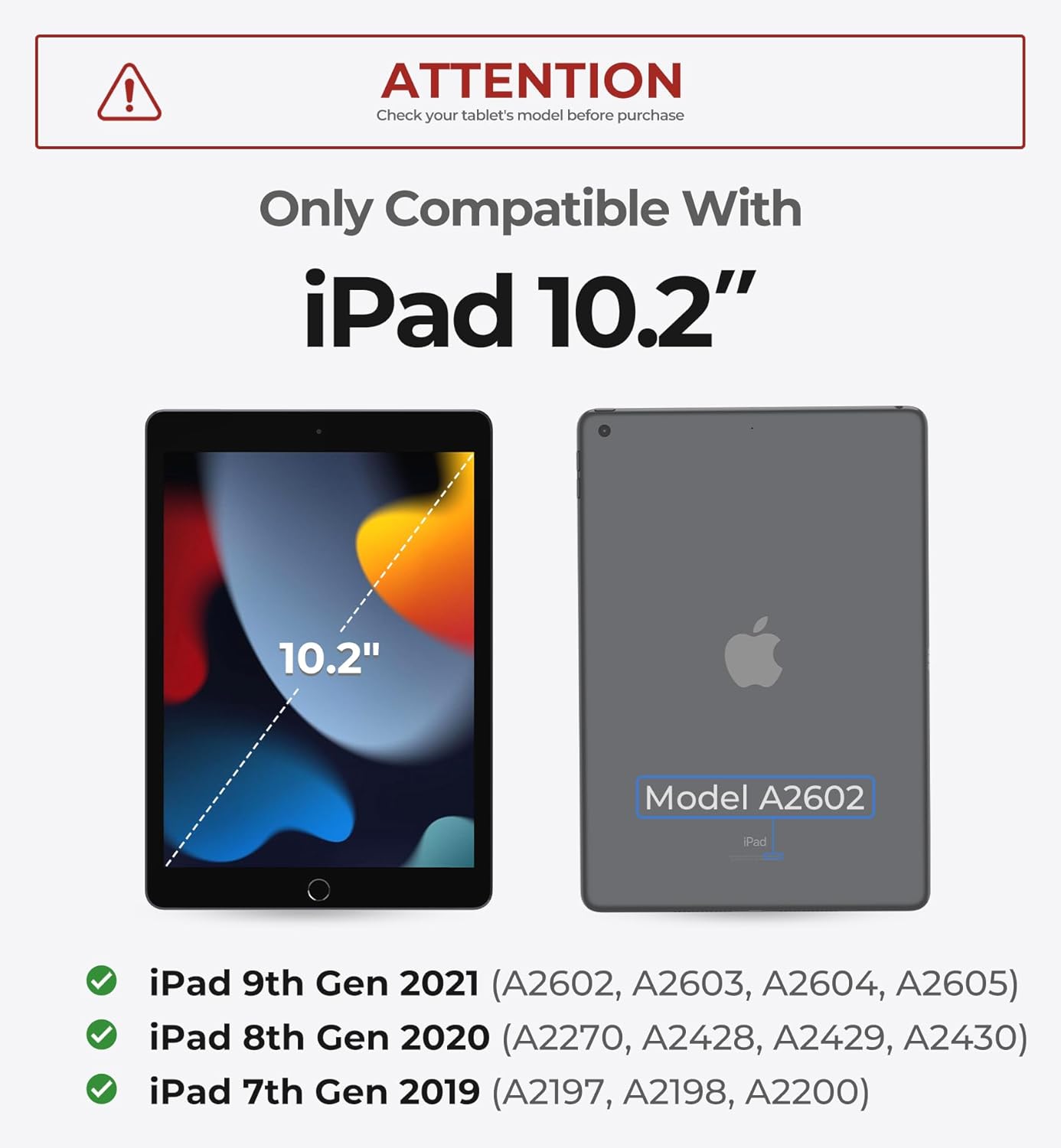
Image: Visual guide showing iPad 10.2-inch dimensions and compatible model numbers.
Guia de configuració
1. Installing Your iPad
- Carefully take off the PC case from the keyboard unit.
- Align your iPad with the PC case and gently press it into place until it is securely seated.
- Attach the iPad (now in its PC case) to the magnetic stand of the keyboard unit. The strong magnets will securely hold it in place, allowing for a floating cantilever setup.

Image: Demonstrates the secure magnetic attachment of the iPad to the keyboard stand, showing both landscape and portrait modes.
2. Engegada i emparellament Bluetooth
- Turn On Keyboard: Press the power button on the keyboard for 2 seconds to turn it on.
- Introduïu el mode de vinculació: Press the Bluetooth pairing button (often indicated by a Bluetooth icon) for 2 seconds to enter pairing mode. The indicator light will flash.
- Emparella amb l'iPad: Al teu iPad, vés a Configuració > Bluetooth. Ensure Bluetooth is turned on. Find "Dexnor Keyboard" in the list of available devices and tap to connect. Once connected, the indicator light on the keyboard will stop flashing.
Video: Demonstrates the setup process, including installing the iPad, turning on the keyboard, and Bluetooth pairing. (Duration: 0:56)
Instruccions de funcionament
Experiència de mecanografia
The keyboard features a scissor-switch key mechanism for a comfortable and quiet typing experience. The keys are perfectly spaced for ultimate typing ease, boosting your productivity.
Trackpad multitàctil
Navigate your iPad with unparalleled precision using the high-precision multi-touch trackpad. It seamlessly supports multi-finger gestures for actions like tap, pinch, scroll, and swipe, allowing for efficient task management, web browsing, and presentation crafting.
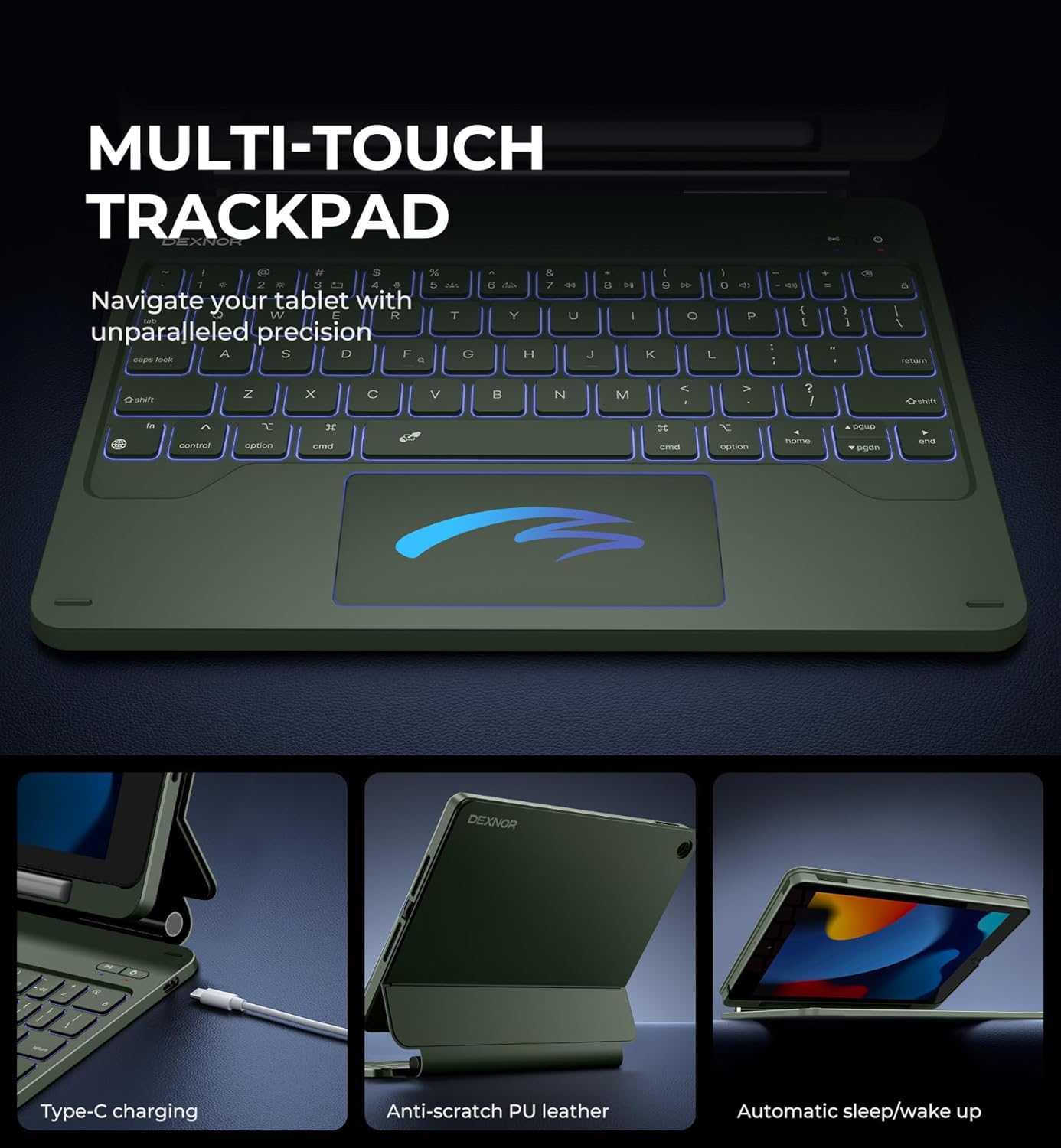
Image: Highlights the multi-touch trackpad, Type-C charging port, anti-scratch PU leather, and automatic sleep/wake function.
Tecles retroil·luminades
Illuminate your typing experience with 7 solid color backlights and 3 adjustable brightness levels. This feature is ideal for typing in low-light conditions.

Image: Shows the keyboard with various backlight colors, illustrating the 7 backlight modes.
Tecles de drecera
The keyboard features a full row of practical shortcut keys, providing easy access to media controls, volume adjustments, and other functions. To activate shortcut functions and adjust backlight, press the Fn key together with the relevant shortcut key.
Built-in Pencil Holder
The detachable PC case includes a built-in pencil holder for secure storage and quick access to your Apple Pencil.

Image: Close-up of the detachable magnetic case, highlighting the built-in pencil holder.
Versatile Usage Modes
The floating cantilever stand allows for customizable angles tailored for typing, reading, and immersive viewing, making it a perfect companion for various activities.
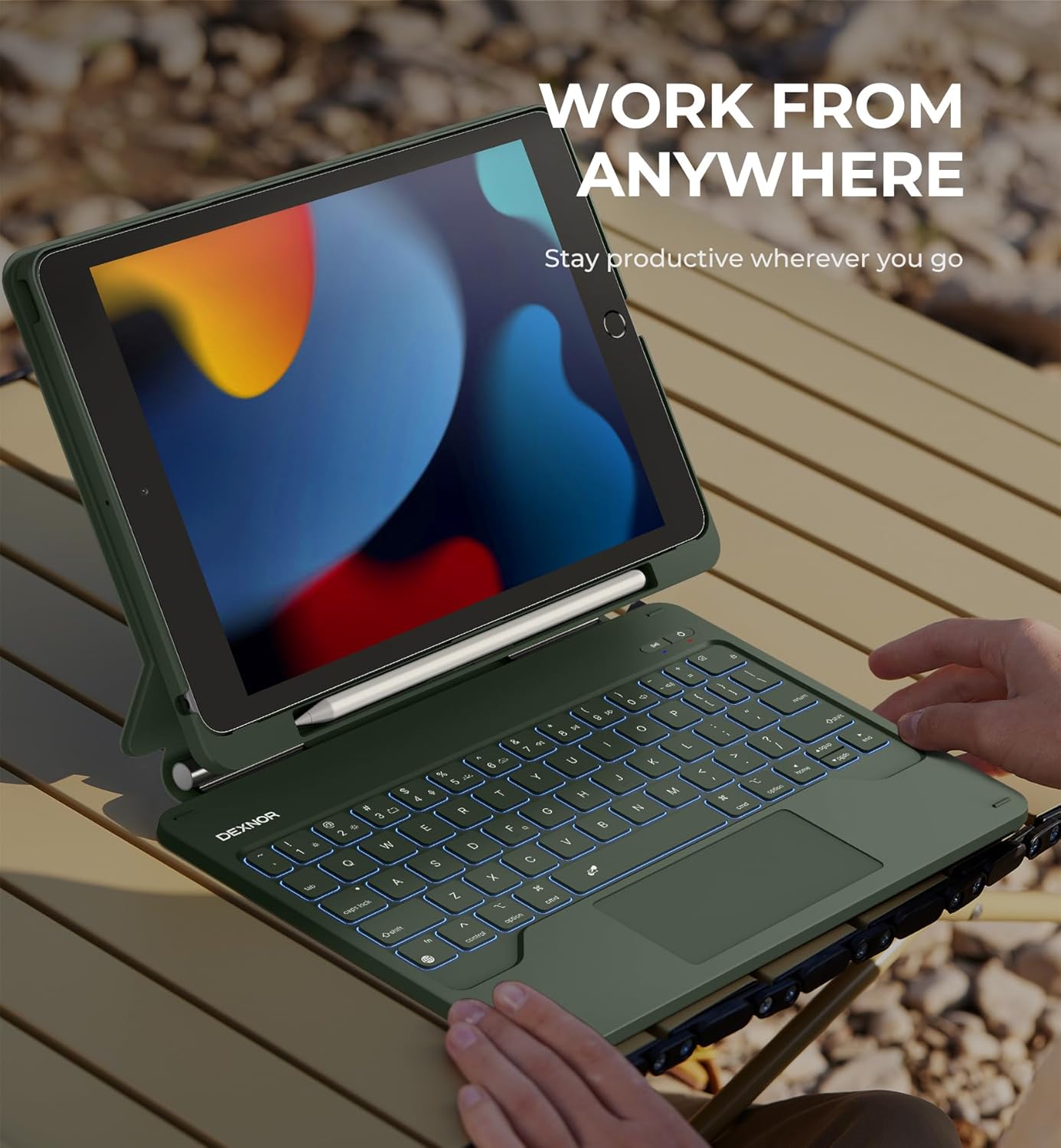
Image: A person using the Dexnor keyboard case with their iPad in a 'work from anywhere' scenario, demonstrating portability and functionality.
Video: Showcases the Magic Style Keyboard Case's features, including tablet-to-laptop transformation, built-in touchpad, typing experience, pencil holder, and various viewing modes. (Duration: 0:45)
Càrrega i bateria
The keyboard is equipped with a long-lasting 650mAh battery, providing up to 200 hours of working time and 1200 hours of standby time on a single charge. It can be fully recharged in approximately 3.5 hours using the included USB-C cable.
Indicadors de càrrega:
- The red LED will flash when the battery is low and requires charging.
- The yellow LED will remain on during charging.
- The yellow LED will turn off once the keyboard is fully charged.
The auto wake/sleep function helps conserve battery power and extend battery life.
Manteniment
To ensure the longevity and optimal performance of your Dexnor Magic Style Keyboard Case, please follow these maintenance guidelines:
- Neteja: Utilitzeu un drap suau i sense pelusa lleugerament dampened with water or a mild cleaning solution to wipe down the keyboard and case. Avoid harsh chemicals or abrasive materials.
- Emmagatzematge: Quan no l'utilitzeu, guardeu la funda del teclat en un lloc fresc i sec, allunyat de la llum solar directa i de temperatures extremes.
- Protecció: The case offers all-around protection for your iPad. While durable, avoid dropping the device from excessive heights or exposing it to sharp objects.
- Càrrega: Use only the provided USB-C cable or a certified equivalent for charging to prevent damage to the battery.
Resolució de problemes
If you encounter any issues with your Dexnor Magic Style Keyboard Case, please refer to the following common solutions:
| Problema | Possible solució |
|---|---|
| El teclat no s'encén | Ensure the keyboard is charged. Press and hold the power button for 2-3 seconds. |
| No es pot emparellar per Bluetooth | Make sure the keyboard is in pairing mode (indicator light flashing). On your iPad, turn Bluetooth off and on again. Forget the device if previously paired and try reconnecting. Ensure the keyboard is charged. |
| Les claus no responen | Check Bluetooth connection. Recharge the keyboard. Restart both the iPad and the keyboard. |
| Trackpad not working | Ensure Bluetooth is connected. Check iPad settings for trackpad functionality. Restart the keyboard and iPad. |
| Backlight not working/adjusting | Press Fn + backlight key (often a sun icon) to cycle through brightness levels and colors. Ensure the keyboard is charged. |
If the issue persists after trying these solutions, please contact Dexnor customer support for further assistance.
Especificacions
| Característica | Detall |
|---|---|
| Número de model | DK007 |
| Dispositius compatibles | iPad 9th Gen, iPad 8th Gen, iPad 7th Gen (10.2-inch) |
| Tecnologia de connectivitat | Bluetooth |
| Descripció del teclat | Multi Funcional |
| Característiques especials | Floating Cantilever Design, Laptop-like Experience, Multi-Touch Trackpad, USB-C Rechargeable, Backlit Keys (7 colors, 3 brightness levels), Built-in Pencil Holder |
| Capacitat de la bateria | 650 mAh |
| Temps de treball | Fins a 200 hores |
| Temps d'espera | Fins a 1200 hores |
| Temps de càrrega | Aprox. 3.5 hores |
| Pes de l'article | 1.79 lliures |
| Dimensions del paquet | 11.46 x 9.53 x 1.73 polzades |
| Fabricant | Dexnor |
| País d'origen | Xina |
Garantia i Suport
Dexnor products come with a standard manufacturer's warranty. For specific warranty details, registration, or technical support, please refer to the warranty card included in your package or visit the official Dexnor website. You can also contact Dexnor customer service through the platform where you purchased the product.
Conserveu el vostre comprovant de compra per a reclamacions de garantia.

