
Introducció
This manual provides comprehensive instructions for the setup, operation, and maintenance of your JESIMAIK R16 Pro Motorcycle Bluetooth Headset. The R16 Pro is designed to enhance your riding experience with crystal clear audio, robust communication capabilities, and advanced features for safety and convenience.
Please read this manual thoroughly before using the device to ensure proper functionality and to maximize your enjoyment of the product.
Configuració
Proper installation is crucial for optimal performance and comfort. Follow these steps to set up your R16 Pro headset.
Contingut del paquet
Your R16 Pro package includes the R16 Pro Bluetooth headset unit and a comprehensive set of accessories, including speakers and microphones (both hard and soft options).

Image: The JESIMAIK R16 Pro Bluetooth headset unit shown with its accompanying accessories, including speaker pads and both boom (hard) and soft wire microphones, illustrating the complete kit.
Mounting the Headset
- Trieu la ubicació de muntatge: Select a suitable flat surface on the side of your helmet, typically on the left side, where the headset will not obstruct vision or movement.
- Adjunteu Clamp/Suport adhesiu: Fixeu el muntatge clamp or adhesive bracket to the helmet. Ensure it is firmly attached according to the instructions provided with the mounting kit.
- Slide Headset onto Mount: Carefully slide the R16 Pro headset unit onto the secured mount until it clicks into place.
Instal·lació d'altaveus i micròfons
- Col·locació dels altaveus: Position the ultra-thin speakers inside the helmet's ear pockets. Use the provided hook-and-loop fasteners to secure them firmly, preventing damage to the helmet and ensuring optimal sound delivery. The ultra-thin design reduces ear pressure for comfort.
- Selecció del micròfon: Choose between the hard boom microphone (for open-face helmets) or the soft wire microphone (for full-face helmets) based on your helmet type.
- Col·locació del micròfon: Attach the chosen microphone inside the helmet, ensuring it is close to your mouth for clear voice pickup but not obstructing your vision.
- Connectar els cables: Route all cables neatly within the helmet padding and connect them securely to the R16 Pro headset unit.
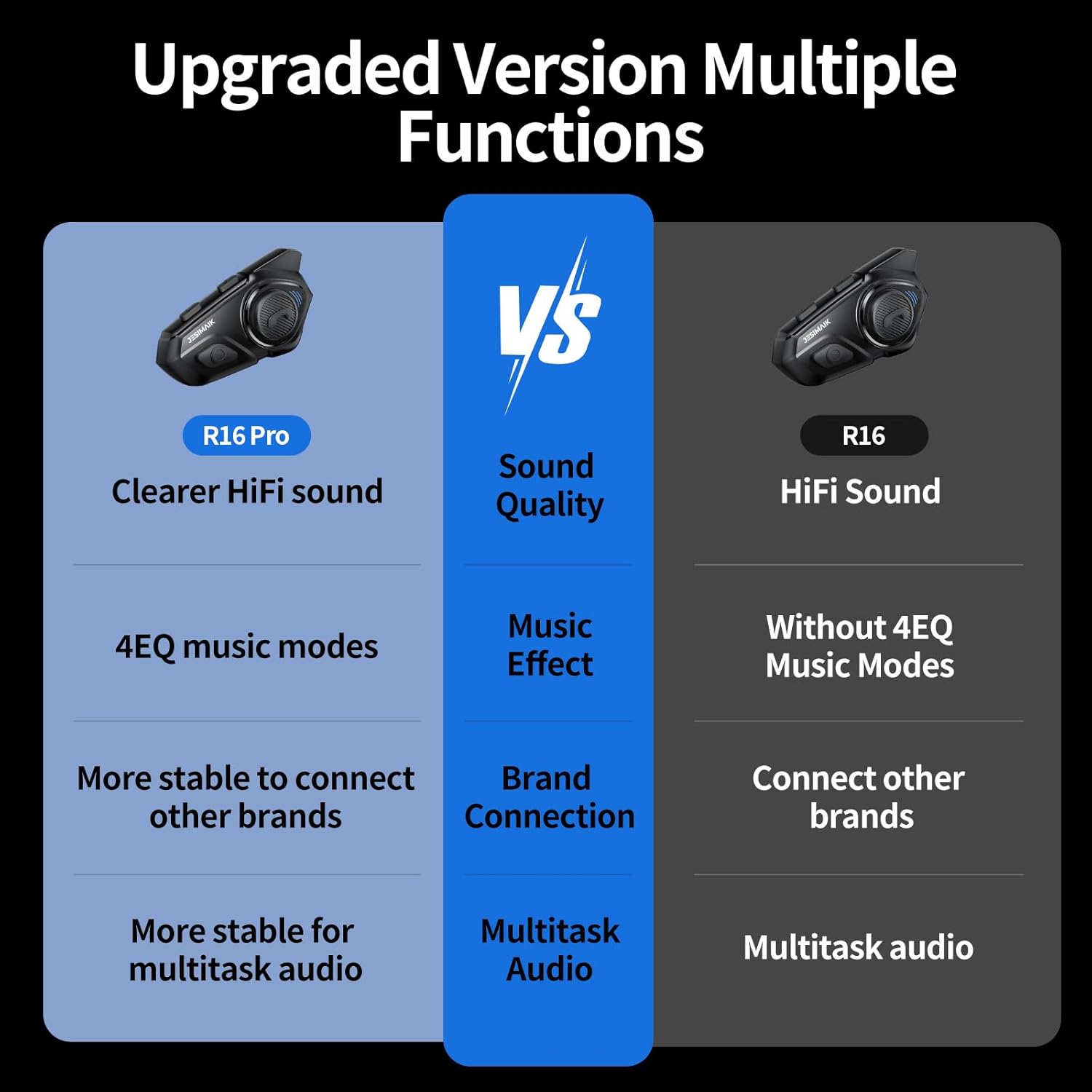
Image: A visual comparison highlighting the hook-and-loop fastener system for securing speakers within the helmet, and the ultra-thin 7mm speaker design compared to a thicker 11mm speaker, emphasizing reduced ear pressure.
Instruccions de funcionament
Learn how to use the various functions of your R16 Pro headset for an enhanced riding experience.
Encès/Apagat
- Encès: Press and hold the Power button for approximately 3 seconds until the indicator light illuminates and you hear an audible prompt.
- Apagar: Press and hold the Power button for approximately 3 seconds until the indicator light turns off and you hear an audible prompt.
Emparellament Bluetooth
- Ensure the R16 Pro is powered off.
- Press and hold the Power button for approximately 5-7 seconds until the indicator light flashes red and blue alternately, indicating pairing mode.
- On your smartphone or other Bluetooth device, search for "R16 Pro" in the Bluetooth settings and select it to pair.
- Once paired, the indicator light will turn solid blue.
Funcionalitat d'intercomunicació
The R16 Pro supports communication with up to 10 riders over a range of up to 2 kilometers (1.24 miles).
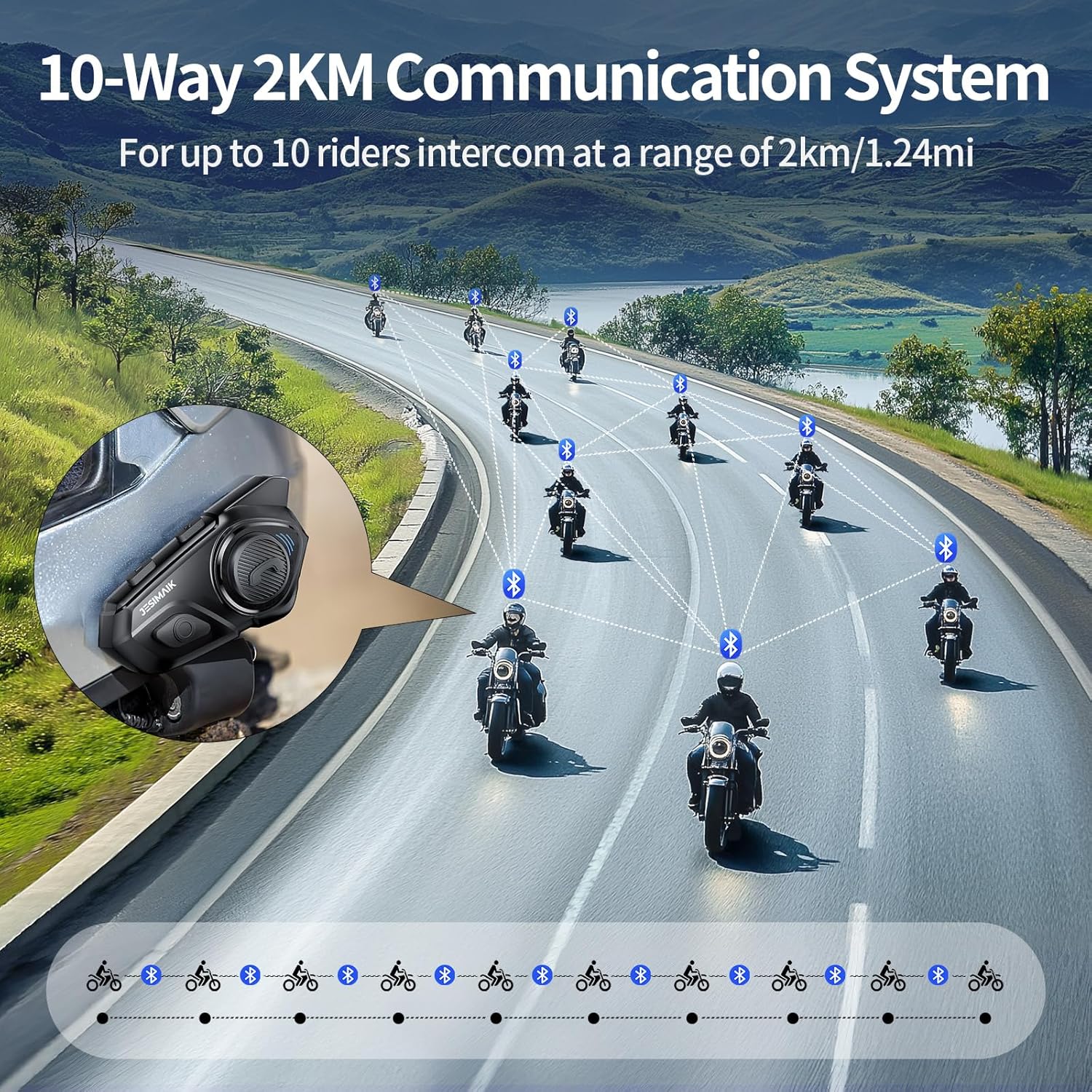
Image: An illustration depicting a group of motorcyclists communicating wirelessly, demonstrating the R16 Pro's capability to connect up to 10 riders over a 2-kilometer range for group intercom.
- Iniciació de l'intercomunicador: Refer to the quick start guide for specific button presses to initiate and join intercom groups.
- Compatibilitat: The R16 Pro is compatible with other brands, allowing for broader group communication.
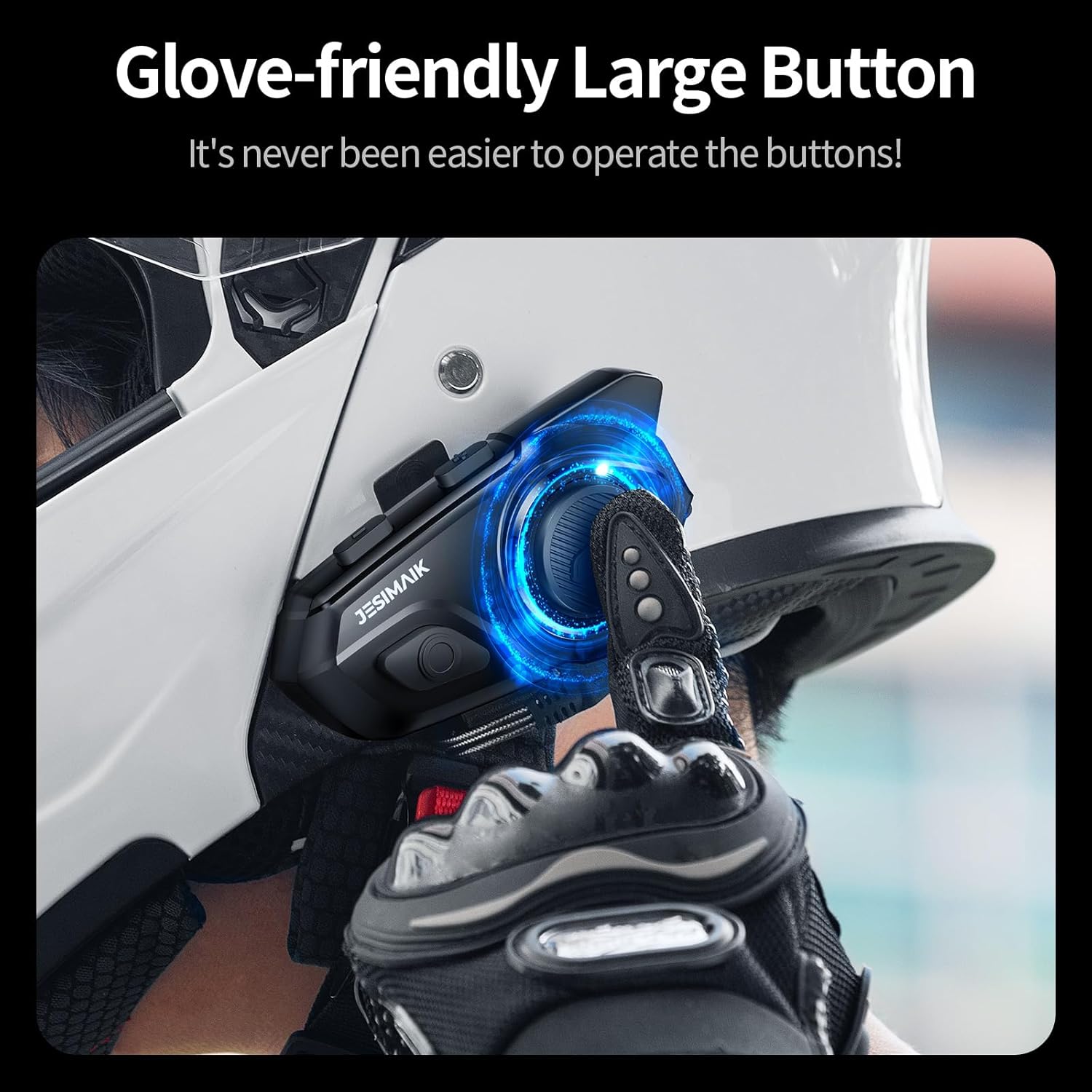
Image: A graphic showing the R16 Pro headset on a helmet, with circular lines extending outwards to represent its ability to connect and communicate with other brands of motorcycle communication systems.
Multitasking Audio
The R16 Pro features dual Qualcomm Bluetooth chips, enabling simultaneous audio functions.
- You can listen to music or GPS navigation instructions while maintaining an active intercom conversation.
- Audio levels will automatically adjust to prioritize intercom clarity when speaking.

Image: A diagram illustrating the R16 Pro's dual Bluetooth chip architecture, demonstrating its capability for multitasking audio, such as simultaneous intercom and music playback, or intercom and GPS navigation.
Sound Effects (4EQ Music Modes)
Enhance your audio experience with four selectable sound equalization modes:
- Direct (Default): Standard, balanced audio profile.
- Baix: Emphasizes low frequencies for a richer bass sound.
- Roca: Optimized for rock music, enhancing drums and guitars.
- Pop: Tuned for pop music, bringing out vocals and melodies.

Image: A visual representation of the R16 Pro's 4EQ Music Modes, showing a large speaker driver and icons for "Direct (Default)", "Bass", "Rock", and "Pop" sound profiles.
Reducció de soroll
The R16 Pro incorporates advanced noise reduction technology to minimize background noise, ensuring clear communication and music playback even at speeds up to 120 km/h.
Assistent de veu AI
Activate your smartphone's voice assistant (Siri, Google Assistant, etc.) directly from the R16 Pro for hands-free control of your device.

Image: A graphic showing a motorcyclist on a bike with text bubbles indicating voice commands like "Next song," "Previous song," "Open GPS, search...street," and "Hey Siri, call Mike," demonstrating the AI Voice Assistant functionality.
Glove-Friendly Buttons
The R16 Pro features large, tactile buttons designed for easy operation even while wearing riding gloves.

Imatge: Un primer pla view of a gloved hand pressing a large, illuminated button on the side of the R16 Pro headset mounted on a helmet, emphasizing its ease of use with gloves.
Manteniment
Regular maintenance ensures the longevity and optimal performance of your R16 Pro headset.
Neteja
- Netegeu la unitat d'auriculars amb un drap suau iamp tela. Eviteu utilitzar productes químics aggressivs o netejadors abrasius.
- Ensure all ports are dry before charging or connecting cables.
Resistència a l'aigua
The R16 Pro has an IP67 waterproof rating, meaning it is protected against dust ingress and immersion in water up to 1 meter for 30 minutes. While designed to withstand various weather conditions, avoid prolonged submersion.
Speaker and Microphone Care
- Ensure speakers are securely fastened with the hook-and-loop system to prevent movement and potential damage.
- Keep microphone foam covers clean and free from debris for clear audio pickup.
Resolució de problemes
If you encounter issues with your R16 Pro headset, refer to the following common solutions.
Sense poder
- Ensure the device is fully charged. Connect it to a power source using the provided charging cable.
- Press and hold the Power button for at least 3 seconds to ensure it's attempting to power on.
Cannot Pair Bluetooth
- Ensure the R16 Pro is in pairing mode (flashing red and blue indicator).
- Desactiva i activa el Bluetooth del teu telèfon intel·ligent.
- Delete "R16 Pro" from your device's Bluetooth history and attempt to pair again.
- Ensure no other Bluetooth devices are actively connected to the headset.
Poor Audio Quality / Intermittent Connection
- Check that speakers are correctly positioned and securely fastened within the helmet.
- Assegureu-vos que el micròfon estigui col·locat correctament i que no hi hagi cap obstrucció.
- Move closer to the paired device or other intercom users to reduce interference.
- The advanced noise reduction technology should minimize background noise; however, extreme wind or environmental noise may still affect clarity.
Intercom Range Issues
- Ensure there are no significant physical obstructions (e.g., large buildings, dense forests) between intercom users.
- Maintain line of sight where possible for optimal range.
- Verify all units are fully charged.
Especificacions
| Característica | Detall |
|---|---|
| Nom del model | R16 Pro |
| Tecnologia de connectivitat | Bluetooth |
| Tecnologia de comunicació sense fils | Bluetooth |
| Versió Bluetooth | 5.0 |
| Material | Polycarbonate (PC), Plastic |
| Dispositius compatibles | Motorcycles, Car Audio Systems, Smartphones |
| Nivell de resistència a l'aigua | Impermeable IP67 |
| Mètode de control | veu |
| Tipus de controlador d'àudio | Conductor dinàmic |
| Control de soroll | Cancel·lació activa del soroll |
| Gamma d'intercomunicació | Fins a 2 km (1.24 milles) |
| Max Intercom Riders | 10 |
Garantia i Suport
Information regarding product warranty and customer support was not provided in the available data. For details on warranty coverage, technical support, or service inquiries, please refer to the official JESIMAIK weblloc web o contacteu directament amb el seu servei d'atenció al client.
You may also find additional support resources on the product's purchase page or by contacting the seller.