
SuperRC L500 Pro
SuperRC L500 Pro 4K GPS Drone User Manual
Model: L500 Pro
1. Introducció
This manual provides essential instructions for the safe operation and maintenance of your SuperRC L500 Pro 4K GPS Drone. Please read this manual thoroughly before operating the drone to ensure proper usage and to prevent damage or injury. Keep this manual for future reference.
2. Pautes de seguretat
Operating a drone requires responsibility. Adhere to all local regulations and guidelines for drone usage. Failure to do so may result in legal penalties or property damage.
- Comprovació prèvia al vol: Always inspect the drone, remote controller, and batteries for any damage before each flight. Ensure propellers are securely attached.
- Entorn de vol: Fly in open areas, away from people, animals, buildings, and power lines. Avoid flying in strong winds, rain, or fog. Maintain a clear line of sight with the drone.
- Seguretat de la bateria: Use only approved batteries and chargers. Do not overcharge or puncture batteries. Discontinue use if batteries show signs of swelling or damage.
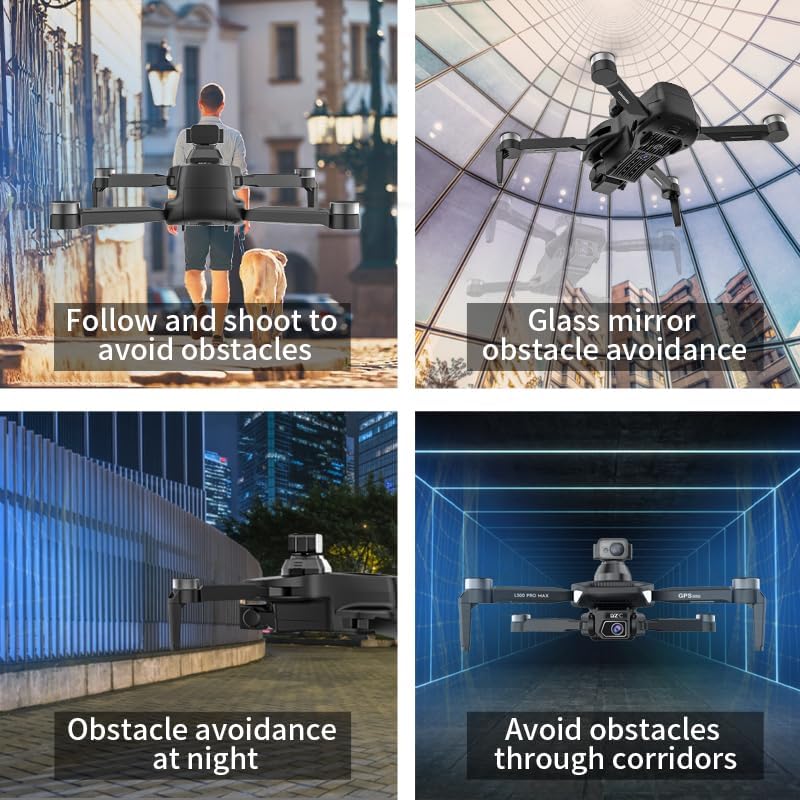
- Evitació d'obstacles: While the drone features 360° laser obstacle avoidance, it is not foolproof. Always exercise caution and maintain awareness of your surroundings.
- Edat recomanada: Aquest producte està pensat per a adults.
3. Contingut del paquet
Verifiqueu que tots els elements siguin presents al vostre paquet:
- SuperRC L500 Pro Drone
- Control remot
- Maleta de transport
- Propellers (Spare set included)
- Cargols
- Tornavís
- Cable USB-Type C
- Lithium Ion Batteries (2 included)
- Manual d'usuari (Aquest document)

4. Components del dron
Familiarize yourself with the key parts of your SuperRC L500 Pro drone:
- Braços plegables: Per a emmagatzematge i transport compactes.
- Motors sense escombretes: Provide stable and quiet flight.
- Hèlixs: Generar sustentació per al vol.
- Càmeres duals de 4K HD: Front-facing and downward-facing cameras for aerial photography and video. Electrically adjustable shooting angles.
- 360° Laser Obstacle Avoidance Sensor: Detects obstacles in all directions.
- Mòdul GPS: Enables precise outdoor positioning and intelligent flight modes.
- Sensor de flux òptic: Provides stable hovering for indoor flight.
- Bateria modular: Fàcil d'instal·lar i substituir.


5. Control remot
The remote controller allows you to operate the drone and access its features. It features a smartphone holder for live video feed and app control.
Refer to the included quick start guide for a detailed diagram of the remote controller buttons and their functions.

6. Instal·lació i càrrega de la bateria
6.1 Bateria del drone
- Insert the modular battery into the drone's battery compartment until it clicks into place.
- To remove, press the release button (if present) and slide the battery out.
- Charge the battery using the provided USB Type-C cable and a compatible USB power adapter (not included). The charging indicator will show the charging status.
6.2 Remote Controller Battery
The remote controller typically uses internal rechargeable batteries or standard AA batteries. Refer to the remote controller's specific instructions for battery type and charging/installation procedures.
7. Configuració inicial
- Càrrega de bateries: Ensure both drone and remote controller batteries are fully charged.
- Unfold Drone: Carefully unfold the drone arms until they lock into position.
- Instal·lar hèlixs: If not pre-installed, attach propellers according to the markings (A/B) on the propellers and motor arms. Ensure they are secure.
- Encès: Place the drone on a flat, level surface. Power on the drone, then power on the remote controller.
- Maridatge: The drone and remote controller should automatically pair. If not, follow the pairing instructions in the quick start guide.
- Connexió a l'aplicació: Download the SuperRC drone app to your smartphone. Connect your phone to the drone's Wi-Fi network (usually named "SuperRC-XXXX"). Open the app to view la transmissió en directe i accedir a funcions avançades.
- Calibratge GPS: For outdoor flights, ensure the drone acquires sufficient GPS satellites before takeoff. Perform compass calibration as instructed by the app or quick start guide.
8. Instruccions de funcionament
8.1 Vol bàsic
- Enlairament/aterratge amb una sola tecla: Press the dedicated button on the remote or in the app for automatic takeoff and landing.
- Control manual: Use the joysticks on the remote controller to control altitude, direction, and rotation.
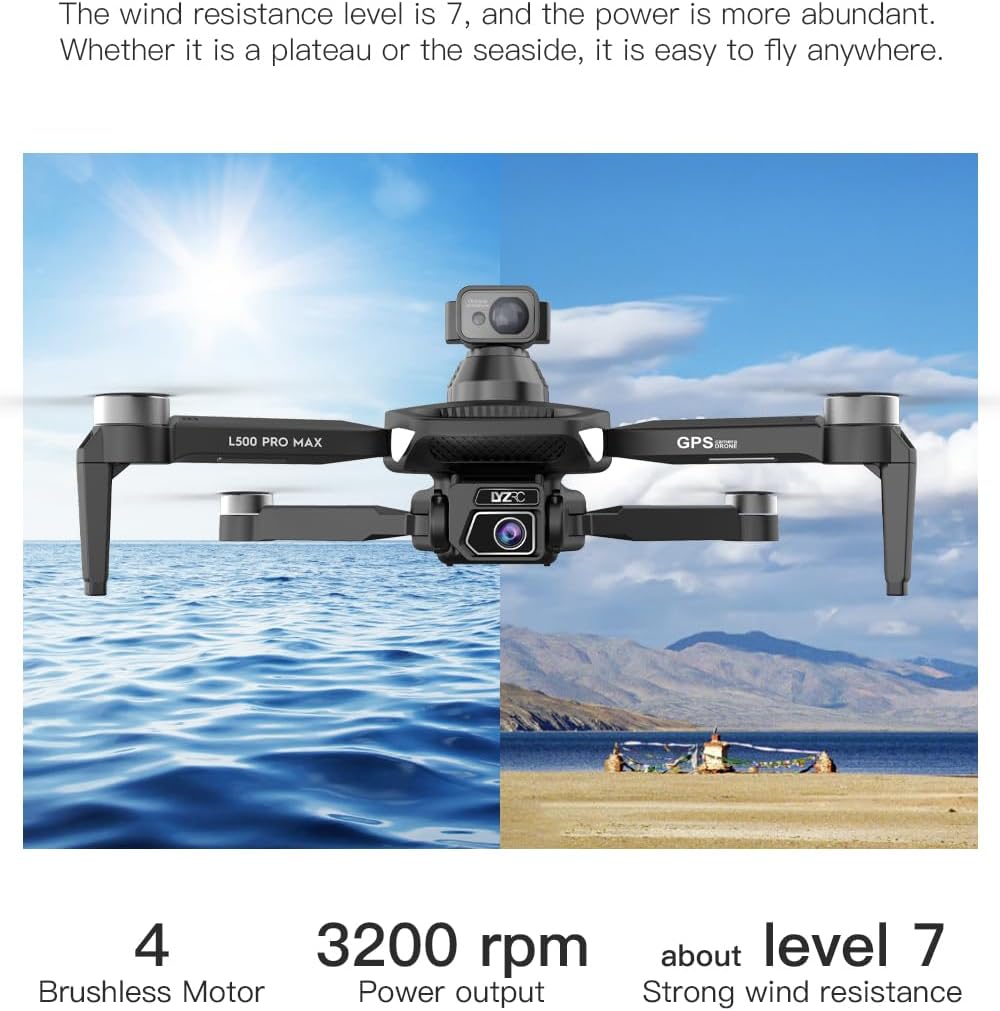
- GPS Mode (Outdoor): Provides stable flight and precise positioning, resisting wind.
- Optical Flow Mode (Indoor): Uses a downward-facing camera for stable hovering in environments without GPS signal.
8.2 Evitació d'obstacles
The 360° laser obstacle avoidance system helps prevent collisions by detecting objects in front, rear, left, and right directions. The drone will automatically adjust its flight path to avoid detected obstacles.
8.3 Funcionament de la càmera
- Càmeres duals de 4K HD: Switch between the front and bottom cameras via the remote controller or app.
- Electrically Adjustable Angles: Adjust the camera's tilt angle remotely for optimal shots.
- Captura de foto/vídeo: Use the dedicated buttons on the remote or in the app to take photos or start/stop video recording.
8.4 Modes de vol intel·ligents
- Waypoint Navigation: Plan a custom flight path by tapping points on the map in the app. The drone will follow the designated route.
- GPS Follow/Smart Follow: The drone can automatically follow a moving subject (e.g., a person or vehicle) using GPS and visual tracking.
- Orbit Flight: The drone will circle a designated point or subject, capturing 360° footage.
- Image Track: Similar to follow mode, but focuses on tracking a specific image or object.
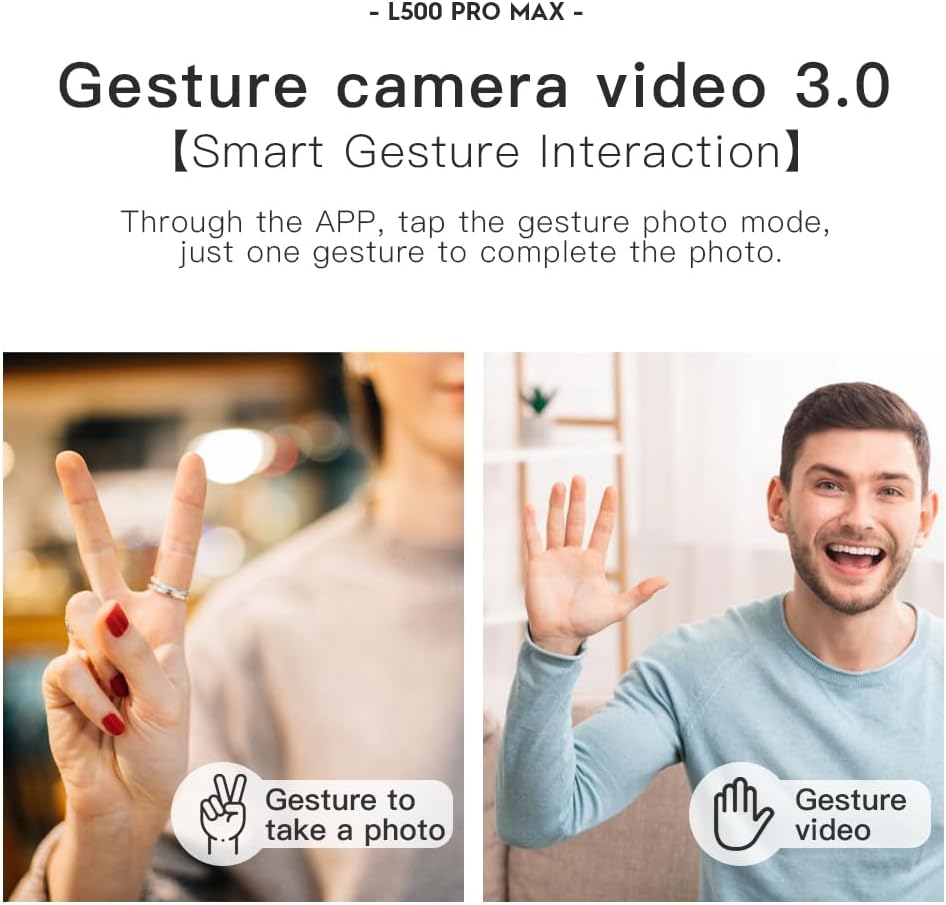
- Control de gestos: Feu servir gestos específics amb les mans per activar la captura de fotos o vídeos.
- 4 Intelligent Return Modes:
- Lost Signal Return: Drone returns to takeoff point if signal is lost.
- Retorn de bateria baixa: Drone returns automatically when battery is low.
- Over-Distance Return: Drone returns if it flies beyond the set range.
- One-Tap Return: Manually initiate return to home with a single button press.
9. Manteniment
- Neteja: Use a soft, dry cloth to clean the drone and remote controller. Avoid water or harsh chemicals.
- Inspecció de l'hèlix: Regularly check propellers for cracks, bends, or damage. Replace damaged propellers immediately using the provided screwdriver and spare parts.
- Emmagatzematge: Store the drone and accessories in the carrying case in a cool, dry place, away from direct sunlight. Remove batteries if storing for extended periods.
- Cura de la bateria: Do not store batteries fully charged or completely depleted. Charge them to about 50-60% for long-term storage.
10. Solució De Problemes
| Problema | Causa possible | Solució |
|---|---|---|
| El dron no s'encén. | La bateria no està carregada o està mal instal·lada. | Assegureu-vos que la bateria estigui completament carregada i inserida correctament. |
| El dron no respon al comandament a distància. | Not paired, low remote battery, or interference. | Re-pair drone and remote. Charge remote battery. Move to an area with less interference. |
| Vol inestable/Deriva. | Improper calibration, strong wind, or damaged propellers. | Perform compass calibration. Fly in calm conditions. Check and replace damaged propellers. |
| Sense transmissió de vídeo en directe. | Phone not connected to drone Wi-Fi, or app issue. | Connect phone to drone's Wi-Fi. Restart app and drone. |
| L'evitació d'obstacles no funciona. | Sensor blocked or system malfunction. | Ensure sensors are clean and unobstructed. Contact support if issue persists. |
11. Especificacions
| Característica | Detall |
|---|---|
| Marca | SuperRC |
| Nom del model | L500 Pro |
| Resolució de captura de vídeo | 1080p (Output), 4K HD (Camera) |
| Tecnologia de connectivitat | Wi-Fi (5G Intelligent System) |
| Tipus de control | Control remot, control d'aplicacions |
| Característiques especials | 360° Laser Obstacle Avoidance, Dual Camera, Brushless Motor, GPS Auto Return, Optical Flow Positioning |
| Pes de l'article | 211.6 grams (7.5 unces) |
| Capacitat de la bateria | 2200 milionsamp Hores (ions de liti) |
| Temps de vol | Up to 25 minutes (approx.) |
| Dimensions del producte | 12.5 cm de llargada x 11.4 cm d'amplada x 3.9 cm d'alçada |
| Material | Plàstic |
12. Garantia i Suport
For warranty information, technical support, or service inquiries, please refer to the contact information provided with your purchase or visit the official SuperRC weblloc web. Conserveu el comprovant de compra per a reclamacions de garantia.
També podeu visitar el SuperRC Store on Amazon per obtenir informació addicional sobre el producte i recursos d'assistència.
Ask a question about this manual
Ask about setup, troubleshooting, compatibility, parts, safety, or missing instructions. Manuals+ will review the question and use this page’s manual context to help answer it.