
1. Introducció
Thank you for choosing the FASTWD L231-EEA Kids Tablet. This manual provides essential information for setting up, operating, maintaining, and troubleshooting your device. Please read it carefully to ensure optimal performance and safety.
2. Contingut del paquet
Verifiqueu que tots els elements siguin presents al paquet:
- FASTWD L231-EEA Kids Tablet
- Funda protectora
- Cable de càrrega USB tipus C
- Adaptador d'alimentació
- Manual d'usuari (aquest document)
3. Dispositiu acabatview
Familiarize yourself with the tablet's physical features and ports.

Imatge: The FASTWD Kids Tablet displaying its various ports and charging capabilities. Visible ports include a 3.5mm audio jack, a USB Type-C port for charging and data transfer, and an OTG (On-The-Go) port. The image also indicates 5V/2A charging input.
The tablet features a 3.5mm audio jack for headphones, a USB Type-C port for charging and data transfer, and supports OTG functionality for connecting peripherals. The power input is 5V/2A.
4. Configuració
4.1. Càrrega de la tauleta
Before first use, fully charge the tablet. Connect the USB Type-C cable to the tablet's charging port and the power adapter to a wall outlet. The battery indicator on the screen will show charging status. A full charge typically takes several hours.
4.2. Encès / apagat
- Per encendre: Manteniu premut el botó d'engegada fins que la pantalla s'encengui.
- Per apagar: Press and hold the Power button until a power-off menu appears. Select "Power Off" to shut down the device.
4.3. Assistent de configuració inicial
Upon first power-on, the tablet will guide you through an initial setup process:
- Selecció d'idioma: Trieu el vostre idioma preferit.
- Connexió Wi-Fi: Seleccioneu la vostra xarxa Wi-Fi i introduïu la contrasenya per connectar-vos a Internet.
- Compte de Google: Sign in with an existing Google account or create a new one. This is necessary for downloading apps from the Google Play Store and using Google services.
- Data i hora: Estableix la data i l'hora correctes.
- Parental Control Setup: Follow the on-screen prompts to configure parental control settings, including user profiles, time limits, and content restrictions.
5. Funcionament de la tauleta
5.1. Navegació bàsica
The tablet uses a touchscreen interface. Use gestures such as tapping, swiping, pinching, and spreading to navigate menus, open apps, and interact with content.
5.2. Connectivitat Wi-Fi
To connect or manage Wi-Fi networks:
- Vés a Configuració > Xarxa i Internet > Wi-Fi.
- Activa/desactiva el Wi-Fi On.
- Seleccioneu la xarxa desitjada de la llista i introduïu la contrasenya si se us demana.
5.3. Connectivitat Bluetooth
To pair with Bluetooth devices (e.g., headphones, speakers):
- Vés a Configuració > Dispositius connectats > Bluetooth.
- Commuta el Bluetooth On.
- Assegureu-vos que el dispositiu Bluetooth estigui en mode d'emparellament.
- Seleccioneu el dispositiu de la llista per emparellar-lo.
5.4. Controls parentals
The tablet includes robust parental control features to manage your child's usage.
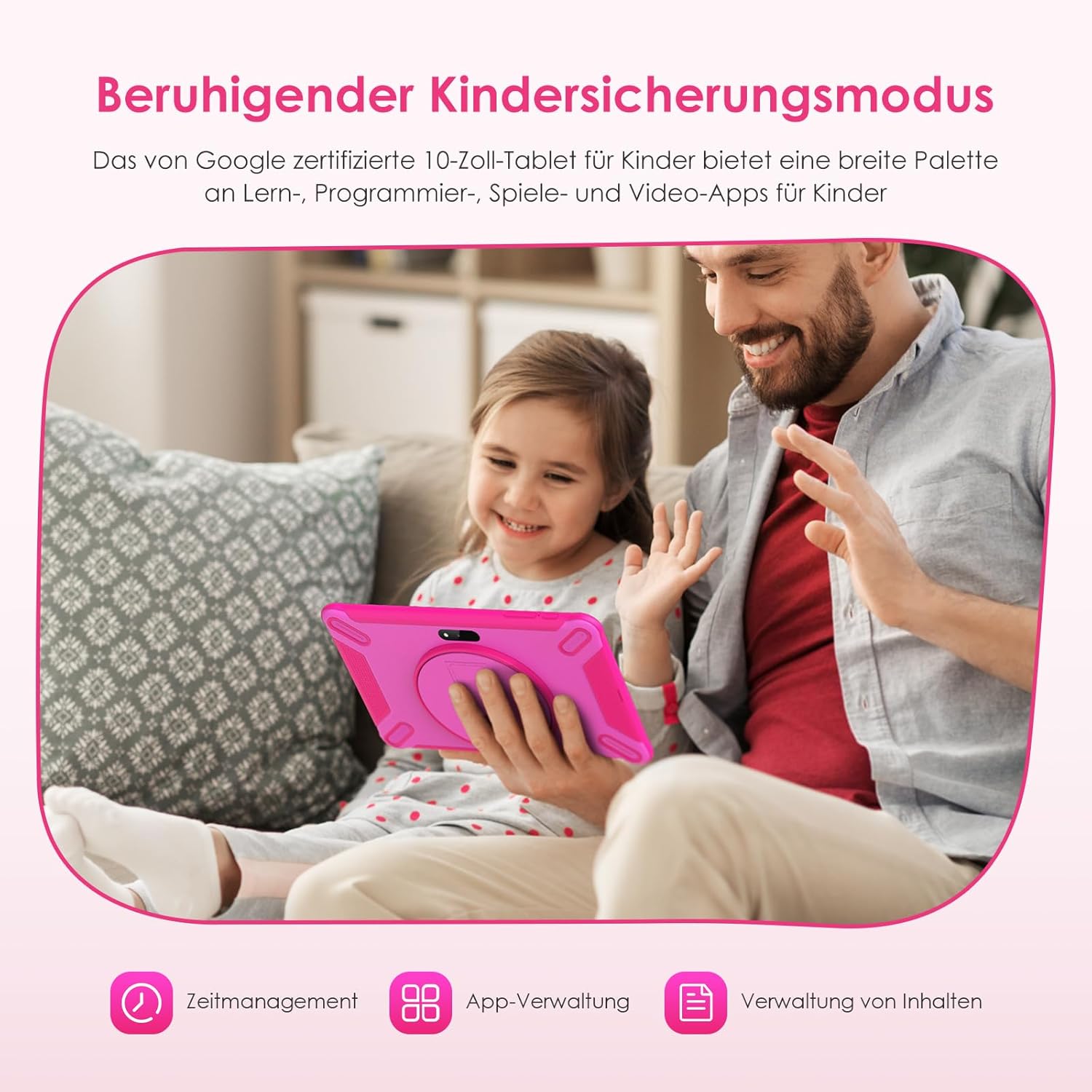
Imatge: A child and adult using the FASTWD Kids Tablet, illustrating the parental control features. Icons for Time Management, App Management, and Content Management are displayed, indicating the tablet's capabilities for safe usage.
Access parental control settings through the dedicated app or within the system settings. You can:
- Set daily usage time limits.
- Manage and restrict access to specific applications.
- Filtre web content and block inappropriate webllocs.
- Creeu diversos fills professionalsfiles with customized settings.
5.5. Installing Applications
The tablet comes with Google Play Store pre-installed, allowing access to a wide range of educational and entertainment apps.

Imatge: Multiple FASTWD Kids Tablets displaying the home screen with various apps, including the Google Play Store. The image also highlights features like privacy settings, widgets, and memory expansion up to 256GB.
To download apps:
- Obriu el Google Play Store aplicació.
- Cerca l'aplicació desitjada.
- Toqueu Instal·lar per descarregar i instal·lar l'aplicació.
5.6. Gestió de l'emmagatzematge
The tablet has 128GB of internal storage. You can expand this by inserting a TF (microSD) card up to 256GB.

Imatge: Un acabatview of the FASTWD 10-inch Kids Tablet's key features, including Wi-Fi, 36GB RAM, 128GB ROM, TF card expandability up to 256GB, Google Play access, and parental control.
To insert a TF card, locate the card slot on the side of the tablet, open the cover, and gently push the card in until it clicks. To manage storage, go to Configuració > Emmagatzematge.
6. Manteniment
6.1. Neteja
Feu servir un drap suau i sense borrissol per netejar la pantalla i el cos de la tauleta. Per a taques difícils, fregueu lleugerament.ampNetegeu el drap amb aigua o un netejador de pantalles. Eviteu productes químics agressius o materials abrasius.
6.2. Cura de la bateria
- Eviteu descarregar completament la bateria amb freqüència.
- Do not expose the tablet to extreme temperatures (hot or cold).
- Feu servir només el cable de càrrega i l'adaptador proporcionats.
6.3. Actualitzacions de programari
Comproveu periòdicament si hi ha actualitzacions de programari per assegurar-vos que la tauleta tingui les funcions i els pegats de seguretat més recents. Aneu a Configuració > Sistema > Actualització del sistema.
7. Solució De Problemes
Aquí teniu solucions a problemes comuns:
| Problema | Solució |
|---|---|
| La tauleta no s'encén. | Ensure the tablet is charged. Connect it to the charger for at least 30 minutes. If it still doesn't turn on, try a forced restart by holding the Power button for 10-15 seconds. |
| La pantalla no respon. | Reinicia la tauleta. Si el problema persisteix, assegura't que la pantalla estigui neta i sense brutícia. |
| Problemes de connexió Wi-Fi. | Comprova si el Wi-Fi està activat a Configuració. Reinicia el teu encaminador Wi-Fi. Oblida't de la xarxa i torna a connectar-te. |
| Les aplicacions es bloquegen o funcionen lentament. | Close background apps. Clear app cache (Settings > Apps > [App Name] > Storage > Clear cache). Ensure sufficient storage space. Restart the tablet. |
| Parental controls not working as expected. | Review the parental control settings within the dedicated app or system settings. Ensure the correct profiles estan actius. |
8. Especificacions
Detailed technical specifications for the FASTWD L231-EEA Kids Tablet:
- Model: L231-EEE
- Sistema operatiu: Android 14
- Visualització: 10.1-inch IPS, 1280 x 800 pixels resolution, 16:9 aspect ratio
- Processador: MediaTek (Brand)
- RAM: 12GB (Physical) + 24GB (Virtual) = Up to 36GB
- Emmagatzematge intern: 128 GB
- Emmagatzematge ampliable: Up to 256GB via TF (microSD) card
- Bateria: 8000 mAh d'ions de liti
- Connectivitat sense fils: Wi-Fi 802.11ac (supports 5GHz), Bluetooth 5.0
- Càmeres: 5MP frontal, 8MP posterior
- Ports: USB tipus C, presa d'àudio de 3.5 mm
- Mètode d'entrada: Pantalla tàctil
- Color: Rosa
- Components inclosos: Funda protectora
- Franja d'edat: Nen
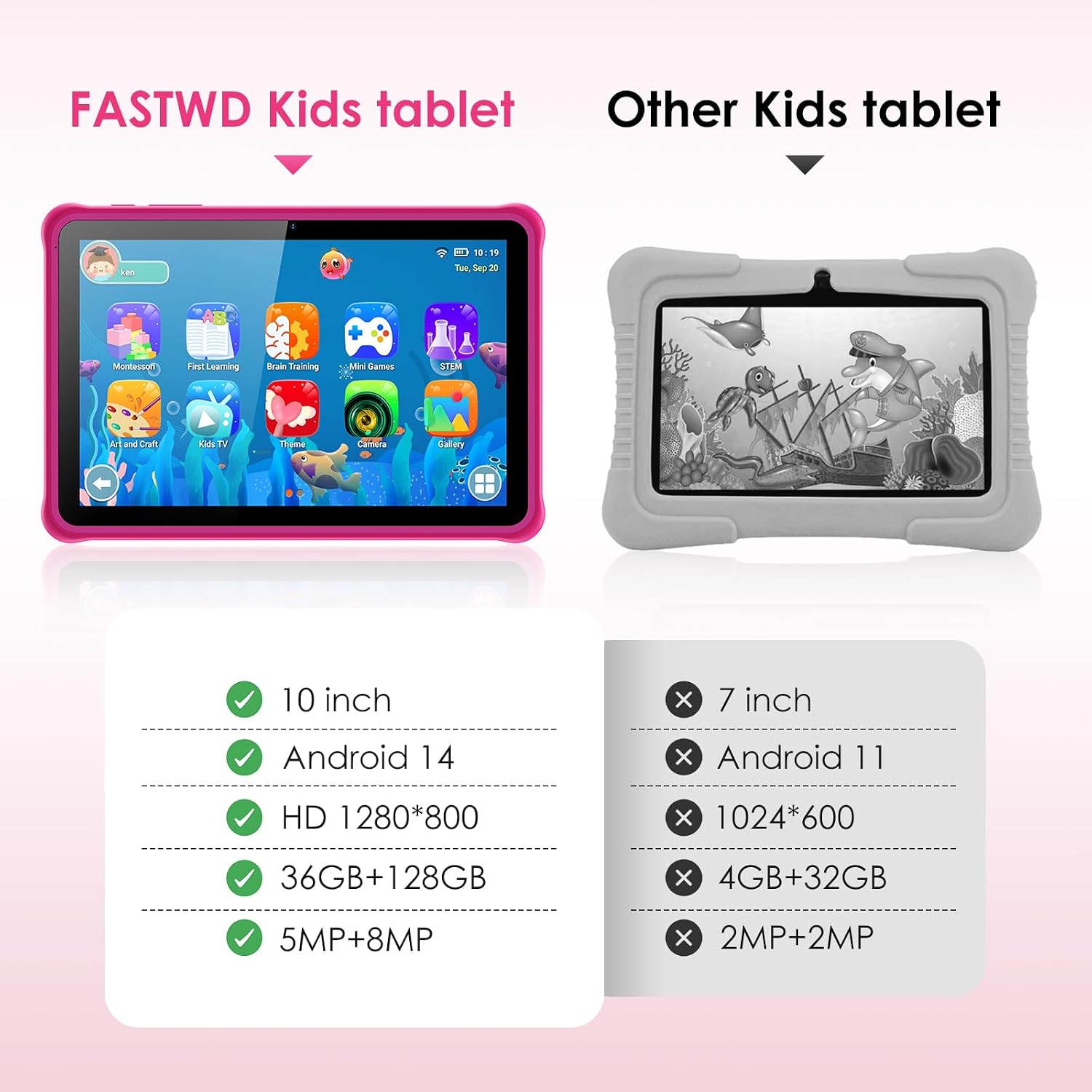
Imatge: A side-by-side comparison highlighting the specifications of the FASTWD Kids Tablet (10-inch, Android 14, HD 1280*800, 36GB+128GB, 5MP+8MP) against a generic 'Other Kids tablet' (7-inch, Android 11, 1024*600, 4GB+32GB, 2MP+2MP).
9. Garantia i Suport
9.1. Informació de la garantia
This product comes with an extended warranty. For specific terms and conditions, please refer to the warranty card included in your package or contact the seller directly.
9.2. Atenció al client
If you encounter any issues not covered in this manual or require further assistance, please contact the seller or manufacturer's customer support. Refer to your purchase documentation for contact details.