
1. Introducció
This manual provides essential information for the installation, operation, and maintenance of your NVIDIA RTX A1000 Professional Graphics Card. Please read this manual thoroughly before installing and using the product to ensure optimal performance and safety.
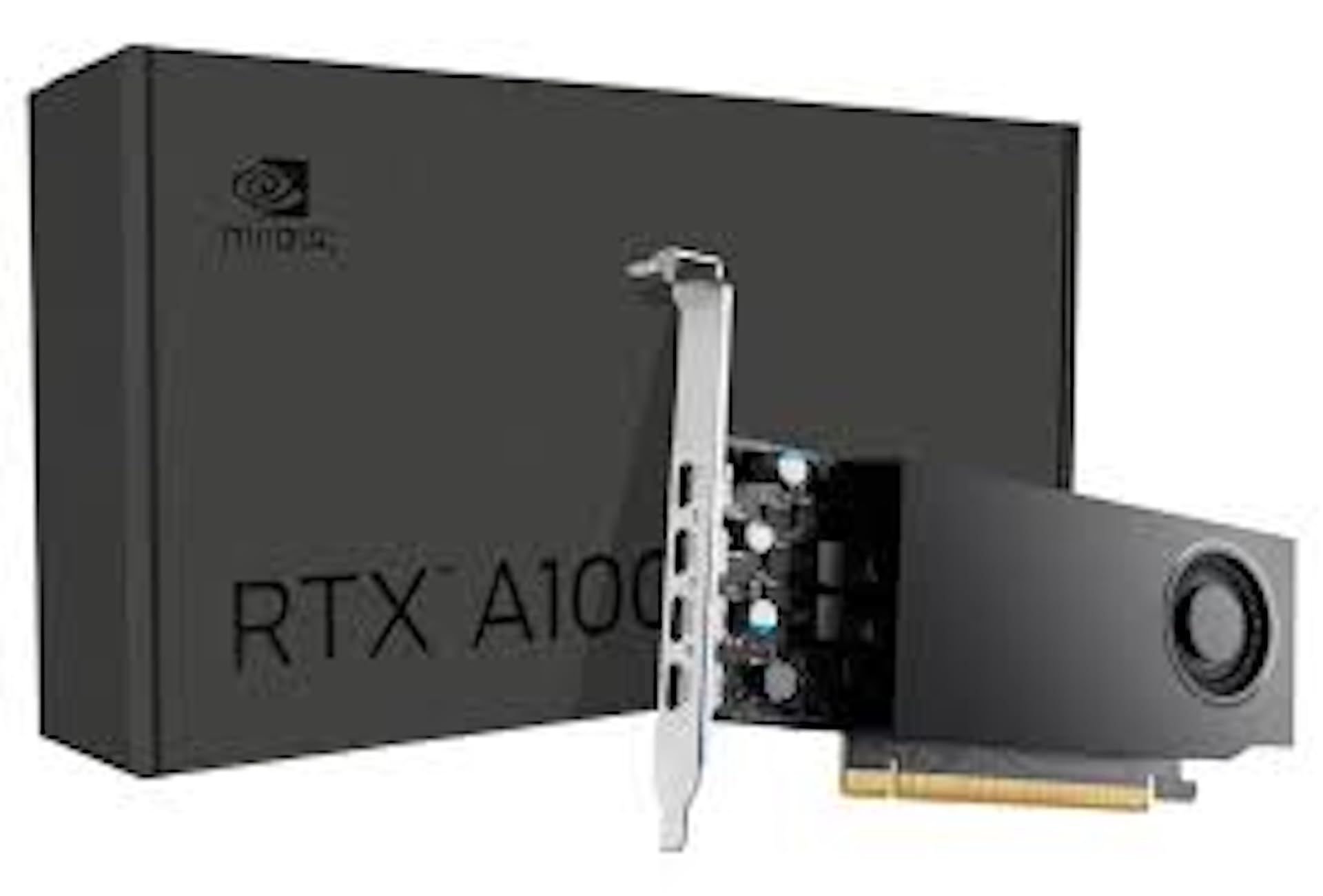
Figure 1: NVIDIA RTX A1000 Professional Graphics Card. This image shows the overall design of the graphics card, highlighting its compact form factor.
2. Producte acabatview
The NVIDIA RTX A1000 is a low-profile graphics processing unit (GPU) designed for professional workstations. It integrates NVIDIA's Ampere GPU architecture, featuring 2,304 CUDA Cores, 72 third-generation Tensor Cores, and 18 second-generation RT Cores, along with 8GB of GDDR6 graphics memory. This card is engineered to enhance visual creation, accelerate AI-powered workflows, and boost productivity within a small-form-factor solution.

Figura 2: Angle view of the NVIDIA RTX A1000. This perspective showcases the cooling fan and the sleek design of the card.
3. Característiques clau
- Advanced Core Architecture: Features 3rd generation Tensor Cores and 2nd generation RT Cores, providing enhanced graphic CAD performance and accelerated rendering and AI generation capabilities compared to previous models.
- Real-time Ray Tracing: Delivers up to twice the real-time ray-tracing performance of previous generations, facilitating complex 3D model processing and realistic image rendering.
- Rendiment de l'IA: Offers up to 3.6 times higher generative AI performance, enabling rapid creation of high-quality images, videos, and 3D assets.
- Suport multipantalla: Equipped with four Mini DisplayPort connectors, supporting multi-application workflows and up to two 8K displays simultaneously for increased productivity.
- 8 GB de memòria GDDR6: Proporciona ample memory for demanding professional applications and complex datasets.
- Low-Profile, Single-Slot Design: Optimizes space within workstations, making it suitable for a wide range of system configurations.
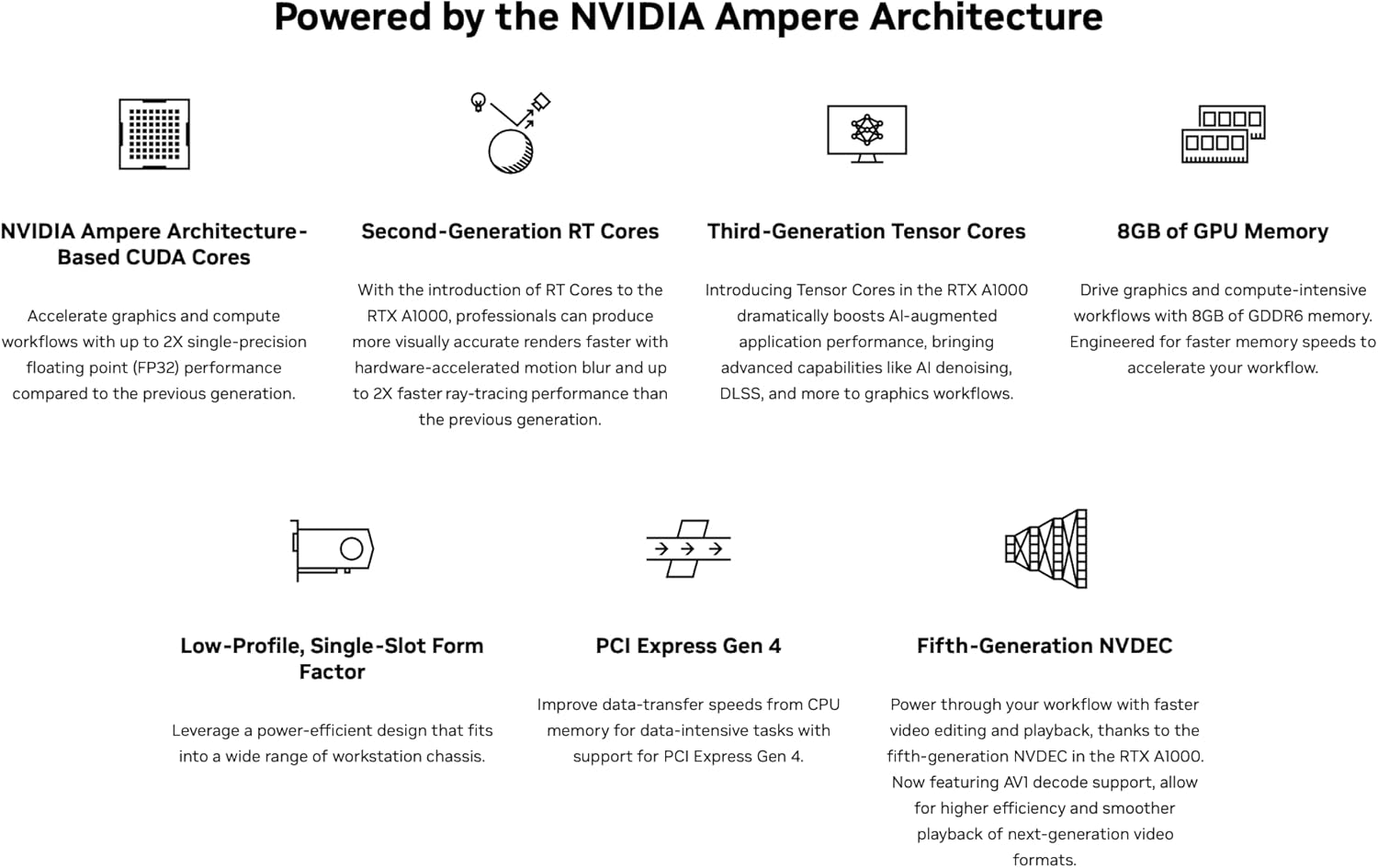
Figura 3: Mésview of NVIDIA Ampere Architecture features. This graphic details the core components like CUDA Cores, RT Cores, Tensor Cores, and memory, which power the RTX A1000.

Figura 4: Examples of professional workloads supported by the NVIDIA RTX A1000. This image illustrates applications in design, digital content creation, generative AI, productivity, edge computing, and multi-display environments.
4. Instal·lació i configuració
4.1. Requisits del sistema
- Available PCI-Express x8 or x16 slot.
- Compatible operating system (Windows 10/11 64-bit, Linux 64-bit).
- Sufficient power supply unit (PSU) with adequate wattage (typically 300W or higher recommended for system stability, as the card itself draws 50W).
- Minimum 8GB system RAM.
4.2. Instal·lació de maquinari
- Apagueu i desconnecteu: Assegureu-vos que l'ordinador estigui completament apagat i desendollat de la presa de corrent.
- Caixa d'ordinador oberta: Traieu el panell lateral de la caixa de l'ordinador per accedir a la placa base.
- Localitza la ranura PCIe: Identify an available PCI-Express x8 or x16 slot on your motherboard. Remove any slot covers if necessary.
- Inseriu la targeta gràfica: Carefully align the NVIDIA RTX A1000 card with the chosen PCIe slot and press down firmly until it is securely seated. Ensure the retention clip clicks into place.
- Targeta segura: Use a screw or the case's retention mechanism to secure the graphics card to the computer case.
- Tanca el cas i torna a connectar: Replace the computer case side panel, reconnect all cables, and plug the power cord back into the wall outlet.
4.3. Instal·lació del controlador
- Engegar l'ordinador: Turn on your computer. The operating system may automatically detect new hardware.
- Descarrega els controladors: Visita la pàgina oficial d'NVIDIA weblloc (www.nvidia.com/drivers) to download the latest professional drivers for the RTX A1000. Select your operating system and product series.
- Instal·leu els controladors: Executeu l'instal·lador del controlador descarregat i seguiu les instruccions que apareixen a la pantalla. Pot ser necessari reiniciar el sistema per completar la instal·lació.
- Verifica la instal·lació: After restarting, open NVIDIA Control Panel or NVIDIA Settings to verify that the graphics card is recognized and drivers are correctly installed.
5. Funcionament
5.1. Connexió de pantalles
The NVIDIA RTX A1000 features four Mini DisplayPort (mDP) outputs. Use appropriate mDP to DisplayPort, HDMI, or DVI adapters/cables to connect your monitors. Ensure your displays are powered on and set to the correct input source.

Figura 5: Primer pla view of the four Mini DisplayPort outputs on the NVIDIA RTX A1000. These ports allow connection to multiple high-resolution displays.
5.2. NVIDIA Control Panel / Settings
The NVIDIA Control Panel (Windows) or NVIDIA Settings (Linux) provides comprehensive options for configuring your graphics card. Here you can adjust display settings, manage 3D application profiles, set up multiple displays, and monitor GPU performance.
- Resolució de visualització: Adjust screen resolution and refresh rates.
- Múltiples pantalles: Configure display modes (extended desktop, duplicate displays).
- Configuració 3D: Optimize graphics settings for specific applications or global performance.
- GPU Monitoring: View GPU temperature, clock speeds, and memory usage.
6. Manteniment
- Mantenir els controladors actualitzats: Revisa regularment l'NVIDIA website for the latest drivers to ensure optimal performance, stability, and access to new features.
- Eliminació de pols: Netegeu periòdicament la pols del ventilador i del dissipador de calor de la targeta gràfica amb aire comprimit. Assegureu-vos que l'ordinador estigui apagat i desendollat abans de netejar-lo.
- Assegureu-vos un flux d'aire adequat: Maintain good airflow within your computer case to prevent overheating. Ensure case fans are functioning correctly and cables are neatly managed.
7. Solució De Problemes
7.1. Sense sortida de pantalla
- Ensure the monitor is powered on and connected to the correct Mini DisplayPort on the graphics card.
- Verifiqueu que la targeta gràfica estigui completament col·locada a la ranura PCIe.
- Comproveu si el monitor està configurat a la font d'entrada correcta.
- Try connecting to a different display output on the card or a different monitor.
7.2. Driver Installation Issues
- Download the latest drivers directly from the official NVIDIA weblloc.
- Desactiveu temporalment el programari antivirus durant la instal·lació del controlador.
- If upgrading from a different GPU brand or older NVIDIA drivers, consider using a display driver uninstaller (DDU) in safe mode to remove old drivers before installing new ones.
7.3. Performance Issues or Crashes
- Assegureu-vos que els vostres controladors estiguin actualitzats.
- Monitor GPU temperature using software like NVIDIA Control Panel or third-party tools. Overheating can cause performance degradation or crashes.
- Verify your system meets the recommended power supply requirements.
- Check for conflicting software or background processes that might be consuming resources.
8. Especificacions tècniques

Figure 6: Detailed specifications for the NVIDIA RTX A1000. This table provides key technical data such as GPU memory, display ports, power consumption, and form factor.
| Característica | Detall |
|---|---|
| Coprocessador gràfic | NVIDIA RTX A1000 |
| Memòria GPU | 8 GB GDDR6 |
| Nuclis CUDA | 2304 |
| Nuclis tensors | 72 (3a generació) |
| Nuclis RT | 18 (2a generació) |
| Interfície de sortida de vídeo | 4x Mini DisplayPort 1.4a |
| Graphics Bus | PCI-Express Gen 4 x8 |
| Consum màxim d'energia | 50 W |
| Factor de forma | Low-Profile, Single-Slot |
| Velocitat de rellotge de memòria | 1200 MHz |
| Maximum Digital Resolution | 7680 x 4320 |
| Número de model | 900-5G172-2580-000 |
| Pes de l'article | 453 grams |

Figure 7: Performance comparison of NVIDIA RTX A1000 against previous generation. This chart illustrates performance gains in graphics, rendering, and generative AI workloads.

Figure 8: Industry-leading performance highlights of the NVIDIA RTX A1000, including Single-Precision, RT Core, and Tensor Performance metrics.
9. Què hi ha a la caixa
En obrir l'embalatge del producte, hauríeu de trobar el següent element:
- NVIDIA RTX A1000 Professional Graphics Card
Note: Additional accessories such as Mini DisplayPort adapters or documentation may be included depending on the specific retailer or bundle.
10. Garantia i Suport
10.1. Garantia del producte
NVIDIA products typically come with a limited manufacturer's warranty. The duration and terms of the warranty may vary by region and retailer. Please refer to the warranty information provided with your purchase or visit the official NVIDIA weblloc web per a polítiques de garantia detallades.
10.2. Suport tècnic
For technical assistance, driver downloads, and frequently asked questions, please visit the official NVIDIA support weblloc:
You may also contact your retailer or system integrator for support related to your specific purchase.


