
HyperGear 16181
HyperGear Flip 2-in-1 Headphones + Speaker User Manual
Model: 16181
1. Introducció
Welcome to the HyperGear Flip 2-in-1 Headphones + Speaker user manual. This guide provides detailed instructions to help you get the most out of your device, which combines the functionality of over-ear headphones with a portable speaker. Featuring Bluetooth 5.0 connectivity and 40mm audio drivers, this device is designed for versatile audio experiences.
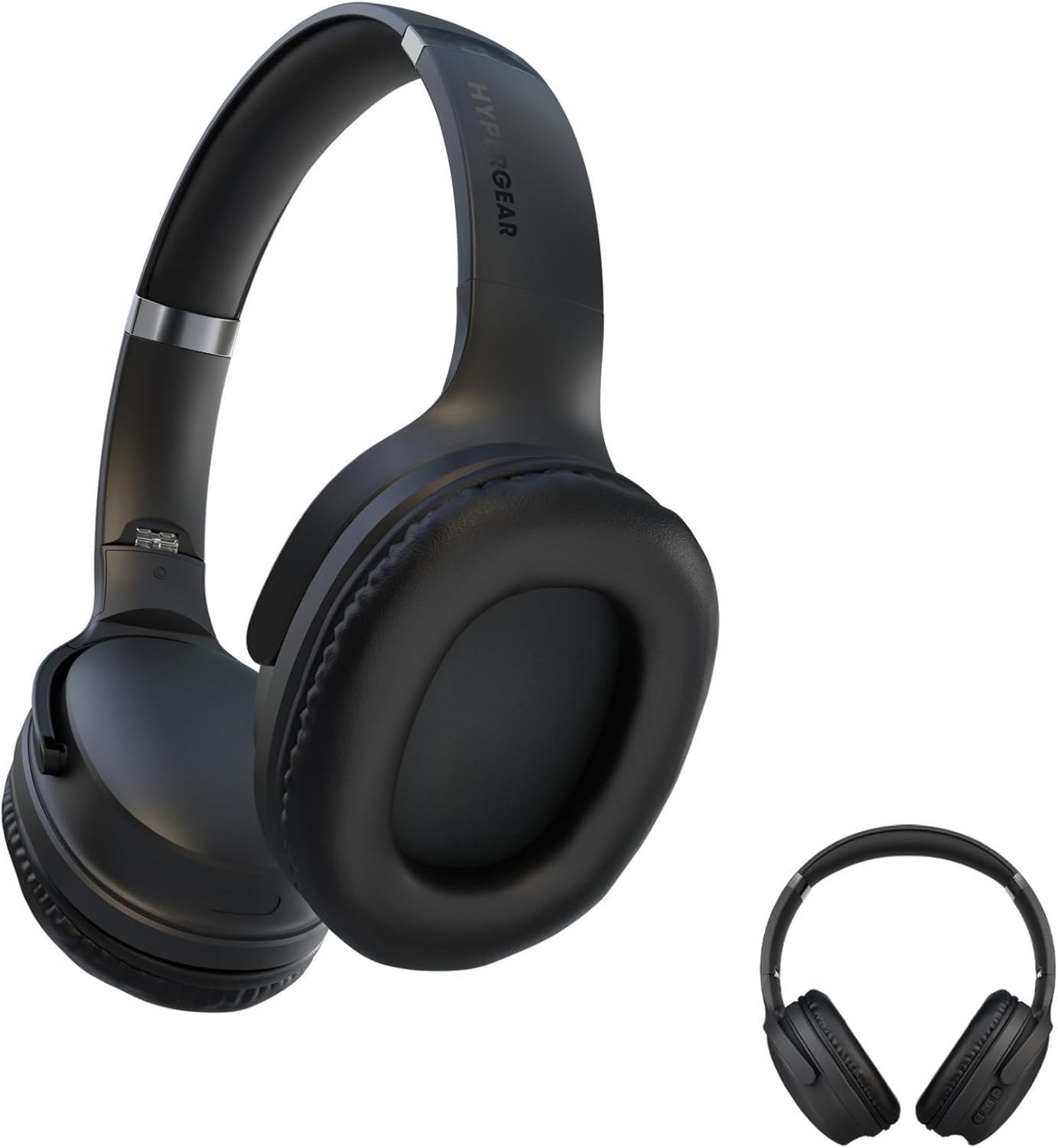
This image displays the HyperGear Flip 2-in-1 Headphones in their black finish, illustrating both the over-ear configuration for listening and the compact, folded state for portability.
2. Contingut del paquet
Marqueu la casella per als elements següents:
- HyperGear Flip 2-in-1 Headphones + Speaker
- Cable de càrrega USB-C
- Manual d'usuari (aquest document)
3. Producte acabatview
The HyperGear Flip 2-in-1 device features an adjustable headband, comfortable memory foam ear cups, and intuitive on-ear controls. The unique design allows the ear cups to flip outwards, transforming the headphones into a portable speaker.
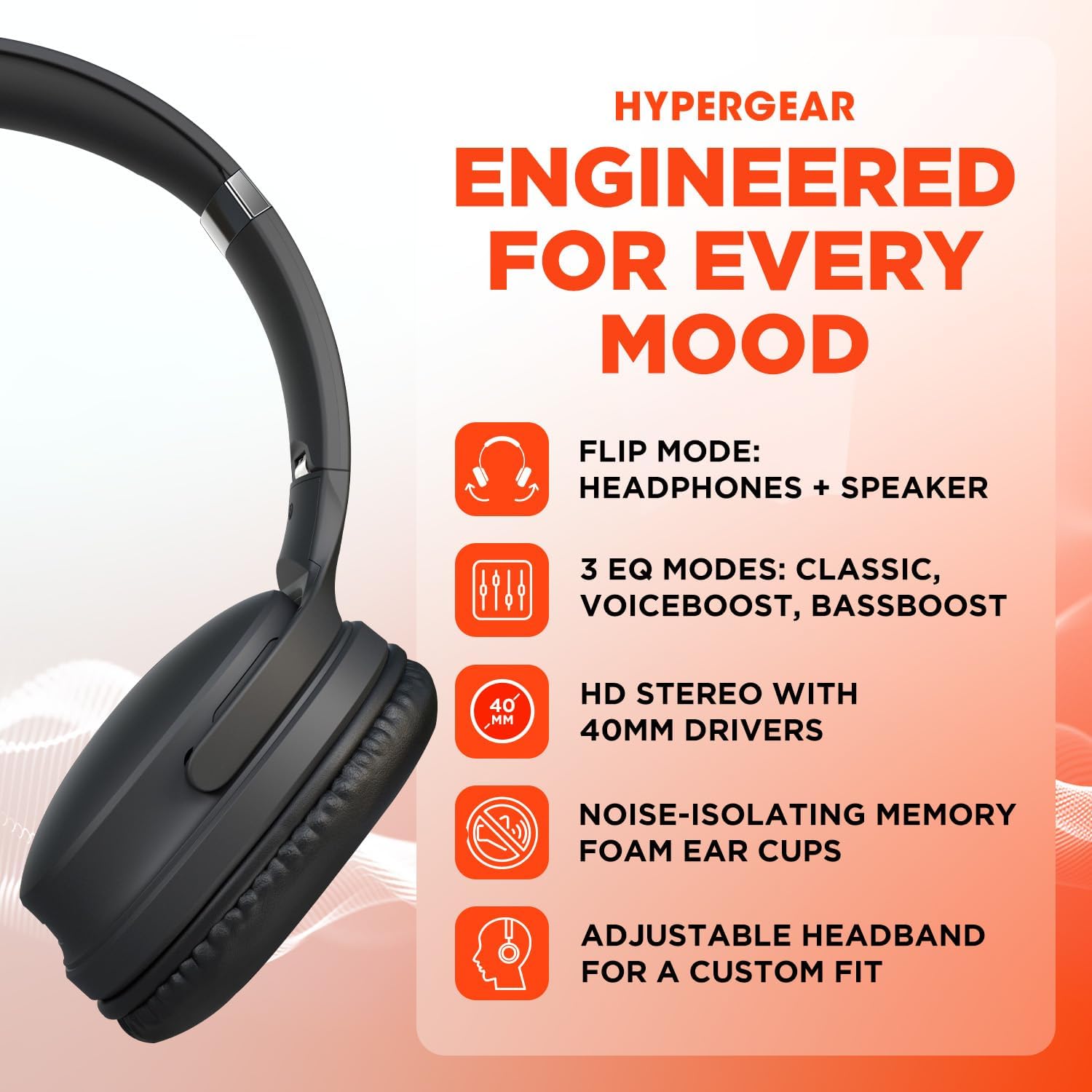
A visual representation of the HyperGear Flip 2-in-1 Headphones' main features, including its dual headphone and speaker functionality, multiple equalization modes, high-definition 40mm audio drivers, comfortable noise-isolating memory foam ear cups, and an adjustable headband for a customized fit.
Controls a l'orella
The right earcup houses the primary controls for power, volume, track navigation, and EQ mode selection.

This graphic illustrates the battery performance of the HyperGear headphones, indicating 10 hours of playtime in headphone mode and 4 hours in speaker mode. It also highlights the location of the on-ear controls and the availability of three distinct EQ modes.
4. Configuració
4.1 Càrrega del dispositiu
- Connecteu el cable de càrrega USB-C proporcionat al port de càrrega dels auriculars.
- Connecteu l'altre extrem del cable a un adaptador de corrent USB (no inclòs) o al port USB d'un ordinador.
- L'indicador LED mostrarà l'estat de càrrega. Una càrrega completa sol trigar aproximadament 2 hores.
4.2 Engegada/apagada
- Per encendre: Premeu i manteniu premut el botó d'engegada fins que l'indicador LED s'encengui.
- Per apagar: Premeu i manteniu premut el botó d'engegada fins que l'indicador LED s'apagui.
4.3 Vinculació Bluetooth
The HyperGear Flip 2-in-1 Headphones use Bluetooth 5.0 for a stable wireless connection up to 10.06 meters (33 feet).
- Assegureu-vos que els auriculars estiguin apagats.
- Premeu i manteniu premut el botó d'engegada durant aproximadament 5 segons fins que l'indicador LED parpellegi en blau i vermell, cosa que indica el mode d'emparellament.
- Al dispositiu (telèfon intel·ligent, tauleta, ordinador), activeu el Bluetooth i cerqueu els dispositius disponibles.
- Select "HyperGear Flip" from the list of found devices.
- Un cop connectat, l'indicador LED mostrarà una llum blava fixa.
- Els auriculars es tornaran a connectar automàticament a l'últim dispositiu emparellat quan s'engeguin, si estan dins de l'abast.
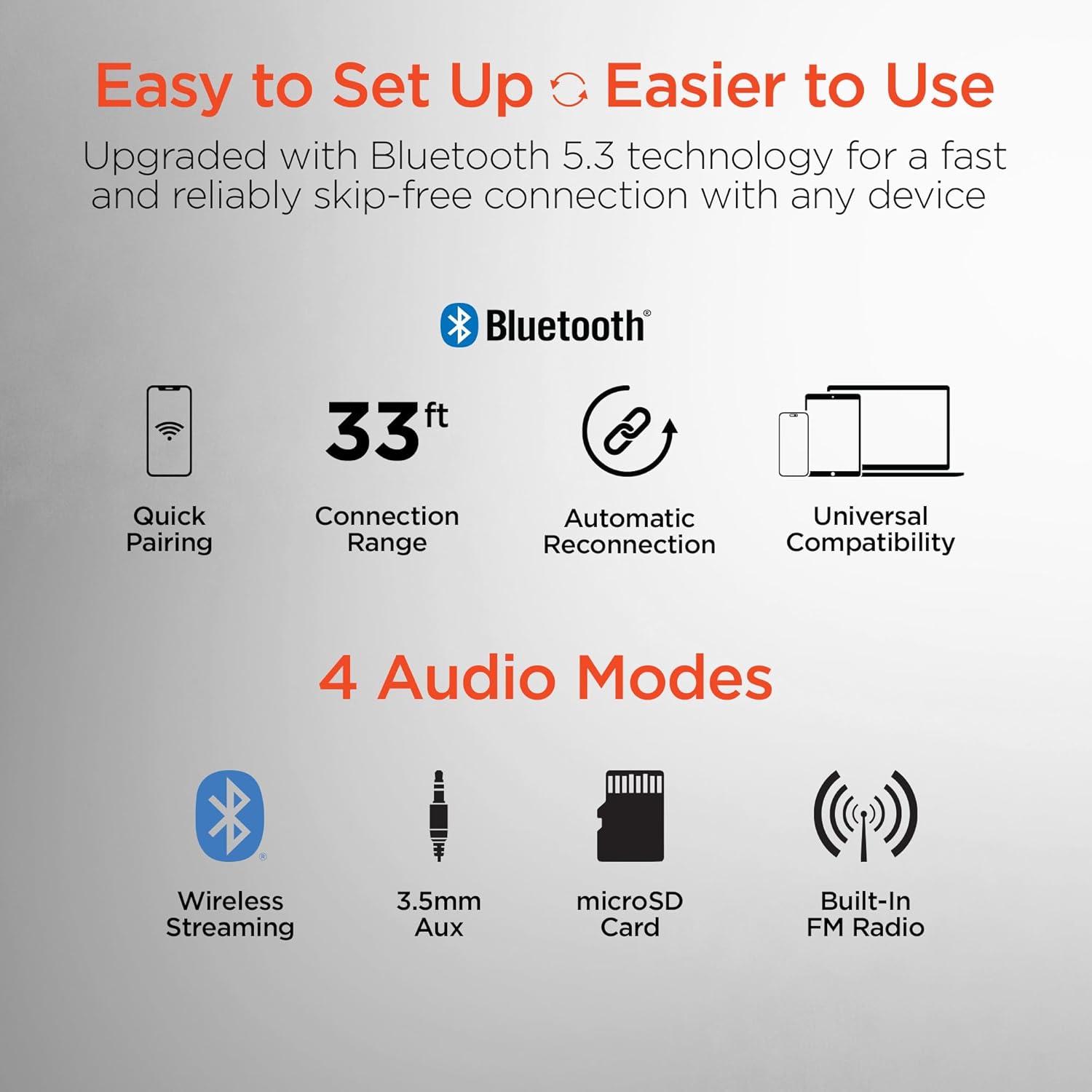
This image highlights the user-friendly aspects of the HyperGear headphones, detailing its Bluetooth 5.0 technology for quick pairing, a 33-foot connection range, automatic reconnection feature, and universal compatibility with various devices. It also lists the four available audio input modes: wireless streaming, 3.5mm auxiliary, microSD card, and built-in FM radio.
5. Instruccions de funcionament
5.1 Switching Between Headphone and Speaker Mode
The HyperGear Flip offers two distinct audio modes:
- Mode d'auriculars: For private listening, ensure the ear cups are folded inwards, covering your ears. This mode provides immersive HD sound with up to 10 hours of playtime.
- Mode altaveu: To share your music, flip the ear cups outwards. The device will project powerful stereo sound, offering up to 4 hours of playtime.
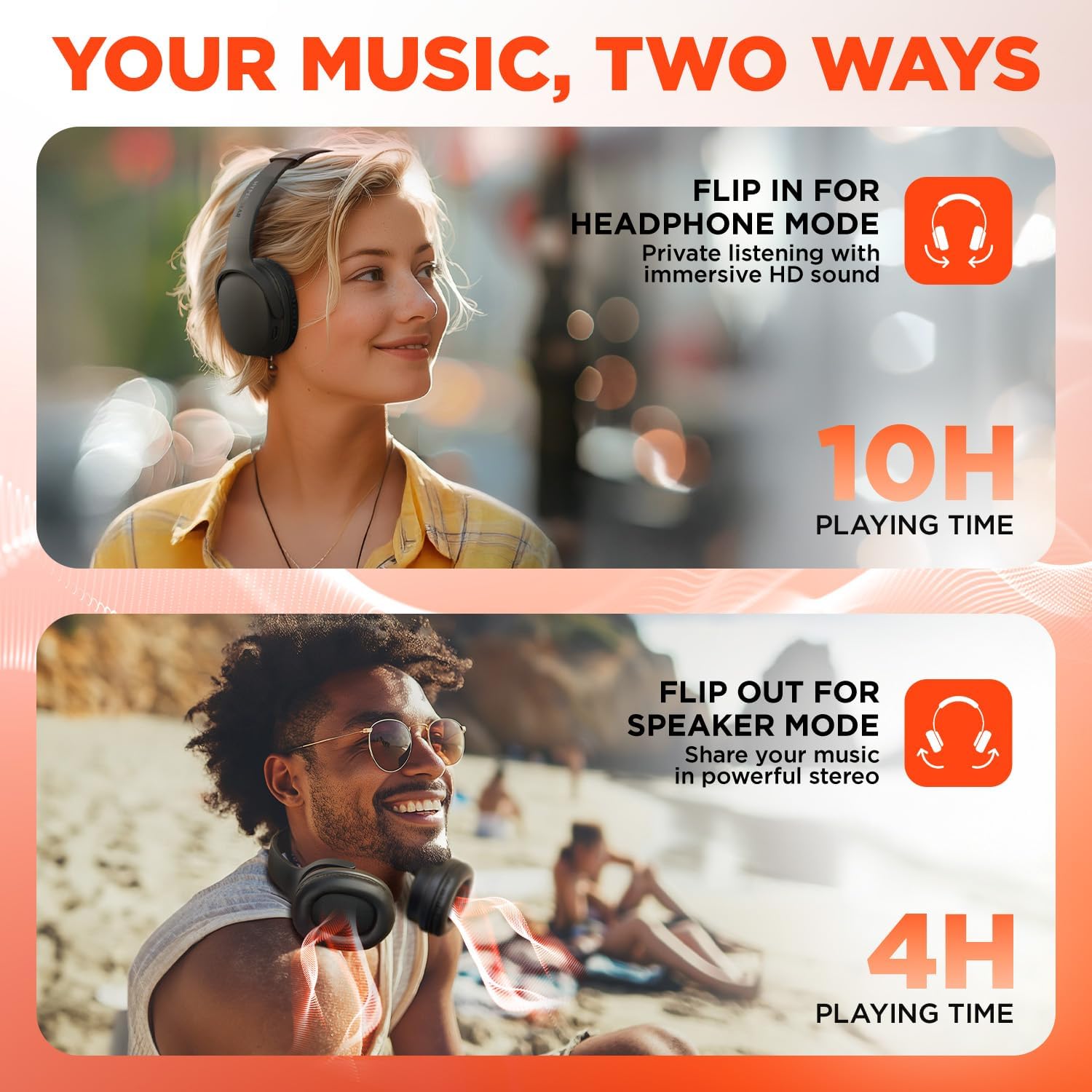
This visual demonstrates the dual functionality of the HyperGear headphones. The top image shows a woman wearing the headphones for private listening, while the bottom image shows a man with the earcups flipped out, utilizing the device as a portable speaker to share music.
5.2 On-Ear Control Functions
| Botó/Acció | Funció |
|---|---|
| Botó d'engegada (premeu i manteniu premut) | Encès/Apagat |
| Botó d'engegada (pressió curta) | Reproduir/Pausar música, Respondre/Finalitzar trucades |
| Volum + / Pista següent | Short press for Volume Up, Long press for Next Track |
| Volum - / Pista anterior | Short press for Volume Down, Long press for Previous Track |
| Botó EQ | Cycle through EQ Modes (Classic, Voiceboost, Bassboost) |
5.3 modes d'equalització
Customize your audio experience with three distinct Equalizer (EQ) modes:
- Clàssic: Provides pure, balanced sound suitable for most music genres.
- Voiceboost: Enhances crisp, clear vocals with added detail, ideal for podcasts or audiobooks.
- Bassboost: Delivers deep, thumping bass for a more impactful listening experience.

Un detallat view of the headphone earcup, focusing on the 'EQ' button. Text descriptions explain the three available sound modes: 'Classic' for balanced audio, 'Voiceboost' for clear vocals, and 'Bassboost' for enhanced low frequencies.
5.4 Additional Audio Modes
Beyond Bluetooth, the headphones support other audio input methods:
- 3.5mm Aux: Connect via a 3.5mm audio cable (not included) for wired listening.
- Targeta MicroSD: Insert a microSD card with audio files per a reproducció directa.
- Built-In FM Radio: Tune into FM radio stations directly from the device.
6. Manteniment
6.1 Neteja
- Netegeu els auriculars amb un drap suau i sec.
- No utilitzeu netejadors abrasius, alcohol ni dissolvents químics.
- Mantingueu el port de càrrega net de pols i deixalles.
6.2 Emmagatzematge
- Guardeu els auriculars en un lloc fresc i sec, allunyat de la llum solar directa i de temperatures extremes.
- When not in use, fold the ear cups for compact storage.
6.3 Cura de la bateria
- Per allargar la durada de la bateria, eviteu descarregar-la completament amb freqüència.
- Carregueu el dispositiu regularment, fins i tot si no l'utilitzeu amb freqüència.
7. Solució De Problemes
| Problema | Possible solució |
|---|---|
| El dispositiu no s'encén | Assegureu-vos que la bateria estigui carregada. Connecteu-la a una font d'alimentació amb el cable USB-C. |
| No es pot emparellar per Bluetooth | Ensure the headphones are in pairing mode (flashing blue/red LED). Turn off and on Bluetooth on your device. Move closer to the headphones. |
| No sound in headphone mode | Check volume levels on both the headphones and your connected device. Ensure ear cups are properly positioned over ears. |
| No sound in speaker mode | Ensure ear cups are fully flipped outwards. Check volume levels. |
| Mala qualitat d'àudio | Move closer to your connected device to reduce interference. Ensure no physical obstructions are blocking the signal. |
| La bateria s'esgota ràpidament | Ensure the device is fully charged before use. Speaker mode consumes more power than headphone mode. |
8. Especificacions
| Característica | Detall |
|---|---|
| Nom del model | HyperGear Flip 2-in-1 Headphones + Speaker |
| Número de model | 16181 |
| Tecnologia de connectivitat | Sense fil (Bluetooth 5.0) |
| Interval Bluetooth | 10.06 metres (33 peus) |
| Mida del controlador d'àudio | 40 mm |
| Interval de freqüència | 20 Hz - 20,000 Hz |
| Mètode de control | Pulsador |
| Forma de l'auricular | Sobre l'orella |
| Control de soroll | Aïllament acústic |
| Temps de reproducció amb auriculars | Fins a 10 hores |
| Temps de reproducció de l'altaveu | Fins a 4 hores |
| Temps de càrrega | Aprox. 2 hores |
| Port de càrrega | USB-C |
| Pes de l'article | 16 unces (0.45 quilograms) |
| Dimensions del producte | 7.88 x 10.24 x 3.55 polzades |
| Nivell de resistència a l'aigua | No resistent a l'aigua |
| Dispositius compatibles | Phones, Tablets, Computers, Gaming Consoles, Desktops, Laptops |
| UPC | 633755161803 |
9. Garantia i Suport
9.1 Informació de la garantia
HyperGear products are designed for durability and performance. This product is covered by a limited manufacturer's warranty against defects in materials and workmanship under normal use. Please refer to the warranty card included with your purchase or visit the official HyperGear weblloc web per conèixer els termes i condicions específiques de la garantia.
9.2 Atenció al client
For technical assistance, troubleshooting, or warranty claims, please contact HyperGear customer support:
- Weblloc: www.hypergear.com (Si us plau, consulteu la informació oficial) weblloc web per obtenir la informació de contacte més actualitzada)
- Correu electrònic: support@hypergear.com (Example, please verify on official weblloc)
- Telèfon: (Example, please verify on official weblloc)
Documents relacionats16181


Ask a question about this manual
Ask about setup, troubleshooting, compatibility, parts, safety, or missing instructions. Manuals+ will review the question and use this page’s manual context to help answer it.