
1. Introducció
This manual provides essential instructions for the setup, operation, and maintenance of your GOBOULT Drift+ Smart Watch. Please read this guide thoroughly to ensure proper use and to maximize the device's features.

Image 1.1: The GOBOULT Drift+ Smart Watch.
The GOBOULT Drift+ Smart Watch features a 1.85-inch HD display, Bluetooth calling capabilities, IP68 water resistance, and comprehensive health monitoring functions.

Imatge 1.2: acabatview of GOBOULT Drift+ Smart Watch features.
2. Què hi ha a la caixa
Verifiqueu que tots els elements següents estiguin inclosos a l'embalatge del producte:
- GOBOULT Drift+ Smart Watch
- Cable de càrrega
- Manual d'usuari (aquest document)
- Targeta de garantia
3. Configuració
3.1 Càrrega inicial
Before first use, fully charge your GOBOULT Drift+ Smart Watch. Connect the provided charging cable to the charging port on the back of the watch and to a standard USB power adapter (not included). The watch typically takes approximately 2.5 hours to fully charge.

Image 3.1: Charging the GOBOULT Drift+ Smart Watch.
3.2 Emparellament amb el telèfon intel·ligent
- Baixeu l'aplicació oficial de GOBOULT des de la botiga d'aplicacions del vostre telèfon intel·ligent (compatible amb iOS i Android).
- Assegureu-vos que el Bluetooth estigui habilitat al vostre telèfon intel·ligent.
- Open the GOBOULT app and follow the on-screen instructions to create an account or log in.
- Select 'Add Device' or a similar option within the app and choose 'Drift+' from the list of available devices.
- Confirma la sol·licitud d'emparellament tant al teu telèfon intel·ligent com al rellotge intel·ligent.
4. Instruccions de funcionament
4.1 Navegació bàsica
The GOBOULT Drift+ Smart Watch features a 1.85-inch HD touchscreen display. Swipe left, right, up, or down to navigate through menus and functions. Press the side button to return to the home screen or access the app list.
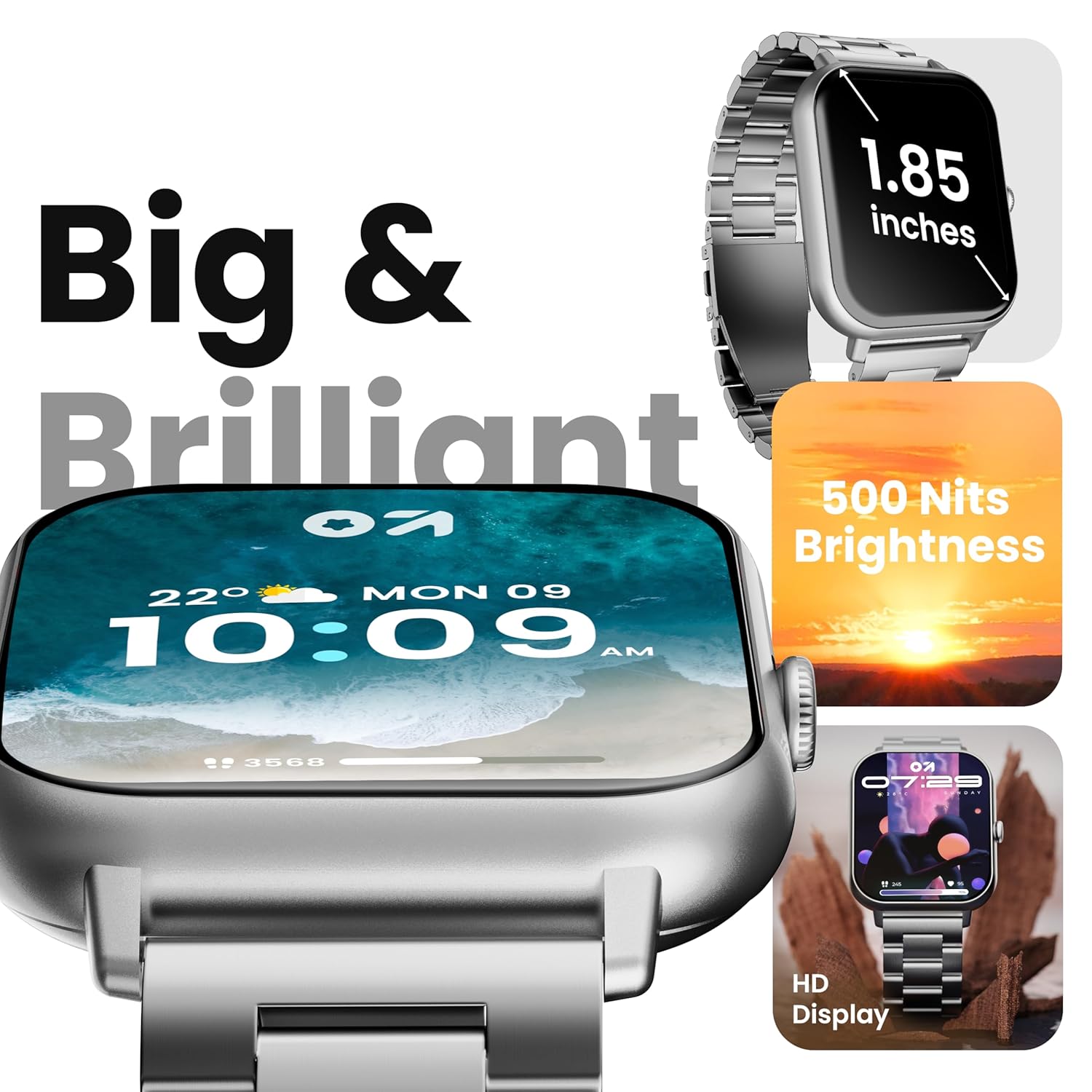
Image 4.1: The 1.85-inch HD display of the smart watch.
Trucades Bluetooth 4.2
Once paired with your smartphone, the Drift+ Smart Watch allows you to make and receive calls directly from your wrist. The watch is equipped with a built-in speaker and microphone for clear audio communication.
- Contestar trucades: Quan rebis una trucada, toca la icona verda de resposta a la pantalla del rellotge.
- Fer trucades: Access the dialer or contacts through the watch menu to initiate a call.

Image 4.2: Bluetooth calling feature in use.
4.3 Personalització de les esferes del rellotge
The watch supports over 150 cloud-based watch faces and custom watch face options. To change your watch face:
- Long-press on the current watch face on your watch.
- Swipe left or right to browse pre-installed watch faces.
- For more options, open the GOBOULT app on your smartphone and navigate to the 'Watch Faces' section to download and apply new designs.

Image 4.3: Customizing watch faces.
4.4 modes esportius
The GOBOULT Drift+ offers over 100 sports modes to track various physical activities. To access and use sports modes:
- From the watch's main menu, select the 'Sports' or 'Workout' icon.
- Choose your desired activity from the list (e.g., running, cycling, walking).
- Tap to start tracking. The watch will record data such as steps, distance, calories burned, and heart rate.
- To end a workout, swipe right or press the side button and select 'End'.

Image 4.4: Tracking activities with sports modes.
4.5 Vigilància de la salut
The watch provides comprehensive health insights, including:
- Monitorització de la freqüència cardíaca les 24 hores del dia: Registra contínuament la teva freqüència cardíaca.
- SpO2 Blood Oxygen Tracking: Mesura els nivells de saturació d'oxigen a la sang.
- Monitorització de la pressió arterial: Proporciona lectures estimades de la pressió arterial.
- Seguiment del cicle menstrual femení: Ajuda a controlar i predir els cicles menstruals.
- Recordatoris de beure aigua: Et recomana que et mantinguis hidratat/da.
- Recordatoris de sedentarisme: Encourages movement after periods of inactivity.
Accediu a aquestes funcions a través del menú de salut del rellotge o view detailed data in the GOBOULT app.

Image 4.5: Health monitoring features.
4.6 Assistent de veu d'IA
Activate the AI voice assistant on your watch for hands-free assistance. This feature allows you to perform tasks, ask questions, and control certain functions using voice commands. Ensure your watch is connected to your smartphone for full functionality.
4.7 Notificacions intel·ligents
Receive notifications from your favorite social apps, messages, and calls directly on your watch. Configure notification settings within the GOBOULT app on your smartphone.
5. Manteniment
5.1 Resistència a l'aigua
The GOBOULT Drift+ Smart Watch is IP68 water resistant, meaning it is protected against dust and can withstand immersion in water up to 1.5 meters for up to 30 minutes. It is suitable for daily use, such as hand washing or light rain exposure. However, it is not recommended for swimming, diving, or exposure to hot water/steam.

Image 5.1: IP68 Water Resistance.
5.2 Neteja
To clean your smart watch, gently wipe the screen and strap with a soft, damp, lint-free cloth. Avoid using harsh chemicals or abrasive materials, as these can damage the device.
5.3 Cura de la bateria
Per allargar la durada de la bateria:
- Eviteu temperatures extremes.
- Carregueu el rellotge regularment, però eviteu deixar-lo completament carregat o completament esgotat durant períodes prolongats.
- Reduce screen brightness and disable unnecessary features when not in use.
The watch offers up to 7 days of battery life in regular mode, 2-3 days with heavy Bluetooth calling, and an impressive 25 days in standby mode.
6. Solució De Problemes
| Problema | Possible solució |
|---|---|
| El rellotge no s'encén | Assegura't que el rellotge estigui completament carregat. Connecta'l al carregador durant almenys 30 minuts. |
| No es pot emparellar amb el telèfon intel·ligent | Check if Bluetooth is enabled on your phone. Restart both the watch and phone. Ensure the GOBOULT app is updated. |
| Les trucades per Bluetooth no funcionen | Verify that the watch is properly connected for both media and call audio in your phone's Bluetooth settings. Check app permissions. |
| Dades de salut inexactes | Ensure the watch is worn snugly on your wrist, not too tight or too loose. Clean the sensors on the back of the watch. Note that smart watch data is for reference and not for medical diagnosis. |
| Durada de la bateria curta | Reduce screen brightness, disable 'Always-On Display' if active, limit frequent heart rate monitoring, and turn off unnecessary notifications. |
7. Especificacions
| Característica | Detall |
|---|---|
| Nom del model | Drift+ |
| Mida de la pantalla | 1.85 polzades HD |
| Brillantor | 500 Nit |
| Resistència a l'aigua | IP68 |
| Tipus sense fil | Bluetooth 5.1 |
| Compatibilitat de sistemes operatius | iOS, Android |
| Tipus de bateria | Polímer de liti |
| Temps de càrrega de la bateria | Aprox. 2.5 hores |
| Durada típica de la bateria | Fins a 7 dies |
| Heavy Usage (BT Calling) Battery Life | 2-3 dies |
| Temps d'espera | Fins a 25 dies |
| Pes de l'article | 38 g |
| Components inclosos | Rellotge intel·ligent, cable de càrrega, manual d'usuari, targeta de garantia |
8. Garantia i Suport
Your GOBOULT Drift+ Smart Watch comes with a manufacturer's warranty. Please refer to the included Warranty Card for detailed terms and conditions, including warranty period and coverage.
For technical support, service, or further inquiries, please visit the official GOBOULT website or contact customer service using the information provided on your Warranty Card or the product packaging.
Manufacturer: Exotic Mile Private Limited, Boult Audio, B-67 Wazirpur Industrial Area, New Delhi 110052, India.