
Producte acabatview
The EONON P5 is a versatile portable car stereo system designed to enhance your in-car entertainment and navigation experience. It features an 8.95-inch IPS display that supports both portrait and landscape orientations, offering flexibility for various uses like GPS navigation and media playback. Key functionalities include wireless Apple CarPlay and Android Auto, 1080P backup camera support, and multiple audio output options. This manual provides detailed instructions for setup, operation, and maintenance of your EONON P5 device.

Image: The EONON P5 portable car stereo screen shown in portrait mode, with a backup camera accessory. The screen displays various app icons for music, CarPlay, Android Auto, Airplay, Super Link, Audio Output, and Settings. A faint landscape view of the screen is visible in the background.
Contingut del paquet
Abans de començar la instal·lació, comproveu que tots els components que s'enumeren a continuació siguin presents al paquet:

Image: A visual representation of the EONON P5 package contents, including the main panel (223mm x 123mm), backup camera, cigarette lighter power cable, AUX adapter cable, screws, suction cup, magnetic mounting bracket, suction cup mounting bracket, pry tool, cable clips, adhesive pads for camera, and the user manual.
- Panel (Main Unit) x1
- Magnetic Variable Bracket x1
- Suction Cup Holder x1
- Cigarette Lighter Power Cord x1 (3.4 meters)
- Rear Lens (Backup Camera) x1 (7 meters)
- AUX Cable x1 (1.5 meters)
- Pry Bar x1
- Clip de cable x4
- Manual d'instruccions x1
- Disk for Suction Cup x1
- Cargols x4
- Fixing Adhesive x2
Configuració i instal·lació
Esquema de cablejat
Proper connection of the power and camera cables is essential for the device's functionality.
Image: A diagram illustrating the wiring connections for the EONON P5. It shows the main unit mounted on a suction cup bracket, with three numbered cables: 1. Cigarette Lighter Power Cable, 2. AUX Adapter Cable, and 3. Backup Camera (7m).
- Connect the Cigarette Lighter Power Cable to your vehicle's 12V power outlet.
- Connect the AUX Adapter Cable to the AUX input of your vehicle's audio system for sound output.
- Connect the Backup Camera cable to the designated input on the P5 unit and route it to the rear of your vehicle for installation.
Mètodes d'instal·lació
The EONON P5 offers two primary installation methods: magnetic and suction cup. Choose the method that best suits your vehicle and preference.
Method 1: Magnetic Installation
Image: A five-step visual guide for magnetic installation. Steps include cleaning the car surface, bringing the device close to the magnetic bracket for automatic installation, adjusting the support arm angle, tearing off adhesive film and sticking the bracket, and finally adjusting the screen angle.
- Clean the car surface where the magnetic bracket will be attached.
- Bring the device close to the magnetic bracket; it will automatically attach.
- Adjust the support arm angle according to your desired installation location.
- Tear off the adhesive film from the magnetic bracket and firmly stick the bracket to the cleaned car surface.
- Ajusta l'angle de la pantalla per a una òptima viewing.
Method 2: Suction Cup Installation
Image: A five-step visual guide for suction cup installation. Steps include cleaning the car surface, aligning the bracket with the unit, pressing the suction cup part onto the car surface to remove air bubbles, pressing the lock switch to fix the suction cup, and adjusting the screen to the best viewangle de ing.
- Clean the car surface (e.g., dashboard, windshield) where the suction cup will be attached.
- Align the bracket with the hole on the unit and install it.
- Press the suction cup part of the bracket onto the car surface, ensuring no air bubbles are present for a secure seal.
- Press the lock switch to firmly fix the suction cup in place.
- Adjust the screen to the best viewangle de ing.
Instruccions de funcionament
CarPlay sense fil i Android Auto
Connect your smartphone wirelessly via Bluetooth to access Apple CarPlay or Android Auto. This allows for hands-free control of navigation, music, calls, and messages using voice commands (Siri or Google Assistant).

Image: The EONON P5 screen displaying the Apple CarPlay interface within a car dashboard. Voice command prompts like "Hey Siri, Call Amy." and "Hi Google, Navigate Home." are shown, indicating voice control functionality.
Landscape & Portrait Mode
The 8.95-inch IPS display can be rotated to switch between portrait and landscape orientations. Portrait mode is ideal for navigation, providing a clearer view of routes, while landscape mode is better suited for media consumption.

Imatge: Dos views of the EONON P5 screen mounted in a car. The top image shows the screen in portrait mode displaying a navigation map. The bottom image shows the screen in landscape mode displaying the Apple CarPlay interface with various app icons.
Modes de sortida d'àudio
The P5 offers multiple ways to output audio to your vehicle's sound system:
- Altaveus integrats: For direct audio output from the unit.
- Sortida AUX: Connect via the provided AUX cable to your car's AUX input.
- Transmissor FM: Transmit audio wirelessly to your car's FM radio by tuning to a specific frequency.
- Bluetooth: Stream audio directly to your car's Bluetooth-enabled audio system.

Image: A visual guide illustrating the four audio output modes of the EONON P5: Bluetooth connection to a phone, sound from built-in speakers, AUX out connection, and FM transmitter functionality displayed on the screen.
Wireless Screen Mirroring (Airplay & SuperLink)
Mirror your smartphone's screen onto the P5 display for enhanced functionality.
- Airplay Connect: For iOS devices, mirror your iPhone screen to the P5.
- Superenllaç: For Android devices, connect via Super Link to display content while allowing your phone to perform other tasks.
Image: An illustration showing an iPhone mirroring its screen content (a soccer game) to the EONON P5 car screen via Airplay.
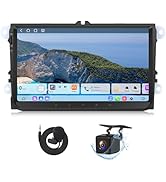
Image: An illustration showing an Android phone connected to the EONON P5 via Super Link, displaying a game on the car screen while the phone is also in use.
Càmera posterior 1080P
The included 1080P rearview camera provides clear visibility when reversing. It features automatic reverse warning lines to assist with parking and maneuvering.

Image: A split image showing the functionality of the 1080P rear camera. The left panel displays a "Live Rear View" from the camera, while the right panel shows "Parking Assistant" with dynamic guidelines on the screen, aiding in parking maneuvers. A car with the camera installed is also depicted.
Manteniment
Online Software Update (OTA)
The EONON P5 supports Over-The-Air (OTA) software updates. This allows for convenient updates to the device's firmware, fixing issues, and enhancing security without manual downloads.
Image: The EONON P5 screen next to a smartphone displaying a "Firmware Update" notification, indicating the availability of an online software update.
Atenció General
- Mantingueu la pantalla neta amb un drap suau i sense borrissol. Eviteu productes de neteja abrasius.
- Assegureu-vos que tots els cables estiguin connectats correctament per evitar pèrdues o danys al senyal.
- Eviteu exposar la unitat a temperatures extremes o a la llum solar directa durant períodes prolongats.
Resolució de problemes
This section addresses common issues you might encounter with your EONON P5 unit. For more complex problems, please refer to the support section.
| Problema | Causa possible | Solució |
|---|---|---|
| Sense energia a la unitat. | Cigarette lighter power cable not connected or vehicle's power outlet is faulty. | Ensure the cigarette lighter power cable is fully inserted. Test the vehicle's power outlet with another device. |
| Sense sortida d'àudio. | Incorrect audio output mode selected or AUX cable not connected properly. | Verify the selected audio output mode (Bluetooth, AUX, FM Transmitter). Check AUX cable connection. Ensure car stereo is on the correct input. |
| El CarPlay/Android Auto no es connecta. | Bluetooth not enabled on phone/unit, or phone not paired. | Ensure Bluetooth is active on both the P5 and your smartphone. Re-pair the devices if necessary. Check phone settings for CarPlay/Android Auto permissions. |
| La càmera de marxa enrere no es mostra. | Camera cable loose or improperly connected. | Check the connection of the backup camera cable to the P5 unit. Ensure the camera is receiving power (if applicable). |
Especificacions
| Característica | Detall |
|---|---|
| Marca | Eonon |
| Model | P5 |
| Mida de la pantalla | 8.95 polzades |
| Tipus de visualització | IPS |
| Resolució de visualització | 1280 x 800 |
| Tecnologia de connectivitat | Bluetooth, WiFi |
| Dispositius compatibles | Telèfon mòbil |
| Pes de l'article | 1.32 quilos |
| Maquinari de muntatge inclòs | Panel, Magnetic variable bracket, Suction cup holder, Cigarette lighter power cord, Rear Lens (Backup Camera), AUX cable, Pry bar, Cable Clip, Instruction manual, Disk for suction cup, Screws, Fixing adhesive |
Garantia i Suport
Eonon is committed to providing excellent customer service and support for its products.
- Resposta ràpida: Support available within 24 hours (excluding weekends).
- Devolucions: 30-Day Free Returns.
- Substitució: Replacement available within 90 days.
- Garantia: Warranty available within 2 years.
- Servei postvenda: Lifelong after-sales service.
For further assistance, you can visit the official Eonon store on Amazon: Eonon Amazon Store.