
1. Introducció
This manual provides essential information for setting up, operating, maintaining, and troubleshooting your Microsoft Surface Pro Copilot+ PC (11th Edition). Please read this guide thoroughly to ensure optimal performance and longevity of your device.
Què hi ha a la caixa
- Surface Pro device
- Guia d'inici ràpid
- Documents de seguretat i garantia
- Font d'alimentació de 39W
- Teclat Surface Pro
- Startup Card/Warranty Guide
2. Configuració
2.1 Engegada i càrrega inicials
Connect the included 39W Power Supply to your Surface Pro and a power outlet. The device will begin charging. Press the power button located on the top edge of the device to turn it on. For first-time use, ensure the device is sufficiently charged.
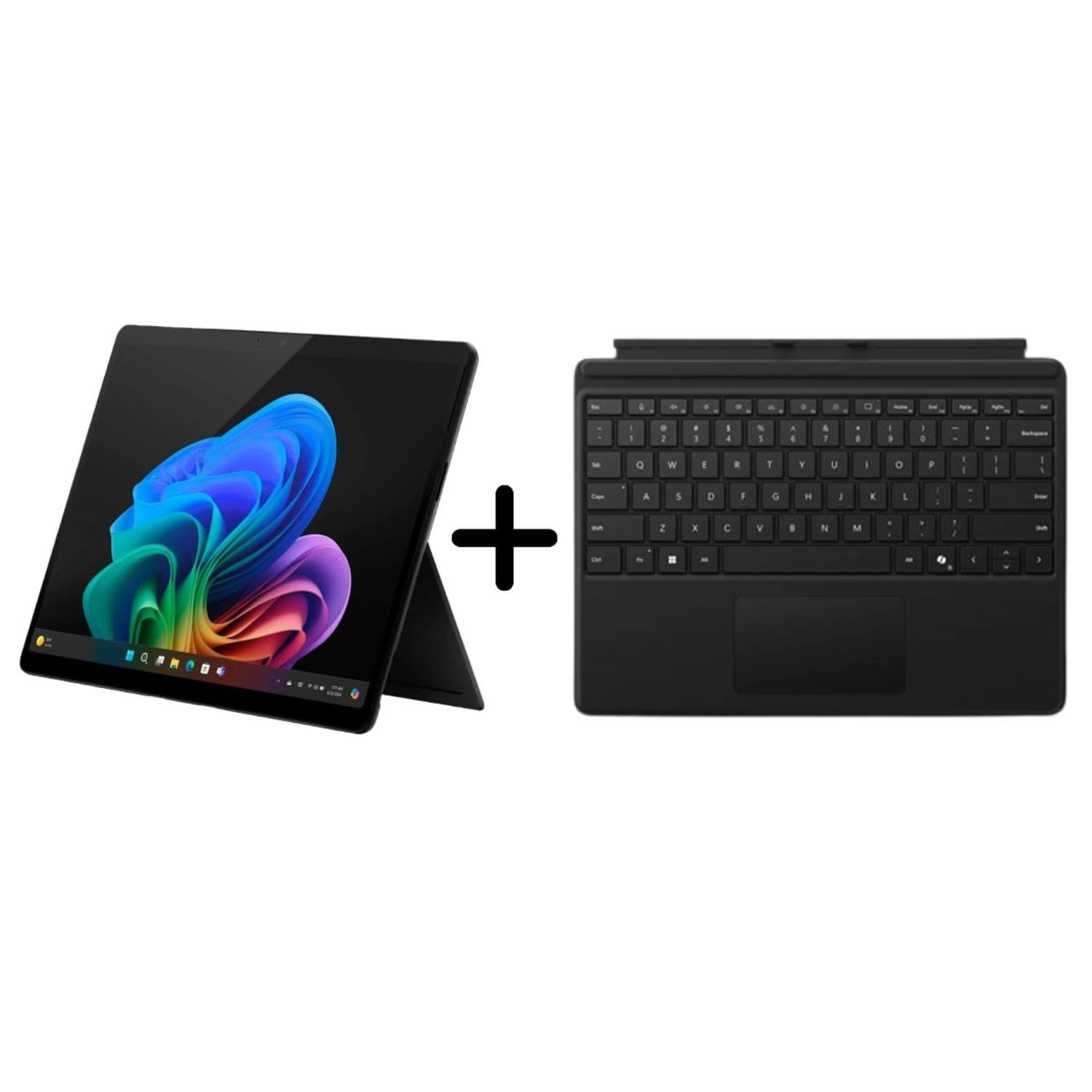
Figure 2.1: Microsoft Surface Pro Copilot+ PC with kickstand deployed, showcasing the vibrant Windows 11 desktop.
2.2 Attaching the Surface Pro Keyboard
Align the magnetic connector of the Surface Pro Keyboard with the corresponding port at the bottom edge of your Surface Pro. The keyboard will snap into place. Ensure a secure connection for proper functionality.
2.3 Configuració del Windows 11
Follow the on-screen prompts to complete the Windows 11 setup process. This includes selecting your language, connecting to a Wi-Fi network, signing in with a Microsoft account, and configuring privacy settings.
3. Operating the Surface Pro
3.1 Touchscreen and Display
The 13-inch PixelSense Flow display offers a 2880 x 1920 resolution with a dynamic refresh rate up to 120Hz. Interact with the device using touch gestures. The display provides a 1200:1 contrast ratio for clear visuals.

Figure 3.1: Close-up of the Surface Pro screen, highlighting the display quality and Windows 11 interface.
3.2 Característiques del Copilot+ PC
Your Surface Pro is a Copilot+ PC, powered by the Snapdragon X Elite processor, enabling advanced AI experiences:
- AI-Powered Artwork: Generate images from text prompts using integrated AI capabilities.
- Recorda: Search across your past activities and content on the device to quickly find what you need.
- Subtítols en directe: Instantly translate audio into captions in various languages.
3.3 AI-Enhanced Surface Studio Camera
The ultra-wide front-facing camera utilizes AI-powered Studio effects, such as automatic framing, to keep you centered during video calls, even if you move within the frame.

Figura 3.2: posterior view of the Surface Pro, illustrating the kickstand functionality and device design.
3.4 Kickstand Flexibility
The integrated 165-degree fluid kickstand allows for flexible positioning of your Surface Pro, adapting from a laptop to a tablet or studio mode for various tasks.

Figura 3.3: Pro lateralfile of the Surface Pro, demonstrating the kickstand's adjustable angle.
4. Manteniment
4.1 Neteja del vostre dispositiu
Per netejar la pantalla, utilitzeu un drap suau i sense pelusa dampened with water or an approved screen cleaner. For the body of the device and keyboard, use a soft, dry cloth. Avoid abrasive materials or harsh chemicals.
4.2 Cura de la bateria
To prolong battery life, avoid extreme temperatures. For long-term storage, charge the battery to approximately 50% and store the device in a cool, dry place. Regular software updates can also optimize battery performance.
4.3 Actualitzacions de programari
Ensure your Surface Pro is always up-to-date by regularly checking for and installing Windows updates. Go to Configuració > Actualització de Windows to manage updates. This ensures you have the latest features, security patches, and performance improvements.
5. Solució De Problemes
5.1 Problemes comuns i solucions
- El dispositiu no s'encén: Assegureu-vos que el dispositiu estigui carregat. Connecteu la font d'alimentació i espereu uns minuts abans d'intentar tornar-lo a encendre.
- El teclat no respon: Detach and reattach the Surface Pro Keyboard to ensure a secure magnetic connection. Check for any debris in the connector ports.
- Problemes de connectivitat Wi-Fi: Restart your Surface Pro and your Wi-Fi router. Check network settings in Windows 11 to ensure the correct network is selected and credentials are entered correctly.
- Rendiment lent: Close unnecessary applications. Check for available Windows updates. Consider running a disk cleanup or checking for malware.
5.2 Cerca de més suport
If you encounter issues not covered in this manual, visit the official Microsoft Support website or contact Microsoft customer service for assistance. Have your device model number (EP2-23862) and serial number ready.
6. Especificacions
| Característica | Detall |
|---|---|
| Número de model | EP2-23862 |
| Mida de la pantalla | 13 polzades |
| Resolució de pantalla | 2880 x 1920 píxels |
| Processador | Qualcomm Snapdragon X Elite (3.4 GHz) |
| RAM | 16 GB |
| Emmagatzematge | SSD de 1 TB |
| Coprocessador gràfic | Adreno |
| Sistema operatiu | Windows 11 Home |
| Tipus sense fil | 802.11ax |
| Ports USB | 2 x USB 3.0 |
| posterior WebResolució de la càmera | 10.5 MP |
| Pes de l'article | 1.97 lliures |
| Dimensions (LxWxH) | 16.1 x 10.7 x 3.3 polzades |
7. Garantia i Suport
7.1 Garantia del producte
Your Microsoft Surface Pro Copilot+ PC comes with a standard manufacturer's warranty. Please refer to the included "Safety and warranty documents" and "Startup Card/Warranty Guide" for specific terms, conditions, and duration of your warranty. Retain your proof of purchase for warranty claims.
7.2 Contactar amb l'assistència
For technical support, warranty service, or additional information, please visit the official Microsoft Support weblloc: support.microsoft.com. You may also find contact numbers for your region on the support weblloc.